Page 2 - TABLE OF CONTENTS; Please record the model number and serial number of; Thank you for purchasing an LG electric oven.
- 2 - TABLE OF CONTENTS SAFETY................................................................................................3-8 - Important safety instructions .............................................3-7- Appliance outlets.....................................................................8 ...
Page 3 - SAFETY; S U R F A C E C O O K I N G U N I T S; • Use Proper Pan Sizes.; WARNING; DO NOT step or sit on the door. Install the; ENGLISH
- 3 - SAFETY I I M M P P O O R R T T A A N N T T S S A A F F E E T T Y Y I I N N S S T T R R U U C C T T I I O O N N S S Read and follow all instructions before using your oven to prevent the risk of fire, electric shock, personal injury, or damage when using the range. This guide do not cover all p...
Page 4 - • DO NOT place aluminum foil directly on
- 4 - SAFETY I I M M P P O O R R T T A A N N T T S S A A F F E E T T Y Y I I N N S S T T R R U U C C T T I I O O N N S S O V E N • DO NOT TOUCH HEATING ELEMENTS OR INTERIOR SURFACES OF OVEN. Heating elementsmay be hot even though they are dark in color. Interiorsurfaces of an oven become hot enough ...
Page 5 - • Turn POWER OFF before removing the Warming Drawer; CAUTION; • Use only dry potholders.
- 5 - SAFETY I I M M P P O O R R T T A A N N T T S S A A F F E E T T Y Y I I N N S S T T R R U U C C T T I I O O N N S S WARNING • DO NOT step or sit on the door. Install the Anti-Tip Bracket packed with range. - The range could be tipped and injury might result from spilled hot liquid, food, or the...
Page 8 - Appliance Outlet Circuit Breakers:; A p p l i a n c e o u t l e t s
- 8 - SAFETY The 120V appliance outlets located on the control consolemay be used to run portable appliances placed oncountertops beside the range.The outlets operate independently and are not affected byrange control settings. Appliance Outlet Circuit Breakers: The circuit breakers for the applianc...
Page 9 - SURFACE CONTROLS COOKING; single; Dual; single
- 9 - SURFACE CONTROLS COOKING L O C A T I O N S O F T H E R A D I A N T S U R F A C E E L E M E N T S A N D C O N T R O L S The radiant surface elements are located on the cooktop asbelow.The radiant control key locations are same with radiantsurface elements on the cooktop. P F M E S S A G E The P...
Page 10 - S E T T I N G S U R F A C E C O N T R O L S; “Hi”; Recommended Surface Cooking; The power level decreases or increases by 0.5; The power level decreases or increases by 0.5 from
To scroll through the power levels quickly press andhold the or key pads until the power leveldesired is reached. Note: - 10 - SURFACE CONTROLS COOKING S E T T I N G S U R F A C E C O N T R O L S When changing from a high heat setting to a lower heatsetting, the surface unit may stop glowing. This i...
Page 11 - O P E R A T I N G T H E W A R M I N G; Suggested Settings; “HS” will appear when the unit is hot to touch.
- 11 - SURFACE CONTROLS COOKING O P E R A T I N G T H E W A R M I N G Z O N E 1. Press ON/OFF pad at the warming zone control position. The warming zone indicator light will flash. (If no further pads are pressed within 10 seconds the display will disappear.) 2. Press ( ) once to turn on the power l...
Page 12 - C O O K I N G A R E A S; Do not attempt to lift the cooktop.; S M O O T H T O P S U R F A C E; T I P S T O P R O T E C T T H E; Cleaning; To Prevent Stains
- 12 - SURFACE CONTROLS COOKING C O O K I N G A R E A S The cooking areas on your range are identified by permanentcircles on the smoothtop surface. For the most efficientcooking, fit the pan size to the element size.Pans should not extend more than 1 / 2 to 1-inch beyond the cooking area.When a con...
Page 13 - H O M E C A N N I N G T I P S; Check pans for flat bottoms by
- 13 - SURFACE CONTROLS COOKING H O M E C A N N I N G T I P S Be sure the canner is centered over the surface unit.And Make sure the canner is flat on the bottom. The base must not be more than 1 inch larger than theelement. Use of water bath canners with rippled bottomsmay extend the time required ...
Page 14 - INFORMATION; P A R T S A N D F E A T U R E S
- 14 - INFORMATION P A R T S A N D F E A T U R E S Oven vent Ceramic glass Broiler fan & Grid Anti-tip bracket Model and serial number plate Storage drawer Oven door Gasket Oven racks (2 ea) Self clean latch Automatic oven light switch Dual element Single element Warming zone element Appliance o...
Page 15 - C O N T R O L P A N E L F E A T U R E S; CONVECTION ROAST PAD:
- 15 - C O N T R O L P A N E L F E A T U R E S READ THE INSTRUCTIONS CAREFULLY BEFORE USING THE OVEN. For satisfactory use of your oven, becomefamiliar with the various features and functions of the oven as described below. Detailed instructions for each feature andfunction follow later in this Owne...
Page 16 - OPERATION; S E T T I N G T H E C L O C K; CLOCK; M I N I M U M & M A X I M U M; TIMER; SETTING THE TIMER ON/OFF
- 16 - OPERATION S E T T I N G T H E C L O C K The CLOCK pad is used to set the clock. The clock has beenpreset at the factory for 12 hours operation. When the rangeis first plugged in, or when the power supply to the range hasbeen interrupted, the timer in the display will show withpower failure &#...
Page 17 - S E T T I N G C O N V E C T I O N A U T O; T H E R M O S T A T A D J U S T M E N T
- 17 - OPERATION (OPTIONS) The thermostat adjustments made with this featurewill just change Bake, Convection Bake andConvection Roast temperature. Note: 1. Press the COOK & WARM pad for 3 seconds. 2. Press “5” pad. The display will show “Auto On”. 3. Press “5” pad to switch between the “On” and...
Page 18 - S E T T I N G B E E P E R V O L U M E; “On”; S E T T I N G P R E H E A T I N G A L A R M; START; S E T T I N G T E M P E R A T U R E U N I T —
- 18 - OPERATION (OPTIONS) 1. Press COOK & WARM pad for 3 seconds. 2. Press “3” pad. The display will show “BEEP Hi”. 3. Press “3” pad to switch beeper volume (Hi, Lo, OFF). 4. Press START pad to accept the desired change. To set beeper volume S E T T I N G B E E P E R V O L U M E The beeper vol...
Page 19 - Press CLEAR/OFF to cancel the Bake feature at any time.; S E T T I N G B A K E; BAKE
- 19 - OPERATION Press CLEAR/OFF to cancel the Bake feature at any time. To set the Bake Temperature to 375°F: 1. If the oven temperature needs to be changed to 425°F, press BAKE pad and "350°" will show in the display. 2. Press 4, 2, 5. pads. 3. Press START pad. To change the Bake Temperatu...
Page 20 - B A K I N G L A Y E R C A K E S; BEFORE USING OVEN RACKS; • DO NOT cover a rack with aluminum foil; • Always arrange oven racks when the
- 20 - OPERATION • The oven has 7 rack positions.. B A K I N G L A Y E R C A K E S Baking results will be better if baking pans are centered inthe oven as much as possible. If baking with more than onepan, place the pans so each has at least 1” to 1 1 / 2 ” of air space around it.If cooking on multi...
Page 21 - S E T T I N G T I M E D B A K E; DELA
- 21 - OPERATION 1. Be sure the clock is set for the correct time of day. 2. Press BAKE pad, "350°" will appear in the display. 3. Press 3, 0, 0 pads. "BAKE" will flash and "300°" will appear in the display. 4. Press COOK TIME pad. "TIMED" will flash. "BAKE", ...
Page 22 - S E T T I N G B R O I L; S E T T I N G D E L A Y E D T I M E D; • Should an oven fire occu
- 22 - OPERATION S E T T I N G B R O I L Always operate broil mode with door closed. “Hi ” isused for most broiling. Use “Lo” broil when broiling longercooking foods. The lower temperature allows food to cook tothe well done stage without excessive browning. For bestresults when broiling, use a pan ...
Page 23 - R E C O M M E N D E D B R O I L I N G G U I D E
- 23 - OPERATION R E C O M M E N D E D B R O I L I N G G U I D E The size, weight, thickness, starting temperature and yourpreference of doneness will affect broiling times. This guide is based on meats at refrigeratortemperature.For best results when broiling, use a pan designed for broiling (refer...
Page 24 - S E T T I N G C O N V E C T I O N B A K E; Benefits of Convection Bake:; Tips for Convection Bake; Cakes have better results when baked using the BAKE
- 24 - OPERATION S E T T I N G C O N V E C T I O N B A K E Benefits of Convection Bake: 1. Some foods cook up to 25 to 30% faster, saving time and energy. 2. Multiple rack baking. 3. No special pans or bakeware needed. The CONV. BAKE pad controls the Convection Bakefeature. Use the Convection Bake f...
Page 25 - Roasting Rack Instructions; S E T T I N G C O N V E C T I O N R O A S T; Press to CLEAR/OFF pad to stop this made at any time.; • DO NOT use the roasting rack when
- 25 - Roasting Rack Instructions When preparing meats for convection roasting,use thebroiler pan and grid along with the roasting rack. Thebroiler pan will catch grease spills and the grid will helpprevent grease splatters. The roasting rack will allow theheat to circulate around the meat. 1. Arran...
Page 26 - S E T T I N G T H E C O O K & W A R M; S E T T I N G O V E N & C O O K T O P
- 26 - 1. Press and hold START for 3 seconds. 2. 2 beeps will sound, "DOOR LOCKED" will flash in the display. Once the oven door is locked the "DOOR LOCKED" indicator will stop flashing and remain on along with the lock icon( ) light. To activate the Oven Lockout feature: 1. Press an...
Page 27 - “Hot”; S E T T I N G T H E P R O O F F E A T U R E; PROOF; OVEN LIGHT; C H A N G I N G H O U R M O D E O N
- 27 - OPERATION • Do not use the proofing mode for warming food or keeping food hot. The proofing oven temperature isnot hot enough to hold foods at safe temperatures.Use the COOK &WARM feature to keep food warm. • Proofing will not operate when oven is above 125°F. “Hot” will show in the displ...
Page 28 - Before a Self Clean Cycle
- 28 - • The silver--colored oven racks can be self-cleaned, but they will darken, lose their luster and become hard to slide. It isrecommended to remove all racks before starting the selfclean cycle. • Soil on the front frame of the range and outside the gasket on the door will need to be cleaned b...
Page 29 - DOOR LOCK; During the Self-Clean cycle; Oven
- 29 - SELF-CLEAN The SELF-CLEAN pad is used to start a Self-Clean cycle.When used with START TIME pad, a delayed Self-Cleancycle may also be programmed. The Self-Clean function hascycle times of 2, 3, or 4 hours. 1. Be sure the clock is set with the correct time of day, the oven is empty and the ov...
Page 30 - Pull the bearing glides to the front; O V E N V E N T; MAINTENANCE; Turn POWER OFF before removing the
- 30 - R E M O V I N G & R E P L A C I N G T H E W A R M I N G D R A W E R To Remove Warming Drawer: 1. CAUTION - Turn power OFF before removing the Warming Drawer. 2. Open the drawer to the fully opened position. 3. Remove the 2 screws (right and left side). (refer to below picture) 4. Locate g...
Page 31 - C A R E & C L E A N I N G; Do not use a steel-wool pad it will scratch the; • Before replacing your oven light bulb,
- 31 - MAINTENANCE C A R E & C L E A N I N G Changing the Oven Light The oven light is a standard 40-watt appliance bulb. It willcome on when the oven door is open. When the oven door isclosed, press LIGHT to turn it on or off. It will not workduring the Self-Clean cycle. To replace: 1. Unplug r...
Page 32 - Oven door; Normal Daily Use Cleaning
- 32 - MAINTENANCE Oven door Use soap & water to thoroughly clean the top, sides and frontof the oven door. Rinse well. You may use a glass cleaner onthe outside glass of the oven door. DO NOT immerse thedoor in water. DO NOT spray or allow water or theglass cleaner to enter the door vents. DO N...
Page 33 - Metal Marks and Scratches; Cooktop Seal; Cookware with rough; • Do not slide metal; or; • Do not use cookware with any dirt build; us
- 33 - MAINTENANCE Burned-On Residue To clean the glass-ceramic S t e p . 1 First remove any burnt-on deposits or spilled food from your glass- ceramic cooking surface with a suitable metal razor scraper (similar to scraping paint off of your windowpanes in your home - it will not damage the decorat...
Page 34 - R E M O V I N G & R E P L A C I N G T H E; • Be careful when removing and lifting the
- 34 - MAINTENANCE R E M O V I N G & R E P L A C I N G T H E L I F T - O F F O V E N D O O R To remove the door: S t e p . 1 Fully open the door. S t e p . 2 Pull the hinge locks down toward (Fig.1) the door frame, to the unlocked position. S t e p . 3 Firmly grasp both sides of the door at the ...
Page 35 - TROUBLESHOOTING; Possible cause / Solution; B E F O R E C A L L I N G F O R S E R V I C E; CODE; Problem
- 35 - TROUBLESHOOTING Possible cause / Solution • Poor installation. Place oven rack in center of oven. Place a level on the oven rack. Adjust leveling legs at base of range until the oven rack is level. • Be sure floor is level and is strong and stable enough to adequately support range . • If flo...
Page 39 - LG ELECRIC OVEN LIMITED WARRANTY - Canada
- 39 - LG ELECTRONICS CANADA, INC. LG ELECRIC OVEN LIMITED WARRANTY - Canada WARRANTY : Should your LG Electric Oven (“Product”) fail due to a defect in material or workmanship under normal home use during the war ranty period set forth below, LG Canada will at its option repair or replace the Produ...
Page 40 - MEMO
Page 41 - Pour contacter LG Electronics
Printed in Mexico Pour contacter LG Electronics 24h/24 et 7jours/7: 1-888-542-2623 (CANADA) Ou consultez notre site Internet au: www.lg.com To contact LG Electronics 24 hours a day, 7 days a week: 1-888-542-2623 (CANADA) Or visit us on the Web at: www.lg.com


 LG LSES6338F
User Manual
LG LSES6338F
User Manual
 LG LSGS6338F
User Manual
LG LSGS6338F
User Manual
 LG LSGS6338N
User Manual
LG LSGS6338N
User Manual
 LG LSIS6338F
User Manual
LG LSIS6338F
User Manual
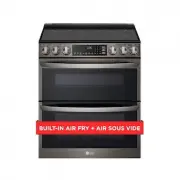 LG LTEL7337D
User Manual
LG LTEL7337D
User Manual
 LG LCRF0222
User Manual
LG LCRF0222
User Manual
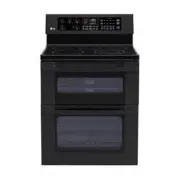 LG LDE3015SB
User Manual
LG LDE3015SB
User Manual
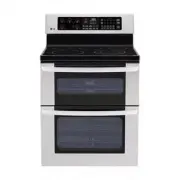 LG LDE3015ST
User Manual
LG LDE3015ST
User Manual
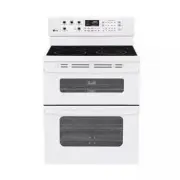 LG LDE3015SW
User Manual
LG LDE3015SW
User Manual
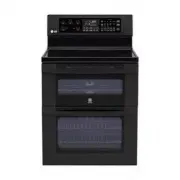 LG LDE3017SB
User Manual
LG LDE3017SB
User Manual