Page 2 - TABLE OF CONTENTS; Staple your receipt here to verify your retail purchase.; Thank you for purchasing an LG electric oven.
- 2 - TABLE OF CONTENTS SAFETY ..................................................................3-8 - Important safety instructions .............................3-7 - Appliance outlets ...............................................8 SURFACE CONTROLS COOKING ........................9-12 - “PF” “HS”...
Page 3 - ENGLISH; SAFETY; S U R F A C E C O O K I N G U N I T S; • Use Proper Pan Sizes.; WARNING; • DO NOT step or sit on the door.
ENGLISH - 3 - SAFETY II II M M M M P P P P O O O O R R R R T T T T A A A A N N N N T T T T S S S S A A A A F F F F E E E E T T T T Y Y Y Y II II N N N N S S S S T T T T R R R R U U U U C C C C T T T T II II O O O O N N N N S S S S Read and follow all instructions before using your oven to prevent th...
Page 4 - O V E N; • DO NOT place aluminum foil directly on
- 4 - SAFETY II II M M M M P P P P O O O O R R R R T T T T A A A A N N N N T T T T S S S S A A A A F F F F E E E E T T T T Y Y Y Y II II N N N N S S S S T T T T R R R R U U U U C C C C T T T T II II O O O O N N N N S S S S O V E N • DO NOT TOUCH HEATING ELEMENTS OR INTERIOR SURFACES OF OVEN. Heating...
Page 5 - CAUTION
ENGLISH - 5 - SAFETY II II M M M M P P P P O O O O R R R R T T T T A A A A N N N N T T T T S S S S A A A A F F F F E E E E T T T T Y Y Y Y II II N N N N S S S S T T T T R R R R U U U U C C C C T T T T II II O O O O N N N N S S S S WARNING • DO NOT step or sit on the door. Install the Anti-Tip Bracke...
Page 6 - II
- 6 - SAFETY CAUTION • Be certain all packing materials are removed from the appliance before operating. - Keep plastics, clothes, and paper away from parts of the appliance that may become hot. • Wear proper apparel. - Loose-fitting or hanging garments should never be worn while using the appliance...
Page 8 - A p p l i a n c e o u t l e t s; Appliance Outlet Circuit Breakers:
- 8 - SAFETY A p p l i a n c e o u t l e t s The 120V appliance outlets located on the control consolemay be used to run portable appliances placed oncountertops beside the range. The outlets operate independently and are not affected byrange control settings. Appliance Outlet Circuit Breakers: The ...
Page 9 - SURFACE CONTROLS COOKING; P F M E S S A G E; single; Dual; single
ENGLISH - 9 - SURFACE CONTROLS COOKING L O C A T I O N S O F T H E R A D I A N TS U R F A C E E L E M E N T S A N DC O N T R O L S The radiant surface elements are located on the cooktop asbelow. The radiant control key locations are same with radiantsurface elements on the cooktop. P F M E S S A G ...
Page 10 - S E T T I N G S U R F A C E C O N T R O L S; “Hi”; Lo; • DO NOT touch surface elements until it; • NEVER leave food unattended at high or
- 10 - SURFACE CONTROLS COOKING To scroll through the power levels quickly press andhold the or key pads until the power leveldesired is reached. N ot e : S E T T I N G S U R F A C E C O N T R O L S When changing from a high heat setting to a lower heatsetting, the surface unit may stop glowing. Thi...
Page 11 - Suggested Settings; “HS”
- 11 - SURFACE CONTROLS COOKING ENGLISH O P E R A T I N G T H E W A R M I N GZ O N E 1. Press ON/OFF pad at the warming zone control position. The warmingzone indicator light will flash.(If no further pads are pressed within10 seconds the display willdisappear.) 2. Press ( ) once to turn on the powe...
Page 12 - S M O O T H T O P S U R F A C E; Cleaning; C O O K I N G A R E A S
- 12 - Smoothtop Surface Notes: • Cooktop may emit light smoke and odor the first few times the cooktop is used. This is normal. • Smoothtop cooktops retain heat for a period oftime after the element is turned off. Turn the elements off a few minutes before food is completelycooked and use the retai...
Page 13 - H O M E C A N N I N G T I P S; U S I N G T H E P R O P E R C O O K W A R E
- 13 - ENGLISH SURFACE CONTROLS COOKING H O M E C A N N I N G T I P S Be sure the canner is centered over the surface unit.And Make sure the canner is flat on the bottom. The base must not be more than 1 inch larger than theelement. Use of water bath canners with rippled bottomsmay extend the time r...
Page 14 - INFORMATION; P A R T S A N D F E A T U R E S
- 14 - INFORMATION P A R T S A N D F E A T U R E S Oven vent Ceramic glass Warming zone element Broiler pan & Grid (Not included in this model) Anti-tip bracket Model and serial number plate Oven racks (2ea) Storage drawer Oven door Gasket Oven racks (2ea) Self clean latch Automatic oven light s...
Page 15 - READ THE INSTRUCTIONS CAREFULLY BEFORE USING THE OVEN.; Detailed instructions for each feature; C O N T R O L P A N E L F E A T U R E S; CLEAR OFF
- 15 - ENGLISH READ THE INSTRUCTIONS CAREFULLY BEFORE USING THE OVEN. For satisfactory use of your oven, become familiar with the various features and functions of the oven as described below. Detailed instructions for each feature and function follow later in this Owner’s manual. C O N T R O L P A ...
Page 16 - OPERATION; S E T T I N G T H E C L O C K; S E T T I N G T H E T I M E R O N / O F F
- 16 - OPERATION S E T T I N G T H E C L O C K The CLOCK pad is used to set the clock. The clock has beenpreset at the factory for 12 hours operation. When the rangeis first plugged in, or when the power supply to the range hasbeen interrupted, the timer in the display will show withpower failure &#...
Page 17 - S E T T I N G B E E P E R V O L U M E; WARM; START; START
- 17 - ENGLISH 1. Press WARM pad for 3 seconds. 2. Press “3” pad. The display will show “BEEP Hi”. 3. Press “3” pad to switch beeper volume (Hi, Lo, OFF). 4. Press START pad to accept the desired change. To set beeper volume S E T T I N G B E E P E R V O L U M E The beeper volume feature allows you ...
Page 18 - T H E R M O S T A T A D J U S T M E N T
- 18 - OPERATION (OPTIONS) 1. Press WARM pad for 3 seconds. 2. Press “4” pad. The display will show “PrE On”. 3. Press “4” pad to switch between the “On” and “OFF”. 4. Press START pad to accept the change. To set smart oven light on/off S E T T I N G P R E H E A T I N G A L A R ML I G H T O N / O F ...
Page 19 - S E T T I N G B A K E; B E F O R E U S I N G O V E N R A C K S; BAKE; I m p o rta n t N ot e :; • DO NOT cover a rack with aluminum foil
- 19 - ENGLISH OPERATION Press CLEAR OFF to cancel the Bake feature at any time. • The oven has 7 rack positions. To set the Bake Temperature to 375°F: 1. If the oven temperature needs tobe changed to 425°F, press BAKE pad and "350°" will show in the display. 2. Press 4, 2, 5. pads. 3. Press...
Page 20 - S E T T I N G T I M E D B A K E; • Use caution with the TIMED BAKE or
- 20 - 1. Be sure the clock is set for thecorrect time of day. 2. Press BAKE pad, "350°" will appear in the display. 3. Press 3, 0, 0 pads. "BAKE" will flash and "300°" will appear in the display. 4. Press COOK TIME pad. "TIMED" will flash. "BAKE", "0:00&#...
Page 21 - S E T T I N G B R O I L; Always operate broil mode with door closed.; • Should an oven fire occur, leave the
- 21 - ENGLISH OPERATION S E T T I N G B R O I L Always operate broil mode with door closed. “Hi” is used for most broiling. Use “Lo” broil when broiling longercooking foods. The lower temperature allows food to cook tothe well done stage without excessive browning. For bestresults when broiling, us...
Page 22 - R E C O M M E N D E D B R O I L I N G G U I D E
- 22 - OPERATION Food Quantity and/ or Thickness Shelf Position First Side Time (min.) Second Side Time (min.) Comments Ground Beef Well Done Beef Steaks RareMediumWell Done RareMediumWell Done Chicken Lobster Tails Fish Fillets Ham Slices (precooked) Pork Chops Well Done Lamb Chops MediumWell Done ...
Page 23 - S E T T I N G T H E W A R M F E A T U R E; S E T T I N G T H E P R O O F F E A T U R E
- 23 - ENGLISH OPERATION S E T T I N G T H E W A R M F E A T U R E The WARM feature will maintain an oven temperature of 170° F. This feature is not desired to reheat cold foods. TheWarm feature will keep cooked food warm for serving up to 3hours after cooking has finished. After 3 hours the Warm fe...
Page 24 - Before a Self Clean Cycle; • DO NOT leave small children
- 24 - • The silver-colored oven racks can be self-cleaned, but they will darken, lose their luster and become hard to slide. It isrecommended to remove all racks before starting the selfclean cycle. • Soil on the front frame of the range and outside the gasket on the door will need to be cleaned by...
Page 25 - SELF CLEAN; IMPORTANT NOTES; when using the Self-Clean; Oven Lockout; During the Self-Clean cycle
- 25 - ENGLISH The SELF CLEAN pads are used to start a Self-Clean cycle. When used with START TIME pad, a delayed Self-Clean cycle may also be programmed. The Self-Clean function hascycle times of 2, 3 or 4 hours. 1. Be sure the clock is set with the correct time of day, the oven isempty and the ove...
Page 26 - O V E N V E N T; MAINTENANCE; • Turn POWER OFF before removing the Warming
- 26 - R E M O V I N G & R E P L A C I N G T H ES T O R A G E D R A W E R To Remove Storage Drawer: 1. CAUTION - Turn power OFF before removing the storage drawer. 2. Pull the drawer out until it stops. 3. Lift the front of the drawer until the stops clear theguides. 4. Remove the drawer. To Rep...
Page 27 - C A R E & C L E A N I N G; Changing the Oven Light; DO NOT; Stainless Steel Surfaces; damp; Broiler Pan and Grid; • Before replacing your oven light bulb,
- 27 - ENGLISH MAINTENANCE C A R E & C L E A N I N G Changing the Oven Light The oven light is a standard 40-watt appliance bulb. It willcome on when the oven door is open. When the oven door isclosed, press LIGHT to turn it on or off. It will not workduring the Self-Clean cycle. To replace: 1. ...
Page 28 - Oven door; DO NOT spray or allow water or the; C L E A N I N G T H E G L A S S C O O K T O P; Normal Daily Use Cleaning; ONLY; • DO NOT use harsh abrasive cleaners or; • DO NOT use scrub pads or abrasive
- 28 - MAINTENANCE Oven door Use soap & water to thoroughly clean the top, sides and frontof the oven door. Rinse well. You may use a glass cleaner onthe outside glass of the oven door. DO NOT immerse the door in water. DO NOT spray or allow water or the glass cleaner to enter the door vents. DO...
Page 29 - IMMEDIATELY; not; while; For your safety please wear; Metal Marks and Scratches; Cooktop Seal; • Do not slide metal; or; • Do not use cookware with any dirt build
- 29 - ENGLISH MAINTENANCE Burned-On Residue To clean the glass-ceramic S t e p . 1 First remove any burnt-on depositsor spilled food from your glass-ceramic cooking surface with asuitable metal razor scraper (similarto scraping paint off of yourwindowpanes in your home - it willnot damage the decor...
Page 30 - Door Care Instructions; • Be careful when removing and lifting the
- 30 - MAINTENANCE R E M O V I N G & R E P L A C I N G T H EL I F T - O F F O V E N D O O R To remove the door: S t e p . 1 Fully open the door. S t e p . 2 Pull the hinge locks downtoward (Fig.1) the door frame,to the unlocked position. S t e p . 3 Firmly grasp both sides of the door at the top...
Page 31 - TROUBLESHOOTING; Possible cause / Solution; B E F O R E C A L L I N G F O R S E R V I C E; CODE; Problem
- 31 - ENGLISH TROUBLESHOOTING Possible cause / Solution • Poor installation. Place oven rack in center of oven. Place a level on the oven rack. Adjust leveling legs at base of range until the oven rack is level. • Be sure floor is level and is strong and stable enough to adequately support range. •...
Page 32 - Oven will not work
- 32 - TROUBLESHOOTING Possible cause / Solution • Plug on range is not completely inserted in the electrical outlet. - Make sure electrical plug is plugged into a live, properly grounded outlet. • A fuse in your home may be blown or the circuit breaker tripped. - Replace the fuse or reset the circu...
Page 33 - Metal marks
- 33 - ENGLISH TROUBLESHOOTING Possible cause / Solution • Aluminum foil used on the the broiling pan and grid has not been fitted properly and slit as recommended.- See the using the oven section. • In some areas the power (voltage) may be low. - Preheat the broil element for 10 minutes.- Broil for...
Page 34 - Steam from the vent
- 34 - TROUBLESHOOTING Possible cause / Solution • The self-clean cycle has been selected but the door is not closed. - Close the oven door. • The oven door is locked because the temperature inside the oven has not dropped below the locking temperature.- Press the CLEAR OFF pad. Allow the oven to co...
Page 35 - LG ELECRIC OVEN LIMITED WARRANTY - Canada
- 35 - ENGLISH LG ELECTRONICS CANADA, INC. LG ELECRIC OVEN LIMITED WARRANTY - Canada WARRANTY : Should your LG Electric Oven (“Product”) fail due to a defect in material or workmanship under normal home use during the warranty period set forth below, LG Canada will at its option repair or replace th...


 LG LSES6338F
User Manual
LG LSES6338F
User Manual
 LG LSGS6338F
User Manual
LG LSGS6338F
User Manual
 LG LSGS6338N
User Manual
LG LSGS6338N
User Manual
 LG LSIS6338F
User Manual
LG LSIS6338F
User Manual
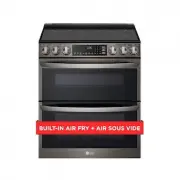 LG LTEL7337D
User Manual
LG LTEL7337D
User Manual
 LG LCRF0222
User Manual
LG LCRF0222
User Manual
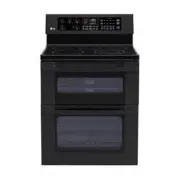 LG LDE3015SB
User Manual
LG LDE3015SB
User Manual
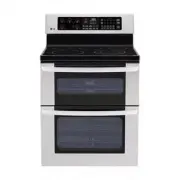 LG LDE3015ST
User Manual
LG LDE3015ST
User Manual
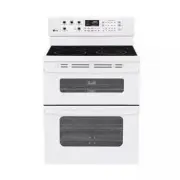 LG LDE3015SW
User Manual
LG LDE3015SW
User Manual
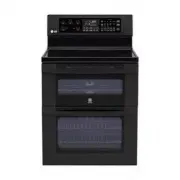 LG LDE3017SB
User Manual
LG LDE3017SB
User Manual