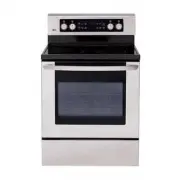
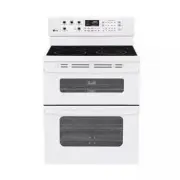
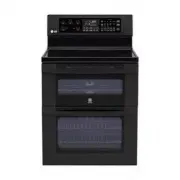
Page 2 - I N T R O D U C T I O N; Staple your receipt here.
2 I N T R O D U C T I O N IMPORTANT SAFETY INFORMATION ......3-9 Appliance Outlet .............................................................9 PARTS AND FEATURES Parts And Features ......................................................15Control Panel Features .........................................
Page 3 - READ ALL INSTRUCTIONS BEFORE USE; SAFETY PRECAUTIONS; CAUTION; ENGLISH; I M P O R T A N T S A F E T Y I N F O R M A T I O N; WARNING
READ ALL INSTRUCTIONS BEFORE USE SAFETY PRECAUTIONS To reduce the risk of tipping of the range, the rangemust be secured by properly installing anti-tipbracket. • To check that the anti-tip bracket is properly installed: Grasp the top rear edge of the range back guardand carefully attempt to tilt it...
Page 5 - ELECTRICAL SAFETY; PAN PLACEMENT
READ ALL INSTRUCTIONS BEFORE USE 5 ENGLISH I M P O R T A N T S A F E T Y I N F O R M A T I O N ELECTRICAL SAFETY • Protective Liners. Do not use aluminum foil or any other material to line the oven bottoms.Improper installation of these liners may result ina risk of electric shock or fire. • Do Not ...
Page 6 - DEEP FAT FRYERS
6 I M P O R T A N T S A F E T Y I N F O R M A T I O N READ ALL INSTRUCTIONS BEFORE USE DEEP FAT FRYERS • Use extreme caution when moving the grease kettle or disposing of hot grease. SURFACE COOKING UNITS • Use Proper Pan Sizes. This appliance is equipped with one or more surface units ofdifferent s...
Page 7 - CHILD SAFETY
7 ENGLISH I M P O R T A N T S A F E T Y I N F O R M A T I O N CHILD SAFETY • Children should be kept away from the oven. • Accessory parts will become hot when the broiler is in use. WARNING • NEVER leave children alone or unsupervised near the appliance when it isin use or is still hot. Children sh...
Page 8 - GLASS/CERAMIC COOKING SURFACES
8 I M P O R T A N T S A F E T Y I N F O R M A T I O N GLASS/CERAMIC COOKING SURFACES (cont.) • DO NOT place aluminum foil or plastic items such as salt and pepper shakers, spoon holders, orplastic wrappings or any other material on therange when it is in use.- The hot air from the vent could melt pl...
Page 9 - SAFETY WHEN CLEANING
The 120V appliance outlets located on the controlconsole may be used to run portable appliancesplaced on countertops beside the range. The outlets operate independently and are notaffected by range control settings. NOTE: Do not place portable appliances on the cooktop. Damage to the portable applia...
Page 10 - S U R FA C E C O N T R O L S C O O K I N G; POWER OUTAGE MESSAGE
10 S U R FA C E C O N T R O L S C O O K I N G POWER OUTAGE MESSAGE If your oven was set for a timed oven operation and apower outage occurred, the clock and all programmedfunctions must be reset. The time of day will flash in the display when therehas been a power outage. Press the Clear/Off pad. Re...
Page 11 - SETTING SURFACE CONTROLS
2 2 1 A B 11 ENGLISH S U R FA C E C O N T R O L S C O O K I N G SETTING SURFACE CONTROLS Use to turn on the surface elements. An infinite choice of heat settings is available from Low to High . The knobs can be set on or between any of the settings. Place pan on surface element. Push in and turn the...
Page 12 - TIPS TO PROTECT THE GLASS COOKTOP SURFACE; Cleaning; GLASS COOKTOP SURFACE; Glass Cooktop Surface Notes:
12 S U R FA C E C O N T R O L S C O O K I N G TIPS TO PROTECT THE GLASS COOKTOP SURFACE Cleaning (See pages 32~33 for more information) Before first use, clean the cooktop. Clean your cooktop daily or after each use. This willkeep your cooktop looking good and can preventdamage. If a spillover occur...
Page 13 - COOKING AREAS; USING THE PROPER COOKWARE
13 ENGLISH S U R FA C E C O N T R O L S C O O K I N G COOKING AREAS The cooking areas on your range are identified bypermanent circles on the glass cooktop surface. Forthe most efficient cooking, fit the pan size to theelement size. Pans should not extend more than 1/2 to 1-inchbeyond the cooking ar...
Page 14 - HOME CANNING TIPS
14 S U R FA C E C O N T R O L S C O O K I N G HOME CANNING TIPS Be sure the canner is centered over the surfaceunit. Make sure the canner is flat on the bottom. The base must not be more than 1 inch larger thanthe element. Use of water bath canners with rippledbottoms may extend the time required to...
Page 15 - P A R T S A N D F E A T U R E S; PARTS AND FEATURES
15 ENGLISH P A R T S A N D F E A T U R E S PARTS AND FEATURES Ceramic glass Broiler pan and Grid (Not included in this model) Anti-tip bracket Model and serial number plate Oven racks (2 ea) Storage drawer Oven door Gasket Oven racks (2 ea) Self clean latch Automatic oven light switch Dual element S...
Page 16 - CONTROL PANEL FEATURES
CLOCK Pad : Press before setting the time of day. COOK TIME Pad : Press and then use the number pads to set the amount of time you wantyour food to cook. The oven will shut off when thecooking time has run out. Display: Shows the time of day, oven temperature, whether the oven is in the bake,broil o...
Page 17 - SETTING THE CLOCK; O P E R A T I N G I N S T R U C T I O N S; MINIMUM & MAXIMUM CONTROL PAD SETTINGS
SETTING THE CLOCK 17 ENGLISH O P E R A T I N G I N S T R U C T I O N S To set the clock: The CLOCK pad is used to set the clock. The clockhas been preset at the factory for 12 hours operation.When the range is first plugged in, or when the powersupply to the range has been interrupted, the time ofda...
Page 18 - SETTING THE TIMER ON/OFF
18 O P E R A T I N G I N S T R U C T I O N S SETTING THE TIMER ON/OFF To set the Timer (example for 5 minutes): The TIMER ON/OFF serves as an extra timer in the kitchen that will beep when the set time has run out. It does not start or stop cooking. The TIMER ON/OFF feature can be used during any of...
Page 19 - SETTING BEEPER VOLUME
Your control is set to use a 12-hour clock. If youwould prefer to have a 24-hour clock, follow the stepsbelow. TIMER ON/OFF pad control the Fahrenheit or Celsius temperature display modes. The oven control can beprogrammed to display temperatures in Fahrenheit orCelsius. The oven has been preset at ...
Page 20 - SETTING PREHEATING ALARM LIGHT ON/OFF; THERMOSTAT ADJUSTMENT
20 O P E R A T I N G I N S T R U C T I O N S SETTING PREHEATING ALARM LIGHT ON/OFF The interior oven light automatically turn on when theoven door is opened. When oven reaches set-temperature after preheat,the oven notifies preheat-end by flashing oven lampuntil door is opened. You can activate or d...
Page 21 - SETTING BAKE
O P E R A T I N G I N S T R U C T I O N S ENGLISH 21 To change the Bake Temperature whilecooking Press the Bake pad. Then press the + or - pad until the desired temperature is displayed. Press START. SETTING BAKE The BAKE pad controls normal baking. The oven canbe programmed to bake at any temperatu...
Page 22 - BAKING LAYER CAKES
22 O P E R A T I N G I N S T R U C T I O N S BAKING LAYER CAKES Baking results will be better if baking pans arecentered in the oven as much as possible. If bakingwith more than one pan, place the pans so each hasat least 1” to 1 1 / 2 ” of air space around it. If cooking on multiple racks, place th...
Page 24 - SETTING DELAYED TIMED BAKE
24 O P E R A T I N G I N S T R U C T I O N S The BAKE, COOK TIME and START TIME pads control the Delayed Timed Bake feature. The automatic timer of the Delayed Timed Bake willturn the oven ON and OFF at the time you select inadvance. SETTING DELAYED TIMED BAKE To program the oven for a Delay Start a...
Page 25 - SETTING BROIL
O P E R A T I N G I N S T R U C T I O N S ENGLISH 25 Leave the door open to the broil stop position. The door will stay open by itself, yet the propertemperature is maintained in the oven. SETTING BROIL To set the oven to broil at the Hi or Losetting: Place the meat or fish on the broilergrid in the...
Page 26 - TO TURN ON or OFF THE OVEN LIGHT
26 O P E R A T I N G I N S T R U C T I O N S Food Quantity and/ or Thickness Shelf Position First Side Time (min.) Second Side Time (min.) Comments Ground Beef Well Done Beef Steaks RareMediumWell Done RareMediumWell Done Chicken Lobster Tails Fish Fillets Ham Slices (precooked) Pork Chops Well Done...
Page 27 - Before a Self-Clean Cycle
27 ENGLISH O P E R A T I N G I N S T R U C T I O N S NOTE: Remove silver-colored ovenracks before youbegin the self-clean cycle. The self-clean cycle uses above normal cookingtemperatures to clean the oven’s interiorautomatically. It is normal for flare-ups, smoking, or flaming to occurduring cleani...
Page 28 - During the Self-Clean cycle
28 O P E R A T I N G I N S T R U C T I O N S The SELF-CLEAN pad is used to start a Self-Clean cycle. When used with START TIME pad, a delayed Self-Clean cycle may also be programmed. The Self-Clean function has cycle times of 2, 3, or 4 hours. To start an immediate Self-Clean cycle andshut off autom...
Page 29 - When the self-clean cycle is done
29 ENGLISH O P E R A T I N G I N S T R U C T I O N S If it becomes necessary to stop or interrupt a self-cleaning cycle due to excessive smoke or fire in theoven: When the self-clean cycle is done • It will not be possible to open the oven door until oven temperature has cooled. • It is recommend to...
Page 30 - To Remove Storage Drawer:; To Replace the Storage Drawer:; REMOVING & REPLACING THE STORAGE DRAWER
30 O P E R A T I N G I N S T R U C T I O N S To Remove Storage Drawer: CAUTION - Turn power OFF before removing the storage drawer. Pull the drawer out until it stops. Lift the front of the drawer until the stops clear theguides. Remove the drawer. To Replace the Storage Drawer: Place the drawer rai...
Page 31 - M A I N T E N A N C E; Changing the Oven Light; Stainless Steel Surfaces
31 ENGLISH M A I N T E N A N C E Changing the Oven Light The oven light is a standard 40-watt appliance bulb. Itwill come on when the oven door is open. When theoven door is closed, press Oven LIGHT to turn it on oroff. It will not work during the Self-Clean cycle. Painted and Body Parts, andDecorat...
Page 32 - Oven Racks; CLEANING THE GLASS COOKTOP; Normal Daily Use Cleaning
32 M A I N T E N A N C E CARE & CLEANING (cont.) Oven Racks Remove the ovenracks beforeoperating the self-clean cycle. Leavingthe racks in placecould cause discoloration, and, if food is spilled intothe tracks, could causes the racks to become stuck. Ifleft, clean by using a mild, abrasive clean...
Page 33 - Metal Marks and Scratches; Cooktop Seal
33 ENGLISH M A I N T E N A N C E CLEANING THE GLASS COOKTOP (cont.) Burned-On Residue To clean the glass-ceramic Step. 1 First remove any burnt-ondeposits or spilled food fromyour glass-ceramic cookingsurface with a suitable metalrazor scraper (similar toscraping paint off of yourwindowpanes in your...
Page 34 - REMOVING & REPLACING THE LIFT-OFF OVEN DOOR
34 M A I N T E N A N C E To remove the door: Step. 1 Open the door fully. Step. 2 Pull the hinge locksdown toward the doorframe to the unlockedposition. Step. 3 Firmly grasp both sides of the door at the top. Step. 4 Close door to the door removalposition, which is approximately5 degrees. Step. 5 Li...
Page 35 - T R O U B L E S H O O T I N G; BEFORE CALLING FOR SERVICE; Problem Possible Causes / Solutions
35 ENGLISH T R O U B L E S H O O T I N G BEFORE CALLING FOR SERVICE Before you call for service, review this list. It may save you time and expense. The list includes commonoccurrences that are not the result of defective workmanship or materials in this appliance. Problem Possible Causes / Solution...
Page 39 - LG ELECRIC OVEN LIMITED WARRANTY - Canada
ENGLISH 39 LG ELECTRONICS CANADA, INC. LG ELECRIC OVEN LIMITED WARRANTY - Canada WARRANTY : Should your LG Electric Oven (“Product”) fail due to a defect in material or workmanship under normal home use during the warranty period set forth below, LG Canada will at its option repair or replace the Pr...
Page 40 - M e m o