Page 2 - CONTENTS
CONTENTS ................................ 2 IMPORTANT SAFETY INSTRUCTIONS Important safety instructions .............. 3 Read all instructions before use ........ 4 Save these instructions ...................... 5 INSTALLATION INSTRUCTIONS Prepare cupboard opening ................ 7 Preparation for ...
Page 3 - Your Safety and the safety of others are very important.; WARNING; IMPORTANT SAFETY INSTRUCTIONS
For your safety, the information in this manual must be followed to minimize the risk of fire or explosion, electric shock, or to prevent property damage, injury to persons, or death. READ ALL INSTRUCTIONS AND EXPLANATION OF THE INSTALLATION BEFORE USE WARNING You can be killed or seriously injured ...
Page 4 - Read all instructions before use; During installation
4 • Please read this manual carefully before using the dishwasher for the first time. • This manual contains very important notes regarding the installation, use and maintenance of your dishwasher. • The manufacturer can not be responsible for problems caused by ignoring these safety and caution ins...
Page 5 - Child Safety; GROUNDING INSTRUCTIONS; Save these instructions
5 IMPORTANT SAFETY INSTRUCTIONS Read all instructions before use WARNING To reduce the risk of fire, electric shock, or injury to persons when using the dishwasher, follow basic precautions, including the following: • Do not use any kinds of solvent in your dishwasher. They may cause an explosion or...
Page 6 - The instructions shall state the substance of the following :; CAUTION; CAUTION concerning the Power cord
6 IMPORTANT SAFETY INSTRUCTIONS CAUTION The instructions shall state the substance of the following : This appliance is not intended for use by persons (including children) with reduced physical, sensory or mental capabilities, or lack of experience and knowledge, unless they have been given supervi...
Page 7 - plumbing work required to install this appliance.; Dangerous voltage; INSTALLATION INSTRUCTIONS; • For personal safety, remove house; Prepare cupboard opening
• A qualified electrician/plumber or competent person should carry out any electrical/ plumbing work required to install this appliance. WARNING 1. This appliance must be supplied with correct rating voltage and hertz as shown on instruction manual, and connected to an individual, properly earthed b...
Page 8 - Adjust; Preparing the dishwasher for
• If the height of the cupboard is below 850mm, you can remove the top table by unscrewing the 2 screws. (Two from rear) CAUTION 1. Lay the dishwasher on its back. 2. Adjust the legs to the required height as shown in below figure. 1. Before sliding the dishwasher into the cupboard opening, all nece...
Page 9 - Installation of drain hose
1. If the end of drain hose does not fit to the drain line, use a rubber connector(not supplied) that is resistant to heat and detergent. 2. This should be available from a plumbing shop or a hardware store. 3. There are two typical connections as shown in Figure A, B. The S trap spigot must be dril...
Page 10 - Final check and assembling; Quick; Case 1. In case the door is slanted to the right; Installation of water inlet hose
10 • This dishwasher may be fed with either hot or cold water. If the water can not be maintained below 65ºC, the dishwasher must be connected to cold water. • When connecting, you may use sealant tape or sealing compound to avoid water leaks. • Make sure that the line is not kinked or sharply bent....
Page 11 - PARTS NAME; Funnel; Accessory
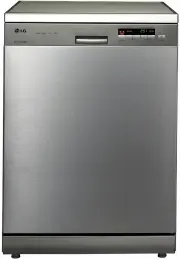
PARTS NAME 11 1. Control Panel2. Door Handle 3. Front Cover4. Lower Cover5. Display Window6. Power Button7. Drain Hose8. Inlet Hose9. Power Cord10. Adjustable Leg 11. Upper Rack12. Cutlery Basket13. Detergent And Rinse Aid Dispenser14. Vapor Vent Cover15. Upper Spray Arm16. Lower Spray Arm17. Filter...
Page 12 - FUNCTION OF CONTROL BUTTON; NOTE
12 FUNCTION OF CONTROL BUTTON ① ① Process Indicator • Indicates current program phase. • The Wash , Rinse and Dry lamps will flash during each phase of washing process. • The Clean lamp flashes for 4 minutes at the end of the cycle. ② Salt & Rinse Refill Indicator • Salt : Refill with special sa...
Page 14 - Half Load; Step 2. Setting up the softening system level of your dishwasher; Hardness setting; BEFORE USING FOR THE FIRST TIME
■ Method 1 1) Check the water hardness in your area. (Your water utility company can help you with this.) 2) Set the softening system level of your dishwasher according to the water hardness level. Refer to Step 2. ■ Method 2 1) Check your water hardness by using a test strip. ( ) 2) Test Procedure ...
Page 15 - Step 4. Adding Rinse Aid; before starting the washing programme
Water softener salt can be purchased from Salt distributors. 15 Step 4. Adding Rinse Aid ■ For filling Step 3. Salt Filling Fill the regenerating salt container before starting the washing programme . Once you have filled with salt you must run the Quick course immediately to remove salt and salt wa...
Page 17 - Daily use load; HOW TO USE AND OPERATE
17 Daily use load HOW TO USE AND OPERATE • Do not place pots or pans with plastic handles in the washer as the handles may deteriorate due to the heat and detergent. • Water proof or long lasting lipstick smudges on glasses may not be removed during the wash. CAUTION 1. Cutlery Basket 2. Cutlery Rac...
Page 18 - Non Dishwasher Safe Items
NOTE Non Dishwasher Safe Items The combination of high water temperatures and dishwasher detergent may damage particular items, therefore we do not recommend using the dishwasher to wash the following: Copper or anodised aluminium Hand painted silver or gold leaf crockery Wood or bone handled utensi...
Page 21 - • Pull up the tine
21 HOW TO USE AND OPERATE How to fold down Long stem glassware can be placed without interference from the lowered tines. • Pull up the tine • Rotate the tine The cup racks can be folded up out of the way for tall crockery items. The height of the upper rack can be adjusted when you load glasses wit...
Page 22 - Detergent Information
22 HOW TO USE AND OPERATE Push button to open Place proper detergent into this compartment When using tablets, place them onto the inside surface of the door, or the base of the washer. The use of some combined detergent/rinse aid tablets can cause the dispenser to remain shut during the wash due to...
Page 23 - When the lamp is lit, it means the rinse; Black indicates sufficient Rinse Aid; Rinse Aid Information
23 HOW TO USE AND OPERATE When the lamp is lit, it means the rinse aid is almost empty. Refill the Rinse Aid chamber as soon as possible. 6. Refilling ■ For refilling Rinse Aid Depending on the dosage setting and the number of washes, the chamber may need to be topped up, approximately once a month....
Page 24 - When the lamp is lit, this means that the; For refilling Salt
24 HOW TO USE AND OPERATE When the lamp is lit, this means that the salt dispenser is almost empty. Refill the Salt dispenser chamber as soon as possible. 7. Drying ■ To assist drying, we recommend that the door be partially opened after the cycle. The display will indicate Cd(cool dry) for a furthe...
Page 25 - OPERATING SEQUENCE
25 1. Press the Power button 2. Check there is rinse aid and salt The corresponding indicator light will illuminate if refilling is required. 3. Open the door and check the filters Ensure they are clean and properly positioned. (See User Maintenance Instructions) 4. Load the dishes Remove any excess...
Page 26 - PROGRAMME; Auto Restart
26 26 PROGRAMME ▶ Running time may vary according to the water temperature, water pressure and voltage. ▶ Running time doesn’t include Cool Dry - 60min. ■ Auto Restart If the dishwasher is turned off by a power failure, it will restart from the position it stopped at, and resume accordingly when you...
Page 27 - at regular intervals.; Storing the dishwasher; USER MAINTENANCE INSTRUCTIONS; Filters
27 27 To prevent trouble and poor operation, it is important to check filters and spray arms at regular intervals. Storing the dishwasher • If you are not using the dishwasher for a long time, run a Quick & Dry cycle without detergent. When the cycle is finished, clean the dishwasher according t...
Page 28 - TROUBLE SHOOTING GUIDE; Before calling for service; Problem
28 28 • If a problem occurs check below to see whether this can be solved. • In the unlikely event that the problem cannot be rectified, please contact the manufacturer. TROUBLE SHOOTING GUIDE Before calling for service Problem Possible Causes Solution No lights come on when the power is turned on. ...
Page 30 - PF
30 Code Description The display shows PF code. This indicates there was a power failure. This function protects the dishwasher in the event that the power goes out or the power to the unit is disrupted. When power is returned, and a button is pushed, this will display for 3 seconds and then go away....
Page 31 - Using SMARTDIAGNOSIS
31 TROUBLE SHOOTING GUIDE Only use this feature when instructed to do so by the call centre. The transmission sounds similar to a fax machine, and so has no meaning except to the call centre. SMARTDIAGNOSIS™ can not be activated if the dishwasher does not power up. If this happens, then troubleshoot...
Page 32 - SPECIFICATION
32 SPECIFICATION Capacity Weight Power Supply Power Consumption Water Feed Pressure 14 Place settings See rating label See rating label See rating label 0.05 ~ 0.6 MPa The maximum permissible inlet water pressure, in megapascals The minimum permissible inlet water pressure, in megapascals (This is n...
Page 33 - MEMO