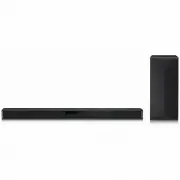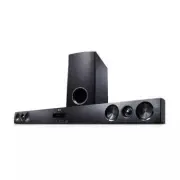
Page 2 - Safety Information; CAUTION
1 Getting Started Getting Started 2 Getting S tar ted 1 Safety Information CAUTION RISK OF ELECTRIC SHOCK DO NOT OPEN CAUTION: TO REDUCE THE RISK OF ELECTRIC SHOCK DO NOT REMOVE COVER (OR BACK) NO USER-SERVICEABLE PARTS INSIDE REFER SERVICING TO QUALIFIED SERVICE PERSONNEL. This lightning flash with...
Page 3 - IMPORTANT SAFETY
Getting Started 3 Getting S tar ted 1 This device is equipped with a portable battery or accumulator. Safety way to remove the battery or the battery from the equipment: Remove the old battery or battery pack, follow the steps in reverse order than the assembly. To prevent contamination of the envir...
Page 5 - Table of Contents; Getting Started
Table of Contents 5 1 2 3 4 Table of Contents 1 Getting Started 2 Safety Information 6 Unique features 6 Introduction6 Accessories7 Front panel 7 Rear panel 8 Remote control 10 Setting up the unit 2 Operating 13 Basic operations 13 – Optical input operation13 – LG Sound Sync14 – AUTO POWER On/Off15 ...
Page 6 - Unique features; LG Sound Sync; Introduction; Symbols used in this manual; Note; Caution; Accessories
Getting Started 6 Getting S tar ted 1 Unique features LG Sound Sync Controls volume level of this unit by the remote control of your LG TV that is compatible with LG Sound Sync. Bluetooth Enjoys music from bluetooth device with simple connection. LG Bluetooth Remote "LG Bluetooth Remote" is ...
Page 7 - Front panel
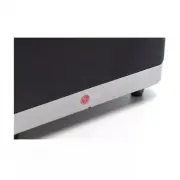
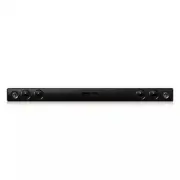
Getting Started 7 Getting S tar ted 1 A Remote sensor B LED indicator You can check the current state of the unit by the color LED on it. Refer to the table below. LED Color LED State Red Orange Green White Off Disconnected power cord On Standby Bluetooth paired Optical function selected LG sound sy...
Page 8 - Remote control
Getting Started 8 Getting S tar ted 1 Remote control Switches the unit ON or OFF. Reduce the sound volume. Mutes or unmutes the sound. Select LG TV function. Select sound effect. Increase the sound volume. Select Optical function. Select Bluetooth function. y Once the unit is shut down to standby, p...
Page 9 - Battery installation; Warning
Getting Started 9 Getting S tar ted 1 Battery installation Do not open the battery cover by using your finger. Or else, your nail could break. > Caution 1. Turn the battery cover counterclockwise by using a coin. Then remove the battery cover. 2. Insert and fix the battery with the minus (-) faci...
Page 10 - Setting up the unit
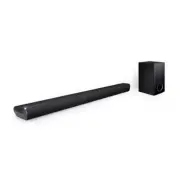
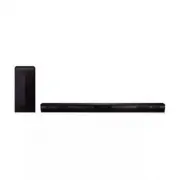
Getting Started 10 Getting S tar ted 1 Setting up the unit This unit is designed to be positioned under your TV.Before setting up this system with your TV, make sure your TV's specifications. y Weight Max. 18 kg (39.7 lb) y Size of the base Max. 530 mm (20.8") Max. 270 mm (10.6") y Do not tr...
Page 12 - How to Affix the Ferrite Core
Getting Started 12 Getting S tar ted 1 y Do not place your TV on the edge of this unit. Otherwise it may result in a personal injury and/or property damages. y If your TV is over recommended weight (max 18 kg (39.7 lb)) or has a Base larger in area than the Unit do NOT place TV on the Unit. - In thi...
Page 13 - Basic operations; Optical input operation
2 Operating Operating 13 Oper ating 2 Basic operations Optical input operation Before operating this Unit it is advised to turn OFF TV speaker Sound as it may create sound differences between the 2 products running simultaneously. Refer to TV menu/Specifications and select from below methods : - Mut...
Page 14 - With wired connection; With wireless connection
Operating 14 Oper ating 2 With wired connection 1. Connect your LG TV to the unit by using an optical cable. (Refer to the pages 10 - 11.) 2. Set up the sound output of TV to listen to the sound through this unit : TV setting menu [ [Sound] [ [ TV Sound output] [ [LG Sound Sync (Optical)] 3. Turn on...
Page 15 - Auto power down; Auto function change; When optical signal comes in
Operating 15 Oper ating 2 Auto power down This unit will turn itself off to save electric consumption in the case were main unit is not connected to external device and is not used for 20 minutes. Auto function change This unit recognizes Bluetooth or optical signals and changes suitable function au...
Page 16 - Using Bluetooth; About Bluetooth; Bluetooth profiles; Listening to music stored on; Pairing this unit and Bluetooth
Operating 16 Oper ating 2 Using Bluetooth technology About Bluetooth Bluetooth is wireless communication technology for short range connection.The sound may be interrupted when there is interference by the other electronic waves which run on same frequency or if you connect bluetooth devices in the ...
Page 17 - Using Bluetooth App; About “LG Bluetooth Remote” App; Install “LG Bluetooth Remote”; Install “LG Bluetooth Remote” App
Operating 17 Oper ating 2 y When using Bluetooth® technology, you have to make a connection between the unit and the bluetooth device as close as possible and keep the distance. However it may not work well in the case below : - There is a obstacle between the unit and the bluetooth device. - There ...
Page 18 - Activate Bluetooth with “LG
Operating 18 Oper ating 2 Install “LG Bluetooth Remote” App through “Google Android Market (Google Play Store)” 1. Tap the “Google Android Market (Google Play Store)” icon. 2. In the search bar, type in the “LG Bluetooth Remote” and search it. 3. In the search result list, find and tap “LG Bluetooth...
Page 19 - Setting sound effect
Operating 19 Oper ating 2 Setting sound effect This system has a number of pre-set surround sound fields. You can select a desired sound mode by using SOUND EFFECT . A color LED that indicates the sound effect you select will blink rapidly twice.The displayed items for the equalizer may be different...
Page 20 - Troubleshooting
3 Troubleshooting Troubleshooting 20 Trouble shoo ting 3 Troubleshooting PROBLEM CAUSE & CORRECTION No Power y The power cord is unplugged. Plug in the power cord. y Check the condition by operating other electronic devices. No sound y Incorrect input source is selected. Check the input source a...
Page 21 - Trademarks and
4 Appendix Appendix 21 Appendix 4 Trademarks and licenses Manufactured under license from Dolby Laboratories. Dolby and the double-D symbol are trademarks of Dolby Laboratories. For DTS patents, see http://patents.dts.com. Manufactured under license from DTS Licensing Limited. DTS, the Symbol, &...
Page 22 - Specifications
Appendix 22 Appendix 4 Specifications General Power requirements 120 V ~ 60 Hz Power consumption 25 W Dimensions ( W x H x D) (560 x 54.5 x 320) mm (22" x 2.1" x 12.6") ( With foot) Net Weight (Approx.) 4.4 kg (9.7 lb) Operating temperature 5 °C to 35 °C (41 °F to 95 °F) Operating humidi...
Page 23 - Maintenance; Handling the unit; When shipping the unit
Appendix 23 Appendix 4 Maintenance Handling the unit When shipping the unit Please save the original shipping carton and packing materials. If you need to ship the unit, for maximum protection, re-pack the unit as it was originally packed at the factory. Keeping the exterior surfaces clean y Do not ...