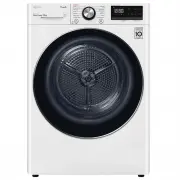
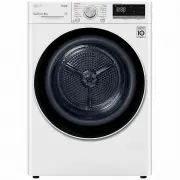
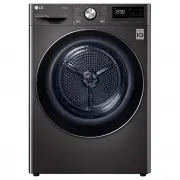
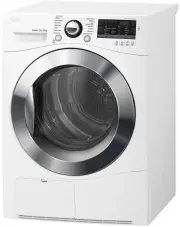
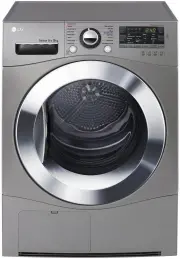
Page 2 - TABLE OF CONTENTS
TABLE OF CONTENTS This manual may contain images or content that may be different from the model you purchased.This manual is subject to revision by the manufacturer. SAFETY INSTRUCTIONS READ ALL INSTRUCTIONS BEFORE USE........................................................... 3WARNING ...............
Page 3 - SAFETY INSTRUCTIONS; READ ALL INSTRUCTIONS BEFORE USE; Safety Messages; WARNING; WARNING
3 SAFETY INSTRUCTIONS ENGLISH SAFETY INSTRUCTIONS READ ALL INSTRUCTIONS BEFORE USE The following safety guidelines are intended to prevent unforeseen risks or damage from unsafe or incorrect operation of the appliance. The guidelines are separated into ‘WARNING’ and ‘CAUTION’ as described below. Saf...
Page 5 - Maximum Capacity
5 SAFETY INSTRUCTIONS ENGLISH could result in fire. Clothes not removed from the appliance after drying could result in fire. Remove clothes immediately after drying, and then hang or lay the clothes flat to cool. • Oil-affected items can ignite spontaneously, especially when exposed to heat sources...
Page 7 - Operation
7 SAFETY INSTRUCTIONS ENGLISH Operation • Do not attempt to separate any panels or disassemble the appliance. Do not apply any sharp objects to the control panel in order to operate the appliance. • Do not repair or replace any part of the appliance. All repairs and servicing must be performed by qu...
Page 8 - Maintenance
8 SAFETY INSTRUCTIONS Maintenance • Securely plug the power plug into the mains outlet socket after completely removing any moisture and dust from the pins. • Disconnect the appliance from the power supply before cleaning the appliance. Setting the controls to the OFF or stand by position does not d...
Page 9 - INSTALLATION; Parts and Specifications; NOTE; Front View
9 INSTALLATION ENGLISH INSTALLATION Parts and Specifications NOTE • Appearance and specifications may vary without notice to improve the quality of the appliance. Front View Available Accessories Please contact LG Electronics Customer Information Centre or visit the LG Website at http://www.lg.com f...
Page 10 - Specifications
10 INSTALLATION NOTE • The included accessories vary depending on the model you purchased. Specifications Asterisk(s) means model variant and can be varied (0-9) or (A-Z). Dimension(mm) Stacking Kit Description Value Model DVH45-08* / DVH5-08* / DVH9-08* / DVH9-09* Power supply 220 - 240 V~, 50 Hz P...
Page 11 - Installation Location; Ventilation; Electrical Connection
11 INSTALLATION ENGLISH Installation Location Requirements Before installing the appliance, check the following information to make sure that the appliance is installed in the correct location. Installation Location WARNING • Do not install the appliance around a heat source. The rear side of the ap...
Page 12 - Leveling the Appliance; Checking Leveling; Adjusting and Leveling the
12 INSTALLATION • Outlet socket must be within 1.5 meters of either side of the location of the appliance. NOTE • Always unplug the appliance after use. Leveling the Appliance Checking Leveling Leveling the appliance prevents unnecessary noise and vibration. Check whether the appliance is perfectly ...
Page 13 - Stacking Instructions
13 INSTALLATION ENGLISH • There are 6 screws on the front and 2 screws on the side. 3 Remove the 3 screws from the door latch assembly d which is fixed between the door and the hinge assembly, and then remove the screw which is fixed on the door hook. 4 Swap the position of the hinge assembly c and ...
Page 15 - Installing the Optional Drain; CAUTION
15 INSTALLATION ENGLISH 2 Remove the 2 screws from the bottom of the rear cover on each side. 3 Align the LG stacking kit holes and the rear cover holes in a line.• In case of that the depth of the washing machine is 550 mm or more and 599 mm or less • In case of that the depth of the washing machin...
Page 16 - OPERATION; Operation Overview; Using the Appliance
16 OPERATION OPERATION Operation Overview Using the Appliance Before the first cycle, set the appliance to dry for 5 minutes to warm up the drum. Open the door between loads the first few times you use the appliance to allow any odours from the interior of the appliance to disperse.Children must be ...
Page 17 - Preparing the Clothes; Checking the Clothes before; Sorting the Clothes
17 OPERATION ENGLISH CAUTION • Be careful! The drum inside may still be hot. 7 Press the Power button to turn the appliance off. 8 Clean the lint filter and empty the water collection tank. 9 To help reduce odours from forming, the dryer’s door can be left open or slightly ajar for a short period of...
Page 18 - Checking the Fabric Care Label
18 OPERATION No-Iron and Synthetics • Do not overload the appliance. Take out no-iron items as soon as the appliance stops to reduce creases. Baby Clothes and Nightgowns • Always check fabric care labels. Rubber and Plastics • Do not dry any items made from or containing rubber or plastics such as:-...
Page 19 - Control Panel; Control Panel Features
19 OPERATION ENGLISH Control Panel Control Panel Features Description a Power On/Off button • Press the Power button to turn power on and off. • Press the Power button to cancel the Delay End function. b Programme Selector • Programmes are available according to the clothing type.• The lamp will lig...
Page 20 - Time and Status Display
20 OPERATION Time and Status Display Description a Drying progress indicator • @ lights up when the appliance is in drying progress. • - lights up when the appliance is in iron drying progress. • + lights up when the appliance is in cupboard drying progress. • = lights up when the appliance is in co...
Page 21 - Programme Table; Sensor Drying Programme Guide
21 OPERATION ENGLISH Programme Table Sensor Drying Programme Guide *1 The maximum load capacity may vary depending the model you purchased. Programme Cotton Max. Load Capacity *1 8 kg 9 kg Dry Level • Clothing Type• Detail Extra • Towels, dressing gowns and bed linen• For thick and quilted fabrics C...
Page 23 - Manual Drying Programme Guide
23 OPERATION ENGLISH Manual Drying Programme Guide Special Drying Programme Guide CAUTION • If the load is less than 1 kg, please use the Warm Air programme or the Manual Drying programme ( More Time / Less Time ). Wool items should be dried using the Wool programme and heat-sensitive fabrics includ...
Page 24 - Selectable Drying Options
24 OPERATION Selectable Drying Options Programme Dry Mode Programme Dry Level Off Normal Turbo Cotton Extra # # Cupboard # # Iron # # Mixed Fabric Extra # # Cupboard # # Iron # # Easy Care Cupboard # # Iron # # Duvet – # Towels – # Allergy Care – # Delicates – # Wool – # Sportswear – # Rack Dry – # ...
Page 25 - Extra Options and; Delay End; Dry Level; More Time / Less Time
25 OPERATION ENGLISH Extra Options and Functions Delay End It allows you to delay the finishing time of the drying cycle from 3 hours to 19 hours. 1 Turn the appliance on. 2 Select a programme. 3 Press the Delay End button. 4 Set time delay hour(s) by pressing the More Time , Less Time button. 5 Pre...
Page 26 - Child Lock; Rack Dry
26 OPERATION Child Lock It allows you to control the locking and unlocking of control panel. It prevents children from changing cycles or operating the appliance. Locking the Control Panel 1 Press and hold the Delay End and Anti Crease button simultaneously for 3 seconds. 2 A chime will sound, and C...
Page 28 - SMART FUNCTIONS; LG ThinQ Application; LG ThinQ Application Features
28 SMART FUNCTIONS SMART FUNCTIONS LG ThinQ Application The LG ThinQ application allows you to communicate with the appliance using a smartphone. LG ThinQ Application Features Communicate with the appliance from a smartphone using the convenient smart features. Smart Pairing This function automatica...
Page 29 - Installing the LG ThinQ; Remote Start
29 SMART FUNCTIONS ENGLISH NOTE • To verify the Wi-Fi connection, check that the f icon on the control panel is lit. • The appliance supports 2.4 GHz Wi-Fi networks only. To check your network frequency, contact your Internet service provider or refer to your wireless router manual. • LG ThinQ is no...
Page 30 - Smart Diagnosis
30 SMART FUNCTIONS NOTE • Only one downloaded cycle can be stored on the appliance at a time. RF Radiation Exposure Statement This equipment shall be installed and used at a minimum distance of 20 cm from the human body. Open Source Software Notice Information To obtain the source code under GPL, LG...
Page 32 - MAINTENANCE; Cleaning the Lint Filter; Clean the inner filter
32 MAINTENANCE MAINTENANCE WARNING • Remove the power plug when you clean the appliance. Not removing the plug may result in electric shock. Cleaning after Every Dry Cleaning the Lint Filter CAUTION • Clean the lint filter in the proper way by referring to the following instructions. Failure to do s...
Page 33 - Clean the outer filter
33 MAINTENANCE ENGLISH Clean the outer filter 1 Remove the dust or lint around the filter inlet. CAUTION • When the lint drops into the filter inlet, it may cause degradation of drying performance and increase in drying time. 2 Pull out the outer filter. 3 Remove the inner filter. 4 Open the outer f...
Page 34 - Emptying the Water Collection; Wiping the Moisture Sensor; Cleaning the Cool Air Inlet Grill
34 MAINTENANCE Emptying the Water Collection Tank Condensed water is collected in the water collection tank.Empty the water collection tank after every use. Not doing so will affect the drying performance and can cause an operational error. NOTE • If the water collection tank is full, the E icon glo...
Page 35 - Draining the Remaining; Using Drum Clean feature
35 MAINTENANCE ENGLISH appliance from the mains power before cleaning or vacuuming. NOTE • Warm air is expelled through the ventilation grill.• Adequate room ventilation should be provided to avoid the contamination of air into the room from units burning other fuels, such as open fires. Draining th...
Page 36 - Using Condenser Clean Feature
36 MAINTENANCE 1 Pull out the water collection tank, empty the condensed water from it and refit the water collection tank back into the appliance. 2 Turn on the appliance. 3 Press the Drum Clean button. 4 Press the Start/Pause button. • This function operates for about 3 hours. 5 Empty the water co...
Page 37 - Thawing out the Accessories; Thawing out the Appliance; Running thawing mode; Thawing out the appliance manually
37 MAINTENANCE ENGLISH 7 Open the dryer's door to provide the appliance with enough air circulation for more thorough drying of the tub after the cleaning has ended. WARNING • For safety reasons, do not allow children or animals to enter the appliance. It may cause damage or injury. Care in Cold Cli...
Page 39 - TROUBLESHOOTING; Before Calling for Service; Error Messages
39 TROUBLESHOOTING ENGLISH TROUBLESHOOTING Errors and malfunctions may occur when operating the appliance. The following tables contain possible causes and notes for resolving an error message or malfunction. Read the tables below carefully in order to save time and money before calling the LG Elect...
Page 43 - Odours
43 TROUBLESHOOTING ENGLISH Odours Symptoms Possible Cause & Solution The appliance has an odour. Are you using the appliance for the first time? • The smell is caused by rubber material that is attached to the appliance inside. This kind of smell is a rubber's own smell and disappears automatica...
Page 45 - Memo