Page 3 - Safety Information; CAUTION
1 Getting Started Getting Started 3 Getting S tar ted 1 Safety Information CAUTION RISK OF ELECTRIC SHOCK DO NOT OPEN CAUTION: TO REDUCE THE RISK OF ELECTRIC SHOCK DO NOT REMOVE COVER (OR BACK) NO USER-SERVICEABLE PARTS INSIDE REFER SERVICING TO QUALIFIED SERVICE PERSONNEL. This lightning flash with...
Page 4 - Symbols; Notes on Discs
Getting Started 4 Getting S tar ted 1 This device is equipped with a portable battery or accumulator. How to Safely remove the batteries or the battery pack from the equipment: To Remove the old batteries or battery pack, follow the assembly steps in reverse order. To prevent contamination of the en...
Page 5 - Table of Contents
Table of Contents 5 1 2 3 4 5 6 Table of Contents 1 Getting Started 3 Safety Information 6 Introduction6 – About the “ 7 ” Symbol Display 6 – Symbols Used in this Manual 6 – Playable Discs 6 – Regional Code 7 – File Compatibility 8 Remote Control 9 Front Panel 9 Rear Panel 2 Connecting 10 Connecting...
Page 6 - Introduction; About the “; Symbols Used in this Manual; Playable Discs; Regional Code
Getting Started 6 Getting S tar ted 1 Introduction About the “ 7 ” Symbol Display “ 7 ” may appear on your TV display during operation and indicates that the function explained in this owner’s manual is not available on that specific media. Symbols Used in this Manual A section whose title has one o...
Page 7 - File Compatibility; Overall; Video Files; Audio Files; Notes of USB Device
Getting Started 7 Getting S tar ted 1 File Compatibility Overall Available File extensions: “.avi”, “.mpg”, ”.mpeg”, “.mp3”, “.wma”, “.jpg”, “.jpeg” y The file name is limited to 35 characters. y Depending on the size and number of the files, it may take several minutes to read the contents on the m...
Page 8 - Remote Control; Battery Installation
Getting Started 8 Getting S tar ted 1 Remote Control • • • • • • • • • • a • • • • • • • • • • POWER ( 1 ): Switches the unit ON or OFF. OPEN/CLOSE ( B ): Opens and closes the disc tray. Numerical buttons: Selects numbered items in a menu. CLEAR: Removes a track number on the Program List. TV Contro...
Page 9 - Rear Panel
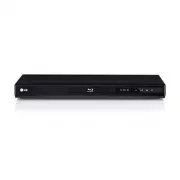
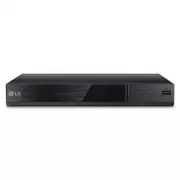
Getting Started 9 Getting S tar ted 1 a Disc Tray b Remote sensor c Power indicator d R (Open/Close) e 1/! (Power) f USB Port Rear Panel a AC power cord b AUDIO OUTPUT (Left/Right) c VIDEO OUTPUT d HDMI Front Panel ͦ ͧ
Page 10 - Connecting to your TV; Connecting Video / Audio; Connecting HDMI Cable; Additional Information for HDMI; Resolution Setting
2 Connecting 10 C onnecting 2 Connecting Connecting to your TV Connecting Video / Audio Cable Connect the VIDEO/AUDIO OUTPUT on the unit to VIDEO/AUDIO IN on TV with Video/Audio cable, such as VIDEO with yellow, AUDIO Left/Right with white/ red. Video/Audio Cable TV Rear of the Unit Connecting HDMI ...
Page 11 - Connecting to an; Connecting Audio Cable; Note
Connecting 11 C onnecting 2 Connecting to an Amplifier Connecting Audio Cable Connect the AUDIO OUTPUT on the unit to 2CH AUDIO IN on amplifier with Audio cable, such as AUDIO Left/Right with white/red. Rear of the Unit Receiver /Amplifier AudioCable Connecting HDMI Cable Connect the HDMI on the uni...
Page 12 - Settings; Adjust the Setup Settings; Menu Language
3 System Setting System Setting 12 S ys tem Se tting 3 Settings When the unit is turned-on at the first time, you have to select the desired language. (Optional) Adjust the Setup Settings You can change the settings of the unit in the [Setup] menu.1. Press SETUP.2. Use w/s to select the first setup ...
Page 14 - General Playback; Playing a Disc; rt; Playing a File; yui
4 Operating Operating 14 Oper ating 4 General Playback Playing a Disc rt 1. Press OPEN/CLOSE ( B ), and place a disc on the disc tray. 2. Press OPEN/CLOSE ( B ) to close the disc tray For the most DVD-ROM discs, playback starts automatically. For the Audio CD, select a track using w/s/a/ d and press...
Page 15 - General Operation; Advanced Playback; Movie; ry
Operating 15 Oper ating 4 General Operation To Do this Playback Press PLAY ( z ) Pause Press PAUSE/STEP ( M ) Stop Press STOP ( Z ) Skip to the next or previous Press C or V during playback Fast forward or fast reverse Press c or v during playback. Resume playback Press STOP ( Z ) during playback to...
Page 16 - Music; tu
16 Oper ating 4 Operating Slow down the playing speed (Forward only) While the playback is paused, press v repeatedly to play various speeds of slow motion. Press PLAY ( z ) to continue play at normal speed. Watch an enlarged video During playback or pause mode, press ZOOM repeatedly to select zoom ...
Page 17 - Photo
Operating 17 Oper ating 4 y If you use this function, the “CD_REC” folder will be created automatically in the USB Flash Driver then the music file(s) is saved in it. y If you remove USB Flash Drive, turn off or open the unit while recording, it can make a malfunction. y If the remaining space on th...
Page 18 - Troubleshooting; Symptom
5 Troubleshooting Troubleshooting 18 Trouble shoo ting 5 Troubleshooting Symptom Cause Solution No power. The power cord is disconnected. Plug the power cord into the wall outlet securely. The power is on, but the unit does not work. No disc is inserted. Insert a disc. The unit does not start playba...
Page 19 - Area Code List
6 Appendix Appendix 19 Appendix 6 Area Code List Choose an area code from this list. Area Code Area Code Area Code Area Code Afghanistan AF Argentina AR Australia AU Austria AT Belgium BE Bhutan BT Bolivia BO Brazil BR Cambodia KH Canada CA Chile CL China CN Colombia CO Congo CG Costa Rica CR Croati...
Page 20 - Language Code List
Appendix 20 Appendix 6 Language Code List Use this list to input your desired language for the following initial settings: [Disc Audio], [Disc Subtitle] and [Disc Menu]. Language Code Language Code Language Code Language Code Afar 6565 Afrikaans 6570 Albanian 8381 Amharic 6577 Arabic 6582 Armenian 7...
Page 21 - Specifications; Trademarks and
Appendix 21 Appendix 6 Specifications Power requirements AC 120 V ~ 60 Hz Power consumption 9 W Dimensions (W x H x D) (250 x 37.5 x 203) mm Net Weight (Approx.) 0.9 Kg Operating temperature 5 °C to 35 °C Operating humidity 5 % to 90 % Laser Semiconductor laser Signal system NTSC Bus Power Supply (U...