Page 2 - Safety Information; CAUTION
1 Getting Started Getting Started 2 Getting S tar ted 1 Safety Information CAUTION RISK OF ELECTRIC SHOCK DO NOT OPEN CAUTION: TO REDUCE THE RISK OF ELECTRIC SHOCK DO NOT REMOVE COVER (OR BACK) NO USER-SERVICEABLE PARTS INSIDE REFER SERVICING TO QUALIFIED SERVICE PERSONNEL. This lightning flash with...
Page 3 - Important Notice for TV color system
Getting Started 3 Getting S tar ted 1 This device is equipped with a portable battery or accumulator. Safety way to remove the battery or the battery from the equipment: Remove the old battery or battery pack, follow the steps in reverse order than the assembly. To prevent contamination of the envir...
Page 4 - Table of Contents; Getting Started
Table of Contents 4 Table of Contents 1 Getting Started 2 Safety Information 6 Introduction6 – Playable discs and symbols used in this manual 7 – About the “ 7 ” symbol display 7 – Regional code 7 – System Select 8 Remote Control 9 Front Panel 9 Rear Panel 2 Connecting 10 Connecting the AC Adapter10...
Page 5 - Troubleshooting
Table of Contents 5 1 2 3 4 5 6 5 Troubleshooting 33 Troubleshooting33 – General34 – Picture34 – Customer support34 – Open source software notice 6 Appendix 35 Controlling a TV with the Supplied Remote Control 35 – Setting up the remote to control your TV 36 Additional Information36 – File requireme...
Page 6 - Introduction; Playable discs and symbols used in this manual
Getting Started 6 Getting S tar ted 1 Introduction Playable discs and symbols used in this manual Media/Term Logo Symbol Description Blu-ray e y Discs such as movies that can be purchased or rented. y BD-R/RE discs that are recorded in BDAV format. y u i y BD-R/RE discs that contain Video, Audio or ...
Page 7 - Note; About the “; Regional code
Getting Started 7 Getting S tar ted 1 y Depending on the conditions of the recording equipment or the CD-R/RW (or DVD±R/RW ) disc itself, some CD-R/RW (or DVD±R/RW ) discs cannot be played on the unit. y Depending on the recording software & the finalization, some recorded discs (CD-R/RW, DVD±R/...
Page 8 - Battery Installation; Remote Control
Getting Started 8 Getting S tar ted 1 Battery Installation Remove the battery cover on the rear of the Remote Control, and insert the R03 (size AAA) battery with 4 and 5 matched correctly. • • • • • • a • • • • • • 1 (POWER): Switches the player ON or OFF. B (OPEN/CLOSE): Opens and closes the disc t...
Page 9 - Front Panel; Rear Panel
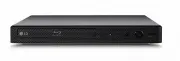
Getting Started 9 Getting S tar ted 1 Front Panel a Disc Tray b Power Indicator c Remote Sensor d R (OPEN / CLOSE) e 1/! (POWER) f USB Port Rear Panel a b a DC IN 12V (AC adapter input) b HDMI OUT
Page 10 - Connecting the AC; Connecting to your TV
2 Connecting Connecting 10 C onnecting 2 Connecting the AC Adapter Connect the unit to the power supply with the supplied AC adapter. Rear of the unit Plug into a power source. y Contact an electrical parts distributor for assistance in selecting a suitable AC plug adapter or AC cord set. Only use t...
Page 11 - Additional information for HDMI
Connecting 11 C onnecting 2 Additional information for HDMI y When you connect an HDMI or DVI compatible device make sure of the following: - Try switching off the HDMI/DVI device and this player. Next, switch on the HDMI/DVI device and leave it for around 30 seconds, then switch on this player. - T...
Page 12 - Resolution setting
Connecting 12 C onnecting 2 Resolution setting The player provides several output resolutions for HDMI OUT jack. You can change the resolution using [Settings] menu.1. Press HOME ( 1 ). 2. Use a/d to select the [Settings] and press ENTER ( b ). The [Settings] menu appears. 3. Use w/s to select [DISP...
Page 13 - Connecting to an; About Digital Multi-channel sound; Connecting to an amplifier via
Connecting 13 C onnecting 2 Connecting to an Amplifier Since many factors affect the type of audio output, see “Audio output specifications” for details (page 39). About Digital Multi-channel sound A digital multi-channel connection provides the best sound quality. For this, you need a multi-channel...
Page 14 - Initial Setup; Adjust the setup settings
3 System Setting System Setting 14 S ys tem Se tting 3 Initial Setup When you turn on the unit for the first time, the initial setup wizard appears on the screen. Set the display language on the initial setup wizard.1. Press 1 (POWER). The initial setup wizard appears on the screen. 2. Use w/s/a/d t...
Page 15 - TV Aspect Ratio
System Setting 15 S ys tem Se tting 3 [DISPLAY] menu TV Aspect Ratio Select a TV aspect ratio option according to your TV type. [4:3 Letter Box] Select when a standard 4:3 TV is connected. Displays theatrical images with masking bars above and below the picture. [4:3 Pan Scan] Select when a standard...
Page 16 - HDMI Color Setting
System Setting 16 S ys tem Se tting 3 HDMI Color Setting Select the type of output from the HDMI OUT jack. For this setting, please refer to the manuals of your display device. [YCbCr] Select when connecting to an HDMI display device. [RGB] Select when connecting to a DVI display device. Home Menu G...
Page 18 - Password
System Setting 18 S ys tem Se tting 3 [LOCK] menu The [LOCK] settings affect only Blu-ray Disc and DVD playback.To access the any features in [LOCK] settings, you must enter the 4-digit security code you have created. If you have not entered a password yet, you are prompted to do so. Enter a 4-digit...
Page 19 - Auto Power Off
System Setting 19 S ys tem Se tting 3 [OTHERS] menu Auto Power Off The screen saver appears when you leave the player in Stop mode for about five minutes. If you set this option to [On], the unit automatically turns off within 15 minutes since the Screen Saver is displayed. Set this option to [Off ]...
Page 20 - Home Menu Display; Playing the Linked; Playing a Disc; erot
4 Operating Operating 20 Oper ating 4 Home Menu Display Using [HOME] menu The home menu appears when you press HOME ( 1 ). Use a/d to select a category and press ENTER ( b ). a [Movie] - Plays video content. b [Photo] - Plays photo content. c [Music] - Plays audio content. d [Settings] - Adjusts the...
Page 21 - Playing a file on disc/USB; yui; Notes on USB device
Operating 21 Oper ating 4 Playing a file on disc/USB device yui This player can play video, audio and photo files contained in the disc or USB device.1. Insert a data disc on the tray or connect a USB device. When you connect the USB device on the HOME menu, the player plays an audio file contained ...
Page 22 - Playing a file on Android; Notes on Connecting Android device
Operating 22 Oper ating 4 Playing a file on Android device yui This player can play video, audio and photo files contained in Android device.1. Connect Android device to the unit with USB cable. Make sure that MTP is activated on Android device. 2. Press HOME ( 1 ). 3. Select [Movie], [Photo] or [Mu...
Page 23 - General Playback; Basic operations for video and; ero
Operating 23 Oper ating 4 General Playback Basic operations for video and audio content To stop playback Press Z (STOP) during playback. To pause playback Press M (PAUSE) during playback. Press d (PLAY ) to resume playback. To play frame-by-frame (Video) Press M (PAUSE) during movie playback. Press ...
Page 24 - Resume playback; eroyt; Last scene memory; er
Operating 24 Oper ating 4 Resume playback eroyt u The unit records the point where you pressed the Z (STOP) depending on the disc. If “ MZ (Resume Stop)” appears on the screen briefly, press z (PLAY ) to resume playback (from the scene point). If you press Z (STOP) twice or unload the disc, “ Z (Com...
Page 25 - To control video playback; Displaying content information on-; eroy
Operating 25 Oper ating 4 On-Screen Display You can display and adjust various information and settings about the content. To control video playback eroy You can control playback and set options while watching videos.During playback, press INFO/MENU ( m ) . a Progress bar - Displays the current posi...
Page 26 - To control photo view; Setting the slide show option
Operating 26 Oper ating 4 To control photo view Controls playback and sets options while viewing pictures in full screen.You can control playback and set options while viewing pictures in full screen.While viewing pictures, press INFO/MENU ( m ) . a [Slide show] - Starts or pause slide show. b [Musi...
Page 27 - Advanced Playback; Repeat playback; erotu; Repeating a specific portion; Playing from selected time
Operating 27 Oper ating 4 Advanced Playback Repeat playback erotu y Blu-ray Disc / DVD / Video files During playback, press REPEAT ( h ) to select a desired repeat mode. A-B – Selected portion will be repeated continually. Chapter – The current chapter will be played back repeatedly. (BD / DVD only)...
Page 28 - Selecting a subtitle language; Hearing a different audio; Watching from a different; Changing the TV Aspect Ratio; eoy
Operating 28 Oper ating 4 Selecting a subtitle language eroy 1. During playback, press INFO/MENU ( m ) . 2. Select [Option] using a/d , and press ENTER ( b ). 3. Use w/s to select the [Subtitle] option. 4. Press a/d to select desired subtitle language. By pressing ENTER ( b ), you can set various su...
Page 29 - Changing subtitle Code Page; Changing the Picture Mode
Operating 29 Oper ating 4 Changing subtitle Code Page y If the subtitle is displayed in broken letter, you can change the subtitle code page to view the subtitle file properly.1. During playback, press INFO/MENU ( m ) . 2. Select [Option] using a/d , and press ENTER ( b ). 3. Use w/s to select the [...
Page 30 - Viewing content information; Changing content list view
Operating 30 Oper ating 4 Viewing content information y The player can display the content information.1. Select a file using w/s/a/d . 2. Press INFO/MENU ( m ) . The file information appears on the screen. During video playback, you can display the file information by pressing TITLE/POP-UP. The inf...
Page 31 - Selecting a subtitle file; Listening to music during slide
Operating 31 Oper ating 4 Selecting a subtitle file y If the subtitle file name is different from the video file name, you need to select the subtitle file in the [Movie] menu before playing the movie.1. Use w/s/a/d to select the subtitle file you wish to play in the [Movie] menu. 2. Press ENTER ( b...
Page 32 - Audio CD recording
Operating 32 Oper ating 4 Audio CD recording You can record one desired track or all of the tracks in Audio CD to a USB storage device.1. Insert a USB storage device to the USB port on the front panel. 2. Insert an Audio CD into the player. The playback starts automatically. 3. Press red (R) colored...
Page 33 - Troubleshooting; General; Issue
5 Troubleshooting Troubleshooting 33 Trouble shoo ting 5 Troubleshooting General Issue Cause & Solution The unit does not work properly. y Turn off the power of this unit and the connected external device ( TV, Woofer, DVD-player, Amplifier, etc.) and turn it on again. y Disconnect the power cor...
Page 34 - Picture; Customer support
Troubleshooting 34 Trouble shoo ting 5 Picture Issue Cause & Solution There is no picture. y Select the appropriate video input mode on the TV so the picture from the unit appears on the TV screen. y Connect the video connection securely. y Check the [HDMI Color Setting] in the [Settings] menu i...
Page 35 - Controlling a TV with; Setting up the remote to
6 Appendix Appendix 35 Appendix 6 Controlling a TV with the Supplied Remote Control You can control your TV using the buttons below. By pressing You can 1 ( TV POWER) Turn the TV on or off. INPUT Switch the TV’s input source between the TV and other input sources. VOL +/– Adjust the volume of the TV...
Page 36 - Additional Information; File requirement; Video files
Appendix 36 Appendix 6 Additional Information File requirement Video files File Location File Extension Codec Format Audio Format Subtitle Disc, USB “.avi”, “.mpg”, “.mpeg”, “.mkv”, “.mp4”, “.asf ”, “.wmv”, “.m4v” (DRM free), “.vob”, “.3gp”, “.mov”, “.trp”, “.m2t”, “.mpe”, “.m1v”, “.m2v”, “.wm”, ”.f...
Page 37 - AVCHD (Advanced Video
Appendix 37 Appendix 6 y The file name is limited to 180 characters. y Maximum files/Folder: Less than 2000 (total number of files and folders) y Depending on the size and number of the files, it may take several minutes to read the content on the media. y The file requirements on page 36 are not al...
Page 38 - Certain system requirements; Compatibility notes
Appendix 38 Appendix 6 Certain system requirements For high definition video playback: y High definition display that has HDMI input jack. y BD-ROM disc with high definition content. y HDMI or HDCP capable DVI input on your display device is required for some content (as specified by disc authors). ...
Page 39 - Audio Output Specifications
Appendix 39 Appendix 6 Audio Output Specifications Jack/Setting Source HDMI OUT PCM DTS Re-encode * 3 Auto * 1 * 2 Dolby Digital PCM 2ch DTS Dolby Digital Dolby Digital Plus PCM 2ch DTS Dolby Digital Plus Dolby TrueHD PCM 2ch DTS Dolby TrueHD DTS PCM 2ch DTS DTS DTS-HD PCM 2ch DTS DTS-HD Linear PCM ...
Page 40 - Area Code List
Appendix 40 Appendix 6 Area Code List Choose an area code from this list. Area Code Area Code Area Code Area Code Afghanistan AF Argentina AR Australia AU Austria AT Belgium BE Bhutan BT Bolivia BO Brazil BR Cambodia KH Canada CA Chile CL China CN Colombia CO Congo CG Costa Rica CR Croatia HR Czech ...
Page 41 - Language Code List
Appendix 41 Appendix 6 Language Code List Use this list to input your desired language for the following initial settings: [Disc Audio], [Disc Subtitle] and [Disc Menu]. Language Code Language Code Language Code Language Code Afar 6565 Afrikaans 6570 Albanian 8381 Amharic 6577 Arabic 6582 Armenian 7...
Page 42 - Trademarks and
Appendix 42 Appendix 6 Trademarks and Licenses All other trademarks are trademarks of their respective owners. Blu-ray Disc™, Blu-ra y™ , BONUSVIEW™ and the logos are trademarks of the Blu-ray Disc Association. “DVD Logo” is a trademark of DVD Format/Logo Licensing Corporation. Java is a trademark o...
Page 43 - Cinavia Notice
Appendix 43 Appendix 6 Cinavia Notice This product uses Cinavia technology to limit the use of unauthorized copies of some commercially-produced film and videos and their soundtracks. When a prohibited use of an unauthorized copy is detected, a message will be displayed and playback or copying will ...
Page 44 - Specifications
Appendix 44 Appendix 6 Specifications General AC adapter y Model : WA-12M12FN y Manufacturer: Asian Power Devices Inc. y Input: 100-240 V~, 50-60 Hz 0.5 A Max. y Output: 12 V 0 1 A Networked standby power consumption 0.5 W (If all network ports are activated.) Dimensions ( W x H x D) Approx. 270 mm ...
Page 45 - Maintenance; Handling the unit
Appendix 45 Appendix 6 Maintenance Handling the unit When shipping the unit Please save the original shipping carton and packing materials. If you need to ship the unit, for maximum protection, re-pack the unit as it was originally packed at the factory. Cleaning the unit To clean the player, use a ...