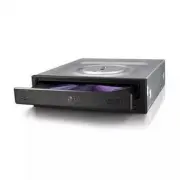
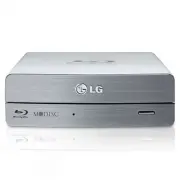
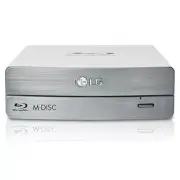
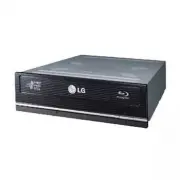
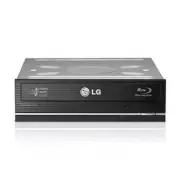
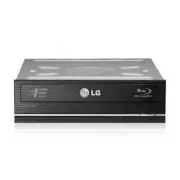
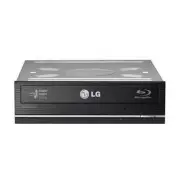
Page 2 - Internal Serial ATA Drive
2 Internal Serial ATA Drive 2 ❶ ❷❸ ❶ ❷ ❹ Red • Connect to the SATA connector on the PC's Motherboard. PC Connection A Location and Function of Controls C Connecting the SATA Data Cable B Connecting the SATA Power Cable Data cable Power cable Data cable Powercable • Connect to the power connector of ...
Page 3 - English; Features; Front Panel
English Features • Serial ATA interface • Data transfer rate (DVD-ROM max-18X-speed, CD-ROM max-48X-speed) • Motorized tray loading system • Designed for internal mounting • Emergency eject support • Read compatible for DVD-R, DVD+R, DVD+R DL,DVD-R DL, DVD-RW, DVD+RW & DVD-RAM discs • Supports R...
Page 4 - Installing the Drive; Device Drivers; For Windows XP Users
4 Installing the Drive Before installing the drive, turn off the system power.Follow the steps below to install the DVD-ROM drive: 1. Remove the cover from your computer system. Refer to manual for the computer for details aboutremoving the cover. 2. Mounting the Drive • Remove the a 51/4 ″ drive ba...
Page 5 - How to Use the Discs; Emergency Eject
5 5 How to Use the Discs When using CD-ROM discs, DVD-ROM discs, CD-Rdiscs or CD-RW discs, don’t attach any stickers orlabels to the discs. Using discs with them attached notonly causes read and write errors, but data on the discmay be lost due to damage to the disc itself. The Discs in this unit op...
Page 6 - Troubleshooting; Important Precautions; Precautions
6 Troubleshooting Before Requesting Service Before calling for service, check this list. • The drive doesn’t have power.• Is the power supply cable from the host computer plugged in? • Is the Power Connector to the drive securely attached? • The system doesn’t start.• Are the power and SATA cables t...
Page 7 - Specifications; NOTE; General
7 7 English Specifications NOTE : Specifications are subject to change without notice for improvement. General Interface Description Burst Data Transfer RateLoad/EjectBuffer memory sizeApplicable disc(read only) Disc diameter Performance CDDVD Access time (Random) Power Temperature Relative Humidity...
Page 9 - Deutsch; Merkmale; Vorderseite
Deutsch Merkmale • Serial ATA Schnittstelle • Datenübertragungsrate: DVD-ROM max. 18x, CD-ROM max. 48x • Motorbetriebene Schublade • Einbauart: intern • Notauswurf • DVD-R, DVD+R, DVD+R DL, DVD-R DL, DVD-RW,DVD+RW und DVD-RAM lesen • Unterstützt Region Playback Control Phase II. Systemanforderungen*...
Page 10 - Installation des Laufwerks; Gerätetreiber; Für Benutzer von Windows XP
Installation des Laufwerks Bevor Sie mit der Installation beginnen, müssen Siedas System ausschalten. Anhand folgender Schritteinstallieren Sie das DVD-ROM-Laufwerk: 1. Nehmen Sie die Systemabdeckung ab. Beziehen Sie sich dabei auf das Handbuch lhres Systems. 2. Einbau des Laufwerks • Entfernen Sie ...
Page 11 - Umgang mit den CDs; Notauswurf
11 11 Umgang mit den CDs Kleben Sie keinesfalls Etiketten oder Aufkleber auf Ihre CD-ROMs, DVD-ROMs, CD-Rs oder CD-RWs. Beim Einsatz von beklebten CDs können nicht nur Lese- und Schreibfehler auftreten, sondern die auf derCD gespeicherten Daten aufgrund der Beschädigungder CD verloren gehen. Die Dre...
Page 12 - Fehlerbeseitigung; Wichtige Sicherheitshinweise; Sicherheitshinweise
12 12 Fehlerbeseitigung Vor der Inanspruchnahme des Kundendienstes Gehen Sie die nachstehende Checkliste durch, bevorSie sich an den Kundendienst wenden.• Das Laufwerk wird nicht mit Spannung versorgt.• Ist das Netzkabel des Host-Rechners ordnungs- gemäß eingesteckt? • Ist das Spannungsversorgungska...
Page 13 - Français; Caractéristiques; Façade
Français Caractéristiques • Interface Serial ATA • Vitesse de transfert : DVD-ROM max. 18x, CD-ROM max. 48x • Introduction : Tiroir motorisé • Montage : Montage interne • Contrôle frontal : Touche d’éjection d’urgence • Lisez compatible pour DVD-R, DVD+R, DVD+R DL,DVD-R DL, DVD-RW, DVD+RW & DVD-...
Page 14 - Périphériques; Pour Windows XP
Installation du lecteur de DVD-ROM Avant l’installation de lecteur de DVD-ROM, mettre l’unité centrale hors tension. 1. Retirez le capot de votre unité centrale en vous reportant au manuel d’utilisation. 2. Montage du lecteur de DVD-ROM • Déposer le panneau de la baie de 5,25 pouces de l’unité centr...
Page 15 - Utilisation des disques; Ejection manuelle
15 Utilisation des disques Ne coller aucune étiquette sur les CD-ROM, DVD-ROM, CD-R et CD-RW. De telles étiquettes risquent en effet non seulement de provoquer des erreurs de lecture et écriture, mais également d’endommager le disque duret de causer une perte de données. Sur cette unité, les disques...
Page 16 - Précautions
Dépannage Avant de contacter le S.A.V. Vérifier les éléments de la liste ci-dessous avant decontacter le S.A.V. • Lecteur non alimenté.• L’alimentation interne de l’unité centrale est-elle connectée? • Le connecteur d’alimentation du lecteur est-il bien fixé? • Démarrage du système impossible.• Les ...