LG DH18NS50 - User Manual
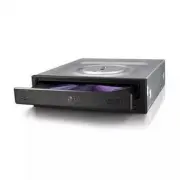
LG DH18NS50 Drive – User Manual, read for free online in PDF format. We hope this helps you resolve any issues you may have. If you have further questions, please contact us through the contact form.


Table of Contents:
- Page 2 – Internal Serial ATA Drive
- Page 3 – English; Features; Front Panel
- Page 4 – Installing the Drive; Device Drivers; For Windows XP Users
- Page 5 – How to Use the Discs; Emergency Eject
- Page 6 – Troubleshooting; Important Precautions; Precautions
- Page 7 – Specifications; NOTE; General
- Page 9 – Deutsch; Merkmale; Vorderseite
- Page 10 – Installation des Laufwerks; Gerätetreiber; Für Benutzer von Windows XP
- Page 11 – Umgang mit den CDs; Notauswurf
- Page 12 – Fehlerbeseitigung; Wichtige Sicherheitshinweise; Sicherheitshinweise
- Page 13 – Français; Caractéristiques; Façade
- Page 14 – Périphériques; Pour Windows XP
- Page 15 – Utilisation des disques; Ejection manuelle
- Page 16 – Précautions
DH18NS50
To enjoy fully all the features and functions of your product, please read this owner’s manual
carefully and completely.
www.lg.com
"Loading the manual" means you need to wait until the file loads and becomes available for online reading. Some manuals are very large, and the time they take to appear depends on your internet speed.
Summary
2 Internal Serial ATA Drive 2 ❶ ❷❸ ❶ ❷ ❹ Red • Connect to the SATA connector on the PC's Motherboard. PC Connection A Location and Function of Controls C Connecting the SATA Data Cable B Connecting the SATA Power Cable Data cable Power cable Data cable Powercable • Connect to the power connector of ...
English Features • Serial ATA interface • Data transfer rate (DVD-ROM max-18X-speed, CD-ROM max-48X-speed) • Motorized tray loading system • Designed for internal mounting • Emergency eject support • Read compatible for DVD-R, DVD+R, DVD+R DL,DVD-R DL, DVD-RW, DVD+RW & DVD-RAM discs • Supports R...
4 Installing the Drive Before installing the drive, turn off the system power.Follow the steps below to install the DVD-ROM drive: 1. Remove the cover from your computer system. Refer to manual for the computer for details aboutremoving the cover. 2. Mounting the Drive • Remove the a 51/4 ″ drive ba...


