LG BE16NU50 - User Manual
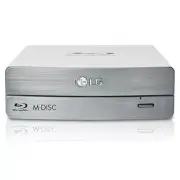
This installation manual covers an external Blu-ray/DVD writer device, focusing on setup, compatibility, and operational requirements. The guide outlines system specifications–such as supported operating systems, CPU/RAM/HDD minimums–and media performance (read/write speeds by interface), including HDCP compliance for Blu-ray playback. It also details environmental conditions and safety warnings for proper handling, electrical hazards, and laser class standards. Compliance certifications like FCC are addressed alongside basic installation steps for connecting the drive via USB and AC power.


Table of Contents:
- Page 1 – External Drive Installation and Setup
- Page 2 – Drive Control and Disc Ejection Procedures
- Page 3 – Blu-ray Writer System Requirements and Performance
- Page 4 – Laser Device Safety and Compliance
Installation
NOTES
NOTES
• Make sure you have a personal computer with any open USB port before
connecting the drive to your computer.
• Power for all device should be turn off before attaching the cables.
• Please do not connect the AC adapter and USB cable by any means other than specified above.
• “Use only power supplies listed in the user instructions” or
“For applicable power supplies see user instructions”.
Adapter information
- Model name: WA-36A12S
- Manufacturer: Asian Power devices Inc.
- Rating: 36 W (3.0 A, 12 V)
• The appliance is not intended for use by young children or infirm persons without supervision.
Young children should be supervised to ensure that they do not play with appliance.
• If the appliance is supplied from a cord extension set or an electrical portable outlet device, the cord extension set on electrical portable outlet device must be
positioned so that it is not subject to splashing or ingress of moisture.
• Please pay attention to handling Electrostatic Sensitive Devices, you may use anti-static products such as wrist straps, heel straps, mats to protect your body
from electrostatic.
Connecting to computer
Connect the drive to the computer as shown in figure.
Connect the USB cable to the External Writer.
Connect the other end of the USB cable to your computer.
Connect the AC adapter plug to the power connector at
the rear of the drive. Attach the AC adapter to the AC
wall outlet.
Make sure the power switch is turned on.
When the computer is ready, confirm that the drive is
detected.
And then, insert the supplied software CD into the
External Writer and install the software.
To AC wall outlet.
USB cable
Hardware Installation
"Loading the manual" means you need to wait until the file loads and becomes available for online reading. Some manuals are very large, and the time they take to appear depends on your internet speed.
Was this manual helpful?
About this manual
- Brand
- LG
- Model
- BE16NU50
- Document type
- User Manual
- Category
- Drive
- Language(s)
- English
- Pages
- 4
- File size
- 805.7 KB
- Format
Summary
Instructions for installing an external drive via USB and AC adapter, including software installation procedures, power specifications, handling warnings, and supervision requirements.
Location and function of drive controls, front and rear views, methods for loading and ejecting discs, and instructions for emergency ejection with safety notes.
System requirements, supported media, performance specifications (data transfer rate, access time), environmental conditions, software setup guidelines, and HDCP compliance details for the external Blu-ray/DVD writer.
Ask a question
Related manuals
Popular LG Drives


More LG Drives models
 LG WP50NB40 User Manual
 LG BE06LU10 User Manual
 LG BE12LU38 User Manual
 LG BE14NU40 User Manual
 LG BH08LS20 User Manual
 LG BH10LS30 User Manual
 LG BH12LS35 User Manual
 LG BH12LS38 User Manual
 LG BH14NS40 User Manual
 LG BH16NS40 User Manual
 LG BP06LU10 User Manual
 LG BP40NB30 User Manual
 LG BP40NS20 User Manual
 LG BP50NB40 User Manual
 LG BT30N User Manual
 LG CH08LS10 User Manual
 LG CH10LS20 User Manual