Page 2 - Conditions of use; ENVIRONMENTAL TI; environment; Congratulations; R300 refrigerant warning; R32 refrigerant warning
2 Contents Congratulations and thank you for choosing our Inverter split system room air conditioner. We are sure you will nd your new air conditioner a pleasure to use. Before you use the air conditioner, we recommend that you read through the entire user manual, which provides the description of t...
Page 3 - Safety instructions; warning; important; ENVIRONMENTAL TIPS; WARNING; warning
3 Safety instructions Meanings of symbols used in this manual are shown below: WARNING warning This symbol indicates information concerning your personal safety or information on how to avoid damaging the air conditioner TIPS & INFORMATION important This symbol indicates tips and information abo...
Page 4 - Troubleshooting
4 Important safety instructions Troubleshooting You'll find many answers to common problems in the chart of troubleshooting tips on page 21. If you review the chart of Troubleshooting Tips first, you may not need to call for service. Service For repair and maintenance, contact your authorised servic...
Page 5 - Installation drawing
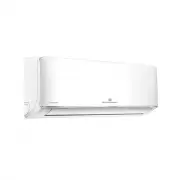
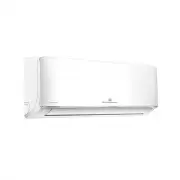
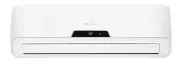
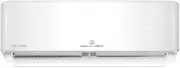
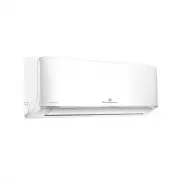
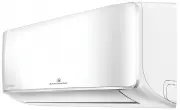
5 Installation drawing Installation drawing NOTE: Appearance of outdoor unit and indoor unit may differ from some models. The actual shape shall prevail. Air conditioner Qty. Qty. 1 Indoor unit 1 7 Battery (AAA 1.5V) 2 2 Outdoor unit 1 8 Drain elbow & seal 1 3 Indoor unit mounting plate 1 9 Flar...
Page 6 - Sleep; W ARNING; Location of the remote controller; Remote control specifications
Mode r e m i T r e m i T Follow me Self clean Short cut LED Swing Direct Turbo ON/OFF Fan Quiet Sleep Mode Fan/quiet r e m iT r e m iT Follow me Self clean Shor t c ut LED Swing Direc t Turbo ON/O FF 6 Remote control specifications Location of the remote controller • Use the remote controller within...
Page 7 - Replacing batteries; Indoor unit display; Digital display
7 Using the remote control Replacing batteries The following cases signify exhausted batteries. Replace old batteries with new ones. Receiving beep is not emitted when a signal is transmitted. Indicator fades away. The remote controller is powered by two dry batteries (2x AAA 1.5V)housed in the back...
Page 8 - Operation of buttons; Fan
8 Operation of buttons Operation of buttons 1. ON/OFF ButtonThis button turns the air conditioner ON and OFF. 2. Mode ButtonPress this button to modify the air conditioner mode in asequence of following: AUTO > COOL > DRY > HEAT > FAN NOTE: Please do not select HEAT mode if the machine y...
Page 10 - Indicators on LCD; Mode display; Fan speed indication
10 Indicators on LCD Indicators on LCD Mode display AUTO COOL DRY HEAT FAN Icon Function Displayed when data transmitted Displayed when remote controller is ON Battery display (low battery detection) Displayed when TIMER ON time is set Displayed when TIMER OFF time is set Show set temperature or roo...
Page 11 - How to use the buttons; Auto operation
11 How to use the buttons How to use the buttons Auto operation Ensure the unit is plugged in and power is available. The OPERATION indicator on the display panel of the indoor unit starts shing. 1. Press the MODE button to select Auto. 2. Press the UP/DOWN button to set the desired temperature.The ...
Page 12 - Timer operation; To set the Auto-ON time; To set the Auto-OFF time
12 Timer operation Timer operation Press the Timer button can set the auto-on/off time of the unit. Mode ON/OFF Fan Quiet 1 r e m i T r e m i T Follow me Self clean Short cut LED Swing Direct Turbo To set the Auto-ON time 1. Press the Timer button till the remote controller shows Timer Onindicator “...
Page 13 - Examples of timer operation
13 Timer operation Examples of timer operation Timer on (Auto-on Operation) Off Start Set 6 hours later The Timer On feature is useful when you want the unit to turn on automatically before you return home. The air conditioner will automatically start operating at the set time. Example To start the ...
Page 14 - Special functions; Kelvinator Home Comfort; Kelvinator
14 Special functions SLEEP operation SLEEP operation Cooling Heating SLEEP operation Continuous run Continuous run 1 hour 1 hour 1°C 1°C 1°C 1°C 1 hour 1 hour Set temp. Set temp. When selected, the set temperature will increase (cooling) or decrease ( il new settings are entered or the air condition...
Page 15 - Optimal operation; MA TION
WARNING caution • Do not operate the air conditioner for long periods with theair flow direction set downward in cooling or dehumidifyingmode. Otherwise, condensation may occur on the surface ofthe horizontal louver causing moisture to drop on to the flooror on furnishings. • After a quick restart, ...
Page 16 - Manual operation; Operating temperature
Manual operation caution • This switch is used for testing purposes only. Please do not useit unless necessary. • To restore the remote controller operation, use the remotecontroller directly. This air conditioner is equipped with a manual switch to allow operation should the remote control fail to ...
Page 17 - Before maintenance; Cleaning the unit; Care and maintenance
Before maintenance • Turn the system off before cleaning. To clean, wipe with a soft,dry cloth. Do not use bleach or abrasives. NOTE: Power supply must be disconnected before attempting to clean or service. WARNING warning Servicing shall only be performed as recommended by the equipment manufacture...
Page 19 - Troubleshooting tips
Troubleshooting Symptom Cause Operation is delayed after restart To prevent blowout of the fuse, the compressor will not operate while the protection circuit is working for about 3 minutes after sudden OFF/ON operation of the power supply, this is normal operation and designed to protect the compres...
Page 24 - For more information on all Kelvinator
© 2019 Electrolux Home Products Pty Ltd.ABN 51 004 762 341 AUSTRALIA phone: 1300 363 640fax: 1800 350 067 email: [email protected]web: kelvinator.com.au NEW ZEALAND phone: 0800 436 245fax: 0800 225 088 email: [email protected]web: kelvinator.co.nz For more information on all Kelvinator appliances, o...