Kelvinator KSD70HRG - User Manual
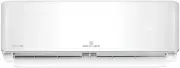
Kelvinator KSD70HRG Air Conditioner – User Manual, read for free online in PDF format. We hope this helps you resolve any issues you may have. If you have further questions, please contact us through the contact form.


Table of Contents:
- Page 2 – Contents; Conditions of use; bed and breakfast type environments.; ENVIRONMENTAL TIPS; environment; R300 refrigerant warning; R32 refrigerant warning; Congratulations
- Page 3 – Safety instructions; Meanings of symbols used in this manual are shown below:; warning; important; This symbol indicates tips and information about use of the; Contact an authorised installer for installation of this unit.; WARNING; warning; Do not pierce or burn any part of the air conditioner.
- Page 4 – Important safety instructions; Troubleshooting
- Page 5 – Installation drawing; Flare nuts; User manual
- Page 6 – Location of the remote controller; Use curtains to prevent the sunlight from falling on the receiver.; Location of the remote controller; Install the remote controller holder with two screws.; Remote control specifications; Rated voltage; MODE; SLEEP; SILENCE
- Page 7 – Using the remote control; Replacing batteries; Receiving beep is not emitted when a signal is transmitted.; Indoor unit display; Digital display; Displays the room temperature in FAN mode.
- Page 8 – Operation of buttons; SELF CLEAN Button
- Page 9 – TIMER ON Button
- Page 10 – Indicators on LCD; Mode display; Icon; Fan speed indication; NOTE: All indicators shown in the figure are for the purpose of
- Page 11 – How to use the buttons; Auto operation; Press the MODE button to select Auto.; Dehumidifying operation; Press the MODE button to select DRY mode.
- Page 12 – Timer operation; To set the Auto-ON time
- Page 13 – Examples of timer operation
- Page 14 – Special functions
- Page 15 – Optimal operation; Airflow directional control
- Page 16 – Manual operation; Manual switch; Mode; Low temperature protection; Operating temperature
- Page 17 – Before maintenance; NOTE: Power supply must be disconnected before attempting to; Cleaning the unit; Care and maintenance
- Page 19 – Symptom; Troubleshooting tips
- Page 21 – Notes
- Page 23 – Warranty; Important Notice
- Page 24 – For more information on all Kelvinator
Inverter Air Conditioner
User Manual
KSV25CRG, KSV35CRG, KSV70CRG,
KSV25HRG, KSD25HRG, KSV35HRG,
KSD35HRG, KSV50HRG, KSD50HRG,
KSV70HRG, KSD70HRG, KSV80HRG,
KSD80HRG
"Loading the manual" means you need to wait until the file loads and becomes available for online reading. Some manuals are very large, and the time they take to appear depends on your internet speed.
Summary
2 Contents Congratulations and thank you for choosing our Inverter split system room air conditioner. We are sure you will find your new air conditioner a pleasure to use. Before you use the air conditioner, we recommend that you read through the entire user manual, which provides the description of...
3 Safety instructions Meanings of symbols used in this manual are shown below: WARNING warning This symbol indicates information concerning your personal safety or information on how to avoid damaging the air conditioner TIPS & INFORMATION important This symbol indicates tips and information abo...
4 Important safety instructions Troubleshooting You'll find many answers to common problems in the chart of troubleshooting tips on page 21. If you review the chart of Troubleshooting Tips first, you may not need to call for service. Service For repair and maintenance, contact your authorised servic...


