Page 2 - ENVIRONMENTAL TIPS; environment; R300 refrigerant warning; R32 refrigerant warning; Congratulations
2 Contents Congratulations and thank you for choosing our Inverter split system room air conditioner. We are sure you will find your new air conditioner a pleasure to use. Before you use the air conditioner, we recommend that you read through the entire user manual, which provides the description of...
Page 3 - Safety instructions; WARNING; This symbol indicates always do this; WARNING; How to properly use and maintain your air conditioner
3 WARNING warning Do not use means to accelerate the defrosting process or to clean, other than those recommended by the manufacturer.Do not store the appliance in a room with continuously operating ignition sources (for example open flames, an operating electric heater or an operating gas appliance...
Page 4 - Prior to Operation; caution
4 Important safety instructions Prior to Operation 1. Contact an installation specialist for installation. 2. Plug in the power plug properly. 3. Do not use a damaged or non-standard power cord. 4. Do not share the same outlet with other appliances. 5. Do not use an extension cord. 6. Do not start/s...
Page 5 - Indoor unit; Product Description
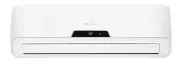
5 Product description 1. Front panel 2. Digital display 3. Air filter (behind the dust filter) 4. Pre-dust filter 5. Horizontal louvres 6. Vertical louvres 7. Manual control button 8. Remote control 1 2 3 4 5 6 7 8 10 9 14 13 11 12 Air inlet Air inlet (rear) Air inlet (side) Air outlet Air outlet In...
Page 6 - Indoor display unit; Replacing batteries; important; Remote control; Location of the remote control
6 Indoor display unit Indoor display unit • When the remote control sends out a signal, the symbol will blink for about 1 second on the display of the remote control. WARNING caution • The air conditioner will not operate if curtains, doors or other materials block the signals from the remote contro...
Page 8 - Remote control display indicator
8 Using the remote control 9. Fan Speed Display Displays the selected fan speed in the following sequence: LOW MEDIUM HIGH and AUTO. In Auto speed, only the symbol is displayed. 10. SWING Display Displays when the Swing function is selected. 11. X-Fan Display Displays when the X-Fan function is acti...
Page 9 - Automatic operation; First use
9 Using the remote control control (the lights on the remote control will be on). 3. Set the time with the Control buttons and confirm by pressing the Clock button. 4. Point the remote control at the indoor unit and press ON/OFF button to turn the unit on. The default operating mode is AUTO. Once yo...
Page 10 - Start; Stop; Dehumidifying operation
10 Operating the air conditioner When you select the FAN operating mode the air conditioner will recirculate the indoor air. 1. ON/OFF Button Press this button to turn the air conditioner on. The temperature indicator on the indoor unit display lights up. 2. Mode Button Press to select FAN. 3. FAN B...
Page 11 - Setting the clock
11 Operating the air conditioner 1 2 Before you start operating the air conditioner, set the clock on the remote control using the following instructions. The clock panel on the remote control will display the time regardless of whether the air conditioner is in operation or not. After batteries are...
Page 12 - Timer settings
12 Operating the air conditioner The Timer indicator on the display panel of indoor unit will be illuminated. Timer-Off Operation (Timer Stop Operation) This function is recommended when you want the unit to be turned off automatically (e.g. bedtime). The air conditioner will automatically stop oper...
Page 13 - Cooling
13 Operating the air conditioner Press ECO button in COOL or HEAT (if applicable) mode, the air conditioner will automatically increase (in COOL mode) or decrease (in HEAT mode) 1ºC per hour for 2 hours. The set temperature will be steady for the next 5 hours then the unit will stop. This function s...
Page 14 - Additional options; Airflow direction control; How to use the indoor unit
14 Operating the air conditioner Range Up and down airflow To adjust the horizontal (left/right) airflow direction manually • Always perform these adjustments while the unit is turned off as fingers coming into contact with the fan may be injured. • Adjust the vertical louvres manually by means of t...
Page 15 - Optimal Operation; Emergency operation
15 Operating the air conditioner Operating temperature ranges Indoor side DB/WB°C Outdoor side DB/WB°C Maximum Cooling 32/23 43/26 Minimum Cooling 21/15 21/- Maximum Heating 27/- 24/18 Minimum Heating 20/- -7/-8 The operating temperature range (outdoor temperature) for cooling only model is 21ºC~43º...
Page 16 - warning; Indoor unit and remote control cleaning; Maintenance
16 Maintenance A clogged air filter reduces the cooling efficiency of this unit. Please clean the filter every month or more often if necessary. 1. Lift the front panel of the indoor unit until it stops with full support of the bracket. panel bracket 2. Hold the dust filter handle and lift it up sli...
Page 17 - General maintenance
17 Cleaning the air filters General maintenance If the air conditioner is not going to be used for a long period of time: • Operate in FAN only mode for 3~4 hours to allow the unit to completely dry out. • Switch off the unit and pull out the power plug. • Remove the batteries from the remote contro...
Page 18 - Operating tips
18 Operating tips Noises coming from the air conditioner • You may hear a low hissing sound when the compressor is running or has just stopped running. This is the sound of the refrigerant flowing or coming to a stop. • You also may hear a low “squeak” sound when the compressor is running or just st...
Page 19 - Troubleshooting; Normal function of the air conditioner
19 Troubleshooting • Water or other liquid is splashed into the unit. • Water is leaking from the unit. • There is a harsh sound during operation. • Strong odours are emitted during operation. • Power cord and power plug are overheating. • Other abnormal situations. The pressure in the refrigeration...
Page 21 - Notes
Page 23 - Warranty; Important Notice
23 Warranty This document sets out the terms and conditions of the product warranties for Electrolux Appliances. It is an important document. Please keep it with your proof of purchase documents in a safe place for future reference should you require service for your Appliance. 1. In this warranty: ...
Page 24 - For more information on all Kelvinator
Part No. 66129913264© 2015 Electrolux Home Products Pty Ltd.ABN 51 004 762 341KMAN_KAIRINV2_UM_Jun15 AUSTRALIA phone: 1300 363 640fax: 1800 350 067 email: [email protected]web: kelvinator.com.au NEW ZEALAND phone: 0800 436 245fax: 0800 225 088 email: [email protected]web: kelvinator.co.nz For more i...