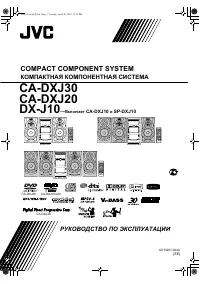
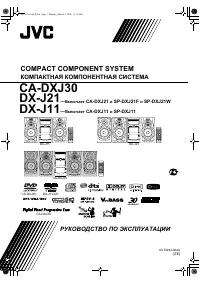
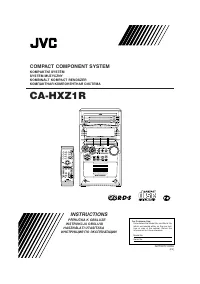
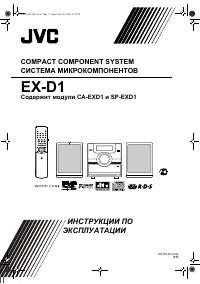
Page 4 - PARA PRODUTOS LASER, IMPORTANTE; Caution: Proper Ventilation
G-3 IMPORTANT FOR LASER PRODUCTS 1. CLASS 1 LASER PRODUCT2. CAUTION: Do not open the top cover. There are no user serviceable parts inside the unit; leave all servicing to qualified service personnel. 3. CAUTION: Visible and invisible laser radiation when open and interlock failed or defeated. Avoid...
Page 5 - English; Contents
1 English Contents Introduction ........................................................ 2 Precautions .......................................................................... 2How to Read This Manual .................................................. 2 Getting Started ...............................
Page 6 - Introduction; Precautions; Installation; How to Read This Manual; briefly
2 English Introduction Precautions Installation • Install in a place which is level, dry and neither too hot nor too cold—between 5°C and 35°C. • Install the System in a location with adequate ventilation to prevent internal heat buildup inside the System. • Leave sufficient distance between the Sys...
Page 7 - Getting Started; Step; : Unpack the package and; Step; : Hook up the components such; • If the wall outlet does not match the AC plug, use the; Now you can operate the System.; • DO NOT use an old battery together with a
3 English Getting Started Step 1 : Unpack After unpacking, check to be sure that you have all the following items. The number in parentheses indicates the quantity of each piece supplied.• FM antenna (1)• AM loop antenna (1)• Remote control (1)• Batteries (2)• AC plug adaptor (1)If any item is missi...
Page 8 - If you need more detailed information, see page 6.; AUX; Turn the power off to all components before connections.; For better FM/AM reception
4 English Step 3 : Hook Up If you need more detailed information, see page 6. AUX LEFT RIGHT AUDIO OUT Illustrations of the input/output terminals below are typical examples.When you connect other components, refer also to their manuals since the terminal names actually printed on the rear may vary....
Page 9 - Before plugging in the System; Voltage marker
5 English PUSH OPEN A UT O REVERSE FM antenna (supplied) Extend it so that you can obtain the best reception. Red White DO NOT plug in before setting the voltage selector and all connection procedures are complete. Before plugging in the System Set the correct voltage for your area with the voltage ...
Page 10 - To assemble and connect the AM loop antenna; To assemble the AM loop antenna; • If the AM loop antenna wire or speaker cords are covered; To connect the speaker cords; • DO NOT connect more than one speaker to
6 English To assemble and connect the AM loop antenna To assemble the AM loop antenna To connect the AM loop antenna • If the AM loop antenna wire or speaker cords are covered with vinyl, remove the vinyl to expose the tip of the antenna by twisting the vinyl. • Make sure the antenna conductors do n...
Page 11 - Before Operating the System; Indications on the main display; ALL
7 English Before Operating the System The indications on the display teach you a lot of things while you are operating the System.Before operating the System, be familiar with when and how the indicator illuminates on the display. 1 Rhythm Ax indicator• Lights when Rhythm Ax is activated. 2 Timer in...
Page 12 - Daily Operations; —Playback; GROUP UP; consumed even while on standby.; For private listening
8 English Daily Operations —Playback 1 Turn on the power. The STANDBY/ON lamp on the main unit lights in green.• Without pressing STANDBY/ON , the System turns on by pressing one of the source selecting buttons in the next step. 2 Select the source. Playback automatically starts if the selected sour...
Page 13 - To set the AM tuner interval spacing; To stop searching manually,; To preset the stations; Tune in to a station you want to preset.; To restore the stereo effect,; FM
9 English Listening to the Radio To set the AM tuner interval spacing Before operating the tuner, it is required to select the appropriate AM space interval used for your area. 1 Select the AM band. 2 Turn off the power. 3 Select the appropriate AM space interval for your area. • You can only use th...
Page 14 - To tune in to a preset station; Select a preset number for the station you store.; Playing Back a Disc; To insert a disc; To close the disc tray,; MP3 groups/tracks configuration
10 English 3 Select a preset number for the station you store. • You can also use the PRESET UP/PRESET DOWN buttons. 4 Store the station. To tune in to a preset station 1 Select the band (FM or AM). 2 Select a preset number for the station you store. Playing Back a Disc This System can play back the...
Page 16 - —Sound&Other Adjustments; Adjusting the Volume; To drop the volume in a moment; Adjusting the Sound; To emphasize rhythm feeling—RHYTHM AX; This function emphasizes bass attack feeling, and also; To adjust the tone; You can adjust the bass and treble level from –5 to +5.; To adjust the bass; To restore the volume,; adjust the volume level.; RHYTHMAX
12 English Daily Operations —Sound&Other Adjustments Adjusting the Volume You can adjust the volume level from level 0 (VOL MIN) to level 40 (VOL MAX). To drop the volume in a moment Adjusting the Sound To emphasize rhythm feeling—RHYTHM AX This function emphasizes bass attack feeling, and also ...
Page 17 - You can dim the display window.; Setting the Clock; • To go back to the previous step, press CANCEL.; Activate the clock setting mode.; • If you have already adjusted the clock before, press the; To check the current time during play; Turning Off the Power; Wait until the set time goes off.; • If you press the button repeatedly, you can change the shut-
13 English Changing the Display Brightness You can dim the display window. Setting the Clock Without setting the built-in clock, you cannot use Daily/Recording Timers (see page 19) and Sleep Timer.• To exit from the clock setting, press CLOCK/TIMER as required. • To go back to the previous step, pre...
Page 18 - Advanced Disc Operations; Programming the Playing Order—; Before starting playback, activate Program Play.; PROGRAM
14 English Advanced Disc Operations Programming the Playing Order— Program Play You can arrange the playing order of the tracks (up to 50) before you start playback. 1 Before starting playback, activate Program Play. 2 Select tracks you want for Program Play. 3 Start playback. 4 , 7 , ¢ CD 6 CD 0 CA...
Page 19 - To check the programmed contents; • Exiting from Program Play erases the stored program.; Playing at Random—Random Play; You can play all tracks at random.; Before starting playback, activate Random Play.; To exit from Random Play; To erase the last step:; Repeat step; Canceled
15 English To check the programmed contents Before or after playback... To modify the program Before or after playback... To exit from Program Play Before or after playback... • Exiting from Program Play erases the stored program. Playing at Random—Random Play You can play all tracks at random. 1 Be...
Page 20 - To repeat a particular portion—A-B Repeat; Prohibiting Disc Ejection—Child Lock; To cancel the prohibition,
16 English Playing Repeatedly—Repeat Play You can repeat playback. Before starting playback... While playing... To repeat a particular portion—A-B Repeat You can repeat a particular portion while playing back a CD. 1 During playback, activate A-B Repeat. 2 Select the start point (A). 3 Select the en...
Page 21 - Advanced Tape Operations; Recording on a Tape; Insert a recordable cassette.; IMPORTANT; To record on only one side.
17 English Advanced Tape Operations Recording on a Tape You can use type I tapes for recording.• To play a tape, see page 11. 1 Insert a recordable cassette. 2 Check the tape running direction and Reverse Mode settings on the display. To change the direction To change the Reverse mode if necessary R...
Page 22 - To record the entire disc
18 English 3 Select and start playing the source—“FM,” “AM,” “CD,” or “AUX.” • When recording a disc, you can also use “Synchronized Disc Recording” (see below). 4 Start recording. Synchronized Disc Recording You can start and stop both disc play and tape recording at the same time. To record the en...
Page 23 - Timer Operations; Setting the Timer; • To exit from the timer setting, press CLOCK/TIMER as; Set the hour then the minute for on-time.; PRESET; * Daily Timer initial settings when shipped from the; Daily 1
19 English Timer Operations Setting the Timer Using Daily Timer, you can wake up with your favorite song. On the other hand, with Recording Timer, you can make a tape of a radio broadcast automatically.• You can store three Daily Timer settings and one Recording Timer setting; however, you can activ...
Page 24 - • You can select the volume level (“VOLUME 0” to; Select the volume level.; • You can select the volume level (“VOLUME 0” to
20 English 3 Select the volume level. • You can select the volume level (“VOLUME 0” to “VOLUME 40” and “VOLUME – –”). If you select “VOLUME – –,” the volume is set to the last level when the unit has been turned off. For Recording Timer: 1 Set the hour then the minute for on-time. 2 Set the hour the...
Page 25 - To turn off the Timer after its setting is done; repeat the above steps and; How Daily Timer actually works; Once the Daily Timer has been set, the timer (; How Recording Timer actually works; When Recording Timer has been set, Timer (
21 English To turn off the Timer after its setting is done Since Daily Timer is activated at the same time everyday, you may need to cancel it on some particular days.• Recording Timer can also be canceled temporarily. 1 Select the Timer you want to cancel. 2 Turn off the selected Timer. To turn on ...
Page 26 - Additional Information; Learning More about This System; Daily Operations—Playback; Listening to the Radio:; Daily Operations—Sound & Other Adjustments; Adjusting the Volume:; Programming the Playing Order—Program Play:; Synchronized Disc Recording:
22 English Additional Information Learning More about This System Daily Operations—Playback (see pages 8 to 11) Listening to the Radio: • If you store a new station into an occupied preset number, the previously stored station in that number will be erased. • When you unplug the AC power cord or if ...
Page 27 - Handling discs
23 English Troubleshooting If you are having a problem with your System, check this list for a possible solution before calling for service. General: Adjustments or settings are suddenly canceled before you finish. ] There is a time limit. Repeat the procedure again. Operations are disabled. ] The b...
Page 29 - MEMO
Page 30 - UX-P400 MICRO COMPONENT SYSTEM
VICTOR COMPANY OF JAPAN, LIMITED 0404AIMMDWJEM EN, SP, PR © 2004 VICTOR COMPANY OF JAPAN, LIMITED UX-P400 MICRO COMPONENT SYSTEM Mains (AC) Line Instruction (not applicable for Europe, U.S.A., Canada, Australia, and U.K.)Instrucción sobre la línea de la red (CA) (no aplicable para Europa, EE.UU., Ca...