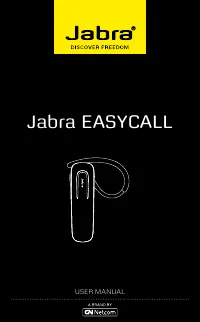
Page 2 - ENGLISH; CONTENTS
1 ENGLISH JABRA BT2046 CONTENTS THANK YOU . . . . . . . . . . . . . . . . . . . . . . . . . . . . . . . . . . . . . . . . . . . . . . . . . . . . 2 ABOUT YOUR JABRA BT2046 . . . . . . . . . . . . . . . . . . . . . . . . . . . . . . . . . . . 2 WHAT YOUR HEADSET CAN DO . . . . . . . . . . . . . . . ....
Page 3 - THANK YOU; Thank you for purchasing the Jabra BT2046 headset . We hope you; WHAT YOUR HEADSET CAN DO; Your Jabra BT2046 lets you do all this:
2 ENGLISH JABRA BT2046 THANK YOU Thank you for purchasing the Jabra BT2046 headset . We hope you enjoy it! This instruction manual will get you started and ready to make the most of your headset . ABOUT YOUR JABRA BT2046 A Answer/end button, on/off buttonB LED lightC Charging socketD Earhook WHAT YO...
Page 4 - Specifications; GET TING STARTED; Bluetooth®; Instruction
3 ENGLISH JABRA BT2046 Specifications - Talk time up to 8 hours / standby time up to 10 days- Rechargeable battery with charging option from AC power supply, USB cable or car charger (USB cable and car charger not included) - Weight 10 grams- Operating range up to 10 meters (appr . 33 feet)- Headset...
Page 5 - CHARGE YOUR HEADSET; Press
4 ENGLISH JABRA BT2046 CHARGE YOUR HEADSET Make sure that your headset is fully charged for 2 hours before you start using it . Use the AC power supply to charge from a power socket . When the light indicator (LED) has a solid LED light, your headset is charging . When the solid LED light turns off,...
Page 6 - PAIRING IT WITH YOUR PHONE; Put the headset in pairing mode; Your phone will find the Jabra BT2046
5 ENGLISH JABRA BT2046 Please note that the LED indicator light turns off after 1 minute to save battery . Headset is still active, and light will flash again after tap on the Answer/End button or any call activity . To check if the headset is on, tap the answer/end button once – the LED indicator l...
Page 7 - Put the headset in pairing mode manually; WEAR IT HOW YOU LIKE IT; Answer a call
6 ENGLISH JABRA BT2046 Put the headset in pairing mode manually In case of unsuccessful pairing, put the Jabra BT2046 into pairing mode manually . Make sure the headset is off . Press and hold the answer/end button for approximately 5 seconds until the LED has a constant light . The LED will flash b...
Page 8 - Make a call
7 ENGLISH JABRA BT2046 Make a call - When you make a call from your mobile phone, the call will (subject to phone settings) automatically transfer to your headset . If your phone does not support this function, tap on the answer/end button on the Jabra BT2046 to receive the call in the headset . Rej...
Page 9 - WHAT THE LIGHTS MEAN; What you see; USING JABRA BT2046 WITH TWO MOBILE PHONES; Bluetooth
8 ENGLISH JABRA BT2046 WHAT THE LIGHTS MEAN What you see What that means Solid light In pairing mode - see Pairing section . Very slow single flash Connected to phone and in standby mode .* Slow triple flash Not connected to phone and in standby mode .* Regular double flash Active on call Quick doub...
Page 10 - end; TROUBLESHOOTING & FAQ; I hear crackling noises
9 ENGLISH JABRA BT2046 If you are on a call and receive a second call you will be alerted by a tone . You can then:- Put the first call on hold and accept the incoming call by press- ing the Answer/end button - Switch between the two active calls by pressing the Answer/ end button again - Tap the An...
Page 11 - Will the Jabra BT2046 work with other equipment?; I cannot use Reject call, Call on hold, Redial or Voice dialing
10 ENGLISH JABRA BT2046 Will the Jabra BT2046 work with other equipment? - The Jabra BT2046 is designed to work with mobile phones . It can also work with other devices that are compliant with Bluetooth® version 1 .1, 1 .2, 2 .0 or 2 .1 and support a headset and/or hands-free profile . I cannot use ...
Page 12 - TAKING CARE OF YOUR HEADSET
11 ENGLISH JABRA BT2046 3. Phone: Belgique/Belgie +32 28080766 Danmark +45 69918794 Deutschland +49 30896778991 Suomi +45 35256540 France +33 182880251 Italia +39 0662207674 Luxembourg +45 35256540 Nederland +31 208080962 Norge +47 22577785 Österreich +43 720880558 Portugal +45 35256540 Россия +7 91...
Page 13 - GLOSSARY; profiles; Passkey or PIN; Standby mode
12 ENGLISH JABRA BT2046 Dispose of the product according to local standards and regulations .www .jabra .com/weee GLOSSARY 1 Bluetooth® Bluetooth® is a radio technology that connects devices, such as mobile phones and headsets, without wires or cords over a short distance (approx . 10 meters/33 feet...
Page 14 - is a registered
© 2012 GN Netcom A/S. All rights reserved. Jabra ® is a registered trademark of GN Netcom A/S. All other trademarks included herein are the property of their respective owners. The Bluetooth ® word mark and logos are owned by the Bluetooth SIG, Inc. and any use of such marks by GN Netcom A/S is unde...