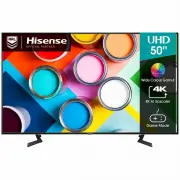
Page 2 - English; Before using the TV, please read this guide thoroughly and
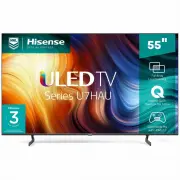
English ES-A221009-1 Before using the TV, please read this guide thoroughly and retain it for future reference. 55U7HAU 65U7HAU 75U7HAU 85U7HAU
Page 3 - Find what you want; Please read the quick setup guide to; To get more information, please check; Quick Setup Guide; E-Manual support functions; Search; Find the help you are looking for.
This TV is equipped with a quick setup guide and embedded E-Manual.Before using the TV, please read the following documentation. Find what you want Please read the quick setup guide to learn about the following content: Accessories Installation Specifications To get more information, please check th...
Page 4 - Declaration
Page 5 - Important Safety Precautions; Disposal of Used Electrical & Electronic Equipment; ATTENTION; equipment waste. By ensuring the correct disposal of this product,
B Important Safety Precautions This symbol alerts user about the presence of a dangerous voltage not isolated inside the product which can be sufficiently powerful to constitute a risk of electrocution.This symbol alerts user about the p r e s e n c e o f i m p o r t a n t o p e r a t i n g instruct...
Page 6 - Warning; as above should be applied.
C Important Safety Precautions Warning A television set may fall, causing serious personal injury or death. Many injuries, particularly to children, can be avoided by taking simple precautions such as: ALWAYS use cabinets or stands or mounting methods recommended by the manufacturer of the televisio...
Page 7 - Safeguards; supplied with this product, you can buy it at the local market.
D Important Safety Precautions Safeguards Please read the following safeguards for your TV and retain for future reference. Always follow all warnings and instructions marked on the television. 1. A note about safety and operating instructions Read and follow all safety and operating instructions, a...
Page 8 - under the following conditions:
E Important Safety Precautions 9. Power-Cord Protection Power- supply cords should be routed so that they are not likely to be walked on or pinched by items placed upon or against them, paying particular attention to cords at plug, wall outlets, and the point where they exit from the TV. MAIN plug o...
Page 10 - Contents; The following accessories are included with TV:; please refer to the actual accessory bag.; Quick Setup Guide × 1 Remote Control × 1 AA or AAA Battery × 2 Power Cord × 1
1 Contents Contents Figures and illustrations in this manual are provided for reference only and may differ from actual product appearance. Parts of the software function changes with the system upgrade. Accessories List...................................................................................
Page 11 - Installing the Stand; Installing the Stand or Wall Mount Bracket; TV or scratching to the screen.; CAUTION; Base Stand; For
2 Follow the illustrations and textual instructions below to complete the installation steps: Installing the Stand Installing the Stand or Wall Mount Bracket 1. Carefully place your TV facedown on a soft, flat surface to prevent damage to the TV or scratching to the screen. 2. Take out the 2 stands ...
Page 12 - these two installation methods types cannot be mixed.
3 Installing the Stand or Wall Mount Bracket Note: If your table is long enough to place the TV on top of, then insert the base stands into the screw holes ‘A’ that are shown in the illustration. If your table is NOT long enough, then insert the base stand into the screw holes ‘B’ that are shown in ...
Page 15 - Installing the Wall Mount Bracket
6 Installing the Stand or Wall Mount Bracket Installing the Wall Mount Bracket Wall mount hole pattern (mm) 300 × 200(55")400 × 200(65")400 × 300(75")600 × 400(85") Wall mount screw size M6(55"/65"/75")M8(85") Wall Mount Bracket Wall Mount Screw Wall Mount Spacer Rear...
Page 16 - TV Front; NOTES; Item; Remote sensor
7 TV Front TV Front NOTES The Picture is Only for Reference. Powering on the TV requires several seconds to load programs. Do not rapidly turn the TV off as it may cause the TV work abnormally. Item Description Remote sensor Receive remote signals from the remote control. Do not put anything near th...
Page 17 - Loose connections can result in image or color problems. Make sure; TV Rear; AC INPUT
8 TV Rear NOTES Check the jacks for position and type before making any connections. Loose connections can result in image or color problems. Make sure that all connections are tight and secure.The TV may not be compatible with all external devices. To check compatibility, please refer to the user m...
Page 19 - Making Connections; ANT; Connect an outdoor VHF/UHF antenna or cable.; Please consult your device user manual for instruction.; INPUT; buttons to select the source; HDMI
10 Making Connections ANT Connect an outdoor VHF/UHF antenna or cable. TV JACK Outdoor Antenna Antenna Cable (75Ω) or ANT OUT Cable VHF/UHF Antenna ANT (not included) HDMI / AV Connect a HDMI / AV cable from an external AV equipment. No sound connection is needed for HDMI to HDMI connection. If the ...
Page 20 - DIGITAL AUDIO OUT; HEADPHONE
11 Making Connections DIGITAL AUDIO OUT Connect to an external digital audio system. Before connecting a digital audio system to the DIGITAL AUDIO OUT jack, you should decrease the volume of both the TV and the system to avoid that the volume suddenly becomes bigger. TV JACK DIGITAL AUDIO cable (not...
Page 21 - and USB2.0 devices such as hard drives, USB sticks and
12 Making Connections LAN (Wired setup) Connect your TV to your network by connecting the LAN port on the back of your TV to an external modem or router using a LAN (Ethernet/Cat 5) cable. See the illustration below. · We recommend you to use a modem or router that supports Dynamic Host Configuratio...
Page 22 - Wireless setup; See the illustration below.
13 Making Connections Wireless setup Connect your TV to your wireless network, you need a wireless router or modem. See the illustration below. · The TV’s built-in Wireless LAN Adapter supports the IEEE 802.11 a/b/g/n/ac communication protocols. Wireless router with DHCP LAN Cable Wireless LAN Adapt...
Page 23 - Remote Control; NOTE; Display the Electronic
14 Remote Control NOTE The included remote control will vary depending on model, country/region. Check information according to the actual remote control in the accessory bag. Power on/ Standby Activate the microphone Exit the menu or exit the application Channel (up/down) Under the Menu or App, ret...
Page 25 - Installing Batteries in the Remote Control; Pairing the Remote Control (only for Bluetooth remote control)
16 Remote Control Installing Batteries in the Remote Control NOTES Product image is only for reference, actual product may vary in appearance.Dispose of your batteries in a designated disposal area. Do not throw the batteries into fire.Do not mix battery types or combine used batteries with new ones...
Page 26 - Remote Control Operation Range; Disposal of this unit
17 Remote Control Operation Range Disposal of this unit Product should not be damaged, dismantled or thrown in municipal waste. It should be packed and handed over to authorised re-cycler. 1. The remote control can work at a distance of up to 8 meters in front of the TV set. 2. The remote control an...
Page 27 - Turning the TV on for the First Time; ] buttons to navigate the menu and change the settings.
18 Turning the TV on for the First Time Turning the TV on for the First Time 1. Connect the mains cable to the mains socket after you have completed all the connections. 2. The first time you turn the TV on, it will go straight into the Installation Guide.3. Press the [ / / < / > ] buttons to ...
Page 28 - Specifications; troubleshooting tips in the User Manual or the E-Manual.; Please refer to the rating label.
19 Specifications Features, appearance and specifications are subject to change without notice.If you encountered difficulty when setting up your TV, we suggest you refer to the troubleshooting tips in the User Manual or the E-Manual. Item 55" 65" Dimension (mm) Without Stand (W × H × D) 123...
Page 30 - Other Information; What is Freeview Plus?; Freeview Plus service only available in Australia territories.
21 Other Information Dolby, Dolby Vision, Dolby Atmos, and the double-D symbol are registered trademarks of Dolby Laboratories Licensing Corporation. Dolby Vision IQ is a trademark of Dolby Laboratories Licensing Corporation. Manufactured under license from Dolby Laboratories. Confidential unpublish...