Hisense 43N6 - User Manual
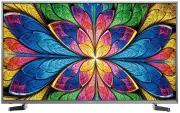
This user manual covers an LED-backlit smart television, detailing its core functionalities and operational systems. The document emphasizes safety precautions–such as electrical hazards, proper disposal, and stable placement–to ensure safe use. It also provides shortcuts for remote control navigation, including turning on/off the TV, managing channels, and accessing advanced features like PVR recording and time-shifting. Additionally, it outlines setup procedures for menus, audio, picture adjustments, network connectivity, parental controls, and media management, ensuring users can configure settings for optimal viewing experiences.


Table of Contents:
- Page 2 – User Manual Introduction
- Page 3 – Table of Contents
- Page 4 – Legal Disclaimer and Warranty
- Page 5 – General Safety Precautions
- Page 6 – Television Installation and Environmental Safety
- Page 7 – Operational Safety Guidelines
- Page 8 – Remote Control Shortcuts
- Page 9 – Favorites List Management
- Page 10 – EPG Shortcuts and Scheduling
- Page 11 – Program Recording and Time Shift Functions
- Page 12 – TV Menu Options
- Page 13 – Picture Settings Navigation
- Page 14 – Advanced Picture Adjustments
- Page 15 – Sound Menu Configuration
- Page 16 – Network Setup and Connectivity
- Page 17 – Channel Management and Parental Controls
- Page 18 – System Configuration
- Page 19 – Advanced Feature Settings
- Page 20 – System Information and Updates
- Page 21 – Home Screen Functions
- Page 22 – Application Management
- Page 23 – Media Content Viewing and Browsing
- Page 24 – Advanced Casting and Software Updates
- Page 25 – Troubleshooting Guide
Bar code
"Loading the manual" means you need to wait until the file loads and becomes available for online reading. Some manuals are very large, and the time they take to appear depends on your internet speed.
Was this manual helpful?
Helpful for 3 of 3 readers
About this manual
- Brand
- Hisense
- Model
- 43N6
- Document type
- User Manual
- Category
- TV
- Language(s)
- English
- Pages
- 26
- File size
- 405.3 KB
- Format
Summary
Instructions for careful reading of the manual before operating the device.
Outline of the document structure including sections on safety precautions, shortcuts, menu, advanced features, and other information with corresponding page numbers.
Statement regarding intellectual property rights, user assumption of risks, and manufacturer disclaimers of warranties and liability.
Ask a question
Related manuals
Popular Hisense TVs


More Hisense TVs models
 Hisense 40A4KAU User Manual
 Hisense 40R4 User Manual
 Hisense 43A7KAU User Manual
 Hisense 43R6 User Manual
 Hisense 43S8 User Manual
 Hisense 50A7G User Manual
 Hisense 50A7KAU User Manual
 Hisense 50R7 User Manual
 Hisense 55A7G User Manual
 Hisense 55A7KAU User Manual
 Hisense 55PX User Manual
 Hisense 55R6 User Manual