Hisense 55PX - User Manual
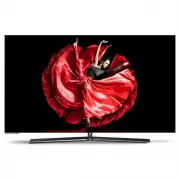
A user manual for an OLED TV covers essential topics to ensure safe and effective operation. The document emphasizes safety precautions, such as preventing electrical hazards, proper placement, and handling of electronic waste, alongside basic controls like remote shortcuts for power, channel selection, and live TV features. Advanced functions–such as picture mode adjustments (brightness, contrast, color), audio settings, network configurations, and smart-TV app management–are also detailed to enhance user experience. Troubleshooting guidance addresses common issues like connectivity problems or display errors, helping users resolve minor technical challenges independently.


Table of Contents:
- Page 1 – User Manual Introduction
- Page 2 – Table of Contents and Features Overview
- Page 3 – Legal Disclaimers and Warranty Information
- Page 4 – Television Safety Precautions
- Page 5 – Detailed Safety Guidelines
- Page 6 – Operational Safety Procedures
- Page 7 – Remote Control Operation Instructions
- Page 8 – Remote Shortcuts and Favorites Management
- Page 9 – Electronic Program Guide Usage
- Page 10 – Program Recording and Time Shift Functions
- Page 11 – TV Menu Functions Overview
- Page 12 – Navigation and Picture Menu Controls
- Page 13 – Picture Mode Adjustments
- Page 14 – Sound Menu Configuration
- Page 15 – Network Configuration Settings
- Page 16 – Channel Management Options
- Page 17 – System and Parental Controls
- Page 18 – Application and Connectivity Settings
- Page 19 – Advanced Feature Configuration
- Page 20 – System Support and Diagnostics
- Page 21 – Home Screen Navigation
- Page 22 – Application Installation and Management
- Page 23 – Advanced Media Functions
- Page 24 – Advanced Display Features
- Page 25 – Software Updates and Services
- Page 26 – General Troubleshooting Guide
- Page 27 – Smart Television Troubleshooting
RSAG2.025.5882SS
OLED TV
Read the manual carefully and ensure you have fully understood
its contents before operating this device for the first time.
English
"Loading the manual" means you need to wait until the file loads and becomes available for online reading. Some manuals are very large, and the time they take to appear depends on your internet speed.
Was this manual helpful?
About this manual
- Brand
- Hisense
- Model
- 55PX
- Document type
- User Manual
- Category
- TV
- Language(s)
- English
- Pages
- 27
- File size
- 268.6 KB
- Format
Summary
Instructions for reading the manual prior to operating the device.
Listing of sections covering safety precautions, shortcut instructions, menu functions, advanced features like Anyview Cast, and troubleshooting.
User liability, manufacturer warranties and guarantees, restrictions on content access, and image usage disclaimers.
Ask a question
Related manuals
Popular Hisense TVs


More Hisense TVs models
 Hisense 50A7KAU User Manual
 Hisense 50R7 User Manual
 Hisense 55A7G User Manual
 Hisense 55A7KAU User Manual
 Hisense 55R6 User Manual
 Hisense 55R7 User Manual
 Hisense 55S8 User Manual
 Hisense 55U6KAU User Manual
 Hisense 55U7G User Manual
 Hisense 55U7HAU User Manual
 Hisense 55U7KAU User Manual
 Hisense 55U8G User Manual