Page 2 - READ AND SAVE THESE INSTRUCTIONS; WARNING; SAFETY; READ ALL INSTRUCTIONS BEFORE USING THE APPLIANCE
2 49-3000353 Rev 3 READ AND SAVE THESE INSTRUCTIONS To reduce the risk of death, fire, explosion, electric shock, or injury to persons when using your appliance, follow basic precautions, including the following: ■ Read all instructions before using the appliance. ■ Follow all fabric care instructio...
Page 3 - IMPORTANT SAFETY INFORMATION; PROPER INSTALLATION; Proper Disposal of your Appliance; AUTOMATIC DRAIN SEQUENCE; PARTS AND ACCESSORIES
49-3000353 Rev 3 3 IMPORTANT SAFETY INFORMATION READ ALL INSTRUCTIONS BEFORE USING THE APPLIANCE SAFETY INFORMA TION READ AND SAVE THESE INSTRUCTIONS PROPER INSTALLATION This Combo must be properly installed and located in accordance with the Installation Instructions before it is used. ■ Ensure tha...
Page 4 - Getting started; SmartHQ App Enabled
4 49-3000353 Rev 3 Throughout this manual, features and appearance may vary from your model. To reduce the risk of fire, electric shock, or injury to persons, read the IMPORTANT SAFETY INFORMATION before operating this appliance. WARNING Getting started USING THE COMBO SmartHQ App Enabled There are ...
Page 5 - USING THE COMBO; Display and Status Lights
49-3000353 Rev 3 5 USING THE COMBO Display and Status Lights (Features and appearance will vary) The display shows the cycle options selected, the approximate time remaining until the end of the cycle and the cycle status for WASH and DRY modes (PreWashing, Washing, Rinsing, Spinning, Drying, Comple...
Page 6 - CF
6 49-3000353 Rev 3 Features and appearance will vary. A B Power - Press to “wake up” the display. If the display is active, press to put the Combo into standby “OFF” mode. NOTE: Pressing Power does not disconnect the appliance from the power supply. WASH and DRY - By default, the Combo selects a com...
Page 9 - Settings; SOIL
49-3000353 Rev 3 9 USING THE COMBO Getting started E Settings Individual settings for soil level ( SOIL ), water temperature ( TEMP ) and spin speed ( SPIN ) can be set from the minimum to maximum. Changes made using these buttons are shown in the LCD display just below the cycle time. These setting...
Page 10 - Wash Options
10 49-3000353 Rev 3 Getting started USING THE COMBO F Wash Options SmartDispense™ - Detergent When selected, this feature will automatically add detergent to the wash based on the load size, eliminating the need to add detergent for each load. Multi-tapping this button will step through dosing level...
Page 11 - Dry Options
49-3000353 Rev 3 11 G Dry Options Timed Dry (toggles OFF Sensor Dry) By default, the Combo will always use the Sensor Dry function whenever DRY is selected as part of a cycle. Sensor Dry will end the drying cycle when the Combo detects that your clothes are dry. You can choose to select a timed dry ...
Page 12 - Menu Options
12 49-3000353 Rev 3 Getting started USING THE COMBO H Menu Options Detergent This displays the SmartDispense - Detergent tank level status. The status options are Good , Low , or Empty . If the status is Low , the estimated number of loads left before Empty is shown. Softener This displays the Smart...
Page 13 - Help
49-3000353 Rev 3 13 USING THE COMBO Getting started H Menu Options (cont.) Help Open this submenu to get information and display QR codes to link to product literature, access on-line technical support content, or to learn about advanced features. Language Change the language of the display to eithe...
Page 14 - Dispenser Drawer; Dispenser Drawers - Overview
14 49-3000353 Rev 3 Getting started USING THE COMBO Dispenser Drawer Slowly open the dispenser drawer by pulling it out until it stops. After adding laundry products, slowly close the dispenser drawer. Closing the drawer too quickly could result in early dispensing of the bleach, fabric softener or ...
Page 15 - SmartDispense - Softener
49-3000353 Rev 3 15 USING THE COMBO Getting started SmartDispense - Softener When selected, this feature will automatically add fabric softener to the final rinse, eliminating the need to add fabric softener for each load. The fabric softener amount selection on the control panel will default to AUT...
Page 16 - Detergent Compartment -; Liquid Bleach Compartment -
16 49-3000353 Rev 3 USING THE COMBO Getting started Detergent Compartment - Manual Dose (Top Dispenser Drawer) Only use high-efficiency detergent in this Combo. Do NOT fill high-efficiency detergent over the MAX line. Use detergent manufacturer’s recommended amount.• Powder Detergent – Lift the flap...
Page 17 - WiFi Connect
49-3000353 Rev 3 17 WiFi Connect Your Combo is GE Appliances WiFi Connect enabled. It is highly recommended that you connect your Combo to WiFi to download the latest software, receive periodic updates and benefit from many of the extended features available through the SmartHQ App. Many features fo...
Page 18 - Always follow fabric manufacturer’s care label when laundering.; Sorting Wash Loads; Loading
18 49-3000353 Rev 3 Always follow fabric manufacturer’s care label when laundering. Sorting Wash Loads Sort by color (whites, lights, colors), soil level, fabric type (sturdy cottons, easy care, delicates) and whether the fabric produces lint (terry cloth, chenille) or collects lint (velveteen, cord...
Page 19 - Exterior; Filters; Filter Compartment
49-3000353 Rev 3 19 CARE AND CLEANING Care and cleaning Exterior Immediately wipe off any spills. Wipe or dust spills or washing compounds with a damp cloth. Combo control panel and finishes may be damaged by some laundry pretreatment and stain remover products. Apply these products away from the Co...
Page 21 - Door Gasket; Moving and Storage; CARE AND
49-3000353 Rev 3 21 Door Gasket Open the Combo door. Using both hands, press down the door gasket. While holding down the door gasket, inspect the interior fold. Remove any foreign objects if found trapped inside this gasket. Make sure there is nothing blocking the holes behind the gasket.When you a...
Page 22 - TOOLS REQUIRED; BEFORE YOU BEGIN; IMPORTANT –; Note to Installer –; DO NOT Install the Combo:; LOCATION OF YOUR COMBO
22 49-3000353 Rev 3 Installation Combo Instructions If you have any questions, call GE Appliances at 800.GE.CARES (800.432.2737) or visit our Website at: GEAppliances.com In Canada, call 800.561.3344 or visit GEAppliances.ca TOOLS REQUIRED ■ Level ■ Adjustable wrench ■ Channel-lock adjustable pliers...
Page 23 - Installation Instructions; COMBO; MINIMUM; Alcove or Closet
49-3000353 Rev 3 23 ACCESSORIES: Order on-line at GEApplianceparts.com , 24 hours a day or by phone at 877.959.8688 during normal business hours. Follow the Installation Instructions included in the Kit for all clearances and installation requirements. *With leveling legs retracted. See the COMBO DI...
Page 24 - UNPACKING THE COMBO
24 49-3000353 Rev 3 Installation Instructions 1. Cut and remove all packaging straps. 2. While it is in the carton, carefully lay the Combo on its side. DO NOT lay the Combo on its front or back. 3. Turn down the bottom flaps. Remove all base packaging including the styrofoam base. 4. Carefully retu...
Page 25 - ELECTRICAL REQUIREMENTS; GROUNDING INSTRUCTIONS; DRAIN REQUIREMENTS; - Electrical Shock Hazard
49-3000353 Rev 3 25 Installation Instructions ELECTRICAL REQUIREMENTS CIRCUIT – Individual, properly polarized and grounded 15 or 20 amp circuit breaker or time-delay fuse. POWER SUPPLY – 2 wire plus ground, 120 Volt, single phase, 60 Hz, alternating current. Outlet Receptacle – Properly grounded 3-...
Page 26 - INSTALLING THE COMBO
26 49-3000353 Rev 3 Installation Instructions 1. Run some water from the hot and cold faucets to flush the water lines and remove particles that might clog the inlet hose and water valve screens. 2. Remove the inlet hoses from the packaging. 3. (90° elbow end) Ensure there is a rubber washer in the ...
Page 27 - Before you call for service; TROUBLESHOOTING TIPS; Problem
49-3000353 Rev 3 27 Troubleshooting Tips... Before you call for service TROUBLESHOOTING TIPS Problem Possible Cause What To Do Not draining Not spinning Not tumbling Load is out of balance Redistribute clothes and run Rinse & Spin or Rinse & Dry . Increase load size if washing small load con...
Page 33 - Notes; NOTES
Page 34 - GE Appliances Limited Warranty; Haier; Company; EXCLUSION OF IMPLIED WARRANTIES; LIMITED W
34 49-3000353 Rev 3 GE Appliances Limited Warranty (For customers in the United States) GEAppliances.com All warranty service is provided by our Factory Service Centers, or an authorized Customer Care ® technician. To schedule service online, visit us at GEAppliances.com/service , or call GE Applian...
Page 36 - CONSUMER SUPPORT
36 49-3000353 Rev 3 Printed in China CONSUMER SUPPORT Consumer Support GE Appliances Website Have a question or need assistance with your appliance? Try the GE Appliances Website 24 hours a day, any day of the year! You can also shop for more great GE Appliances products and take advantage of all ou...
Page 37 - COMBINACIÓN; Lavadora de carga frontal y secadora con bomba
GUÍA DEL PROPIETARIO E INSTRUCCIONES DE INSTALACIÓN GE es una marca registrada de General Electric Company. Fabricado bajo licencia de marca. ESPAÑOL PFQ97HS 49-3000353 Rev 3 05-23 GEA COMBINACIÓN Lavadora de carga frontal y secadora con bomba de calor Escriba aquí el número de modelo, número de ser...
Page 38 - LEA Y GUARDE ESTAS INSTRUCCIONES; ADVERTENCIA; INFORMACIÓN DE SEGURIDAD; LEA TODAS LAS INSTRUCCIONES ANTES DE USAR
2 49-3000353 Rev 3 LEA Y GUARDE ESTAS INSTRUCCIONES Para reducir el riesgo de muerte, incendio, explosión, descargas eléctricas, o lesiones personales al usar su electrodoméstico, siga las precauciones básicas, incluyendo lo siguiente: ■ Lea todas las instrucciones antes de usar este electrodoméstic...
Page 39 - Forma adecuada de descartar su electrodoméstico; INSTALACIÓN CORRECTA; PIEZAS Y ACCESORIOS
49-3000353 Rev 3 3 INFORMACIÓN DE SEGURIDAD INFORMACIÓN IMPORTANTE DE SEGURIDAD LEA TODAS LAS INSTRUCCIONES ANTES DE USAR LEA Y GUARDE ESTAS INSTRUCCIONES Forma adecuada de descartar su electrodoméstico ■ Descarte o recicle su electrodoméstico de acuerdo con las Regulaciones Federales y Locales. Com...
Page 40 - Puesta en Marcha; Aplicación SmartHQ habilitada; en realidad está seca!
4 49-3000353 Rev 3 Es posible que las funciones y apariencias varíen con relación a su modelo a lo largo del manual. Para reducir el riesgo de incendios, descargas eléctricas o heridas, lea INFORMACIÓN IMPORTANTE DE SEGURIDAD antes de utilizar este electrodoméstico. ADVERTENCIA Puesta en Marcha USO ...
Page 41 - Pantalla y las luces de estado
49-3000353 Rev 3 5 USO DEL COMBO Pantalla y las luces de estado (Las funciones y apariencia variarán) La pantalla muestra las opciones de ciclo seleccionadas, el tiempo restante aproximado hasta el final del ciclo y el estado del ciclo para los modos de WASH (Lavado) y DRY (Secado): PreWashing (Lava...
Page 44 - Ciclos - Continuación
8 49-3000353 Rev 3 Puesta en Marcha USO DEL COMBO D Ciclos - Continuación Los ciclos se han optimizado para tipos específicos de cargas. La siguiente tabla le ayudará a encontrar la mejor combinación entre las prendas que serán lavadas y las mejores configuraciones de ciclos. Para un rendimiento ópt...
Page 45 - Configuraciones
49-3000353 Rev 3 9 USO DEL COMBO Puesta en Marcha E Configuraciones Configuraciones individuales para el nivel de suciedad ( SOIL ), temperatura de agua ( TEMP ) y Velocidad de centrifugado ( SPIN ) se pueden configurar de menos a más. Los cambios realizados con estos botones se muestran en la panta...
Page 46 - Opciones de lavado
10 49-3000353 Rev 3 Puesta en Marcha USO DEL COMBO F Opciones de lavado SmartDispense TM (Dispensado inteligente) - Detergente Cuando se selecciona, esta función añade detergente automáticamente al lavado según el tamaño de la carga, eliminando la necesidad de agregar detergente a cada carga. Presio...
Page 47 - Opciones secas; USAR El Combo
49-3000353 Rev 3 11 G Opciones secas Timed Dry (Secado temporizado) (desactiva el secado por sensor) De forma predeterminada, el Combo siempre utilizará la función Sensor Dry (Secado por sensor) siempre que se seleccione DRY (Secado) como parte de un ciclo. El secado por sensor finalizará el ciclo d...
Page 48 - Opciones del menú
12 49-3000353 Rev 3 Puesta en Marcha USO DEL COMBO H Opciones del menú Detergent (Detergente) Esto muestra el estado del nivel del depósito SmartDispense: Detergente . Las opciones de estado son Good (Bueno), Low (Bajo) o Empty (Vacío). Si el estado es Low (Bajo), se muestra el número estimado de ca...
Page 49 - WiFi
49-3000353 Rev 3 13 USO DEL COMBO Puesta en Marcha H Opciones del menú (cont.) Help (Ayuda) Abra este submenú para obtener información y mostrar códigos QR que vinculan con la documentación del producto, le permiten acceder a contenido de soporte técnico en línea u obtener información sobre caracter...
Page 50 - Depósito de detergente; SmartDispense - Detergente
14 49-3000353 Rev 3 Puesta en Marcha USO DEL COMBO Depósito de detergente Abra lentamente el depósito de detergente tirando de él hasta que se detenga. Tras añadir los productos de lavado, ciérrelo despacio. Si cierra el depósito demasiado rápido, puede provocar que la lejía, el suavizante o el dete...
Page 51 - SmartDispense - Suavizante de telas
49-3000353 Rev 3 15 USO DEL COMBO Puesta en Marcha SmartDispense - Suavizante de telas Cuando se selecciona, esta característica añade suavizante de telas automáticamente al lavado, eliminando la necesidad de añadir suavizante de telas para cada carga. La selección de la cantidad de suavizante de te...
Page 52 - Compartimento para el detergente -; Compartimento para lejía líquida -
16 49-3000353 Rev 3 USO DEL COMBO Puesta en Marcha Compartimento para el detergente - Dosis manual (Cajón del Dispensador Superior) Use sólo detergente con alto nivel de eficiencia en esta lavadora. NO supere la línea MAX al colocar el detergente con alto nivel de eficiencia. Use la cantidad de dete...
Page 54 - USO DEL; Carga
18 49-3000353 Rev 3 Siempre siga las instrucciones del fabricante de la ropa cuando lave. Separación de cargas Separe por color (blancos, claros, colores), nivel de suciedad, tipo de tela (algodones rústicos, limpieza fácil, delicados) y si la tela produce pelusa (tela de toalla, felpilla) o junta p...
Page 55 - Filtros; Compartimento del filtro
49-3000353 Rev 3 19 CUIDADO Y LIMPIEZA Cuidado y limpieza Exterior Limpie inmediatamente cualquier vertido. Limpie los derrames o compuestos de limpieza con un paño húmedo. El panel de control y los acabados de el Combo pueden resultar dañados por productos utilizados como tratamiento previo al lava...
Page 56 - Áreas del cajón del dispensador y suavizante
20 49-3000353 Rev 3 Cuidado y limpieza CUIDADO Y LIMPIEZA Self Clean (Autolimpieza) Para limpiar la parte interna de el Combo, seleccione la característica SELF CLEAN del panel de control. Este ciclo Self Clean debería ser activado, como mínimo, una vez por mes aprox. cada 40 ciclos. Este ciclo usar...
Page 57 - CUIDADO Y; Filtro de la bomba
49-3000353 Rev 3 21 Junta de la puerta Abra la puerta de el Combo . Usando ambas manos, presione la junta de la puerta hacia abajo. Mientras sostiene la junta de la puerta, inspeccione el pliegue interior. Retire cualquier objeto extraño que se pueda encontrar atrapado dentro de la junta. Quite los ...
Page 58 - ANTES DE COMENZAR; IMPORTANTE; Nota al instalador; NO instale el Combo :
22 49-3000353 Rev 3 ■ Arandelas de Caucho (2) y Pantallas de Filtro (2) NOTA: Las arandelas pueden estar incluidas en las mangueras. Instrucciones EL COMBO de instalación ANTES DE COMENZAR Lea detenidamente todas las instrucciones. • IMPORTANTE – Guarde estas instrucciones para uso del inspector loc...
Page 59 - DIMENSIONES DE EL COMBO; Alcoba o Armario
49-3000353 Rev 3 23 Instrucciones de instalación ACCESORIOS: Ordene hoy a través de Internet en GEApplianceparts.com , las 24 horas del día o en forma telefónica llamando al 877.959.8688 , durante el horario comercial habitual. Siga las Instrucciones de instalación incluidas en el Kit para conocer t...
Page 60 - DESEMBALAJE DE EL COMBO
24 49-3000353 Rev 3 Instrucciones de instalación 1. Corte y elimine todas las cintas de embalaje. 2. Mientras se encuentre dentro de la caja, coloque con cuidado el Combo sobre el costado de la misma. NO la tumbe por la parte delantera ni trasera. 3. Abra las tapas inferiores y retire todo el embala...
Page 62 - PIEZAS DE REPUESTO
26 49-3000353 Rev 3 Instrucciones de instalación Si se necesitan piezas de repuesto para el Combo, se pueden solicitar en Estados Unidos a través del sitio Web GEApplianceparts.com o llamando GE Appliances a 877.959.8688. PIEZAS DE REPUESTO 1. Deje correr un poco de agua de los grifos de agua calien...
Page 63 - Consejos para la solución de problemas; ANTES DE SOLICIT; Problema
49-3000353 Rev 3 27 Consejos para la solución de problemas ANTES DE SOLICIT AR EL SER VICIO TÉCNICO Problema Causas posibles Solución No hay drenaje No hay rotación No hay giro La carga está desequilibrada Redistribuya las prendas y accione el Rinse & Spin (Enjuague & Centrifugado) o Rinse &...
Page 68 - Notas
Page 71 - Garantía limitada de GE Appliances
49-3000353 Rev 3 35 GARANTÍA LIMIT ADA Garantía limitada de GE Appliances Abroche su recibo aquí. Para acceder al servicio técnico de acuerdo con la garantía deberá contar con la prueba de la fecha original de compra. GEAppliances.com Todo el servicio de garantía es provisto por nuestros Centros de ...
Page 72 - SOPORTE P
36 49-3000353 Rev 3 Printed in China SOPORTE P ARA EL CONSUMIDOR Soporte para el Consumidor Sitio Web de GE Appliances ¿Desea realizar una consulta o necesita ayuda con su electrodoméstico? ¡Intente a través del Sitio Web de GE Appliances las 24 horas del día, cualquier día del año! Usted también pu...


 GE GFQ14ESSNWW
User Manual
GE GFQ14ESSNWW
User Manual
 GE GFW148SSMWW
User Manual
GE GFW148SSMWW
User Manual
 GE GFW550SPRRS
User Manual
GE GFW550SPRRS
User Manual
 GE GFW550SSNWW
User Manual
GE GFW550SSNWW
User Manual
 GE GFW650SSNWW
User Manual
GE GFW650SSNWW
User Manual
 GE GFW655SPVDS
User Manual
GE GFW655SPVDS
User Manual
 GE GFW655SSVWW
User Manual
GE GFW655SSVWW
User Manual
 GE GFW850SPNRS
User Manual
GE GFW850SPNRS
User Manual
 GE GFW850SSNWW
User Manual
GE GFW850SSNWW
User Manual
 GE GNW128PSMWW
User Manual
GE GNW128PSMWW
User Manual
 GE GNW128SSMWW
User Manual
GE GNW128SSMWW
User Manual
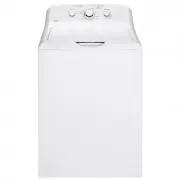 GE GTW335ASNWW
User Manual
GE GTW335ASNWW
User Manual
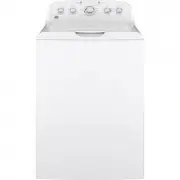 GE GTW465ASNWW
User Manual
GE GTW465ASNWW
User Manual
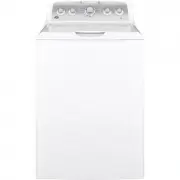 GE GTW500ASNWS
User Manual
GE GTW500ASNWS
User Manual
 GE GTW525ACPWB
User Manual
GE GTW525ACPWB
User Manual
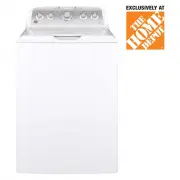 GE GTW540ASPWS
User Manual
GE GTW540ASPWS
User Manual
 GE GTW585BSVWS
User Manual
GE GTW585BSVWS
User Manual
 GE GTW840CPNDG
User Manual
GE GTW840CPNDG
User Manual
 GE GTW840CSNWS
User Manual
GE GTW840CSNWS
User Manual
 GE GUD24ESSMWW
User Manual
GE GUD24ESSMWW
User Manual