Page 2 - Lifetime Limited Warranty
Lifetime Limited Warranty Each Fluke 20, 70, 80, 170, 180 and 280 Series DMM will be free from defects in material and workmanship for its lifetime. As used herein, “lifetime” is defined as seven years after Fluke discontinues manufacturing the product, but the warranty period shall be at least ten ...
Page 3 - Table of Contents; Title Page
i Table of Contents Title Page Introduction .................................................................................................................... 1 How to Contact Fluke ..................................................................................................... 1 Safety Infor...
Page 5 - iii
Contents (continued) iii Diode ......................................................................................................................... 44 Frequency ................................................................................................................. 44 Frequency Counter...
Page 7 - Introduction; XW; Warning; How to Contact Fluke; To register your product, visit; Safety Information; . More specific safety information is listed
1 Introduction XW Warning Read “Safety Information” before using the Meter. The 87V MAX (the Product or Meter) is a True-rms Digital Multimeter. In addition, the 87V MAX measures temperature using a type-K thermocouple. How to Contact Fluke To contact Fluke, call one of the following telephone numbe...
Page 8 - Users Manual; Features; Tables 1 through 4 briefly describe the features of the Meter.; Terminal Description; Input for 0; COM; Return terminal for all measurements.
87V MAX Users Manual 2 Features Tables 1 through 4 briefly describe the features of the Meter. Table 1. Inputs gaq112.emf Terminal Description A Input for 0 A to 10.00 A current (10 - 20 A overload for 30 seconds maximum), current frequency, and duty cycle measurements. Input for 0 μ A to 400 mA c...
Page 9 - Table 2. Rotary Switch Positions
Digital Multimeter Features 3 Table 2. Rotary Switch Positions Switch Position Function Any Position When the Meter is turned on, the Meter model number briefly appears on the display. AC voltage measurement Press (yellow) for low-pass filter ( ) DC voltage measurement 600 mV dc voltage ...
Page 10 - Table 3. Pushbuttons
87V MAX Users Manual 4 Table 3. Pushbuttons Button Switch Position Function (Yellow) Selects capacitance Selects temperature Selects ac low-pass filter function Switches between dc and ac current Switches between dc and ac current Any switch position Switches between the ranges availab...
Page 11 - Button Switch
Digital Multimeter Features 5 Table 3. Pushbuttons (cont.) Button Switch Position Function Continuity MIN MAX recording Hz, Duty Cycle Turns the continuity beeper on and off Switches between Peak (250 μ s) and Normal (100 ms) response times. Toggles the meter to trigger on positive or negative s...
Page 12 - Figure 1. Display Features; Trig; MAX MIN
87V MAX Users Manual 6 gaq101.emf Figure 1. Display Features Table 4. Display Features Number Feature Indication Polarity indicator for the analog bargraph. Trig ± Positive or negative slope indicator for Hz/duty cycle triggering. The continuity beeper is on. Relative (REL) mode is activ...
Page 13 - prevent false readings, which; HiRes
Digital Multimeter Features 7 Table 4. Display Features (cont.) Number Feature Indication Low battery. XW Warning: To prevent false readings, which could lead to possible electric shock or personal injury, replace the battery as soon as the battery indicator appears. A, μ A, mA amperes (amps),...
Page 14 - Error Messages; Caution
87V MAX Users Manual 8 Table 4. Display Features (cont.) Number Feature Indication -- Overload condition is detected. Error Messages Replace the battery immediately. In the capacitance function, too much electrical charge is present on the capacitor being tested. Invalid calibra...
Page 15 - Option; 7V MAX Calibration Information
Digital Multimeter Features 9 Table 5. Power-Up Options Button Power-Up Option (Yellow) Disables automatic power-off feature (Meter normally powers off in 30 minutes). The Meter reads “ ” until is released. Enables the Meter’s calibration mode and prompts for a password. The Meter reads “...
Page 16 - How to Make Measurements; AC and DC Voltage Measurements; Refer to Figure 2 to measure ac or dc voltage.; Figure 2. AC and DC Voltage Measurements
87V MAX Users Manual 10 How to Make Measurements The following sections describe how to make measurements with the Meter. AC and DC Voltage Measurements The Meter features true-rms readings, which are accurate for distorted sine waves and other waveforms (with no dc offset) such as square waves, tri...
Page 17 - ) impedance in parallel with; Zero Input Behavior of True-rms Meter; Unspecified input levels are:
Digital Multimeter How to Make Measurements 11 When measuring voltage, the Meter acts approximately like a 10-M Ω (10,000,000 Ω ) impedance in parallel with the circuit. This loading effect can cause measurement errors in high-impedance circuits. In most cases, the error is negligible (0.1 % or less...
Page 18 - Note; Temperature Measurements
87V MAX Users Manual 12 XW Warning To prevent possible electric shock or personal injury, do not use the low-pass filter to verify the presence of hazardous voltages. Voltages greater than what is indicated may be present. First, make a voltage measurement without the filter to detect the possible p...
Page 19 - Press
Digital Multimeter How to Make Measurements 13 Continuity Tests XW Warning To prevent possible electrical shock, fire, or personal injury, disconnect power and discharge all high-voltage capacitors before you measure resistance, continuity, capacitance, or a diode junction. The continuity test featu...
Page 20 - Figure 4. Continuity Tests
87V MAX Users Manual 14 For in-circuit tests, turn circuit power off. gaq103.emf Figure 4. Continuity Tests
Page 21 - The following are some tips for measuring resistance:
Digital Multimeter How to Make Measurements 15 Resistance Measurements XW Warning To prevent possible electrical shock, fire, or personal injury, disconnect power and discharge all high-voltage capacitors before you measure resistance, continuity, capacitance, or a diode junction. The Meter measures...
Page 22 - Circuit Power; OFF; In-Circuit Resistance Measurements; Isolating a Potentiometer; Disconnect; Isolating a Resistor
87V MAX Users Manual 16 1 2 3 1 3 2 Circuit Power OFF In-Circuit Resistance Measurements Disconnect Isolating a Potentiometer Disconnect Isolating a Resistor gaq106.emf Figure 5. Resistance Measurements
Page 23 - until
Digital Multimeter How to Make Measurements 17 How to Use Conductance for High Resistance or Leakage Tests Conductance, the inverse of resistance, is the ability of a circuit to pass current. High values of conductance correspond to low values of resistance. The Meter's 60-nS range measures conducta...
Page 24 - diSC; Select; Figure 6. Capacitance Measurements
87V MAX Users Manual 18 Capacitance Measurements XW Warning To prevent possible electrical shock, fire, or personal injury, disconnect power and discharge all high-voltage capacitors before you measure resistance, continuity, capacitance, or a diode junction. The Meter's capacitance ranges are 10.00...
Page 26 - Figure 7. Diode Tests
87V MAX Users Manual 20 Bad Diode + + TypicalReading Forward Bias Reverse Bias Bad Diode Open Shorted Single Beep or gaq109.emf Figure 7. Diode Tests
Page 27 - Insert the black lead into the; terminal. For currents above
Digital Multimeter How to Make Measurements 21 AC or DC Current Measurements XW Warning To prevent possible electrical shock, fire, or personal injury, remove circuit power before you connect the Product in the circuit when you measure current. Connect the Product in series with the circuit. W Cauti...
Page 28 - to disconnect meter.; Current Through One Component; Figure 8. Current Measurements
87V MAX Users Manual 22 Circuit Power: OFF to connect meter. ON for measurement. OFF to disconnect meter. Current Through One Component Total Current to Circuit mA A A gaq107.emf Figure 8. Current Measurements
Page 30 - switches the
87V MAX Users Manual 24 Frequency Measurements The Meter measures the frequency of a voltage or current signal by counting the number of times the signal crosses a threshold level each second. Table 6 summarizes the trigger levels and applications for measuring frequency using the various ranges of ...
Page 31 - Table 6. Functions and Trigger Levels for Frequency Measurements
Digital Multimeter How to Make Measurements 25 Table 6. Functions and Trigger Levels for Frequency Measurements Function Range Approximate Trigger Level Typical Application 6 V, 60 V, 600 V, 1000 V ± 5 % of scale Most signals. 600 mV ± 30 mV High-frequency 5 V logic signals. (The dc-coupling of ...
Page 32 - Trigger Point; Figure 9. Components of Duty Cycle Measurements
87V MAX Users Manual 26 Duty Cycle Measurements Duty cycle (or duty factor) is the percentage of time a signal is above or below a trigger level during one cycle (Figure 9). The duty cycle mode is optimized for measuring the on or off time of logic and switching signals. Systems such as electronic f...
Page 33 - a second time to measure the signal's; Bargraph
Digital Multimeter Bargraph 27 How to Determine Pulse Width For a periodic waveform (its pattern repeats at equal time intervals), you can determine the amount of time that the signal is high or low as follows: 1. Measure the signal's frequency. 2. Push a second time to measure the signal's duty c...
Page 34 - HiRes Mode
87V MAX Users Manual 28 Zoom Mode (Power Up Option Only) To use the Rel Zoom Bargraph: 1. Hold down while turning the Meter on. The display reads “ ” . 2. Select the relative mode by pressing again. 3. The center of the bargraph now represents zero and the sensitivity of the bargraph increa...
Page 35 - MIN MAX Recording Mode
Digital Multimeter MIN MAX Recording Mode 29 MIN MAX Recording Mode The MIN MAX mode records minimum and maximum input values. When the inputs go below the recorded minimum value or above the recorded maximum value, the Meter beeps and records the new value. This mode can be used to capture intermit...
Page 36 - Table 7. MIN MAX Functions; s response time is indicated by
87V MAX Users Manual 30 Table 7. MIN MAX Functions Button MIN MAX Function Enter MIN MAX recording mode. The Meter is locked in the range displayed before you entered MIN MAX mode. (Select the desired measurement function and range before entering MIN MAX.) The Meter beeps each time a new minimum ...
Page 37 - AutoHOLD; Relative Mode; Selecting relative mode (
Digital Multimeter AutoHOLD Mode 31 AutoHOLD Mode XW Warning To prevent possible electric shock, fire, or personal injury: • Do not use AutoHOLD mode to determine that circuits are without power. The AutoHOLD mode will not capture unstable or noisy readings. • Do not use the HOLD function to measure...
Page 38 - Maintenance; General Maintenance; As shown in Figure 10, with the Meter in the
87V MAX Users Manual 32 Maintenance XW Warning To prevent possible electrical shock, fire, or personal injury: • Remove the input signals before you clean the Product. • Do not operate the Product with covers removed or the case open. Hazardous voltage exposure is possible. • Use only specified repl...
Page 39 - Touch top half; How to Replace the Batteries
Digital Multimeter Maintenance 33 Touch top half of input contacts Good 11 A fuse: 00.0 Ω to 00.5 Ω Replace fuse: OL Good 0.44 A fuse: 0.995 k Ω to 1.005 k Ω Replace fuse: OL gaq105.emf Figure 10. Current Fuse Test How to Replace the Batteries Replace the batteries with three AA batteries (IEC LR6)....
Page 40 - How to Replace the Fuses; Service and Parts
87V MAX Users Manual 34 Note While lifting the battery door, ensure the rubber gasket stays attached to the battery compartment barrier. 3. Remove the three batteries and replace all three with AA Alkaline batteries ( ). 4. Ensure the battery compartment gasket ( ) is properly installed around t...
Page 41 - Figure 11. Battery and Fuse Replacement
Digital Multimeter Service and Parts 35 1 4 5 6 2 3 gaq10.emf Figure 11. Battery and Fuse Replacement
Page 42 - Table 8. Replacement Parts
87V MAX Users Manual 36 Table 8. Replacement Parts Description Qty. Fluke Part or Model Number Battery, AA 1.5 V 3 376756 Fuse, 0.440 A, 1000 V, FAST 1 943121 Fuse, 11 A, 1000 V, FAST 1 803293 Fuse Access Door 1 3400480 Screw 6 3861068 Gasket, Battery Door 1 3439087 Fuse Cap 1 3440546 Holster 1 3321...
Page 43 - Figure 12. Replacement Parts
Digital Multimeter Service and Parts 37 Holster Battery DoorGasket Screw BatteryAA 1.5 V Fuse Cap Fuse Access Door Battery Door Fuse 0.440 A, 1000 V, Fast Fuse 11 A, 1000 V, Fast 80BK-A Integrated DMMTemperature Probe Quick Reference Guide Safety Information gaq111.emf Figure 12. Replacement Parts
Page 44 - General Specifications
87V MAX Users Manual 38 General Specifications Maximum voltage between any terminal and earth ground ............................................ 1000 V rms Fuse Protection for mA or μ A inputs .......................... 0.44 A, 1000V, IR 10kA Fuse Protection for A inputs ..............................
Page 46 - Detailed Specifications; AC Voltage
87V MAX Users Manual 40 Detailed Specifications For all detailed specifications: Accuracy is specified for 2 years after calibration, at operating temperatures of 18 ° C to 28 ° C, with relative humidity at 0 % to 95 %. Accuracy specifications take the form of ± ([% of Reading] + [Number of least-si...
Page 48 - AC Current
87V MAX Users Manual 42 Temperature Range Resolution Accuracy [1,2] -200 ° C to +1090 ° C -328 ° F to +1994 ° F 0.1 ° C 0.1 ° F ± (1.0 % + 10) ± (1.0 % + 18) [1] Does not include error of the thermocouple probe. [2] Accuracy specification assumes ambient temperature stable to ± 1 ° C. For ambient te...
Page 50 - Frequency Counter Sensitivity and Trigger Levels
87V MAX Users Manual 44 Diode Range Resolution Accuracy 2.000 V 0.001 V ± (1.0 % + 1) Frequency Range Resolution Accuracy 199.99 Hz 0.01 Hz ± (0.005 % + 1) [1] 1999.9 Hz 0.1 Hz 19.999 kHz 0.001 kHz 199.99 kHz 0.01 kHz >200 kHz 0.1 kHz Unspecified [1] From 0.5 Hz to 200 kHz and for pulse widths &g...
Page 51 - Input Characteristics
Digital Multimeter Detailed Specifications 45 Duty Cycle (Vdc and mVdc) Range Accuracy 0.0 % to 99.9 % [1] Within ± (0.2 % per kHz + 0.1 %) for rise times < 1 μ s. [1] 0.5 Hz to 200 kHz, pulse width >2 μ s. Pulse width range is determined by the frequency by the frequency of the signal. Input ...


 Fluke 2538815
User Manual
Fluke 2538815
User Manual
 Fluke 5065853
User Manual
Fluke 5065853
User Manual
 Fluke 1587/MDT FC
User Manual
Fluke 1587/MDT FC
User Manual
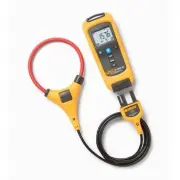 Fluke FLK-A3001 FC
User Manual
Fluke FLK-A3001 FC
User Manual
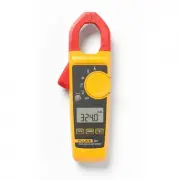 Fluke FLUKE- 324
User Manual
Fluke FLUKE- 324
User Manual
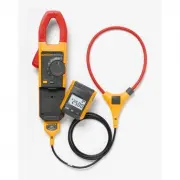 Fluke FLUKE- 381
User Manual
Fluke FLUKE- 381
User Manual
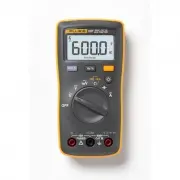 Fluke FLUKE-107-LW
User Manual
Fluke FLUKE-107-LW
User Manual
 Fluke FLUKE-110 PLUS-LW
User Manual
Fluke FLUKE-110 PLUS-LW
User Manual
 Fluke FLUKE-113
User Manual
Fluke FLUKE-113
User Manual
 Fluke FLUKE-114
User Manual
Fluke FLUKE-114
User Manual
 Fluke FLUKE-115-LW
User Manual
Fluke FLUKE-115-LW
User Manual
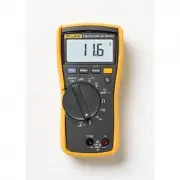 Fluke FLUKE-116
User Manual
Fluke FLUKE-116
User Manual
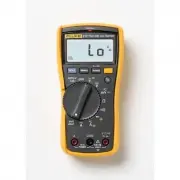 Fluke FLUKE-117
User Manual
Fluke FLUKE-117
User Manual
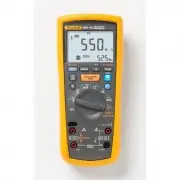 Fluke FLUKE-1587 FC
User Manual
Fluke FLUKE-1587 FC
User Manual
 Fluke FLUKE-177 ESFP
User Manual
Fluke FLUKE-177 ESFP
User Manual
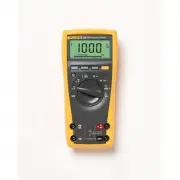 Fluke FLUKE-179 ESFP
User Manual
Fluke FLUKE-179 ESFP
User Manual
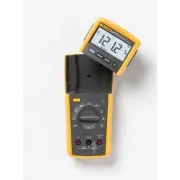 Fluke FLUKE-233
User Manual
Fluke FLUKE-233
User Manual
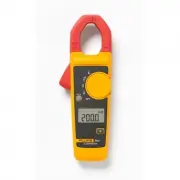 Fluke FLUKE-302+-LW
User Manual
Fluke FLUKE-302+-LW
User Manual
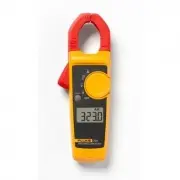 Fluke FLUKE-323-LW
User Manual
Fluke FLUKE-323-LW
User Manual
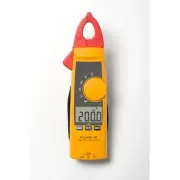 Fluke FLUKE-365
User Manual
Fluke FLUKE-365
User Manual