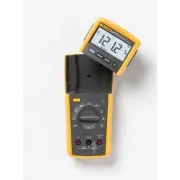
Page 2 - Lifetime Limited Warranty; Fluke Corporation; Visit the Fluke website at:
Lifetime Limited Warranty Each Fluke 20, 70, 80, 170 and 180 Series DMM will be free from defects in material and workmanship for its lifetime. As used herein, “life-time” is defined as seven years after Fluke discontinues manufacturing the product, but the warranty period shall be at least ten year...
Page 3 - Table of Contents; Title
i Table of Contents Title Page How to Contact Fluke .............................................................................................................. 1 Safety Information .......................................................................................................................
Page 4 - ii
Page 5 - Model 77 Series IV; Digital Multimeter; How to Contact Fluke; To contact Fluke, call one of the following telephone numbers:; Safety Information; XW; Warning
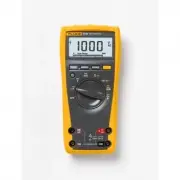
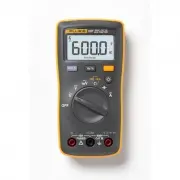
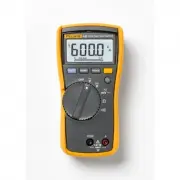
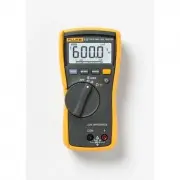
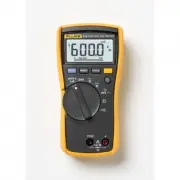
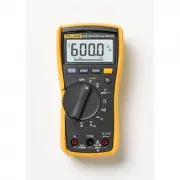
1 Model 77 Series IV Digital Multimeter The Fluke Model 77 Series IV is a battery-powered, average responding-rms indicating multimeter (hereafter "the Meter"), with a 6000-count, 3 3/4-digit display, and a bar graph. How to Contact Fluke To contact Fluke, call one of the following telephone...
Page 6 - Symbols; Description; Fuse
Model 77 Series IV Users Manual 2 • Do not use a current measurement as an indication that a circuit is safe to touch. A voltage measurement is necessary to know if a circuit is hazardous. • Do not use the Product if it is damaged. • Disable the Product if it is damaged. • Do not use the Product abo...
Page 7 - Symbol Description Symbol; Unsafe Voltage; OL; Test Lead Alert; to; mA
Digital Multimeter Unsafe Voltage 3 Symbol Description Symbol Description Battery (Low battery when shown on display) Consult user documentation. Certified by TÜV SÜD Product Service. Ã Conforms to relevant South Korean EMC Standards Conforms to relevant Australian EMC standards CAT II Meas...
Page 8 - Terminals; Item Description; Rotary Switch Positions; Switch; Hz
Model 77 Series IV Users Manual 4 Battery Saver (Sleep Mode) The Meter enters the "Sleep" mode and blanks out the display if there is no function change or button press for 20 minutes. To disable the Sleep mode, hold down the yellow button while turning the Meter on. The Sleep mode is always...
Page 9 - Meaning; Bar graph
Digital Multimeter Display 5 Display . 8 7 7 5 6 4 3 2 1 13 14 15 9 11 12 10 AIK02F.EPS No. Symbol Meaning 1 Continuity test. 2 Diode test. 3 Negative readings. 4 Y Unsafe voltage. Voltage ≥ 30 V, or voltage overload ( OL ) 5 AutoHOLD is enabled. Display holds present reading until it detec...
Page 10 - YELLOW Button
Model 77 Series IV Users Manual 6 MIN MAX AVG Recording Mode The MIN MAX AVG recording mode captures the minimum and maximum input values, and calculates a running average of all readings. When a new high or low is detected, the Meter beeps. Note For dc functions, accuracy is the specified accuracy ...
Page 11 - Note; Button
Digital Multimeter Manual Ranging and Autoranging 7 Manual Ranging and Autoranging The Meter has both Manual range and Autorange modes. • In the Autorange mode, the Meter selects the range with the best resolution. • In the Manual Range mode, you override Autorange and select the range yourself. Whe...
Page 12 - Making Basic Measurements; The figures on the following pages show how to make basic; COM; ) test lead before connecting the live lead; Measuring AC and DC Voltage; Volts AC; mV; Measuring Resistance
Model 77 Series IV Users Manual 8 Making Basic Measurements The figures on the following pages show how to make basic measurements. When connecting the test leads to the circuit or device, connect the common ( COM ) test lead before connecting the live lead; when removing the test leads, remove the ...
Page 13 - Testing for Continuity
Digital Multimeter Making Basic Measurements 9 Testing for Continuity RANGE HOLD MIN MAX RANGE HOLD MIN MAX AIK06F.EPS Testing Diodes + _ _ Forward Bias Single Beep + Reverse Bias Good Diode Good Diode _ + Shorted and Bad Diode Open _ CAT + Bad Diode RANGE HOLD MIN MAX RANGE HOLD MIN MAX RANGE HOLD ...
Page 14 - DC; Measuring Frequency; AC Voltage Frequency
Model 77 Series IV Users Manual 10 Measuring AC or DC Current XW Warning To avoid personal injury or damage to the Meter: • Never attempt to make an in-circuit current measure-ment when the open-circuit potential to earth ground is > 1000 V. • Check the Meter's fuses before testing. (See “Testing...
Page 15 - The number of lit segments indicates the measured value and is; Cleaning; OK
Digital Multimeter Using the Bar Graph 11 Using the Bar Graph The bar graph is like the needle on an analog Meter. There is an overload indicator ( ► ) to the right, and a polarity indicator ( ± ) to the left. Because the bar graph is much faster than the digital display, the bar graph is useful for...
Page 16 - Replacing the Battery and Fuses
Model 77 Series IV Users Manual 12 Replacing the Battery and Fuses XW Warning To avoid shock, injury, or damage to the Meter: • Use ONLY fuses with the amperage, interrupt, voltage, and speed ratings specified. Disconnect test leads before opening case. F2 F1 B1 AIK13F.EPS F1 Fuse, 440 mA, 1000...
Page 17 - specifications take the form of
Digital Multimeter General Specifications 13 General Specifications Accuracy is specified for 1 yr after calibration, at operating temperatures of 18 ° C to 28 ° C, with relative humidity at 0 % to 90 %. Accuracy specifications take the form of ± ([ % of Reading ] + [ Counts ]). Maximum voltage betw...
Page 19 - Function; DC mV; F range for measurements to 1000
Digital Multimeter General Specifications 15 Function Range Resolution Accuracy ± ( [ % of Reading ] + [ Counts ] ) AC Volts (Average responding) 6.000 V 60.00 V 600.0 V 1000 V 0.001 V 0.01 V 0.1 V 1 V 2.0 % + 2 (45 Hz to 1 kHz) DC mV 600.0 mV 0.1 mV 0.3 % + 1 DC Volts 6.000 V 60.00 V 600.0 V 1000 V...
Page 20 - DC Amps; Frequency is specified from 2 Hz to 99.99 kHz.
Model 77 Series IV Users Manual 16 Function Range Resolution Accuracy ± ( [ % of Reading ] + [ Counts ] ) DC Amps [3] 60.00 mA 400.0 mA [4] 6.000 A 10.00 A [5] 0.01 mA 0.1 mA 0.001 A 0.01 A 1.5 % + 2 Hz [1][ 2] (ac voltage input) 99.99 Hz 999.9 Hz 9.999 kHz 99.99 kHz 0.01 Hz 0.1 Hz 0.001 kHz 0.01 kH...