Page 3 - Contents; SAVE THESE INSTRUCTIONS
1 Contents Safety and warnings 2 Installation instructions 8 First use 18 Setting the clock 19 Using your oven 21 Cooking functions 24 Cooking guide 26 Using the rotisserie 28 Using the electronic timer 30 Automatic cooking 31 Induction cooktop introduction 32 Choosing the right cookware 34 Using yo...
Page 4 - Safety and warnings; Electrical Shock Hazard; Important safety instructions; General; Do not modify this appliance.; Installation; Cut Hazard
2 Safety and warnings WARNING! Electrical Shock Hazard If the ceramic glass cooktop surface becomes cracked, switch the appliance off at the mains power supply and call an Authorised Service Agent. Always disconnect the cooker from the mains electricity supply beforecarrying out any maintenance oper...
Page 5 - Electrical; installed in the active (phase) conductor of the fixed wiring.; Voltage and Power consumption
3 Electrical This cooker is to be installed and connected to the electricity supply only by an authorised person. If the installation requires alterations to the domestic electrical system, call a qualified electrician. The electrician should also check that the electrical system is suitable for the...
Page 6 - Operation
4 Operation Your freestanding cooker has been carefully designed to operate safely during normal cooking procedures. Please keep the following guidelines in mind when you are using it: Safety and warnings WARNING! Electrical Shock Hazard Switch the cooker off at the wall before replacing fuses or th...
Page 7 - Health Hazard
5 Safety and warnings WARNING! Health Hazard This appliance complies with electromagnetic safety standards.However, persons with cardiac pacemakers or other electrical implants (such as insulin pumps) must consult with their doctor or implant manufacturer before using this appliance to make sure tha...
Page 8 - Do not use a steam cleaner on any part of your cooker.; Do not place or drop heavy objects on your cooktop.
6 Safety and warnings Important safety instructions Never leave the appliance unattended when in use. Boilover causes smoking and greasy spillovers may ignite. NEVER try to extinguish a fire with water, but switch off the appliance and then cover flame eg with a lid or a fire blanket. WARNING: Dange...
Page 9 - Always keep oven vents unobstructed
7 Safety and warnings Important safety instructions Do not use harsh abrasive cleaners or sharp metal scrapers to clean the ceramic glass cooktop and the oven door glass since they scratch the surface, which may result in shattering of the glass. Some heavy-duty and nylon scourers can scratch the ce...
Page 10 - Dimensions and clearances; Do not install the cooker near flammable materials (eg curtains).; Installation instructions; Locating the area for electrical connection
8 Dimensions and clearances The cooker must be installed no less than 50 mm away from any side walls which exceed the height of the cooktop. The cabinetry surrounding the cooker must be made of heat-resistant material and must be able to withstand temperatures of 65 °C above room temperature. Do not...
Page 11 - • height:; • cavity width
9 50 mm 650 mm 500 mm 450 mm Cooker overall dimensions [mm] • height: min 897 - max 910 • product width: 897• depth: 600 • cavity width 900 Fig. 2 Dimensions and distances from cooker Installation instructions
Page 12 - Levelling the cooker
10 Installation instructions Installation instructions + 8 0 mm + 8 mm + 1 3 mm Levelling the cooker Important! Using the supplied adjustable feet is MANDATORY. For safety reasons and to ensure adequate ventilation, the cooker chassis MUST NOT sit directly on the floor, a plinth, or other support su...
Page 13 - Fitting the anti-tilt bracket
11 Installation instructions Dotted line showing the position of the cooker when installed Rear left foot of cooker Anti-tilt bracket Fig. 4 Attaching the anti-tilt bracket and sliding the cooker into place Fig. 5 Accessing the anti-tilt bracket by removing the drawer Fig. 7 Replacing the drawer Fig...
Page 14 - Moving the cooker; Fixing the backguard; Before assembling, remove any protective
12 Installation instructions Installation instructions Important! To prevent damaging the adjustable feet or lower trim, ensure the cooker is always lifted by two people. Do not lift the cooker by the door handles.DO NOT DRAG the cooker. Lift the feet clear of the floor. Take extra care not to damag...
Page 15 - Connecting the power supply cable; To connect the power supply cable to the cooker, it is necessary to:; Voltage and power consumption
13 Installation instructions Connecting the power supply cable Important! This cooker must be connected to the electricity supply only by an authorised person. To connect the power supply cable to the cooker, it is necessary to: 1 Unhook the terminal board cover by inserting a screwdriver into the t...
Page 16 - Feeder cable section
14 Installation instructions Feeder cable section In Australia and New Zealand: this cooker must be connected to electrical supply using V105 insulated cable. 220-240 V~ 3 x 6 mm 2 (*) 380-415 V 3N~ 5 x 2,5 mm 2 (*) 380-415 V 2N~ 4 x 6 mm 2 (*) * Connection with wall box connection. - Diversity fact...
Page 17 - Wiring diagram
15 Installation instructions Wiring diagram ELECTRIC DIAGRAM KEY F1 Oven switch ST Safety thermostat STL Safety thermal overload TL Thermal overload TL1 Induction hob thermal overload PR Electronic programmer PB T e mperature probe TS Oven temperature selector EC Oven function selector (encoder) SF ...
Page 19 - First use
17 Fig. 15 Control panel 1 Control buttons 2 Clock display 3 Temperature dial 4 Function dial 5 Front left cooking zone dial 6 Rear left cooking zone dial 7 Rear right cooking zone dial 8 Front right cooking zone dial 9 Function indicator light 10 Door lock indicator light 2 9 10 1 3 4 5 6 7 8 First...
Page 20 - Buttons; See instructions below.; To set the clock
18 First use Fig. 16 Clock display and control buttons Buttons sets the timer sets the cooking time sets the stop time for automatic cooking set the oven temperature / select Celsius or Fahrenheit decreases the time and temperature increases the time and temperature sets the Self Clean time starts t...
Page 21 - Using your oven; Guard rail
19 Using your oven Before using your new oven, please: 1 Read this user guide, taking special note of the ‘Safety and warnings’ section. 2 Remove all accessories and packaging. Peel the protective film off all surfaces and accessories. 3 Set the clock. The oven will not work until the clock has been...
Page 22 - dEF
20 Using your oven 210 C 225 C Fig. 18 Function and temperature dials FUNCTION TEMPERATURE 1 Select a function Rotate the function dial to select a function The function indicator light will come on. The preset function temperature will flash in the display. (Each cooking function has a preset tempe...
Page 23 - the; When you have finished cooking; Press the button.; To check the time of day; Press the
21 Using your oven C 89 FUNCTION 3 When the oven is preheating and during cooking the indicator will show in the display. When the oven has reached the set temperature the indicator will go out. Note: this indicator may turn on and off during cooking as the oven maintains the set temperature. 5 When...
Page 24 - Cooking functions; this is not a cooking function
22 Cooking functions OVEN LAMP Only the oven light comes on. It remains on in all the cooking functions. DEFROST this is not a cooking function Only the oven fan comes on. The fan circulates air around the oven, speeding up the defrosting process by approximately 30%. Note: this function is not for ...
Page 25 - ROTISSERIE
23 Cooking functions ROTISSERIE A delicious way to cook meat and poultry. The slowly rotating meat is basted continuouslyin its own juices, making it tender on the inside and well browned and full of flavour on theoutside. See ‘Using the rotisserie’. SELF CLEAN this is not a cooking function The ove...
Page 26 - Cooking guide; Changing the oven from Celsius to Fahrenheit
24 Cooking guide Changing the oven from Celsius to Fahrenheit You can set your oven to display the temperature in Fahrenheit or Celsius. 1 Select a cooking function. 2 While the display is flashing, press to reduce the oven to the minimum temperature (50 o C / 120 o F). 3 When the display stops flas...
Page 27 - SAVOURY
25 Cooking guide SAVOURY BAKING Food Shelves Recommended Function Shelf positions Temp (°C) Time (mins) Roast Chicken Rotisserie Rotisserie 1 180-210 15-20 min/450g Lasagne Single Fan Bake 3 175-180 45-50 Quiche Single Bake 1 180-200 30-40 Pizza Single Bake 3 225-250 10-15 Casserole Single Fan Force...
Page 28 - Using the rotisserie; Remove all oven shelves and trays.; Prepare the rotisserie supports.; Lock stud
26 Using the rotisserie Fig. 19b Secure the meat Fig. 19a Prepare the rotisserie supports Important! If fitted, remove the sliding shelf supports from shelf position 1 before using the rotisserie. Remove all oven shelves and trays. 1 Prepare the rotisserie supports. Place the grill tray on the bench...
Page 29 - Always ensure that poultry is cooked thoroughly.; Rotisserie drive hole
27 Using the rotisserie Fig. 19e Place the rotisserie in the oven Fig. 19c Position the skewer on the supports Fig. 19d Rotisserie drive hole cover 3 Position the skewer on the supports. Place the skewer on the supports, and check that the meat does not touch the grill tray. Twist the handle off. It...
Page 30 - Using the electronic timer; The timer does NOT turn the oven off.; To set the timer; To check the remaining time
28 Using the electronic timer You can use the timer at any time, even whenthe oven is not in use. Important! The timer does NOT turn the oven off. To set the timer 1 Press the timer button. The time will show 0:00 2 Press and buttons to set the time you want (up to 3 hours in one minute steps) The t...
Page 31 - Automatic cooking; To set the oven for automatic cooking; Set the oven; End
29 Automatic cooking To set the oven for automatic cooking 1 Set the oven Check the clock shows the correct time (eg 12:07). Select the function and set the temperature. The oven will turn on. 2 Set the cooking time Decide how long the food will take to cook, allowing time for preheating if necessar...
Page 32 - Induction cooktop introduction; zone
30 Induction cooktop introduction 1 2300 W (3000 W *) zone 2 1400 W zone 3 Cooking zones display * Maximum power output when set for PowerBoost (see section ‘Using your cooktop’s special features’) Important! Disconnect the appliance from the mains if the ceramic glass is cracked and contact Custome...
Page 33 - Cooking zones display; = Hot Surface indicator
31 Induction cooktop introduction Cooking zones display The ceramic cooktop is fitted with induction cooking zones.These circular zones are controlled by separate dials positioned on the control panel below. At the front, is the display for the cooking zones (one for each zone). Each zone display is...
Page 34 - Choosing the right cookware; If you do not have a magnet:
32 Choosing the right cookware 1 1 3 2 Important! Only use cookware with a base suitable for induction cooking. Look for the induction symbol on the packaging or the bottom of the pan. You can check whether your cookware is suitable by carrying out a magnet test. Move a magnet towards the base of th...
Page 35 - the cooking zones will not operate if the pan diameter is too small (; Induction cooking zone; Front right
33 Choosing the right cookware Important! the cooking zones will not operate if the pan diameter is too small ( will appear on the cooking zone display). To correctly use the cooking zones follow the indications given in the following table. Note: some types of pans can cause noise when used on an i...
Page 36 - Using your induction cooktop; Control dials
34 Using your induction cooktop Control dials Each cooking zone is activated by a separate control dial positioned on the control panel. The functions are arranged on the actual dial itself. If a cooking zone is not turned off (‘0’ position) the electronic system automatically switches it off after ...
Page 37 - Using your cooktop’s special features; Using the Auto Heat-reduce feature; This feature is available on all the cooking zones; Using the PowerBoost feature; This feature is available on the front left/rear right zones only.; beep
35 Using your cooktop’s special features Using the Auto Heat-reduce feature This feature is available on all the cooking zones Turn the control dial anti-clockwise to the ‘A’ setting and then release the dial (after the ‘ beep ’); the symbol lights up on the corresponding cooking zone display. Withi...
Page 38 - Maximum usable power for the cooking zones; This means for example that:; Thermal protection; PowerBoost feature automatically turned off and power reduced
36 Using your cooktop’s special features Maximum usable power for the cooking zones The right and left cooking zones are controlled by twoseparate power boards and the maximum total power pereach power board is 3700 W.Should the cooking zones of one power board require morethan 3700 W, the last sele...
Page 39 - Heat settings; rc; Heat setting; Cooking guidelines
37 Heat settings The settings below are guidelines only. The exact setting will depend on several factors, including your cookware and the amount you are cooking. Experiment with the cooktop to find the settings that best suit you. In general, the lower heat settings offer a more gradual control, wh...
Page 40 - General advice; Wipe down the cooktop and wipe out the oven after every use.; Cleaning the outside of the cooker; Care and cleaning
38 Important! Before you start cleaning your cooker, please: Read these cleaning instructions and the ‘Safety and warnings’ section at the start of this user guide. Turn the cooker off at the wall. Make sure the cooker is a safe temperature to touch. Do not use a steam cleaner. Do not keep flammable...
Page 41 - Caring for your cooktop; Do not use cleaning products with a chlorine or acidic base.; Metallic stains; plastic wrap; Cleaning the stainless steel surround strip
39 Care and cleaning Caring for your cooktop Important! Some heavy-duty and nylon scourers can scratch the ceramic glass of your cooktop. Always read the label to check if your scourer is suitable for cleaning ceramic glass cooktops. Use ceramic glass cleaner on the cooktop while it is warm to touch...
Page 42 - Cleaning the inside of your oven; Do not use abrasive cleaners, cloths or pads to clean the enamel.; Removing the side racks; Slide the side rack clear of the rear lock stud and remove.; Refitting the side racks
40 Care and cleaning Cleaning the inside of your oven Note: if using the Self Clean function remove all shelves and side racks first. See ‘Using the Self Clean function’. Do not use abrasive cleaners, cloths or pads to clean the enamel. Removing the side racks 1 Using a small coin or a flat-head scr...
Page 43 - Cleaning the enamel cavity; they are between the two wires of a shelf position
41 Care and cleaning Cleaning the enamel cavity Clean the enamel on the inside of the oven when it has cooled down, using household detergents. You may use ‘off the shelf ’ oven cleaners, if you carefully follow the manufacturers’ instructions. Cleaning the grill tray and shelves Clean these in hot,...
Page 44 - Fitting and removing the sliding shelf supports; When fitting the sliding shelf supports, make sure that you fit:
42 Care and cleaning Fitting and removing the sliding shelf supports When fitting the sliding shelf supports, make sure that you fit: the side racks the slides to the top wire of a shelf position both sides of each pair of slides both slides on the same level. Important! Remove the side racks first ...
Page 45 - Storage Drawer; To remove the drawer; Open the drawer fully; Replace the drawer; Insert the drawer rails into the guide rails.
43 Care and cleaning Storage Drawer The drawer opens like a normal drawer. The draw slides stop the drawer from sliding all the way out. To remove the drawer 1 Open the drawer fully 2 Press the lever on the left guide rail down and the right guide rail up. 3 Holding the levers, disengage and remove ...
Page 46 - Replacing the oven light bulbs; Note: oven bulb replacement is not covered by your warranty.
44 Care and cleaning Replacing the oven light bulbs The oven light bulbs (12V/20 W halogen) have a very long life, but if you should need to replace one, use only a replacement bulb purchased from your nearest Fisher & Paykel dealer and follow these steps. Note: oven bulb replacement is not cove...
Page 47 - Removing and replacing the door glass panes for cleaning.; Switch the oven off at the wall before removing the door.
45 Care and cleaning Removing and replacing the door glass panes for cleaning. Make sure you follow the precautions and instructions below very carefully. Replacing theglass panes and the door incorrectly may result in damage to the oven and may voidyour warranty. Your oven door has 4 panes of glass...
Page 48 - Removing the door; Open the door to its full extent.
46 Care and cleaning Removing the door 1a Turn the oven off at the wall. Make sure you have prepared enough space for resting the door and its glass panes on a clean, flat surface. 1b Open the door to its full extent. 2 Open the levers on the left and right hinges to their full extent, as shown. 3 G...
Page 49 - Remove the inner and middle glass panes; Press down on both tabs (
47 Care and cleaning Remove the inner and middle glass panes 1 Press down on both tabs ( 1 ) to release the glass retainer ( 2 ). 2 Lift the inner pane (D) slightly ( 1 ), then gently slide out ( 2 ). 1 2 1 2 Glass retainer 3 Slide the first middle pane (C) slightly towards yourself ( 1 ), then lift...
Page 50 - slightly towards yourself (; After cleaning, replace the glass panes; When replacing the glass panes, make sure that:
48 Care and cleaning Note - the two middle panes (B and C) are identical. 1 Take the middle pane (B) and hold it firmly. Insert it in the lowest pair of grooves ( 1 ), push it slightly towards yourself ( 2 ) and gently lower into place ( 3 ). 2 1 3 3 After cleaning, replace the glass panes When repl...
Page 53 - Refit the door; Hold the door firmly.
51 Refit the door 1 Hold the door firmly. 3 Open the door to its full extent. 2 Insert the hinge tongues into the slots, making sure that the notches on both sides drop into place as shown. 4a Fully close the levers on the left and right hinges, as shown. 4b Close the door, turn the power supply to ...
Page 54 - start a ‘Self Clean’ cycle (see ‘Using the Self clean function’)
52 Care and cleaning 5 Check the door shuts completely and that the door lock (at top centre of door) is not obstructing the door. 6 Check the door sensor (top left) is correctly operating: start a ‘Self Clean’ cycle (see ‘Using the Self clean function’) wait five minutes - the door lock indicator l...
Page 55 - Using the Self Clean function; Do not use oven cleaners, any degreasing cleaners, or oven liners.
53 Using the Self Clean function During the pyrolytic Self Clean cycle the extremely high temperature burns off and breaks down grime and grease deposits. All that is left is a small amount of grey ash that you can easily remove. You can set the Self Clean cycle time between one and a half and three...
Page 56 - To start a Self Clean cycle; Wipe up any spills. Failure to do so may discolour the oven surfaces.
54 Using the Self Clean function To start a Self Clean cycle 1a Remove oven shelves, side racks and all other accessories, bakeware, and utensils. 1b Wipe up any spills. Failure to do so may discolour the oven surfaces. 1c Check the inner glass pane of the oven door (D). If it has soiling on it (eg ...
Page 57 - Fdor; To cancel a Self Clean cycle; hot
55 Using the Self Clean function 3 Select the Self Clean Function The display will show The P will flash. 4 Adjust the cycle time (optional) You may set the time between 1-1/2 hours (P1:30 and 3 hours (P3:00). For heavy soiling use a longer time. Press the button - the P will go out. Use the and but...
Page 58 - Error codes on the cooking zones display; Switch off the cooking zone/s and leave to cool.; Cooktop fault codes
56 Error codes on the cooking zones display Error code Example What to do Erxx or Ex (not E2 or EH) or display not operative 1 Switch off the cooker and disconnect it from the mains. 2 Wait for about 1 minute, then reconnect the cooker and turn on the cooking zones. 3 Wait for about 1 minute and if ...
Page 59 - Troubleshooting chart; Problem; See ‘Care and cleaning’.; Troubleshooting
57 Troubleshooting chart Problem Possible causes What to do The cooktop cannot beturned on. No power. Make sure the cooker is connected to the power supply and that it is switched on at the wall. Check whether there is a power outage in your home or area. If you’ve checked everything and the problem...
Page 60 - appears in the; The display shows
58 Troubleshooting Troubleshooting chart Problem Possible causes What to do Pans do not become hot and appears in the display. The cooktop cannot detect the pan because it is not suitable forinduction cooking. The cooktop cannot detect the pan because it is too small forthe cooking zone or notproper...
Page 61 - Warranty and service; your product is correctly installed; Product details
59 Warranty and service Before you call for service or assistance ... Check the things you can do yourself. Refer to the installation instructions and your user guide and check that: 1 your product is correctly installed 2 you are familiar with its normal operation. If after checking these points yo...


 Fisher & Paykel CE604CBX1OB60SC5CEX1
User Manual
Fisher & Paykel CE604CBX1OB60SC5CEX1
User Manual
 Fisher & Paykel CG604CWCX1OB60SC5CEX
User Manual
Fisher & Paykel CG604CWCX1OB60SC5CEX
User Manual
 Fisher & Paykel OB24SD11PLX1
User Manual
Fisher & Paykel OB24SD11PLX1
User Manual
 Fisher & Paykel OB24SDPTDX2
User Manual
Fisher & Paykel OB24SDPTDX2
User Manual
 Fisher & Paykel OB30DDPTDX2
User Manual
Fisher & Paykel OB30DDPTDX2
User Manual
 Fisher & Paykel OB30DPPTX1
User Manual
Fisher & Paykel OB30DPPTX1
User Manual
 Fisher & Paykel OB30SCEPX3N
User Manual
Fisher & Paykel OB30SCEPX3N
User Manual
 Fisher & Paykel OB30SD14PLX1
User Manual
Fisher & Paykel OB30SD14PLX1
User Manual
 Fisher & Paykel OB30SD17PLX1
User Manual
Fisher & Paykel OB30SD17PLX1
User Manual
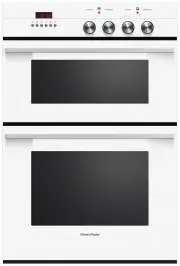 Fisher & Paykel OB60B77CEW3
User Manual
Fisher & Paykel OB60B77CEW3
User Manual
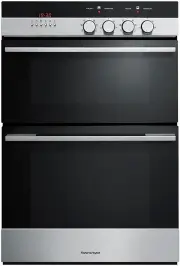 Fisher & Paykel OB60B77CEX3
User Manual
Fisher & Paykel OB60B77CEX3
User Manual
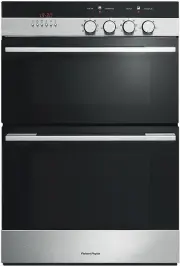 Fisher & Paykel OB60B77DEX3
User Manual
Fisher & Paykel OB60B77DEX3
User Manual
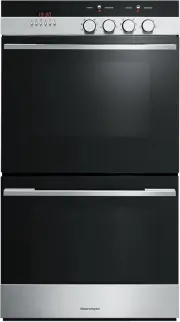 Fisher & Paykel OB60DDEX4
User Manual
Fisher & Paykel OB60DDEX4
User Manual
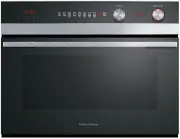 Fisher & Paykel OB60NC9DEX1
User Manual
Fisher & Paykel OB60NC9DEX1
User Manual
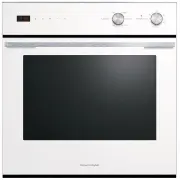 Fisher & Paykel OB60SC5CEW1
User Manual
Fisher & Paykel OB60SC5CEW1
User Manual