Page 2 - CONTENTS; SAVE THESE INSTRUCTIONS
1 CONTENTS IMPORTANT! SAVE THESE INSTRUCTIONS The models shown in this user guide may not be available in all markets and are subject to change at any time. For current details about model and specification availability in your country, please visit our website listed on the back cover or contact yo...
Page 3 - SAFETY AND WARNINGS
3 SAFETY AND WARNINGS Your freestanding cooker has been carefully designed to operate safely during normal cooking procedures. Please keep the following guidelines in mind when you are using it: WARNING! Health HazardThis appliance complies with electromagnetic safety standards.However, persons with...
Page 6 - IMPORTANT SAFETY INSTRUCTIONS!; Clean only the parts listed in this manual.
6 SAFETY AND WARNINGS IMPORTANT SAFETY INSTRUCTIONS! y Read all the instructions before using the appliance. Use the appliance only for its intended purpose as described in these instructions. y Proper installation: be sure your appliance is properly installed and earthed by a qualified technician. ...
Page 8 - Always keep oven vents unobstructed.
8 SAFETY AND WARNINGS IMPORTANT SAFETY INSTRUCTIONS! y Do not place aluminium foil or plastic dishes on the cooktop. y Do not let large saucepans or frying pans overlap the bench as this can deflect heat onto your benchtop and damage the surface. y Do not let large saucepans, frying pans or woks pus...
Page 9 - INTRODUCTION; Before you start
9 Features may vary INTRODUCTION Before you start 1 Make sure that the anti-tip bracket at the rear of the cooker has been properly installed. 2 Make sure that the installer has completed the ‘Final checklist’ in the Installation instructions. 3 Read this guide, taking special note of the ‘Safety an...
Page 10 - A word on induction cooking; As heat is transferred without loss, you save energy.; Overview
10 INTRODUCTION A word on induction cooking Induction cooking is a safe, advanced, efficient, and economical cooking technology.It works by electromagnetic vibrations generating heat directly in the pan, rather thanindirectly through heating the glass surface. The glass becomes hot only becausethe p...
Page 11 - FIRST USE; Select; Control panel layout
11 FIRST USE Timer (see ‘Setting the timer’) Auto cook(see ‘Auto cook’) Lock (see ‘Locking the oven controls’) Remote Mode(not available on this product) Cancel/back button y Press to go back y Press and hold to cancel Select y Press to accept or to enter a menu (Remote mode not available on this pr...
Page 12 - Setting the clock
12 FIRST USE CANCEL REMOTE CANCEL REMOTE Setting the clock When your oven is first turned on, or after a power cut, the display will flash. You willneed to set the clock in order to use the oven. REMOTE CANCEL 1 Scroll to choose your preferred clock display. Select between: y Analog y 24-hr digital ...
Page 13 - Positioning the shelves; Shelf positions are numbered from the bottom.; shelves and baking utensils from the oven.; Full extension sliding shelves
13 FIRST USE Positioning the shelves y Shelf positions are numbered from the bottom. y Position the shelves you will need before turning the oven on. y For advice on which shelf position to use, see sections ‘Oven functions’, ‘Oven cooking guidelines’, and ‘Cooking charts’. IMPORTANT! Always positio...
Page 14 - To insert the sliding shelves; Wait for the oven to cool down completely.
14 FIRST USE To insert the sliding shelves 1 Make sure the guard rail is at the back, facing up and the slides are not extended. 3 Hook the rear tags over the wires of the desired shelf position on both side racks. To remove the shelves 1 Wait for the oven to cool down completely. 2 Hold the shelf f...
Page 15 - To insert the wire shelves; Make sure the guard rail is at the back,; To remove the shelves
15 FIRST USE To insert the wire shelves 1 Make sure the guard rail is at the back, facing up. 3 Tilt the front up slightly to help the safety stops clear the side rack wires. 4 Lower the shelf back onto the side rack wires and slide all the way into the oven. To remove the shelves 1 Wait for the ove...
Page 16 - Conditioning the oven
16 FIRST USE Conditioning the oven It is important to condition your oven before using it for cooking and baking. Conditioning will burn off any manufacturing residues and ensure that you get the best results right from the start. Before you start: y Make sure you have removed all packaging and any ...
Page 17 - Conditioning the warming drawer
17 FIRST USE Conditioning the warming drawer IMPORTANT! Make sure the drawer is empty and all packaging has been removed. 5 After 20 minutes turn both the function and temperature dials to 0 (OFF). The halos will go out. 1 Push in the warmer dial and turn clockwise to HI. y The indicator will glow r...
Page 18 - COOKING GUIDE; Oven cooking guidelines; BAKING
18 COOKING GUIDE Oven cooking guidelines IMPORTANT! y Use all the oven modes with the oven door closed. y Never use aluminum foil to cover the oven shelves or to line the floor of the oven. The trapped heat can irreversibly damage the enamel and may even cause fire. y Do not place water, ice, or any...
Page 19 - ROASTING; Never reheat food more than once.
19 COOKING GUIDE Oven cooking guidelines ROASTING y The Roast function is designed to brown the outside of the meat but still keep the inside moist and juicy. y Boneless, rolled or stuffed roasts take longer than roasts containing bones. y Poultry should be well cooked with the juices running clear ...
Page 20 - OVEN FUNCTIONS; Use all the functions with the oven door closed.; This function is not suitable for multi-shelf cooking.; BAKE; fan and rear element; FAN FORCED
20 OVEN FUNCTIONS IMPORTANT! y Use all the functions with the oven door closed. upper outer and lower elements y Heat comes from both the upper and lower elements. The fan is not used in this function. y Ideal for cakes and foods that require baking for a long time or at low temperatures. y This fun...
Page 21 - fan plus upper inner and outer elements; Ideal for toasting bread or for top browning to ‘finish off dishes’.; fan plus upper outer and lower elements; FAN BAKE
21 OVEN FUNCTIONS fan plus upper inner and outer elements y This function uses the intense heat from the elements for top browning and the fan to ensure even cooking of foods. y Meat, poultry and vegetables cook beautifully; food is crisp and brown on the outside while the inside remains moist and t...
Page 22 - fan plus upper and lower elements; Oven does not require preheating.; ROAST; fan plus lower element; Set the temperature to
22 OVEN FUNCTIONS fan plus upper and lower elements y A two-step program. An initial 20 minute searing stage crisps and browns the roast and caramelises the outside of the meat, then the temperature drops to the level you have preset for the remainder of the cooking period, producing a tender and ju...
Page 23 - this is not a cooking function; RAPID PROOF
23 OVEN FUNCTIONS this is not a cooking function y Gentle heat is generated from the upper and lower elements. y Provides the optimum warm and draft-free environment for proving yeast dough. y This method provides a faster proof time than at room temperature. y To prevent overproofing we recommend y...
Page 24 - COOKING CHARTS; Position shelves before you turn the oven on.; FOOD
24 COOKING CHARTS BAKING y Shelf positions are counted from the base up (1 is the lowest, 7 is the highest). Position shelves before you turn the oven on. y For best results preheat the oven. y Multi-shelf cooking may need the shelves rotating midway through cooking. y Oven accessories may temporari...
Page 26 - SAVOURY
26 COOKING CHARTS SAVOURY ROASTING FOOD SHELVES Meat Pie Single Sausage Rolls Single Vegetables Single Lasagne Single Casserole Single Pizza Single Quiche (blind bake, then add filling) Single Potatoes (whole, baked) Single Frittata (shallow) Single Oven Meals Single FOOD SHELVES RECOMMENDED MODE Be...
Page 28 - GRILLING
28 COOKING CHARTS GRILLING FOOD SHELVES Beef Steak Rare Single Medium Single Burgers Single Meatballs Single Lamb Chops Medium Single Well done Single Pork Chops (well done) Single Ham steak Single Bacon Single Chicken Boneless pieces Single Bone In Pieces Single Sausages Sausages Single Fish Fillet...
Page 30 - SETTING THE TIMER; The timer does NOT turn the oven off.
30 Timer 24.59m CANCEL REMOTE CANCEL REMOTE SETTING THE TIMER y You can use the timer at any time, even if you are not using the oven. y If the time is more than an hour, the display will count down in minutes (h:m). If it is less than an hour, it will count down in seconds (m:s). y You can set the ...
Page 31 - To edit the timer
31 SETTING THE TIMER To edit the timer When the set time is up CANCEL REMOTE CANCEL REMOTE CANCEL REMOTE Timer Complete CANCEL REMOTE Timer Complete CANCEL REMOTE CANCEL REMOTE CANCEL REMOTE to go 4 m 59 s CANCEL REMOTE to go 4 m 59 s 1 From the home screen, scroll to view the active timer. 2 Press ...
Page 32 - AUTO COOK; Use Auto Cook to; To set Auto Cook
32 AUTO COOK Use Auto Cook to y Turn off the oven automatically after a set period of time. y Set the oven for food to be ready at a specific time. Before you start y Make sure that your oven is displaying the correct time of day and food is in the oven. IMPORTANT! Safe food handling: leave food in ...
Page 33 - Delayed Cook; Set
33 AUTO COOK Delayed Cook y To set Delayed Cook you will also need to set an End Time. 6 Scroll to set the minutes. y Press to accept. 7 Scroll to set the hours. y Press to accept. CANCEL REMOTE Cook time 02 20 m h 5 Scroll to set the hours. y Press to accept. Set Function and Temp CANCEL REMOTE The...
Page 34 - When Auto Cook is set; While the oven is heating up; Position food on a lower shelf to prevent burning.; From the home screen, scroll to view Auto Cook.; To edit Auto Cook
34 AUTO COOK When Auto Cook is set y The oven and the lights will stay off, the halos will be unlit, but your oven is now set for automatic cooking. It will automatically turn on at the required time. y You can modify the function and temperature while the oven is waiting to start cooking. y If sett...
Page 35 - When the set time is up
35 AUTO COOK Ends 7:00pm 4 m 59 s CANCEL REMOTE 1 Auto Cook Complete will appear and the display will flash. A tone will sound every few seconds. 2 Press or CANCEL to stop the tone sounding. 3 Turn both the oven dials back to 0 (OFF). 1 From the home screen, scroll to view the active timer. Press an...
Page 36 - USING THE ROTISSERIE; If fitted, remove all shelving before using the rotisserie.
36 USING THE ROTISSERIE IMPORTANT! y If fitted, remove all shelving before using the rotisserie. y Slide the step-down wire rack into shelf position 1 and place the roasting dish on top of this, to catch the drippings of the rotating meat. 2 Position the skewer on the supports. y Place the skewer on...
Page 37 - Select the Rotisserie function; Always turn the oven dials to 0 (OFF) before removing the rotisserie.
37 USING THE ROTISSERIE Select the Rotisserie function CANCEL REMOTE CANCEL Rotisserie OFF REMOTE CANCEL REMOTE Rotisserie OFF CANCEL Off On REMOTE REMOTE CANCEL Off On 1 Press to enter the main menu. 2 Scroll through the menu options to get to Rotisserie. 4 Scroll through the Rotisserie options to ...
Page 38 - LOCKING THE OVEN CONTROLS; This does not lock the cooktop controls.; Press to enter the; Lock
38 LOCKING THE OVEN CONTROLS This function is to prevent accidental use of the oven (eg by children).When locked, the controls are unresponsive and the oven will not turn on. IMPORTANT! y This does not lock the cooktop controls. y For safety reasons it is not possible to lock the oven controls while...
Page 39 - Scroll through the Lock; Oven; On
39 LOCKING THE OVEN CONTROLS 4 Scroll through the Lock options to ON. 5 Press to confirm. y The control panel is now locked. To unlock: y Press and hold CANCEL to unlock the oven controls. CANCEL REMOTE Oven Locked CANCEL REMOTE CANCEL REMOTE On Off
Page 40 - USER PREFERENCE SETTINGS; How to change preference settings
40 USER PREFERENCE SETTINGS You can set your oven to: y display the temperature in degrees Celsius or Fahrenheit y give audio feedback (tones and beeps) or operate quietly y display time as 12-hr or 24-hr y operate with the display off y have its lights on or off during cooking y operate in Sabbath ...
Page 41 - Select this option and accept to
41 USER PREFERENCE SETTINGS SETTING DEFAULT OPTION ALTERNATIVE OPTION(S) CLOCK DISPLAY Select between: y Analog and digital display y 12-hr and 24-hr display y Display off** Turn the display off if you only want to use the basic functionalities of your oven. TEMPERATURE SCALE Select between degrees ...
Page 42 - SABBATH MODE; While your oven is in Sabbath Mode; Sabbath
42 SABBATH MODE This setting is designed for religious faiths that observe a ‘no work’ requirement on the Sabbath. While your oven is in Sabbath Mode y The dial halos and indicators will be unlit and the controls will be unresponsive. y No tones or beeps will sound. y No alert codes or temperature c...
Page 43 - To quit Sabbath Mode
43 SABBATH MODE The display, indicators and dial halos will be unlit and unresponsive, but the oven will bake until you quit Sabbath Mode. To quit Sabbath Mode Press and hold CANCEL until the time of day appears in the display, or turn either oven dial back to 0 (OFF). 5 Select the Bake function. 6 ...
Page 44 - USING YOUR INDUCTION COOKTOP; POWER; Smartzone
44 USING YOUR INDUCTION COOKTOP OR90 models COOKING ZONE ZONEDIAMETER POWER POWERBOOST RECOMMENDED MINIMUM PAN SIZE 1 Smartzone 1600 W 1850 W 120mm (unbridged)250mm (bridged) 2 Smartzone 2100 W 3000 W 120mm (unbridged)250mm (bridged) 3 250mm 2300 W 3000 W 145mm 2 2 1 3 1
Page 45 - Cooking zones display
45 Cooking zones display The ceramic cooktop is fitted with induction cooking zones. These circular zones are controlled by separate dials positioned on the control panel below. At the front, is the display for the cooking zones (one for each zone). Each zone display is activated by it’s corresondin...
Page 46 - To turn a cooking zone on:; will show in the display of any cooking
46 1 2 3 4 5 6 7 8 9 USING YOUR INDUCTION COOKTOP To turn a cooking zone on: When you have finished cooking: Control dials: 1 Place a suitable pan on the cooking zone. y Make sure the bottom of the pan and the surface of the cooking zone are clean and dry. IMPORTANT! Always place small pans in the c...
Page 47 - If a display flashes; you have not placed a pan on the correct cooking zone or; Dual zone cooking
47 USING YOUR INDUCTION COOKTOP If a display flashes alternately with the heat setting This means that: y you have not placed a pan on the correct cooking zone or y the pan you’re using is not suitable for induction cooking or y the pan is too small or not properly centred on the cooking zone. No he...
Page 48 - LOCKING THE COOKTOP CONTROLS; Locking the cooktop; Make sure that all cooking zones are turned OFF.; To unlock the cooktop
48 LOCKING THE COOKTOP CONTROLS Locking the cooktop y You can lock the cooktop control dials for cleaning and to prevent unintended use(for example children accidentally turning cooking zones on). y When the cooktop is locked the controls and cooktop display will remain unresponsive. To lock the coo...
Page 49 - USING YOUR COOKTOP ’S SPECIAL FEATURES; Using the PowerBoost feature; Turn the control dial to a lower heat setting or back to 0 (OFF).
49 USING YOUR COOKTOP ’S SPECIAL FEATURES Using the PowerBoost feature This feature enables you to sear meat or bring liquid to the boil very quickly. When a cooking zone is set for PowerBoost, it uses more than 100% of the rated power of that particular cooking zone, resulting in a boost of intense...
Page 50 - You can set three cooking zones for PowerBoost at the same time; as long as one is not; PowerBoost is not available if cooking zones are bridged.
50 USING YOUR COOKTOP ’S SPECIAL FEATURES y You can set three cooking zones for PowerBoost at the same time as long as one is not behind the other. y It is not possible to set all the cooking zones for PowerBoost at the same time. y If one cooking zone is set to PowerBoost and you accidentally also ...
Page 51 - Using the Auto RapidHeat feature; OFF A
51 USING YOUR COOKTOP ’S SPECIAL FEATURES Using the Auto RapidHeat feature This feature lets you rapidly heat up food or liquid then automatically reduce the temperature to a pre-selected heat setting. To set a cooking zone for Auto RapidHeat 1 Turn the control dial anticlockwise to A. y Hold the di...
Page 52 - SELECTED HEAT SETTING
52 When Auto RapidHeat is set The amount of time the cooking zone will rapidly heat for depends on the heat setting you have selected. See below chart for rapid heat times. To cancel Auto RapidHeat (while A is still flashing) Turn the control dial to a lower heat setting or back to (OFF). increasing...
Page 54 - Using Auto RapidHeat in bridged mode
54 USING YOUR COOKTOP ’S SPECIAL FEATURES If no pan is detected on one cooking zone:The front cooking zone display will still show the selected temperature and the rear cooking zone display will still show .If after 10 minutes no pan is detected: y the bridging function will switch off. y the cookin...
Page 55 - CHOOSING THE RIGHT COOKWARE; To check if cookware is suitable; Carry out a magnet test:; Quality of cookware
55 CHOOSING THE RIGHT COOKWARE To check if cookware is suitable y Carry out a magnet test: y Move a magnet across the base of the pan. If the magnet is attracted then the pan is induction suitable. y Note: make sure attraction is consistent across the base of the pan. If there are gaps, such as an i...
Page 56 - Cookware guidelines; Cookware made from the following materials is suitable:
56 CHOOSING THE RIGHT COOKWARE Cookware guidelines y Cookware made from the following materials is suitable: y stainless steel with a magnetic base or core y aluminium and copper with a magnetic base or core y cast iron y steel or enamelled steel. y Cookware made from the following materials is not ...
Page 57 - COOKING GUIDELINES; Cooking tips
57 COOKING GUIDELINES IMPORTANT! Take care when frying: oil and fat heat up very quickly, particularly if you’re using PowerBoost. At extremely high termperatures oil and fat will ignite spontaneously and this presents a serious fire risk. Cooking tips y When food comes to the boil, reduce the tempe...
Page 58 - Heat settings
58 Per c entage of r a ted po w er % 100 80 60 40 20 0 Heat setting COOKING GUIDELINES Heat settings The settings below are guidelines only. The exact setting will depend on several factors, including your cookware and the amount you are cooking. Experiment with the cooktop to fi...
Page 59 - HEAT SETTING
59 COOKING GUIDELINES HEAT SETTING SUITABILITY y gentle simmering y slow warming y reheating y rapid simmering y cooking rice y pancakes y sautéing y cooking pasta y stir-frying y searing y bringing soup to the boil y boiling water
Page 60 - USING THE WARMING DRAWER; DIAL POSITION; LO
60 USING THE WARMING DRAWER Use the warming drawer to keep food warm after you have finished cooking and to warm plates before serving. The warming drawer will keep hot cooked foods at serving temperature. y Allow time for the drawer to preheat y Place hot food in a heatproof pan or serving dish. y ...
Page 61 - CARE AND CLEANING; DOS
61 CARE AND CLEANING DOS DON’TS y Read these cleaning instructions and the ‘Safety and warnings’ section before you start cleaning your cooker. y Before cleaning or removing any part, make sure that everything on the cooker has been turned off. y Unless suggested otherwise in the chart following, al...
Page 62 - Manual cleaning chart; Stainless steel models:
62 CARE AND CLEANING Manual cleaning chart WHAT? HOW OFTEN? HOW? IMPORTANT! COOKER EXTERIOR Door frame exterior,Control panel,Cooktop trimBack trimWarming drawer exterior After every use 1 Soften any stubborn stains under a hot soapy cloth. 2 Clean with a solution of mild detergent and hot water, th...
Page 63 - light soiling
63 Manual cleaning chart WHAT? HOW OFTEN? HOW? IMPORTANT! OVEN PARTS Enameloven interior – light soiling 1 Wipe with a damp cloth and a solution of hot water and mild detergent. 2 Wipe dry with a soft cloth. Note: the oven door may be removed to make reaching into the oven easier. y To prevent soili...
Page 64 - OVEN PARTS; Side racks; Do not u; se oven cleaners
64 CARE AND CLEANING WHAT? HOW OFTEN? HOW? IMPORTANT! OVEN PARTS Side racks For light soiling: y Clean with a solution of mild detergent and hot water. For heavy soiling: y Run a Self Clean cycle. Oven shelves Wipe with a damp cloth and mild detergent. Do not wipe off or wash away the white lubricat...
Page 65 - Dampen a sponge with clean hot
65 WHAT? HOW OFTEN? HOW? IMPORTANT! OVEN PARTS Oven door gasket Avoid cleaning this part. If you need to remove large food particles off it, proceed as follows: 1 Dampen a sponge with clean hot water. 2 Gently wipe off the soiling, but do not rub. 3 Press a dry towel gently on the gasket to dry. y D...
Page 66 - COOKTOP
66 CARE AND CLEANING WHAT? HOW? IMPORTANT! COOKTOP Everyday soilingon glass(fingerprints, marks, stains left by food or non-sugary spillovers on the glass) 1 Ensure the cooktop control dials are all turned off. 2 Apply cooktop cleaner to a clean lint-free cloth and rub gently while the glass is stil...
Page 67 - Removing and replacing the oven door; To remove the oven door
67 CARE AND CLEANING Removing and replacing the oven door IMPORTANT! y Do not lift the oven door by its handle. Doing so may damage the door. y Make sure the oven and the door are cool before you begin to remove the door. y Before removing the door, make sure there is a large enough clear, protected...
Page 68 - To replace the oven door
68 CARE AND CLEANING To replace the oven door 1 Hold the door firmly in an approximately halfway open position. 3 Open the door fully. 4 Fully close the levers on the left and right hinges, as shown, then close the door. 2 Insert the hinge tongues into the slots, making sure that the notches on both...
Page 69 - Removing and replacing the oven side racks; Remove all shelves; To remove the side racks
69 CARE AND CLEANING Removing and replacing the oven side racks IMPORTANT! Always turn off the cooker at the wall first. Ensure the oven has cooled down completely before starting. Remove all shelves 1 Slide out all shelves and remove. For easier access we recommend removing the oven door. See ‘Remo...
Page 70 - Removing and replacing the warming drawer
70 CARE AND CLEANING Removing and replacing the warming drawer IMPORTANT! y Always turn off the cooker at the wall first. y Ensure the oven and warming drawer have cooled down completely before starting. y Ensure the drawer is completely empty before removing it. y Always position your hand at the b...
Page 71 - Replacing an oven light bulb
71 CARE AND CLEANING Light bulb Light bulb Upperlamp cover Upper lamp cover Sidelamp cover Side lamp cover Replacing an oven light bulb IMPORTANT! Use a 25W, 220-240V 50Hz G9 halogen bulb for replacement. Do not use a standard light bulb in any oven, the heat will break it. 1 Allow the oven (includi...
Page 72 - USING THE SELF CLEAN FUNCTION; Using Self Clean; There are two self clean cycles:; Do not use oven cleaners, any degreasing cleaners, or oven liners.; Avoid cleaning the seal itself as this may cause damage.; For instructions, see ‘Care and cleaning’.
72 USING THE SELF CLEAN FUNCTION Using Self Clean Self Clean uses extremely high temperatures to break down and burn off grease and grime. All that is left is a small amount of grey ash that you can easily wipe up. There are two self clean cycles: y Standard Clean 4 hours, for normal or heavy soilin...
Page 73 - To set Self Clean; Self Clean is now set.
73 USING THE SELF CLEAN FUNCTION To set Self Clean Self Clean is now set. y The door will automatically lock and remain locked during the cycle. y The display will start counting down the time remaining. 1 Turn the function dial to Self Clean. 3 Scroll to choose between Standard Clean and Light Clea...
Page 74 - When Self Clean is finished; To cancel Self Clean
74 USING THE SELF CLEAN FUNCTION When Self Clean is finished y A tone will sound. y Self Clean Complete will show in the display. y The display will flash. y The door will unlock. 1 Press any button to stop the display flashing. 2 Wait for the oven to cool completely. 3 Wipe up the ash in the oven w...
Page 75 - TROUBLESHOOTING; Troubleshooting chart; The oven does not work.
75 TROUBLESHOOTING Troubleshooting chart If there is a problem, check the chart below to see if you can fix it. If the problem cannot be fixed or persists, call your Fisher & Paykel trained and supported service technician or Customer Care. PROBLEM POSSIBLE CAUSES WHAT TO DO GENERAL The oven doe...
Page 76 - PROBLEM; The oven is in Sabbath setting.
76 TROUBLESHOOTING TROUBLESHOOTING PROBLEM POSSIBLE CAUSES WHAT TO DO GENERAL I can feel hot air blowing out of the vents after I have turned the oven off. This is normal. For safety reasons the cooling fans will continue to run even when you have turned the function dial to ‘OFF’. The fans will swi...
Page 77 - or
77 TROUBLESHOOTING PROBLEM POSSIBLE CAUSES WHAT TO DO SELF CLEAN FUNCTION During a Self Cleancycle, the oven is louderthan usual. This is normal: the oven’s cooling fans operate at their highest speed. The Self Clean cycle is finished, but the oven door will not open. The oven door is locked because...
Page 78 - The controls are locked.
78 TROUBLESHOOTING PROBLEM POSSIBLE CAUSES WHAT TO DO OVEN Condensation aroundoven (eg on controlpanel or top of ovendoor). Food has high moisture content or local climate (temperature, humidity) is contributing to condensation. Condensation is normal. You can wipe the drops off the control panel. I...
Page 79 - See ‘Care and cleaning’.
79 TROUBLESHOOTING PROBLEM POSSIBLE CAUSES WHAT TO DO COOKTOP The glass is beingscratched. Rough-edged cookware. Use cookware with flat and smooth bases. See ‘Choosing the right cookware’. Unsuitable, abrasive scourer or cleaning products being used. See ‘Care and cleaning’. Some or all displays fla...
Page 80 - appears in the
80 TROUBLESHOOTING PROBLEM POSSIBLE CAUSES WHAT TO DO Some pans make crackling or clicking noises. This may be caused by theconstruction of your cookware (layers of different metals vibrating differently). This is normal for induction cookware and does not indicate a fault. The cooktop makes a low h...
Page 81 - ALERT CODES; What to do if an alert code is displayed; If you can’t fix the problem yourself
81 ALERT CODES If there is a problem with the oven, the cooker will: y automatically suspend all oven functions y beep five times y display an alert code. IMPORTANT! Do not turn off the mains power supply to the cooker (wall switch) if you get an alert code, unless the instructions in the chart foll...
Page 82 - ALERT CODE
82 ALERT CODES ALERT CODE POSSIBLE CAUSES WHAT TO DO The oven has overheated. 1 Allow the oven to cool down. 2 Once the oven has cooled down and the door has unlocked, the alert code will disappear. You can now use the oven again. Door lock error: the door cannot be locked after you have started a S...
Page 83 - WARRANTY AND SERVICE; Before you call for service or assistance; Your product is correctly installed.
83 WARRANTY AND SERVICE Before you call for service or assistance Check the things you can do yourself. Refer to the installation instructions and your user guide and check that: 1 Your product is correctly installed. 2 You are familiar with its normal operation. If after checking these points you s...


 Fisher & Paykel CE604CBX1OB60SC5CEX1
User Manual
Fisher & Paykel CE604CBX1OB60SC5CEX1
User Manual
 Fisher & Paykel CG604CWCX1OB60SC5CEX
User Manual
Fisher & Paykel CG604CWCX1OB60SC5CEX
User Manual
 Fisher & Paykel OB24SD11PLX1
User Manual
Fisher & Paykel OB24SD11PLX1
User Manual
 Fisher & Paykel OB24SDPTDX2
User Manual
Fisher & Paykel OB24SDPTDX2
User Manual
 Fisher & Paykel OB30DDPTDX2
User Manual
Fisher & Paykel OB30DDPTDX2
User Manual
 Fisher & Paykel OB30DPPTX1
User Manual
Fisher & Paykel OB30DPPTX1
User Manual
 Fisher & Paykel OB30SCEPX3N
User Manual
Fisher & Paykel OB30SCEPX3N
User Manual
 Fisher & Paykel OB30SD14PLX1
User Manual
Fisher & Paykel OB30SD14PLX1
User Manual
 Fisher & Paykel OB30SD17PLX1
User Manual
Fisher & Paykel OB30SD17PLX1
User Manual
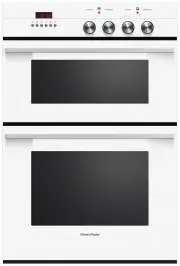 Fisher & Paykel OB60B77CEW3
User Manual
Fisher & Paykel OB60B77CEW3
User Manual
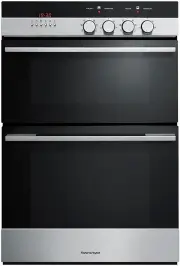 Fisher & Paykel OB60B77CEX3
User Manual
Fisher & Paykel OB60B77CEX3
User Manual
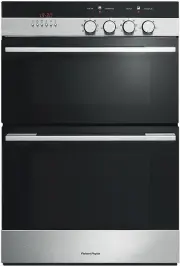 Fisher & Paykel OB60B77DEX3
User Manual
Fisher & Paykel OB60B77DEX3
User Manual
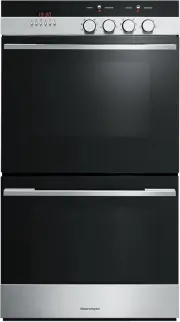 Fisher & Paykel OB60DDEX4
User Manual
Fisher & Paykel OB60DDEX4
User Manual
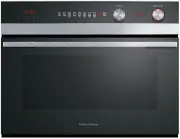 Fisher & Paykel OB60NC9DEX1
User Manual
Fisher & Paykel OB60NC9DEX1
User Manual
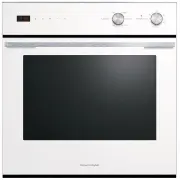 Fisher & Paykel OB60SC5CEW1
User Manual
Fisher & Paykel OB60SC5CEW1
User Manual