Page 2 - WHAT TO DO IF YOU SMELL GAS; Do not try to light any appliance.
Do not store or use gasoline or other flammable vapours and liquids in the vicinity of this or any other appliance. NEVER use this appliance as a space heater to heat or warm the room. Doing so may result in carbon monoxide poisoning and overheating of the appliance. WHAT TO DO IF YOU SMELL GAS y Do...
Page 3 - CONTENTS; SAVE THESE INSTRUCTIONS
1 CONTENTS IMPORTANT! SAVE THESE INSTRUCTIONS The models shown in this user guide may not be available in all markets and are subject to change at any time. For current details about model and specification availability in your country, please visit our website listed on the back cover or contact yo...
Page 4 - SAFETY AND WARNINGS
2 Your freestanding cooker has been carefully designed to operate safely during normal cooking procedures. Please keep the following guidelines in mind when you are using it: SAFETY AND WARNINGS WARNING! Electrical Shock HazardSwitch the cooker off at the wall before replacing fuses or the oven lamp...
Page 8 - IMPORTANT SAFETY INSTRUCTIONS!; Clean only the parts listed in this manual.
6 SAFETY AND WARNINGS IMPORTANT SAFETY INSTRUCTIONS! y Read all the instructions before using the appliance. Use the appliance only for its intended purpose as described in these instructions. y Proper installation: be sure your appliance is properly installed and earthed by a qualified technician. ...
Page 11 - Always keep oven vents unobstructed.
9 SAFETY AND WARNINGS IMPORTANT SAFETY INSTRUCTIONS! y Wear proper apparel. Do not wear loose fitting or hanging garments when using the appliance. They could ignite or melt if they touch an element or hot surface and you could be burned. y Always keep oven vents unobstructed. y Use only dry oven mi...
Page 13 - INTRODUCTION
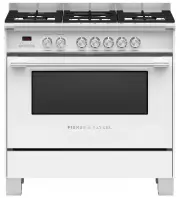
11 INTRODUCTION OR90SCG2OR90SCG4OR90SDG4 90cm MODELS
Page 14 - Overview
12 INTRODUCTION Features may vary. Overview Control panel Oven frame Oven door gasket Step down wire shelf Oven function and temperature dials Foot (Cover) Storage drawer/compartment Grill Rack(some models only) Roasting dish Full extension sliding shelf (some models only) Label with model and seria...
Page 15 - FIRST USE; pm; Timer button; Control panel layout
13 FIRST USE % o pm 8 8 8 8 Timer (see 'Setting the timer') End time (see 'Auto cook') Lock (see 'Locking the oven controls') Timer button y Press to set the timer Cancel/back button y Press to go back y Press and hold to cancel Accept button y Press to accept Timer Menu Minus Plus Accept Cancel 1 O...
Page 16 - Setting the clock
14 FIRST USE Setting the clock When your oven is first turned on, or after a power cut, the display will flash. You willneed to set the clock in order to use the oven. 1 The display will flash 24 hr 4 Press or to adjust the time. y Pressing the cancel button at any point during the clock setting pro...
Page 17 - Positioning the shelves; Shelf positions are numbered from the bottom.
15 FIRST USE Positioning the shelves y Shelf positions are numbered from the bottom. y Position the shelves you will need before turning the oven on. y For advice on which shelf position to use, see sections ‘Oven functions’, ‘Oven cooking guidelines’, and ‘Cooking charts’. IMPORTANT! Always positio...
Page 18 - To insert the sliding shelves (some models only); Wait for the oven to cool down completely.
16 FIRST USE To insert the sliding shelves (some models only) 1 Make sure the guard rail is at the back, facing up and the slides are not extended. 3 Hook the rear tags over the wires of the desired shelf position on both side racks. To remove the shelves 1 Wait for the oven to cool down completely....
Page 19 - To insert the wire shelves; Make sure the guard rail is at the back,; To remove the shelves
17 FIRST USE To insert the wire shelves 1 Make sure the guard rail is at the back, facing up. 3 Tilt the front up slightly to help the safety stops clear the side rack wires. 4 Lower the shelf back onto the side rack wires and slide all the way into the oven. To remove the shelves 1 Wait for the ove...
Page 20 - Conditioning the oven
18 FIRST USE Conditioning the oven It is important to condition your oven before using it for cooking and baking. Conditioning will burn off any manufacturing residues and ensure that you get the best results right from the start. Before you start: y Make sure you have removed all packaging and any ...
Page 21 - The halos will go out.
19 FIRST USE 5 After 20 minutes turn both the function and temperature dials to 0 (OFF). The halos will go out. y There will be a distinctive smell and a small amount of smoke during the conditioning process as manufacturing residue is burnt off. This is normal, but make sure the kitchen is well ven...
Page 22 - COOKING GUIDE; Oven cooking guidelines; BAKING
20 COOKING GUIDE Oven cooking guidelines IMPORTANT! y Use all the oven modes with the oven door closed. y Never use aluminum foil to cover the oven shelves or to line the floor of the oven. The trapped heat can irreversibly damage the enamel and may even cause fire. y Do not place water, ice, or any...
Page 23 - ROASTING; Never reheat food more than once.
21 COOKING GUIDE Oven cooking guidelines ROASTING y The Roast function is designed to brown the outside of the meat but still keep the inside moist and juicy. y Boneless, rolled or stuffed roasts take longer than roasts containing bones. y Poultry should be well cooked with the juices running clear ...
Page 24 - OVEN FUNCTIONS; Use all the functions with the oven door closed.; This function is not suitable for multi-shelf cooking.; BAKE; fan and rear element; FAN FORCED
22 OVEN FUNCTIONS IMPORTANT! y Use all the functions with the oven door closed. upper outer and lower elements y Heat comes from both the upper and lower elements. The fan is not used in this function. y Ideal for cakes and foods that require baking for a long time or at low temperatures. y This fun...
Page 25 - fan plus upper inner and outer elements; Ideal for toasting bread or for top browning to ‘finish off dishes’.; fan plus upper outer and lower elements; FAN BAKE
23 OVEN FUNCTIONS fan plus upper inner and outer elements y This function uses the intense heat from the elements for top browning and the fan to ensure even cooking of foods. y Meat, poultry and vegetables cook beautifully; food is crisp and brown on the outside while the inside remains moist and t...
Page 26 - fan plus upper and lower elements; Oven does not require preheating.; ROAST; fan plus lower element; Set the temperature to; fan plus rear element; The fan circulates heat from the rear element to gently cook food.; SLOW COOK
24 OVEN FUNCTIONS fan plus upper and lower elements y A two-step program. An initial 20 minute searing stage crisps and browns the roast and caramelises the outside of the meat, then the temperature drops to the level you have preset for the remainder of the cooking period, producing a tender and ju...
Page 27 - this is not a cooking function; RAPID PROOF
25 OVEN FUNCTIONS this is not a cooking function y Gentle heat is generated from the upper and lower elements y Provides the optimum warm and draft-free environment for proving yeast dough. y This method provides a faster proof time than at room temperature. y To prevent overproofing we recommend yo...
Page 28 - COOKING CHARTS; For best results preheat the oven.; FOOD
26 COOKING CHARTS BAKING y Shelf positions are counted from the base up (1 is the lowest, 7 is the highest). Position shelves before you turn the oven on. y For best results preheat the oven. y Multi shelf cooking may need the shelves rotating midway through cooking. y Oven accessories may temporari...
Page 29 - RECOMMENDED MODE
27 COOKING CHARTS The information in these charts are guidelines only. Refer to your recipe or the packaging and be prepared to adjust the cooking times and settings accordingly. RECOMMENDED MODE SHELF POSITIONS TEMP (°C) TIME (MINS) Fan Bake 3 210 - 220 8 - 10 Fan Forced 1 & 4 or 2 & 5 215 ...
Page 30 - SAVOURY
28 COOKING CHARTS SAVOURY ROASTING FOOD SHELVES Meat Pie Single Sausage Rolls Single Vegetables Single Lasagne Single Casserole Single Pizza Single Quiche (blind bake, then add filling) Single Potatoes (whole, baked) Single Frittata (shallow) Single Oven Meals Single FOOD SHELVES RECOMMENDED MODE Be...
Page 32 - GRILLING
30 COOKING CHARTS GRILLING FOOD SHELVES Beef Steak Rare Single Medium Single Burgers Single Meatballs Single Lamb Chops Medium Single Well done Single Pork Chops (well done) Single Ham steak Single Bacon Single Chicken Boneless pieces Single Bone In Pieces Single Sausages Sausages Single Fish Fillet...
Page 34 - SETTING THE TIMER; The timer does NOT turn the oven off.
32 SETTING THE TIMER y You can use the timer at any time, even if you are not using the oven. y If the time is more than an hour, the display will count down in minutes (h :m). If it is less than an hour, it will count down in seconds (m:s ). y You can set the timer for up to 23 hours 59 minutes. IM...
Page 35 - To edit the timer
33 SETTING THE TIMER To edit the timer To cancel the timer 19 35 17 59 19 35 1 Press to access the Timer. 2 Follow the steps on the previous page to adjust the timer. 1 Press to access the Timer. 2 Press and hold to zero the countdown timer. The display will revert to showing the time of day. 3 The ...
Page 36 - AUTO COOK; Use Auto Cook to; To set the cook time
34 AUTO COOK Use Auto Cook to y Turn off the oven automatically after a set period of time. y Set the oven for food to be ready at a specific time. y If you start cooking manually and only want the oven to turn off automatically after a set period of time: simply set the cook time following steps 1 ...
Page 37 - To set the end time; Press to scroll between cook
35 19 56 AUTO COOK To set the end time 2015 0 15 6 Press to scroll between cook time and end time. y The end time indicator will appear and the display will flash. 8 Press to confirm the end time. 5 Press to confirm the cook time. 7 Press or to set the time you would like your food to be ready (i.e....
Page 38 - When Auto Cook is set; While the oven is heating up; To cancel Auto Cook
36 AUTO COOK When Auto Cook is set y The oven and the lights will stay off, the halos will be unlit, but your oven is now set for automatic cooking. It will automatically turn on at the required time. y You can modify the function and temperature while the oven is waiting to start cooking. y If sett...
Page 39 - LOCKING THE OVEN CONTROLS; This does not lock the cooktop controls.
37 LOCKING THE OVEN CONTROLS This function is to prevent accidental use of the oven (eg by children).When locked, the controls are unresponsive and the oven will not turn on. IMPORTANT! This does not lock the cooktop controls. To lock: To unlock: 2 Press and hold until there is a beep and the lock i...
Page 40 - USER PREFERENCE SETTINGS; How to change preference settings; bP on
38 USER PREFERENCE SETTINGS You can set your oven to: y give audio feedback (tones and beeps) or operate quietly y display time as 12-hr or 24-hr y operate with the display off y have its lights on or off during cooking y operate in Sabbath setting (see ‘Sabbath setting’ following) Note: You cannot ...
Page 41 - SETTING; CLOCK DISPLAY; SABBATH OFF
39 USER PREFERENCE SETTINGS SETTING DEFAULT OPTION ALTERNATIVE OPTION(S) CLOCK DISPLAY Select between: - Analog and digital display- 12-hr and 24-hr display- Display off**Turn the display off if you only want to use the basic functionalities of your oven. AUDIO FEEDBACK Turn the oven beeps and tones...
Page 42 - SABBATH MODE; While your oven is in Sabbath Mode; SboF
40 SABBATH MODE This setting is designed for religious faiths that observe a ‘no work’ requirement on the Sabbath. While your oven is in Sabbath Mode y The display, dial halos and indicators will be unlit, the controls will be unresponsive. y No tones or beeps will sound. y No alert codes or tempera...
Page 43 - To quit Sabbath Mode; Press to confirm
41 SABBATH MODE The display, indicators and dial halos will remain unlit and unresponsive, but the oven will bake until you quit Sabbath setting. To quit Sabbath Mode Press and hold until the time of day appears in the display and the oven turns off, or turn the function and temperature dials back t...
Page 44 - USING YOUR GAS COOKTOP; Burner Controls; Using the single burners
42 1 Semi-rapid burner 2 Dual wok burner 3 Triple-ring wok burner USING YOUR GAS COOKTOP 3 3 1 1 2 Burner Controls The dials control the flow of gas through the valve. OR90 models - cooktop Using the single burners 1 Identify the dial of the burner you want to use. 2 Starting from the O (OFF) positi...
Page 45 - When the burner has lit, adjust the; Flame failure protection
43 USING YOUR GAS COOKTOP 4 When the burner has lit, adjust the flame anywhere between HI and LO. y Do not adjust the dial between Hi and O (OFF) 5 When you have finished cooking, turn the clockwise back to O (OFF). y If you are using LP gas, there may be a slight ‘extinction pop’ or flash at the fl...
Page 46 - If a burner does not light; If the burner still does not light, check that:; If the flame is irregular
44 If a burner does not light Turn the control dial to O (Off) and wait at least one minute before trying again, to all the gas to disperse. If the burner still does not light, check that: y the cooker is plugged in and the power supply is switched on y there is no power failure in your home or neig...
Page 47 - COOKING GUIDELINES AND COOKWARE; Cooking guidelines; Using a lid will reduce cooking times through retaining the heat.; Cookware; Maximum diameter for woks 36cm
45 COOKING GUIDELINES AND COOKWARE Cooking guidelines IMPORTANT! y Never leave the cooktop unattended when in use. Boilover causes smoking and greasy spills that may ignite. y Take care when deep-frying: oil or fat can overheat very quickly, particularly on a high setting. y Start cooking on a high ...
Page 48 - Wok stand; The wok stand fits over the triple-ring wok or dual burner trivet.; CORRECT
46 COOKING GUIDELINES AND COOKWARE Wok stand The wok stand fits over the triple-ring wok or dual burner trivet. IMPORTANT! y Using a wok without the stand may cause the wok to tip or the wok or dual burner to operate incorrectly. y Do not use the stand for ordinary, flat-bottomed saucepans. y The wo...
Page 49 - USING THE STORAGE SPACE; Use this to store bakeware, oven trays and shelves when not in use.
47 USING THE STORAGE SPACE Your cooker is equipped with either a storage compartment or storage drawer belowthe oven. y Use this to store bakeware, oven trays and shelves when not in use. y Do not store flammable items in the compartment. To access the storage compartment (OR90SCG2 models only): Pul...
Page 50 - CARE AND CLEANING; DOS
48 CARE AND CLEANING DOS DON’TS y Read these cleaning instructions and the ‘Safety and warnings’ section before you start cleaning your cooker. y Before cleaning or removing any part, make sure that everything on the cooker has been turned off. y Unless suggested otherwise in the chart following, al...
Page 51 - Manual cleaning chart; Stainless steel models:; OVEN PARTS
49 CARE AND CLEANING Manual cleaning chart WHAT? HOW OFTEN? HOW? IMPORTANT! COOKER EXTERIOR Door frame exterior,Control panel,Cooktop baseBack trimStorage drawer exterior After every use 1 Soften any stubborn stains under a hot soapy cloth. 2 Clean with a solution of mild detergent and hot water, th...
Page 52 - Side racks; light soiling
50 WHAT? HOW OFTEN? HOW? IMPORTANT! OVEN PARTS Side racks Pre-soak any stubborn, burnt-on soiling, then clean with a solution of mild detergent and hot water and wipe dry with a microfibre cloth. Oven shelves Wipe with a damp cloth and mild detergent. Do not wipe off or wash away the white lubricati...
Page 53 - COOKTOP PARTS; Brass burner parts only:
51 CARE AND CLEANING WHAT? HOW OFTEN? HOW? IMPORTANT! COOKTOP PARTS Aluminum and enamelled Burner caps and flamespreaders 1 Check that the burner is turned OFF and allow it to cool. 2 Lift off the burner cap and brass flame spreader. 3 Wash them in hot soapy water, rinse, and dry. y Use a stiff nylo...
Page 54 - Removing and replacing the oven door; To remove the oven door
52 CARE AND CLEANING Removing and replacing the oven door IMPORTANT! y Switch the oven off at the wall before removing the door. y Do not lift the oven door by its handle. Doing so may damage the door. y Make sure the oven and the door are cool before you begin to remove the door. y Before removing ...
Page 55 - Removing and replacing the door glass panes for cleaning; inner
53 CARE AND CLEANING Removing and replacing the door glass panes for cleaning Once you have removed the oven door, you can remove the inner and middle panes of glass for cleaning if needed. Make sure you follow the precautions and instructions below very carefully. Replacing the glass panes and the ...
Page 56 - To remove the door glass for cleaning; Do not loosen the middle screw.; Slide the latches inwards so that the lower trim can be removed.
54 CARE AND CLEANING To remove the door glass for cleaning 1 Loosen the inner and outer screws securing each of the latches by two turns. y Do not loosen the middle screw. y Do not fully remove the screws. Open the latches securing the lower trim to the base of the oven door: Latch Latch Outer screw...
Page 58 - To replace the glass panes after cleaning; When replacing the glass panes, make sure that:
56 CARE AND CLEANING To replace the glass panes after cleaning When replacing the glass panes, make sure that: y You replace all panes correctly, as shown on the following page. y Each pane must be in the position described below in order to fit into the door and to ensure that the oven operates saf...
Page 59 - Replace the middle pane of glass:
57 CARE AND CLEANING 1 Replace the middle pane of glass: a. Insert the glass into the middle set of grooves in the bracket at the top of the door. b. Pull the pane slightly towards you. c. Gently lower into place. IMPORTANT! y Make sure the glass is facing the same way as when you removed it from th...
Page 60 - Replace the inner pane of glass.; You should be able to read the wording on it as it faces you.
58 CARE AND CLEANING 1 2 3 2 Replace the inner pane of glass. a. Ensure the angle cut corners are positioned at the bottom of the door. b. Insert the the glass into the top set of grooves in the bracket at the top of the door. c. Pull the pane slightly towards you. d. Gently lower into place. IMPORT...
Page 62 - Slide the two latches back into place on the base of the lower trim.
60 CARE AND CLEANING 6 Re-tighten the screws so that the latches and the lower trim are firmly secured. 7 Replace the door following the instructions in the following section. Latch Latch Outer screw Inner screw 5 Slide the two latches back into place on the base of the lower trim.
Page 63 - To replace the oven door
61 CARE AND CLEANING CARE AND CLEANING To replace the oven door 1 Hold the door firmly in an approximately halfway open position. 3 Open the door fully. 4 Fully close the levers on the left and right hinges, as shown, then close the door. 2 Insert the hinge tongues into the slots, making sure that t...
Page 64 - Removing and replacing the oven side racks; Remove all shelves; To remove the side racks
62 CARE AND CLEANING Removing and replacing the oven side racks IMPORTANT! Always turn off the cooker at the wall first. Ensure the oven has cooled down completely before starting. Remove all shelves 1 Slide out all shelves and remove. For easier access we recommend removing the oven door. See ‘Remo...
Page 66 - Replacing the burner parts; Replacing the semi-rapid burners
64 CARE AND CLEANING Replacing the semi-rapid burner caps Burner parts y You can remove and clean these parts with hot soapy water or non-abrasive detergents. Clean spills regularly before they become burnt on. Do not wash these parts in a dishwasher. y After cleaning, check that the burners and the...
Page 67 - Replacing the triple-ring wok and dual burners
65 CARE AND CLEANING A B Correct positioning of cap and ring - triple-ring wok and dual burner Incorrect and correct positioning of cap and ring - triple-ring wok and dual burner Ring Cap S T S T Replacing the triple-ring wok and dual burners Correct positioning of flame spreader - triple-ring wok b...
Page 68 - Replacing an oven light bulb
66 Replacing an oven light bulb IMPORTANT! Use a 25W, 220-240V 50Hz G9 halogen bulb for replacement. Do not use a standard light bulb in any oven, the heat will break it. 1 Allow the oven (including the lamp cover and the bulb) to cool completely. 2 Remove any shelves that may get in the way. 3 Remo...
Page 69 - TROUBLESHOOTING; Troubleshooting chart; The oven does not work.
67 TROUBLESHOOTING Troubleshooting chart If there is a problem, check the chart below to see if you can fix it. If the problem cannot be fixed or persists, call your Authorised Repairer or Customer Care. PROBLEM POSSIBLE CAUSES WHAT TO DO GENERAL The oven does not work. No power. The clock has not b...
Page 70 - PROBLEM; The oven is in Sabbath setting.
68 TROUBLESHOOTING TROUBLESHOOTING PROBLEM POSSIBLE CAUSES WHAT TO DO GENERAL I can feel hot air blowing out of the vents after I have turned the oven off. This is normal. For safety reasons the cooling fans will continue to run even when you have turned the function dial to ‘Off’. The fans will swi...
Page 71 - Oven not properly preheated.; COOKTOP BURNERS
69 TROUBLESHOOTING PROBLEM POSSIBLE CAUSES WHAT TO DO OVEN Condensation aroundoven (e.g. on controlpanel or top of ovendoor). Food has high moisture content or local climate (temperature, humidity) is contributing to condensation. Condensation is normal. You can wipe the drops off the control panel....
Page 72 - Power outage in your area.
70 TROUBLESHOOTING PROBLEM POSSIBLE CAUSES WHAT TO DO COOKTOP BURNERS Some burners will not light. Flames do not burn all around the burnercap. Burner parts or ignitors may be wet, dirty, or misaligned. Check that the burner parts are clean, dry, and correctly assembled. Check that theignitors are c...
Page 73 - ALERT CODES; What to do if an alert code is displayed; If you can’t fix the problem yourself; ALERT CODE
71 ALERT CODES If there is a problem with the oven, the cooker will: y automatically suspend all oven functions y beep five times y display an alert code. IMPORTANT! Do not turn off the mains power supply to the cooker (wall switch) if you get an alert code, unless the instructions in the chart foll...
Page 74 - WARRANTY AND SERVICE; Your product is correctly installed.
72 WARRANTY AND SERVICE Before you call for service or assistance ... Check the things you can do yourself. Refer to the installation instructions and your user guide and check that: 1 Your product is correctly installed. 2 You are familiar with its normal operation. If after checking these points y...
Page 75 - In New Zealand and Australia; IE
73 WARRANTY AND SERVICE This oven has been designed and constructed in accordance with the following codes and specifications: In New Zealand and Australia y AS/NZS 60335-1 General Requirements for Domestic electrical appliances y AS/NZS 60335-2-6 Particular Requirements for Domestic electrical cook...
Page 77 - Reducing the environmental impact; Maximise the use of your pre-heated oven – cook or bake in batches.
75 ENERGY GUIDELINES (GB IE ONLY) Reducing the environmental impact Reducing energy consumption will reduce the impact of cooking on the environment. The following tips can help you to reduce your energy consumption: y Do not pre-heat the oven too early. Aim to have the oven hot at the same time as ...
Page 80 - F I S H E R PAY K E L .C O M; N Z A U G B I E
F I S H E R PAY K E L .C O M © Fisher & Paykel Appliances 2018 All rights reserved. The product specifications in this booklet apply to the specific products and models described at the date of issue. Under our policy of continuous product improvement, these specifications may change at any time...


 Fisher & Paykel CE604CBX1OB60SC5CEX1
User Manual
Fisher & Paykel CE604CBX1OB60SC5CEX1
User Manual
 Fisher & Paykel CG604CWCX1OB60SC5CEX
User Manual
Fisher & Paykel CG604CWCX1OB60SC5CEX
User Manual
 Fisher & Paykel OB24SD11PLX1
User Manual
Fisher & Paykel OB24SD11PLX1
User Manual
 Fisher & Paykel OB24SDPTDX2
User Manual
Fisher & Paykel OB24SDPTDX2
User Manual
 Fisher & Paykel OB30DDPTDX2
User Manual
Fisher & Paykel OB30DDPTDX2
User Manual
 Fisher & Paykel OB30DPPTX1
User Manual
Fisher & Paykel OB30DPPTX1
User Manual
 Fisher & Paykel OB30SCEPX3N
User Manual
Fisher & Paykel OB30SCEPX3N
User Manual
 Fisher & Paykel OB30SD14PLX1
User Manual
Fisher & Paykel OB30SD14PLX1
User Manual
 Fisher & Paykel OB30SD17PLX1
User Manual
Fisher & Paykel OB30SD17PLX1
User Manual
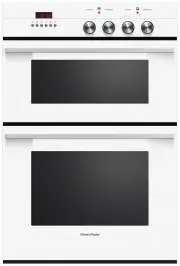 Fisher & Paykel OB60B77CEW3
User Manual
Fisher & Paykel OB60B77CEW3
User Manual
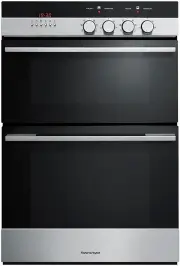 Fisher & Paykel OB60B77CEX3
User Manual
Fisher & Paykel OB60B77CEX3
User Manual
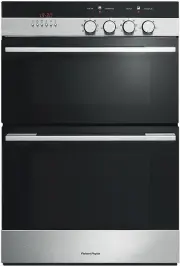 Fisher & Paykel OB60B77DEX3
User Manual
Fisher & Paykel OB60B77DEX3
User Manual
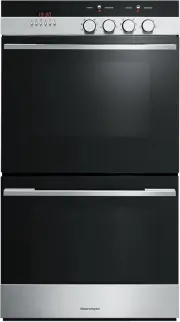 Fisher & Paykel OB60DDEX4
User Manual
Fisher & Paykel OB60DDEX4
User Manual
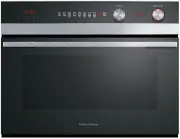 Fisher & Paykel OB60NC9DEX1
User Manual
Fisher & Paykel OB60NC9DEX1
User Manual
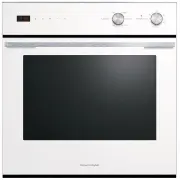 Fisher & Paykel OB60SC5CEW1
User Manual
Fisher & Paykel OB60SC5CEW1
User Manual