Page 3 - CONTENTS
1 CONTENTS Introduction 3Safety and warnings 4 Before you begin 8 First use 9 Using the oven light 17 Using the kitchen timer 18 Changing the time 20 Locking the control panel 21 Unlocking the control panel 22 Cooking options 23 Delayed Cook 24 Auto Off 25 Food Probe 26 Guided cooking 29 Cooking gui...
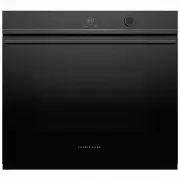
Page 5 - INTRODUCTION; COOK WITH CONFIDENCE; With its high resolution touchscreen, this oven offers intuitive; DESIGNED TO FIT; Pyrolytic self-clean breaks down food residue at a very high
3 INTRODUCTION We hope you’re excited to start cooking with your new Fisher & Paykel built-in oven. It’s loaded with our latest cooking technology to ensure you perfect results for every dish, with a number of features designed for your safety and convenience. COOK WITH CONFIDENCE With its high ...
Page 6 - SAFETY AND WARNINGS; Electric Shock Hazard; Fire Hazard; Failure to follow this advice may result in; Cut Hazard; Failure to use caution could result in injury.
4 SAFETY AND WARNINGS ! WARNING! Electric Shock Hazard Failure to follow this advice may result in electric shock or death. • Turn the oven off at the wall before replacing the oven lamp. ! WARNING! Fire Hazard Failure to follow this advice may result in overheating, burning, and injury. • Carefully...
Page 7 - Hot Surface Hazard; Failure to follow this advice could result in
5 SAFETY AND WARNINGS ! WARNING! Hot Surface Hazard Failure to follow this advice could result in burns and scalds. • To avoid burns and scalds, keep children away from this appliance. • Surfaces of the appliance may become hot enough to cause burns. Examples include the oven vent, the surface near ...
Page 8 - providing full disconnection from the power supply.
6 SAFETY AND WARNINGS WARNING! To reduce the risk of fire, electrical shock, injury to persons or damage when using the oven, we recommend you follow the important safety guidance below. Be sure to read the user guide before using the oven. Use the oven only for its intended purpose and as detailed ...
Page 9 - Cleaning
7 SAFETY AND WARNINGS z Always keep oven vents unobstructed. z Do not wear loose fitting or hanging garments when using the appliance. They could ignite or melt if they touch an element or hot surface and you could be burned. z Do not change or modify the wireless communication device in any way. Ch...
Page 10 - BEFORE YOU BEGIN; Oven features and accessories
8 BEFORE YOU BEGIN z Make sure the installer has completed the Final checklist in the Installation instructions. z Read this guide, taking special note of the ‘Safety and warnings’ section. z Remove all internal and external packaging and dispose of it responsibly. Recycle items that you can. z Refi...
Page 11 - FIRST USE; Oven racks
9 FIRST USE Oven racks Your oven comes with the shelves positioned and secured inside. The following shows you how to remove and reposition them to your preferred position. Remove shelves from the oven 1 Remove all cable ties and packaging holding the shelves in place. 2 Remove all the shelves and a...
Page 12 - Replace shelving in your preferred positions
10 To replace shelves 1 Grip the shelf at the front (making sure you are holding the wire shelf and the sliding frame together). 2 Ensure the shelf is level and facing the right way with the guard rail at the back. 3 Place the shelf on top of the side racks at the desired height, hooking the rear ta...
Page 13 - Control panel; Control panel features
11 10:45 COOK BY FUNCTION COOK BY FOOD TYPE COOK BY RECIPE 10:45 COOK BY FUNCTION COOK BY FOOD TYPE COOK BY RECIPE 10:45 COOK BY FUNCTION COOK BY FOOD TYPE COOK BY RECIPE 10:45 COOK BY FUNCTION COOK BY FOOD TYPE COOK BY RECIPE *some models only Touch screen display Your oven is operated using an int...
Page 14 - OFF; then select; Scroll to set the correct time then select; CONFIRM; Setting the clock
12 Set the clock format. Choose between 24 HOURS , 12 HOURS or OFF then select CONFIRM . Scroll to set the correct time then select CONFIRM . The time is now set and will show on the screen. FIRST USE Setting the clock You’ll need to set the time on your oven when it is first turned on, or after a p...
Page 15 - BAKE; Function menu layout; Select function; UPPER OVEN
13 Heat radiates from the top and bottom of the oven while natural convection currents evenly distribute heat. Moisture is retained to provide light, succulent dishes For best results bake on only one shelf at a time BAKE For everydaycooking… FUNCTIONS VENTBAKE Vents moisture from oven… BAKE FANFORC...
Page 16 - to heat; Setting a function and temperature; First select which oven you
14 Touch the screen or turn the dial* to enter the menu. Select COOK BY FUNCTION . *some models only To adjust the preset temperature, swipe left or right or use the dial. Touch START to heat the oven and begin cooking. A red bar will show on the screen while the oven is heating, as well as a red ha...
Page 17 - Editing or cancelling cooking; CANCEL; and then; Changing the temperature
15 FIRST USE o C 1 80 o C 1 80 o C 1 80 o C 1 80 OPTIONS CANCEL CLASSIC BAKE 10:45 o H E AT I N G : 9 0 OPTIONS CANCEL 10:45 CLASSIC BAKE OPTIONS CANCEL 10:45 CLASSIC BAKE VENTBAKE Vents moisture from oven… BAKE FANFORCED GRILL FUNCTIONS For everydaycooking… Great for multi- shelf cooking… For brown...
Page 18 - Conditioning the oven; COOK BY FUNCTION
16 After conditioning: There will be a distinctive smell and a small amount of smoke during the conditioning process as manufacturing residue is burnt off. This is normal, but make sure the kitchen is well ventilated. Once cooled, wipe out the oven with a damp cloth and mild detergent, and dry thoro...
Page 19 - or; USING THE OVEN LIGHT; Turning the oven light; ON; or
17 Touch the menu icon in the top left corner of the display. Select LIGHT. Select ON or OFF as required and then select CONFIRM . USING THE OVEN LIGHT Turning the oven light ON or OFF 1 2 3 10:45 COOK BY FUNCTION COOK BY FOOD TYPE COOK BY RECIPE MENU TIMER LOCK LIGHT CLEAN SETTINGS REMOTE OVEN LIGH...
Page 20 - Select; TIMER; Scroll to set timer length then select; The timer countdown will show on the screen.; USING THE KITCHEN TIMER; AUTO OFF; timer or; DELAYED COOK; Setting the timer
18 Touch the menu icon in the top left corner of the screen. Select TIMER . Scroll to set timer length then select START . You can set the timer for up to 11 hours 59 minutes. The timer countdown will show on the screen. USING THE KITCHEN TIMER 1 2 3 4 z Use the kitchen timer to keep track of cookin...
Page 21 - Adjust the timer as needed and select; or touch; to cancel the; Editing or cancelling the timer
19 Touch the timer countdown in the top right of the screen. Adjust the timer as needed and select CONFIRM , or touch CANCEL to cancel the timer completely. At the end of the timer: When the set time is up a tone will sound every few seconds. Touch the screen anywhere to stop it. USING THE KITCHEN T...
Page 22 - CHANGING THE TIME; Touch the menu icon in the top left corner.; SETTINGS; CLOCK SET TIME; Changing the time; Scroll to change the time then select
20 CHANGING THE TIME Touch the menu icon in the top left corner. Select SETTINGS . Select CLOCK SET TIME . 1 2 3 Changing the time Scroll to change the time then select CONFIRM . 4 10:45 COOK BY FUNCTION COOK BY FOOD TYPE COOK BY RECIPE MENU TIMER LOCK LIGHT CLEAN SETTINGS REMOTE 1 11 26 24 : pm am ...
Page 23 - LOCK; LOCKING THE CONTROL PANEL; Locking the control panel
21 Touch the menu icon in the top left corner of the screen. Select LOCK . Select CONFIRM . The control panel is now locked. The controls will remain unresponsive until it is unlocked. LOCKING THE CONTROL PANEL 1 2 3 4 Locking the control panel Lock the oven controls to prevent accidental use of the...
Page 24 - UNLOCKING THE CONTROL PANEL; Unlocking the control panel
22 Press and hold anywhere on the screen until the bar fills and the oven unlocks. UNLOCKING THE CONTROL PANEL 1 Unlocking the control panel Press and hold to unlock Unlocked
Page 25 - Select the function you want to cook with.; OPTIONS; at the bottom of the; COOKING OPTIONS; Setting cooking options; FOOD PROBE
23 10:45 COOK BY FUNCTION COOK BY FOOD TYPE COOK BY RECIPE DELAYED COOK AUTO OFF FOOD PROBE OPTIONS VENTBAKE Vents moisture from oven… BAKE FANFORCED GRILL FUNCTIONS For everydaycooking… Great for multi- shelf cooking… For browning and crisping… o C 1 80 OPTIONS CANCEL BAKE 10:45 o P R E H E AT: 9 0...
Page 26 - Setting DELAYED COOK; To edit or cancel
24 DELAYED COOK AUTO OFF FOOD PROBE OPTIONS 10:45 START 1 26 11 24 m Cook: h 1 26 11 24 : End: pm am o C 1 80 o C 1 80 OPTIONS CANCEL BAKE 10:45 CO O K : 2 h 2 5 m E N D : 1 2 : 2 5 p m OPTIONS CANCEL BAKE 10:45 CO O K : 2 h 2 5 m E N D : 1 2 : 2 5 p m DELAYED COOK Setting DELAYED COOK Safe food han...
Page 27 - Setting AUTO OFF
25 AUTO OFF Setting AUTO OFF Select AUTO OFF from the OPTIONS menu. AUTO OFF is now set. Your oven will cook for the set length of time and then turn off automatically. To edit or cancel Touch OPTIONS and select AUTO OFF at any point to edit or cancel. When the end time is reached The oven will auto...
Page 28 - Tips for using the food probe; You can still use the kitchen timer when the probe is in use.; Internal temperatures and food safety; C and poultry and minced meat should reach 75
26 FOOD PROBE Tips for using the food probe z You can still use the kitchen timer when the probe is in use. z You cannot use the meat probe with DELAYED COOK or AUTO OFF . z The internal temperature of meat will continue to rise by a few degrees after you have removed it from the oven, so allow for ...
Page 29 - Setting FOOD PROBE; Go to the; menu and select
27 DELAYED COOK AUTO OFF FOOD PROBE OPTIONS OPTIONS START 10:45 ROAST o C 200 10:45 START CHICKEN WHOLE: LAMB MEDIUM RARE LAMB MEDIUM LAMB WELL DONE CHICKEN PIECES BEEF WELL DONE BEEF MEDIUM WELL 85 75 60 65 55 57 50 o FOOD PROBE Setting FOOD PROBE Select your function and temperature and preheat th...
Page 30 - and select; at any; to
28 FOOD PROBE FOOD PROBE is now set. Your oven will cook until the set temperature is reached and then turn off automatically. To edit or cancel Touch OPTIONS and select FOOD PROBE at any point to edit or cancel. When the end time is reached The oven will automatically turn off and a tone will sound...
Page 31 - From the home screen, select; COOK BY; GUIDED COOKING; COOK BY FOOD TYPE
29 From the home screen, select COOK BY FOOD TYPE . Scroll through the various food types and select the type of food you want to cook. For more information touch the description underneath each food type. Follow the instructions onscreen for what accessories and cookware to use and how to set up yo...
Page 32 - Using COOK BY RECIPE; COOK BY RECIPE
30 GUIDED COOKING Using COOK BY RECIPE Select COOK BY RECIPE . Scroll to look through the recipe collection and select your favourite.Follow the instructions onscreen for ingredients and method, and how to set up your oven. 1 2 10:45 COOK BY FUNCTION COOK BY FOOD TYPE COOK BY RECIPE 10:45 COOK BY FU...
Page 33 - COOKING GUIDE; General guidelines; OVERVIEW IMAGE; Oven elements; Use all the functions with the oven door closed.; Single shelf cooking:
31 COOKING GUIDE General guidelines This oven has been designed to utilise its four elements and rear fan in differing combinations to provide you with enhanced performance and a wide range of functions, allowing you to cook all types of food to perfection. OVERVIEW IMAGE Oven elements 1 upper outer...
Page 34 - Reheating; Never reheat food more than once.; Dehydrating; upper outer and lower elements; FAN FORCED; fan plus rear element
32 COOKING GUIDE Reheating z Never reheat food more than once. z Use Vent Bake to reheat food, or follow the instructions in COOK BY FOOD TYPE. z Always reheat food to piping hot, or a minimum internal temperature of 85°C. This reduces the risk of contamination. z Reheat food in a dish with a lid or...
Page 35 - MAXI GRILL; upper inner and outer elementst; LO; VENT BAKE; upper outer and lower elements plus venting; FAN GRILL; fan plus upper outer and inner elements; FAN BAKE; fan plus upper outer and lower elements; PREHEAT
33 BAKE GRILL VENT BAKE FAN FORCED FAN GRILL PASTRY BAKE CLASSIC BAKE DEHYDRATE WARM COOKING GUIDE MAXI GRILL upper inner and outer elementst Ideal for: large surface area grilling such as toasting bread or finishing large dishes with top browning. z Intense radiant heat is delivered from both top e...
Page 36 - fan plus upper and lower elements; PIZZA BAKE; PASTRY BAKE; fan plus lower element
34 COOKING GUIDE ROAST fan plus upper and lower elements Ideal for: roasting meat and vegetables. This is a two-step program. z Searing: an initial 20-minute stage that crisps and browns the roast, and caramelises the outside of the meat. z Cooking at preset temperature: after searing, the temperatu...
Page 37 - SLOW COOK; CLASSIC BAKE; lower element; AIR FRY; fan plus outer and inner elements
35 COOKING GUIDE SLOW COOK fan plus rear element Ideal for: slow-cooked dishes such as casseroles, stews and braises. z The oven does not need preheating. z The fan circulates heat from the rear element to gently cook food. z This function has low energy consumption. BAKE GRILL VENT BAKE FAN FORCED ...
Page 38 - WARM; COOK; RAPID PROOF; DEHYDRATE; GRILL; upper inner element
36 COOKING GUIDE WARM upper outer and lower elements plus venting Ideal for: keeping cooked food hot, or to warm plates and serving dishes. z Provides a constant low heat of less than 90°C. z To reheat food from cold, use another function or COOK BY FOOD TYPE to heat the food piping hot, then change...
Page 39 - COOKING CHARTS; BAKING; BISCUITS
37 Shelf positions z Position shelves before you turn the oven on. z Shelf positions are counted from the base up: z 1 is the lowest shelf position, 8 is the highest. During cooking z Preheat the oven to the required temperature. z The grill element will come on while the oven is heating up. z The s...
Page 40 - GRILLING
38 BAKING SHELVES FUNCTION SHELF POSITION TEMP (°C) TIME (MIN) SCONES Single Fan Bake 4 210-230 8-12 Multi Fan Forced 3 and 6 210-230 8-12 MERINGUES Single Vent Bake/Bake 4 100-120 60 BREAD Rolls Single Bake then Vent Bake 4 195-210 25-35 Loaf Single Bake 3 190-210 30-40 PASTRY Phyllo Single Fan Bak...
Page 43 - ROASTING; AIRFRYING
41 ROASTING SHELVES* FUNCTION SHELF POSITION TEMP (°C) TIME** (MIN) TURKEY, WHOLE (times per 450g) With stuffing Single* Vent Bake/Bake 1 165-180 17-22 Without stuffing Single* Vent Bake/Bake 1 150-165 15-20 VEAL (times per 450g) Medium Single* Roast/Vent Bake 2 160-170 20-40 Well done Single* Roast...
Page 44 - Brown in frying pan first; DEHYDRATING; HERBS
42 COOKING CHARTS 1 Some models only. 2 Start at 220˚C for 10 minutes, and lower to 160˚C for further 50 minutes 3 Brown in frying pan first * If multiple shelves are required (eg roasting vegetables at the same time), use Fan Forced and shelf positions 3 and 6. **Alternatively use the food probe an...
Page 45 - USER PREFERENCE SETTINGS
43 USER PREFERENCE SETTINGS Use the settings menu to adjust your user preferences: z Change the time z Change the clock format (12 hours, 24 hours or off) z Display the temperature in degress Celsius or Fahrenheit z Adjust the volume of audio feedback z Turn timer alarms on or off z Turn audio tones...
Page 46 - Changing the settings
44 USER PREFERENCE SETTINGS Changing the settings Touch the menu icon in the top left corner of the screen. Select SETTINGS . Select the setting you want to change, adjust as needed then select CONFIRM . 1 2 3 10:45 COOK BY FUNCTION COOK BY FOOD TYPE COOK BY RECIPE MENU TIMER LOCK LIGHT CLEAN SETTIN...
Page 47 - WIFI CONNECTION AND REMOTE MODE; Getting started; Connecting to your home wifi; WIFI CONNECT; On your mobile device:
45 Select SETTINGS . WIFI CONNECTION AND REMOTE MODE Your oven can be connected to your home wireless network and operated remotely using the FISHER & PAYKEL app. Getting started z Ensure your home WiFi network is turned on. z You will be given step by step guidance on both your oven and mobile ...
Page 48 - Enabling Remote Mode; then press
46 WIFI CONNECTION AND REMOTE MODE Enabling Remote Mode Touch the menu icon in the top left corner of the screen. Select REMOTE. Select ON then press CONFIRM. Remote Mode is now enabled. 1 2 3 10:45 COOK BY FUNCTION COOK BY FOOD TYPE COOK BY RECIPE MENU TIMER LOCK LIGHT CLEAN SETTINGS REMOTE REMOTE ...
Page 49 - Setting Sabbath Mode; SABBATH MODE; Sabbath Mode is now set.; Low; While your oven is in Sabbath Mode:
47 SABBATH MODE This setting is designed for religious faiths that observe a ‘no work’ requirement on the Sabbath. While your oven is in Sabbath Mode it will not have the usual accurate temperature control: Setting Sabbath Mode In the settings menu select SABBATH MODE and follow the instructions on ...
Page 50 - Cancelling Sabbath Mode; Touch and hold the screen until the bar fills.; SABBATH MODE CANCELLED; will appear and
48 SABBATH MODE Cancelling Sabbath Mode Touch and hold the screen until the bar fills. SABBATH MODE CANCELLED will appear and you can now use your oven normally. 1 2 SETTINGS AUDIO ALARMS AUDIO VOLUME AUDIO TONES SABBATH MODE 60% On On Off LANGAUGE English Press and hold to cancel SABBATH MODE SABBA...
Page 51 - CARE AND CLEANING; ALWAYS; Never use a steam cleaner.; Manual cleaning
49 CARE AND CLEANING ALWAYS NEVER z z Before any manual cleaning or maintenance, first wait for the oven to cool down to a safe temperature to touch, then turn its power supply off at the wall. z z Read these cleaning instructions and the ‘Safety and warnings’ section before you start cleaning your ...
Page 52 - Food Probe
50 CARE AND CLEANING WHAT? HOW? IMPORTANT! Stainless steel strip/handle on the front of the oven door Clean with a solution of mild detergent and hot water, then wipe dry with a microfibre cloth. If necessary, use a suitable stainless steel cleaner and polish. Always read the label to make sure that...
Page 53 - Removing the side racks; Slide out all shelves and remove.
51 CARE AND CLEANING Removing the side racks Remove the side racks to make cleaning the oven easier. The side racks can be left in the oven during Self Clean. IMPORTANT! Always turn the oven off at the wall first. Ensure the oven has cooled down completely before starting. Slide out all shelves and ...
Page 54 - Refitting the side racks; If at anytime during the lowering of the
52 CARE AND CLEANING Refitting the side racks IMPORTANT! Always turn the oven off at the wall first. Ensure the oven has cooled down completely before starting. 1 Ensure the prongs are fully inserted into the slots before lowering the side rack carefully and refit the fixing nut. It is important to ...
Page 55 - Changing the oven light bulbs; Allow the oven to cool and then turn it off at the wall.
53 CARE AND CLEANING Changing the oven light bulbs The oven is illuminated by three 12 volt/20 watt halogen bulbs. These have a very long life, but if you should need to replace one, use only a replacement bulb purchased from your nearest Fisher & Paykel dealer and follow these steps: 1 Allow th...
Page 56 - Removing and refitting the oven door; To remove the door
54 CARE AND CLEANING Removing and refitting the oven door IMPORTANT! z Take care, the oven door is heavy. z Do not lift the oven door by its handle. Doing so may damage the door. z Ensure the oven and the door are cool before you begin to remove the door. z Before removing the door, ensure there is ...
Page 57 - To refit the door
55 CARE AND CLEANING To refit the door Holding the door at 45°, carefully align the hinge tongues with the hinge slots. Push the door in until you feel the latches locate into position on each side Open the door completely and ensure both hinges are secured by the correct notches. Rotate the locks u...
Page 58 - USING SELF CLEAN; STANDARD CLEAN; For normal or heavy soiling; LIGHT CLEAN; For light soiling; If soiling is left on the glass, it will; Close the oven door firmly.
56 IMPORTANT! z You must clean the inside glass door panel BEFORE starting a clean cycle. Failure to do this may result in permanent staining or marking of the door glass. See ‘Care and cleaning’ for our recommendations on how to do this. z Do not use oven cleaners, any degreasing cleaners, or oven ...
Page 59 - Setting Self Clean; CLEAN
57 USING SELF CLEAN Setting Self Clean Touch the menu icon in the top left corner of the screen. Select CLEAN . Select STANDARD CLEAN or LIGHT CLEAN. 1 2 3 4 5 Follow the on-screen instructions and press the upper button to the right of the screen to continue. Press the middle button to the right of...
Page 60 - SELF CLEAN COMPLETE; will show in the; Cancelling Self Clean
58 Press the button to the left of the screen at any point during the clean cycle to cancel. SELF CLEAN COMPLETE will show in the display. Touch the display to clear. You need to: z wait for the oven to cool down completely z remove the grey ash with a small brush or damp cloth z wipe out the oven w...
Page 61 - TROUBLESHOOTING; PROBLEM; The oven does not work; General
59 TROUBLESHOOTING PROBLEM POSSIBLE CAUSES WHAT TO DO The oven does not work No power Check that the mains powersupply (wall switch) is turned on, the fuse has not tripped and there is no power outage in your area. The oven does not work but the screen is on. The oven is in Demo Mode. Call Customer ...
Page 62 - The oven is set to
60 PROBLEM POSSIBLE CAUSES WHAT TO DO The oven fan comes on when I select a function that does not use a fan (eg BAKE or CLASSIC BAKE). This is normal. The fan comes on while the oven is preheating. It may turn off when the oven has reached the set temperature. Wait until the red heating bar on the ...
Page 63 - • the oven door will not; Self Clean
61 TROUBLESHOOTING PROBLEM POSSIBLE CAUSES WHAT TO DO During Self Clean, the oven is louder than usual. This is normal: the oven’s cooling fans operate at their highest speed. The screen shows no time remaining but the oven door will not open. The oven door is locked because the oven is still too ho...
Page 64 - ALERT CODES; What to do if an alert code is displayed; ALERT CODE; Allow the oven to cool down.; Note down the alert code.
62 ALERT CODES What to do if an alert code is displayed 1 If the beeping hasn’t stopped already, touch the display and press the little audio button in the bottom right to mute it. 2 Make a note of the alert code displayed. You may need this information. 3 Follow the instructions on the screen to re...
Page 65 - Complete and keep for safe reference:; WARRANTY AND SERVICE; Your product is correctly installed.
63 Complete and keep for safe reference: Model Serial No. Purchase Date Purchaser Dealer Suburb Town Country WARRANTY AND SERVICE Before you call for service or assistance ... Check the things you can do yourself. Refer to the installation instructions and your user guide and check that: 1 Your prod...


 Fisher & Paykel CE604CBX1OB60SC5CEX1
User Manual
Fisher & Paykel CE604CBX1OB60SC5CEX1
User Manual
 Fisher & Paykel CG604CWCX1OB60SC5CEX
User Manual
Fisher & Paykel CG604CWCX1OB60SC5CEX
User Manual
 Fisher & Paykel OB24SD11PLX1
User Manual
Fisher & Paykel OB24SD11PLX1
User Manual
 Fisher & Paykel OB24SDPTDX2
User Manual
Fisher & Paykel OB24SDPTDX2
User Manual
 Fisher & Paykel OB30DDPTDX2
User Manual
Fisher & Paykel OB30DDPTDX2
User Manual
 Fisher & Paykel OB30DPPTX1
User Manual
Fisher & Paykel OB30DPPTX1
User Manual
 Fisher & Paykel OB30SCEPX3N
User Manual
Fisher & Paykel OB30SCEPX3N
User Manual
 Fisher & Paykel OB30SD14PLX1
User Manual
Fisher & Paykel OB30SD14PLX1
User Manual
 Fisher & Paykel OB30SD17PLX1
User Manual
Fisher & Paykel OB30SD17PLX1
User Manual
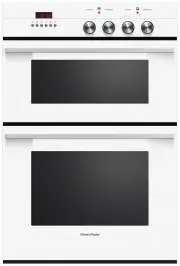 Fisher & Paykel OB60B77CEW3
User Manual
Fisher & Paykel OB60B77CEW3
User Manual
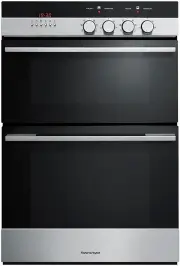 Fisher & Paykel OB60B77CEX3
User Manual
Fisher & Paykel OB60B77CEX3
User Manual
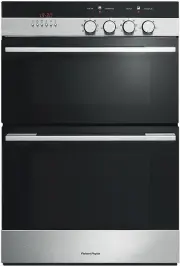 Fisher & Paykel OB60B77DEX3
User Manual
Fisher & Paykel OB60B77DEX3
User Manual
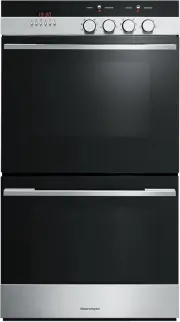 Fisher & Paykel OB60DDEX4
User Manual
Fisher & Paykel OB60DDEX4
User Manual
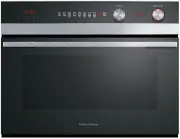 Fisher & Paykel OB60NC9DEX1
User Manual
Fisher & Paykel OB60NC9DEX1
User Manual
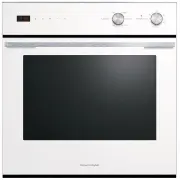 Fisher & Paykel OB60SC5CEW1
User Manual
Fisher & Paykel OB60SC5CEW1
User Manual