Page 3 - Contents; SAVE THESE INSTRUCTIONS
1 Contents Safety and warnings 2 Introduction 5 Using your oven - before you start Setting the clock 6 Using the oven controls 7 Oven functions 8 Using your oven Positioning the shelves 10 Choosing the right bakeware 11 Selecting function and temperature 12 Preheating your oven 12 Using the oven fun...
Page 4 - Operation; Safety and warnings
2 Operation Your oven has been carefully designed to operate safely during normal cooking procedures. Please keep the following guidelines in mind when you are using your oven: WARNING! Hot Surface Hazard Accessible parts may become hot when in use. To avoid burns and scalds, keep children away. Use...
Page 5 - Important safety instructions; Do not place heavy objects on the oven door.
3 Safety and warnings Important safety instructions To reduce the risk of fire, electrical shock, injury to persons, or damage when using the oven, follow the important safety precautions listed below: Read all the instructions before using the oven. Use the oven only for its intended purpose as des...
Page 6 - Clean only the parts listed in this manual.
4 Safety and warnings Placement of oven racks (shelves): always position racks (shelves) in the desired location while the oven is cool (before preheating). If a rack (shelf ) must be removed while the oven is hot, do not let the oven mitts or potholder contact hot heating elements in the oven or th...
Page 7 - Introduction; About your new oven
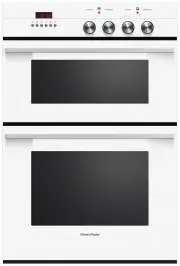
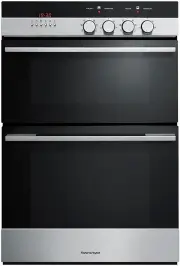
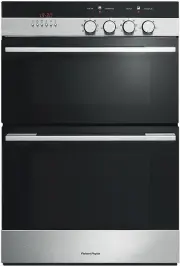
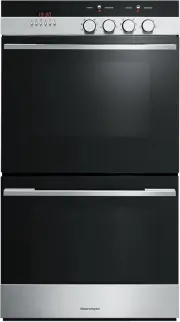
5 Introduction 1 Control panel 2 Door handle 3 Oven window 4 Upper oven 5 Lower oven (double models only) 6 Model & serial number 7 Self-clean latch 8 Door seal (gasket) 9 Cavity seal (gasket) 10 Top element 11 Oven lights 12 Meat probe socket 13 Convection fan & concealed element 14 Lower c...
Page 8 - Setting the clock; You must set the clock before you can use the oven.; To set the clock; button until the correct time is showing.; button; - press this button to clear the display; Using your oven - before you start
6 Setting the clock When your oven is connected to a power supply for the first time, a tone will sound and the clock display will light up. The clock display will show ‘12:00’ and the colon ( : ) will flash. Next, set the clock. Important! You must set the clock before you can use the oven. To set ...
Page 9 - Using the oven controls; Timer; To set the timer
7 Using your oven - before you start Using the oven controls In double ovens, knobs on the left are for the upper oven and knobs on the right are for the lower oven. Pushing the oven cavity selector button lets you toggle between the oven cavities, for example if you are setting automatic programs. ...
Page 11 - GRILLING; GRILL: upper inner element; Cooling fan
9 GRILLING GRILL: upper inner element GRILL delivers intense heat from the inner region of the top element. Great when you need to quickly grill one to two portions of your usual favourites, like crispy chicken breasts or a steak. MAXI GRILL: upper inner and outer elements MAXI GRILL delivers intens...
Page 12 - Positioning the shelves; To position the shelves; Always position oven shelves BEFORE heating the oven.; Using your oven
10 Positioning the shelves Placing the telescopic sliding shelves on the side racks provides eight cooking positions to choose from. See the ‘Cooking guidelines’ for suggested shelf positions. To position the shelves Always position oven shelves BEFORE heating the oven. To remove a sliding shelf, gr...
Page 13 - Choosing the right bakeware
11 Using your oven Choosing the right bakeware The size, shape and material of the bakeware will affect the baking time. The three-piece grill/roast system provided with your oven (consisting of the pan, grid and rack) has been designed to reduce splatter and smoke, and is therefore ideal for grilli...
Page 14 - Selecting function and temperature
12 Using your oven Selecting function and temperature To select a function, turn the function knob. To select a temperature, turn the temperature knob clockwise. For double ovens, knobs on the left are for the upper oven and knobs on the right are for the lower oven. See the ‘Cooking guidelines’ sec...
Page 15 - Do not open the oven door until at least
13 Using the oven functions Baking For best results when baking, always preheat the oven to the temperature recommended in the recipe. Make sure cake pans do not touch each other or the sides of the oven by staggering them across shelves. If using the BAKE function and baking on more than one shelf ...
Page 16 - Roasting
14 Roasting Using the ROAST function will give you a tender and juicy roast that is full of flavour. Place the meat on the grill/roast system on a shelf so that the top of the roast is in the centre of the oven or lower. Tender cuts should be cooked at a high temperature quickly, while tougher cuts ...
Page 17 - Tips for dehydrating fruit; We recommend using TRUE AERO or AERO BAKE at 50°C.; Tips for proofing bread
15 Using your oven Tips for dehydrating fruit To obtain high quality dried fruit, select only unblemished, ripe fruit. Wash fruit thoroughly and pat dry. Peel if desired. Fruit that is not peeled will take longer to dry. Remove pits, stems or seeds if necessary. Place fruit on a baking tray on a she...
Page 18 - Using the meat probe; Metal probe
16 Using the meat probe Use your meat probe to accurately judge when your meat is perfectly cooked. You can use the probe on TRUE AERO, AERO BAKE, ROAST, AERO GRILL and BAKE functions. 1 Select the oven function and temperature. Preheat the oven if appropriate. Remember ROAST and AERO GRILL do not r...
Page 19 - Tips for using the meat probe; Do not store the probe in the oven.
17 Using your oven Tips for using the meat probe You can use the meat probe with automatic cooking functions. If the meat reaches the set temperature before the stop time is reached, the probe will turn the oven off. The internal temperature of the meat will continue to rise by 2-8°C after you have ...
Page 20 - Automatic cooking; To set automatic time cooking; When automatic cooking is set
18 Using your oven Automatic cooking Automatic time (delayed start) cooking will turn the oven on and off at times you have set. To set automatic time cooking 1 Check that the clock shows the correct time. 2 In double ovens, choose the upper or lower oven. This is important. 3 Select the function an...
Page 21 - Automatic stop cooking; To set automatic stop cooking; When automatic stop cooking is set; Cancelling automatic cooking
19 Using your oven Automatic stop cooking You can set the oven to automatic stop cooking at any time during cooking, or when you turnthe oven on. To set automatic stop cooking 1 Check that the clock shows the correct time. 2 In double ovens, choose the upper or lower oven. This is important. 3 Selec...
Page 22 - Cooking guidelines; Alternative method; Baked goods
20 Cooking guidelines The recommendations in the following charts are guidelines. A lot of factors affect the exact time and temperature required for baking, roasting and grilling. Follow the instructions in your recipe or on packaging and be prepared to adjust the oven settings and cook times to ac...
Page 23 - TRUE AERO; Temp °C
21 Cooking guidelines TRUE AERO Time (min) Temp °C Shelf (single; multi) Baked goods Biscuits 13-18 175-180 4; 6 & 3 Chewy chocolate chip biscuits 15-20 170-180 4; 6 & 3 Vanilla cake 30-40 170-175 3 Squares/Slices 25-30 170-180 4 Shortbread 22-30 150-155 4 Cake - butter/choc 45-55 170-175 3 ...
Page 24 - AERO BAKE
22 Cooking guidelines AERO BAKE Time (min) Temp °C Shelf Baked goods Biscuits 8-12 170-175 4 Chewy chocolate chip biscuits 12-18 160-165 4 Vanilla cake 30-35 170-175 4 Squares/slices 20-25 175-180 3 Shortbread 25-35 140-150 3 Cake - butter/choc 50-60 160-175 2 Cake - fruit rich 2-6 hrs 125-150 2 Cak...
Page 25 - BAKE
23 Cooking guidelines BAKE Time (min) Temp °C Shelf Baked goods Biscuits 8-12 175-185 4 Chewy chocolate chip biscuits 12-18 165-175 4 Vanilla cake 30-35 165-175 4 Squares/slices 20-30 175-190 4 Shortbread 25-35 150-160 3 Cake - butter/choc 50-60 160-180 4 Cake - fruit rich 4-6 hrs 135-150 4 Cake - f...
Page 26 - AERO PASTRY
24 Cooking guidelines AERO PASTRY Time (min) Temp °C Shelf Baked goods Biscuits 8-10 170-175 3 Oat biscuits 12-15 160-165 3 Squares/slices 15-20 160-175 2 Shortbread 20-25 130-140 3 Pizza 15-20 225-250 3 Pastry Quiche 20-30 200-220 4 Meat pie 30-40 180-190 4 Lemon meringue pie 15-20 170-180 4 PASTRY...
Page 28 - AERO GRILL
26 Cooking guidelines AERO GRILL Time (min) Temp °C Shelf Beef Minced - burgers 15-20 220-225 6 Minced - meatballs 10-15 190-210 6 Lamb Chops - medium 15-20 200-225 6 Chops - well done 20-25 200-225 6 Rack - medium 20-30 200-210 6 Pork Chops - well done 20-25 190-210 6 Ham steak 15-20 220-225 6 Baco...
Page 29 - Roasting meat
27 Cooking guidelines Roasting meat We recommend you use the cooking probe to accurately judge when meat is cooked to your preference. ‘Time per pound/450 g’ is a rough guide and should only be used to estimate when the meat will be ready. Cooking with ROAST, AEROBAKE, and AEROGRILL will take less t...
Page 30 - Removing and replacing the sliding shelves and side racks; of the mounting slots.; Manual cleaning and maintenance; ‘User preference settings’ for details.; Cleaning the brushed and iridium stainless steel surfaces; Care and cleaning
28 Removing and replacing the sliding shelves and side racks 1 To remove a sliding shelf, grip it by its two front corners (making sure you are gripping the wire shelf and the sliding frame together), tilt upwards and pull it out of the oven. 2 To remove the side racks, gently push the retaining wir...
Page 32 - SELF CLEAN function; Do not use your oven to clean miscellaneous parts.; Using the SELF CLEAN function
30 SELF CLEAN function A self-clean cycle normally takes about five hours. This can be reduced to four hours, or anywhere in between four and five hours. Only one oven in a double oven can be self-cleaned at a time. When one oven is in a self-clean cycle, you cannot use the other oven. Important! Do...
Page 33 - To cancel the SELF CLEAN function before it has finished; Self-clean – delayed start
31 Care and cleaning To cancel the SELF CLEAN function before it has finished Turn the function and temperature knobs to OFF. CLEAN COOL will appear in the function display and the door will remain locked until CLEAN END appears. Important! Do not turn off the mains power supply to the oven. The fan...
Page 34 - User preference settings; USER SELECT function; How to enter USER SELECT function; How to use SABBATH mode
32 User preference settings USER SELECT function USER SELECT function allows you to configure some of the settings displayed on your oven control panel. How to enter USER SELECT function 1 Be sure that the function and temperature knobs are off, that no automatic programs are operating and that the ...
Page 36 - How to change the language; How to reset the oven; How to lock the control panel
34 User preference settings How to change the language Your oven is preset to use Fisher & Paykel’s AERO terminology. This is listed in the languages as LANG UK ENG. However, you may choose to use an alternative, CONV terminology. This is listed in the other languages as LANG DCS. To select it, ...
Page 37 - Fault codes; Troubleshooting; Problem
35 Troubleshooting Fault codes If there is a fault, the oven will beep every second, and a fault code will appear in the clock display as a letter ‘F’ with a number after it. Important! Do not turn off the mains power supply to the oven if you get a fault code. The fans are needed to cool the oven.F...
Page 38 - Light bulb has blown.; Oven not heating; Use the correct sized bakeware.
36 Problem Possible cause What to do Oven door will not open Oven door is locked. Still in SELF CLEAN function. The door will unlock when the cycle has finished and the oven has cooled to a safe temperature. Oven light does not work Light bulb has blown. Replace the light bulb. Refer to ‘Care and cl...
Page 39 - Warranty and service; Your product is correctly installed.; Product details
37 Warranty and service Before you call for service or assistance ... Check the things you can do yourself. Refer to the installation instructions and your user guide and check that: 1 Your product is correctly installed. 2 You are familiar with its normal operation. If, after checking these points,...