Page 3 - Contents; SAVE THESE INSTRUCTIONS
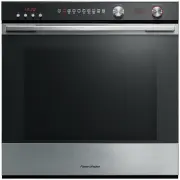
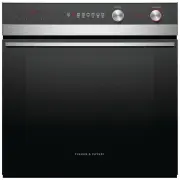
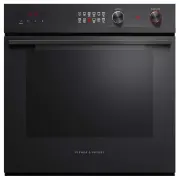
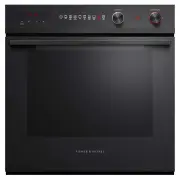
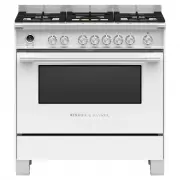
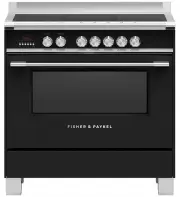
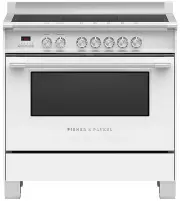
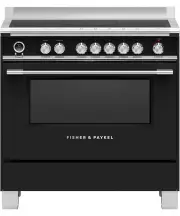
1 Contents Safety and warnings 3 Introduction 12 The control panel 13 First use 14 Using the timer 16 Cooking guide 18 Oven functions 20 Cooking charts 24 Automatic cooking 30 Care and cleaning 34 Troubleshooting 48 Warranty and service 50 Important! SAVE THESE INSTRUCTIONS The models shown in this ...
Page 5 - Safety and warnings; Electrical Shock Hazard
3 Safety and warnings Your oven has been carefully designed to operate safely during normal cooking procedures. Please keep the following safety instructions in mind when you are using it: WARNING! Electrical Shock Hazard Turn the oven off at the wall before replacing the oven lamp.Failure to follow...
Page 6 - Fire Hazard
4 Safety and warnings WARNING! Fire Hazard Do not place aluminium foil, dishes, trays, water or ice on the oven floor during cooking, as doing so will irreversibly damage the enamel; lining the oven with aluminium foil may even cause fire.Never use your appliance for warming or heating the room. Per...
Page 7 - Hot Surface Hazard
5 Safety and warnings WARNING! Hot Surface Hazard Accessible parts may become hot when in use. To avoid burns and scalds, keep children away. Use oven mitts or other protection when handling hot surfaces such as oven shelves or dishes. Use care when opening the oven door. Let hot air or steam escape...
Page 8 - Cut Hazard
6 Safety and warnings WARNING! Cut Hazard Take care - some edges are sharp.Failure to use caution could result in injury or cuts.
Page 9 - Important safety instructions
7 Safety and warnings Important safety instructions To reduce the risk of fire, electrical shock, injury to persons or damage when using the oven, follow the important safety instructions listed below: Read all the instructions before using the oven. Use the oven only for its intended purpose as des...
Page 10 - Children of less than 8 years old must be kept
8 Safety and warnings Important safety instructions Children of less than 8 years old must be kept away from the appliance unless continuously supervised. This appliance can be used by children aged from 8 years and above, and persons with reduced physical, sensory or mental capabilities or lack of ...
Page 11 - Use only dry oven mitts or potholders. Moist or
9 Safety and warnings Important safety instructions Use only dry oven mitts or potholders. Moist or damp potholders on hot surfaces could result in burns from steam. Do not let potholders touch hot areas or heating elements. Do not use a towel or a bulky cloth for a potholder. It could catch fire. D...
Page 12 - Caution: Hot air can blow from the vent at the
10 Safety and warnings Important safety instructions Caution: Hot air can blow from the vent at the top of the oven as part of the oven’s cooling system. Placement of oven shelves: always position shelves in the desired location while the oven is cool (before preheating). If a shelf must be removed ...
Page 13 - Do not use a steam cleaner to clean any part of
11 Safety and warnings Important safety instructions Do not use a steam cleaner to clean any part of the oven. Do not store things children might want above the oven. Children could be burned or injured while climbing on the oven to retrieve items. Do not install or operate the appliance if it is da...
Page 14 - Before you start; Introduction
12 Congratulations on your new purchase. Your Fisher & Paykel oven has a number of features to make cooking a great experience for you: a wide choice of oven functions intuitive controls and displays Before you start Make sure the installer has completed the ‘Final checklist’ in the Installation...
Page 15 - The control panel; Using the touch controls; Display
13 The control panel A A Using the touch controls Use the ball of your finger, not its tip. The controls respond to touch, so you don’t need to apply any pressure. Display Touch controls Function dial Temperature dial Timercontrol Temperature indicator if lit : oven is pre-heating Cooking time contr...
Page 16 - First use; Setting the Clock; To Change the Time; Remove all cable ties and packaging
14 First use Setting the Clock Important! The clock needs to be set before you can use your oven. 1 When the power to the oven is turned on or restored after a power failure, 0.00 will flash in the display. 3 Touch the cooking time and stop time controls together for 2 seconds to accept the time. th...
Page 17 - Condition the oven; Bake
15 First use Condition the oven It is important to condition your oven before using it for cooking and baking. Conditioning will burn off any manufacturing residues and ensure that you get the best results right from the start. 1 Make sure you have removed ALL the cable ties used to secure the shelv...
Page 18 - Using the timer
16 Using the timer You can use the timer at any time, even if you are not using the oven. The time counts down in minutes (hours:min) until the last 5 minutes of cooking, when it will countdown in seconds (min:sec). You can set the timer for up to 4 hours. Important! The timer does NOT turn the oven...
Page 19 - To cancel the timer; At the end of the countdown
17 Using the timer To cancel the timer 1 Touch the timer control to show the remaining time. 2 Either: Touch the - control and scroll the time down to 0.00 or Touch and hold the - and + controls together until the display shows 0.00. 3 the timer indicator and display will flash for a few seconds and...
Page 20 - General guidelines; Cooking guide; BAKING
18 General guidelines This oven has been designed to utilise its four elements and rear fan in differing combinations to provide you with enhanced performance and a wide range of functions, allowing you to cook all types of food to perfection. Lower Element (concealed) Rear Element (concealed) Outer...
Page 22 - Oven functions; Fan Bake
20 upper outer and lower elements Heat comes from both the upper and lower elements. The fan is not used in this function. Ideal for cakes and foods that require baking for a long time or at low temperatures. This function is not suitable for multi-shelf cooking. Ideal for moist foods that take a lo...
Page 23 - Fan Forced; Fan Grill
21 Oven functions Fan Forced fan and rear element By using the central rear heating element and fan, hot air is blown into the cavity, providing a consistent temperature at all levels, making it perfect for multi-shelf cooking. Trays of cookies cooked on different shelves are crisp on the outside an...
Page 24 - Pastry Bake; Proving bread; Classic Bake
22 Oven functions fan plus lower element The fan circulates heat from the lower element throughout the oven. Excellent for cooking pizza as it crisps the base beautifully without overcooking the topping. Ideal for foods such as sweet and savoury pastry foods and delicate foods that require some top ...
Page 25 - Grill
23 Oven functions upper inner and outer elements This function delivers intense radiant heat from both top elements. You can set the intensity of the heat by altering the temperature setting. Preheating is not essential although some people prefer to allow the element to heat for a few minutes befor...
Page 26 - Cooking Charts; Food
24 Cooking Charts Food Shelves Biscuits Plain Single Multi Chewy choc chip Single Multi Oatmeal Single Slices / Squares Single Cakes Vanilla Single Butter / Chocolate Single Light fruit Single Rich fruit Single Sponge (single large) Single Sponge (two small pans) Single Shortbread Single Muffi ns / ...
Page 27 - Function
25 Cooking Charts Recommended Function Shelf positions Temp (°C) Time (mins) Fan Bake 4 180-190 13-17 Fan Forced 3 and 5 160-170 13-17 Fan Bake 4 180-190 15-20 Fan Forced 3 and 5 160-170 15-20 Pastry Bake 4 160-170 12-15 Pastry Bake 3 160-165 15-20 Bake 4 160-165 30-35 Bake 4 160-180 50-60 Bake 2 15...
Page 28 - SAVOURY
26 Cooking Charts SAVOURY ROASTING Food Shelves Pies Chicken / Steak / Mince Single Sausage Rolls Single Meat Loaf Single Pizza Single Lasagne Single Quiche Single Potatoes Traditional Baked Single Frittata Grill to fi nish Single Casseroles Single Oven meals Single Food Shelves Beef (Boneless) Rare...
Page 30 - GRILLING
28 Cooking Charts GRILLING Food Shelves Beef Steak Rare Single Medium Single Burgers Single Meatballs Single Lamb Chops Medium Single Well done Single Pork Chops (well done) Single Ham steak Single Bacon Single Chicken Boneless pieces Single Sausages Single Fish Fillets Single Whole Single Vegetable...
Page 32 - Set the cooking time; Automatic cooking
30 You can set the oven to automatically turn on later, cook for a preset time (cooking time), then automatically turn off at a preset stop time. See the example and instructions below (steps 1 to 7). If you start cooking manually and only want the oven to turn off automatically after a set cooking ...
Page 33 - Set the stop time
31 A A A Automatic cooking Set the stop time 5 Touch the stop time control. The stop time A indicator will flash. 7 Touch the stop time control to confirm. The A will stop flashing and remain on and the display will show the time of day. 6 Touch the - and + controls to set the time you would like yo...
Page 34 - Select function and temperature
32 Automatic cooking Select function and temperature 9 Set the temperature. 8 Select a function. The oven will come on. Note: if you have set the oven to automatically turn on later, the oven cooling fan will come on when you select a function, but the light will be off and the oven will not heat up...
Page 36 - Manual cleaning; Care and cleaning; ALWAYS; Never use a steam cleaner.
34 Manual cleaning Care and cleaning ALWAYS NEVER Before any manual cleaning or maintenance, first wait for the oven to cool down to a safe temperature to touch, then turn its power supply off at the wall. Read these cleaning instructions and the ‘Safety and warnings’ section before you start cleani...
Page 37 - Door comprises a total of 3 glass panes
35 Care and cleaning What? How? Important! Glass surfaces (oven door panes, control panel) Don’t use oven cleaners or any other harsh/abrasive cleaners, cloths, scouring pads, steel wool or sharp metal scrapers to clean the glass surfaces. These scratch the glass and may damage its special coating, ...
Page 40 - Remove all the shelves
38 Care and cleaning Removing and replacing the side racks to clean behind or fit catalytic panels* (purchased separately) Important! Always turn off the oven at the wall first. Ensure the oven has cooled down completely before starting. Remove all the shelves 1 Remove all the shelving, taking speci...
Page 41 - Fit both catalytic panels.
39 Care and cleaning Catalytic panel 1 1 2 retaining wire lock stud Fit both catalytic panels. Place each catalytic panel flush against the side wall, noting the position of the cutouts for the lamp and lock nuts. Replace shelving. To replace a wire shelf, check the guard rail (as shown) to make sur...
Page 42 - Removing the catalytic panels (purchased separately)
40 Care and cleaning Catalytic panel Removing the catalytic panels (purchased separately) Remove the side racks as previously described, then pull the catalytic panel toward the centre of the oven, until clear of the lower locating nut.
Page 43 - Drop-down upper element; Fixing screw
41 Care and cleaning Drop-down upper element Important! Always turn off the oven at the wall before lowering the upper element. Make sure the oven has cooled down completely before starting. To lower the upper element: use a flat-head screwdriver or a small coin to loosen the element fixing screw. T...
Page 44 - Replacing the oven light bulb; Changing the bulb
42 Care and cleaning Replacing the oven light bulb Note: Oven bulb replacement is not covered by your warranty. Your oven uses a screw-in incandescent OVEN bulb - it must be capable of withstanding high temperatures (300 o C) and with the specifications: 230-240V, 50Hz and 25W. The light is located ...
Page 45 - Removing and refitting the oven door; Disengage the hinges and; To refit the door
43 Care and cleaning Removing and refitting the oven door Important! Take care, the oven door is heavy! To remove the door 1 Open the door fully. 3 Hold the door. 5 Disengage the hinges and remove the door. 2 Open the levers fully. 4 Close the door until it connects with the top of both levers To re...
Page 46 - Removing the door glass panes for cleaning
44 Care and cleaning Removing the door glass panes for cleaning Important! Make sure you follow the precautions and instructions below very carefully. Replacing the glass panes and the door incorrectly may result in damage to the oven and may void your warranty. Take care, the oven door is heavy (11...
Page 47 - Remove the inner pane
45 Care and cleaning Remove the inner pane Remove the middle pane 1 Press in on both tabs to release the Glass retainers. 2 Slide both Glass retainers away from the pane. 5 Brace the top of the door against your body. Grasp both sides of the outer edges of the pane at the bottom of the door. 6 G ent...
Page 48 - After cleaning, replace the door glass panes; Replace the middle pane
46 Care and cleaning After cleaning, replace the door glass panes When replacing the glass panes, make sure that: you replace all panes correctly, as shown. Each pane must be in the position described below in order to fit into the door and to ensure that the oven operates safely and correctly you t...
Page 49 - Replace the inner pane
47 Care and cleaning 6 4 5 4a Ensure the pane is the right way up (ie the logo should be readable at the bottom of the door) 4b Slide the pane into the upper notch on the bottom clamps at the bottom of the door. Important! Make sure the glass retainers are correctly and firmly in place and that the ...
Page 50 - Troubleshooting; Troubleshooting chart; Problem; General; The oven does not work.; The oven is not heating.
48 Troubleshooting Troubleshooting chart If there is a problem, check the chart below to see if you can fix it. If the problem cannot be fixed or persists, call your Authorised Repairer or Customer Care. Problem Possible causes What to do General The oven does not work. No power. Check that the main...
Page 52 - Warranty and service
50 Warranty and service Before you call for service or assistance ... Check the things you can do yourself. Refer to the installation instructions and your user guide and check that: 1 your product is correctly installed. 2 you are familiar with its normal operation. If after checking these points y...