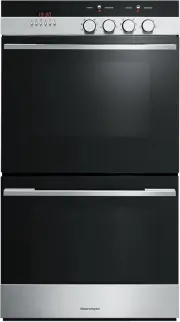
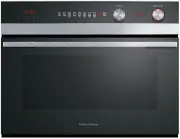
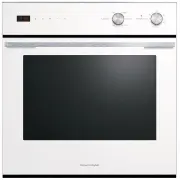
Page 2 - CONTENTS; SAVE THESE INSTRUCTIONS
1 CONTENTS Safety and warnings 2 Introduction 13 The control panel 16 First Use 17 Using the Timer 20 Cooking guide 21 Oven functions 24 Cooking charts 30 Automatic cooking 36 User preference settings 38 Sabbath setting 40 Care and cleaning 42 Using the Self Clean function 56 Trouble shooting 59 Ale...
Page 3 - SAFETY AND WARNINGS; Electrical Shock Hazard
2 Your oven has been carefully designed to operate safely during normal cooking procedures. Please keep the following safety instructions in mind when you are using it: SAFETY AND WARNINGS WARNING! Electrical Shock Hazard Turn the oven off at the wall before replacing the oven lamp. Failure to follo...
Page 6 - Cut Hazard
5 SAFETY AND WARNINGS WARNING! Cut Hazard Take care - some edges are sharp. Failure to use caution could result in injury or cuts. !
Page 7 - IMPORTANT SAFETY INSTRUCTIONS
6 SAFETY AND WARNINGS IMPORTANT SAFETY INSTRUCTIONS To reduce the risk of fire, electrical shock, injury to persons or damage when using the oven, follow the important safety instructions listed below: • To reduce the risk of fire, electrical shock, injury to persons or damage when using the oven, f...
Page 13 - Before you start; INTRODUCTION
13 oven features may vary. Congratulations on your new purchase. Your Fisher & Paykel oven has a number of features to make cooking a great experience for you: ● a wide choice of oven functions ● intuitive controls and displays Before you start ● Make sure the installer has completed the ‘Final ...
Page 14 - Fitting the side racks and catalytic panels (some models only); Fit the catalytic panel to the side rack
14 INTRODUCTION Fitting the side racks and catalytic panels (some models only) You will find your side racks, catalytic panels (some models only) and sliding shelf supports in the accessory box supplied with your oven. Fit the catalytic panel to the side rack 1 Ensure the panels are placed the corre...
Page 15 - Fitting the sliding shelf supports; To fit
15 INTRODUCTION Fitting the sliding shelf supports IMPORTANT! Compact ovens only: The sliding shelf supports cannot be used on shelf positions 3 and 4. To fit 1 Ensure the slides are the correct way around (the front of the slide has the triangular shaped tab as shown). 2 Fit the top of the clips ov...
Page 16 - THE CONTROL PANEL; Display; Using the touch controls
16 THE CONTROL PANEL Illustrative purposes only - oven function indicators may vary. Display Using the touch controls ● Use the ball of your finger, not its tip. The controls respond to touch, so you don’t need to apply any pressure. Locking the control panel This function is to prevent accidental u...
Page 17 - FIRST USE; Setting the Clock
17 FIRST USE Setting the Clock When your oven is first turned on, or after a power cut, the display will flash . You willneed to set the clock in order to use the oven. 1 The display will flash 2 Touch the right scroll control to scroll between and 3 Touch the select control to con...
Page 18 - To change the time
18 FIRST USE To change the time You set the clock within the user preference menu. 5 Touch the left and right scroll controls to set the time. 6 Touch the select control to confirm. 3 Touch the right scroll control to scroll between , or to turn the display off (see ‘Setting User pr...
Page 20 - USING THE TIMER; The timer does NOT turn the oven off.; To modify the timer setting
20 USING THE TIMER 1 Select the timer by touching the right scroll control once. ● The timer indicator will appear and the colon will flash. 2 Touch the select control to confirm. ● The display will flash to indicate the timer is ready to be set. 3 Set the time by touching the scroll controls. ● Hol...
Page 21 - COOKING GUIDE; General guidelines; BAKING
21 COOKING GUIDE General guidelines This oven has been designed to utilise its four elements and rear fan in differing combinations to provide you with enhanced performance and a wide range of functions, allowing you to cook all types of food to perfection. Lower Element (concealed) Rear Element (co...
Page 22 - ROASTING
22 COOKING GUIDE ROASTING ● Some models have a dedicated Roast function. This is designed to brown the outside of the meat but still keep the inside moist and juicy.If your oven does not have a Roast function, we recommend you use Fan Bake or Fan Forced. ● Boneless, rolled or stuffed roasts take lon...
Page 23 - REHEATING
23 COOKING GUIDE REHEATING ● Use Bake, Fan Bake or Vent Bake (some models only) to reheat food. ● Bake and Vent Bake (some models only) are particularly good for reheating pastry based items, as the base heat will help re-crisp the pastry case. ● Always reheat food to piping hot. This reduces the ri...
Page 24 - OVEN FUNCTIONS; Depending on your model, you may only have some of these functions.; upper outer and lower elements; Bake
24 OVEN FUNCTIONS IMPORTANT! ● Depending on your model, you may only have some of these functions. ● Use all the functions with the oven door closed. upper outer and lower elements ● Heat comes from both the upper and lower elements. The fan is not used in this function. ● Ideal for cakes and foods ...
Page 25 - fan plus upper outer and lower elements; Fan Bake
25 OVEN FUNCTIONS fan plus upper outer and lower elements ● The oven fan circulates hot air from the top outer and the lower elements and distributes it around the oven cavity. ● Food cooked tends to brown more quickly than foods cooked on the traditional Bake function. ● You may need to decrease th...
Page 26 - Fan Grill; fan plus upper inner and outer elements
26 OVEN FUNCTIONS Fan Grill (some models only) Fan Forced fan plus upper inner and outer elements ● This function uses the intense heat from the elements for top browning and the fan to ensure even cooking of foods. ● Meat, poultry and vegetables cook beautifully; food is crisp and brown on the outs...
Page 27 - fan plus lower element; Roast
27 OVEN FUNCTIONS fan plus lower element ● The fan circulates heat from the lower element throughout the oven. ● Excellent for cooking pizza as it crisps the base beautifully without overcooking the topping. ● For best results, pre-heat pizza stone for at least 1 hour and bake on oven shelf position...
Page 28 - lower element only; Classic Bake
28 OVEN FUNCTIONS lower element only ● Heat comes from the lower element only, the fan is not used. ● This is the traditional baking function, suitable for recipes that were developed in older ovens. ● Bake on only one shelf at a time. ● The oven will be hotter at the top. Ideal for foods that requi...
Page 29 - this is not a cooking function; Warm
29 OVEN FUNCTIONS this is not a cooking function ● Provides a constant low heat of less than 90°C. ● Use to keep cooked food hot, or to warm plates and serving dishes. To reheat food from cold, use another oven function to heat the food piping hot and only then change to Warm, as this function alone...
Page 30 - COOKING CHARTS; For best results preheat the oven to the required temperature.; FOOD
30 COOKING CHARTS BAKING ● Shelf positions are counted from the base up (1 is the lowest, 6 (full size ovens) or 4 (compact ovens) is the highest). Position shelves before you turn the oven on. ● For best results preheat the oven to the required temperature. ● The grill element may come on while the...
Page 32 - SAVOURY
32 COOKING CHARTS * If multiple shelves are required (eg roasting vegetables at the same time), use Fan Forced and shelf positions 3 & 5. SAVOURY ROASTING FOOD SHELVES Pies Chicken / Steak / Mince Single Sausage Rolls Single Meat Loaf Single Pizza Classic Single Thin crust Single Deep dish Singl...
Page 34 - GRILLING
34 COOKING CHARTS GRILLING FOOD SHELVES Beef Steak Rare Single Medium Single Burgers Single Meatballs Single Lamb Chops Medium Single Well done Single Pork Chops (well done) Single Ham steak Single Bacon Single Chicken Boneless pieces Single Sausages Single Fish Fillets Single Whole Single Vegetable...
Page 36 - AUTOMATIC COOKING; Set the stop time
36 AUTOMATIC COOKING ● You can set the oven to automatically turn on later, cook for a preset time (cooking time), then automatically turn off at a preset stop time. See the example and instructions below (steps 1 to 7). ● If you start cooking manually and only want the oven to turn off automaticall...
Page 37 - Select function and temperature
37 AUTOMATIC COOKING N O I T C N U F E R U T A R E P M E T Select function and temperature !1 Adjust the temperature. !0 Select a function. The function halo will stop flashing. When automatic cooking is set ● The oven and the lights will stay off, the halos will be unlit, but your oven is now set f...
Page 38 - USER PREFERENCE SETTINGS; How to change preference settings
38 USER PREFERENCE SETTINGS You can set your oven to: ● display the temperature in degrees Celsius or Fahrenheit ● give audio feedback (tones and beeps) or operate quietly ● display time as 12-hr or 24-hr ● operate with the display off ● have its lights on or off during cooking ● operate in Sabbath ...
Page 39 - SETTING
39 USER PREFERENCE SETTINGS 5 Touch the right scroll control to scroll through the options for that particular setting. Refer to the table below. 6 Touch the select control to save the new option . 7 For all options except ‘Display off’ : touch the cancel control to quit the user preference menu. SE...
Page 40 - SABBATH SETTING; While your oven is in Sabbath setting
40 SABBATH SETTING This setting is designed for religious faiths that observe a ‘no work’ requirement on the Sabbath. While your oven is in Sabbath setting ● The display, dial halos and indicators will be unlit, the controls will be unresponsive. ● No tones or beeps will sound. ● No alert codes or t...
Page 41 - To quit Sabbath setting
41 SABBATH SETTING The display, indicators and dial halos will be unlit and unresponsive, but the oven will bake until you quit Sabbath setting. To quit Sabbath setting Touch and hold the cancel control until the time of day appears in the display and the oven turns off. 7 Select the Bake function. ...
Page 42 - CARE AND CLEANING
42 Manual cleaning ALWAYS NEVER ● Before any manual cleaning or maintenance, first wait for the oven to cool down to a safe temperature to touch, then turn its power supply off at the wall. ● Read these cleaning instructions and the ‘Safety and warnings’ section before you start cleaning your oven. ...
Page 43 - Wipe with a damp cloth and a
43 Manual cleaning WHAT? HOW? IMPORTANT! Dials Clean with a solution of mild detergent and hot water, then wipe dry. Do not use stainless steel or oven cleaner on the dials, as doing so may damage their coating. Stainless steel strip/handle on the front of the oven door ● Clean with a solution of mi...
Page 45 - Do not clean this part.
45 Manual cleaning WHAT? HOW? IMPORTANT! Telescopic sliding shelf supports Wipe with a damp cloth and milddetergent. Do not wipe off or washaway the white lubricating grease(visible when the slides areextended). Do not wash these in thedishwasher or immerse in soapy water. Do not use oven cleaner on...
Page 46 - Removing the side racks and catalytic panels
46 CARE AND CLEANING Removing the side racks and catalytic panels (some models only) IMPORTANT! Always turn off the oven at the wall first. Ensure the oven has cooled down completely before starting. Remove all shelves 1 Slide out all shelves and remove. For easier access we recommend removing the o...
Page 47 - Refitting the side racks and catalytic panels
47 CARE AND CLEANING Refitting the side racks and catalytic panels (some models only, purchased separately) Fit the catalytic panel to the side rack 1 Ensure the panels are placed the correct way around: in models with side lights: the cutout fits over the light and the hole for the fixing screw goe...
Page 48 - Fitting and removing the sliding shelf supports
48 CARE AND CLEANING Fitting and removing the sliding shelf supports IMPORTANT! Compact ovens only: The sliding shelf supports cannot be used on shelf positions 3 and 4. To fit 1 Ensure the slides are the correct way around (the front of the slide has the triangular shaped tab as shown). 2 Fit the t...
Page 49 - Refit the oven shelves and grill pan; Slide in the shelves you need, making sure that:
49 CARE AND CLEANING Refit the oven shelves and grill pan Slide in the shelves you need, making sure that: ● They slide between the two wires of a shelf position (unless a sliding shelf support is being use) ● The stop notches point down ● The guard rail is to the rear. Refitting the shelf between t...
Page 50 - Drop-down upper element (models without a Self clean function only)
50 CARE AND CLEANING Drop-down upper element (models without a Self clean function only) IMPORTANT! Always turn off the oven at the wall before lowering the upper element. Make sure the oven has cooled down completely before starting. ● To lower the upper element: Pull both the securing clips forwar...
Page 51 - Replacing the oven light bulbs; Note: Oven bulb replacement is not covered by your warranty.; Changing the bulb; Remove the oven shelves and side racks (see ‘Care and cleaning’).
51 CARE AND CLEANING Replacing the oven light bulbs Note: Oven bulb replacement is not covered by your warranty. Your oven uses G9 halogen bulbs with the specifications 220-240V, 50Hz and 25W. Always hold the replacement bulb in a soft cloth. Touching the bulb will reduce its life-span.The two oven ...
Page 52 - Removing and refitting the oven door.; To remove the door
52 CARE AND CLEANING Removing and refitting the oven door. IMPORTANT! Take care, the oven door is heavy. To remove the door To refit the door 4 Holding the door on both sides, line up the holes in the base of the door with the hinges and slide the door on. 4 Once the door is fully located on the hin...
Page 53 - Removing the door glass panes for cleaning
53 CARE AND CLEANING Removing the door glass panes for cleaning IMPORTANT! ● Make sure you follow the precautions and instructions below very carefully. Replacing the glass panes and the door incorrectly may result in damage to the oven and may void your warranty. ● Take care, the oven door is heavy...
Page 54 - To remove the middle pane
54 CARE AND CLEANING To remove the middle pane 4 Touch the glass retainer tabs in on both sides of the door again. The glass retainer can then be pulled off completely. 5 Gently pull the middle pane toward the top of the door until the pane is clear of the notch at the bottom of the door. 6 Lift the...
Page 55 - After cleaning replace the door glass panes; When replacing the glass panes make sure that
55 CARE AND CLEANING After cleaning replace the door glass panes When replacing the glass panes make sure that ● you replace the inner pane correctly as shown. The pane must be in the position described below in order to fit into the door and to ensure that the oven operates safely and correctly ● y...
Page 56 - USING THE SELF CLEAN FUNCTION (SOME MODELS ONLY); Self Clean; Do not use oven cleaners, any degreasing cleaners, or oven liners.; To start a Self Clean cycle
56 USING THE SELF CLEAN FUNCTION (SOME MODELS ONLY) ● During the pyrolytic Self Clean cycle the extremely high temperature burns off and breaks down grime and grease deposits. All that is left is a small amount of grey ash that you can easily remove. ● There is a choice of two Self Clean cycles: - S...
Page 57 - During the Self Clean cycle
57 USING THE SELF CLEAN FUNCTION (SOME MODELS ONLY) 5 Select the Self Clean function. ● The display will flash : 6 Touch the right scroll control once for the Self Clean cycle - the display will flash : (4 hours), or Touch the right scroll control a second time for the Light Self Clean cyc...
Page 58 - When a Self Clean cycle has finished
58 USING THE SELF CLEAN FUNCTION (SOME MODELS ONLY) When a Self Clean cycle has finished The oven will: ● emit a long tone ● automatically turn off ● automatically unlock the door (when the oven has cooled to a safe temperature). In a few seconds, the display will show the time of day. You need to: ...
Page 59 - TROUBLESHOOTING; Troubleshooting chart; General
59 TROUBLESHOOTING Troubleshooting chart If there is a problem, check the chart below to see if you can fix it. If the problem cannot be fixed or persists, call your Authorised Repairer or Customer Care. PROBLEM POSSIBLE CAUSES WHAT TO DO General The oven does not work. No power. The clock has not b...
Page 60 - PROBLEM
60 TROUBLESHOOTING PROBLEM POSSIBLE CAUSES WHAT TO DO General I can feel hot air blowing out of the vents after I have turned the oven off. This is normal. For safety reasons the cooling fans will continue to run even when you have turned the function dial to ‘Off’. The fans will switch off automati...
Page 62 - The display shows
62 TROUBLESHOOTING PROBLEM POSSIBLE CAUSES WHAT TO DO Self Clean function (some models only) During a Self Cleancycle, the oven is louderthan usual. This is normal: the oven’s cooling fans operate at their highest speed. The display shows DOOR. The door has not been properlyclosed. Make sure you clo...
Page 63 - or
63 TROUBLESHOOTING PROBLEM POSSIBLE CAUSES WHAT TO DO Self Clean function (some models only) I have cancelled a SelfClean cycle but cannot use the oven: ● the oven door will not open ● the display is still counting down minutes or showing : ● the Self Clean function indicator is still lit the t...
Page 64 - ALERT CODES; What to do if an alert code is displayed; If you can’t fix the problem yourself
64 ALERT CODES If there is a problem, the oven will: ● automatically suspend all oven functions ● beep five times ● display an alert code. IMPORTANT! Do not turn off the mains power supply to the oven (wall switch) if you get an alert code, unless the instructions in the chart following specifically...
Page 65 - ALERT CODE
65 ALERT CODES ALERT CODE POSSIBLE CAUSES WHAT TO DO The oven has overheated. 1 Allow the oven to cool down. 2 Once the oven has cooled down and the door has unlocked, the alert code will disappear. You can now use the oven again. Door lock error: the door cannot be locked after you have start...
Page 66 - WARRANTY AND SERVICE; Your product is correctly installed.
66 WARRANTY AND SERVICE Before you call for service or assistance ... Check the things you can do yourself. Refer to the installation instructions and your user guide and check that: 1 Your product is correctly installed. 2 You are familiar with its normal operation. If after checking these points y...
Page 67 - In New Zealand and Australia
67 WARRANTY AND SERVICE This oven has been designed and constructed in accordance with the followingcodes and specifications: In New Zealand and Australia ● AS/NZS 60335-1 General Requirements for Domestic electrical appliances ● AS/NZS 60335-2-6 Particular Requirements for Domestic electrical cooki...
Page 69 - Reducing the environmental impact; Maximise the use of your pre-heated oven – cook or bake in batches.
69 ENERGY GUIDELINES (GB IE ONLY) Reducing the environmental impact Reducing energy consumption will reduce the impact of cooking on the environment. The following tips can help you to reduce your energy consumption: ● Do not pre-heat the oven too early. Aim to have the oven hot at the same time as ...