Page 3 - Contents; SAVE THESE INSTRUCTIONS
1 Contents Safety and warnings 2 Installation instructions 4 Oven controls and setting the clock 10 First use 14 Using your oven 15 Oven functions 16 Baking charts 18 Cooking with ‘auto-off ’ 22 Using the timer 23 Automatic cooking 24 Care and cleaning 25 Warranty and service 36 Important! SAVE THES...
Page 4 - Safety and warnings; Cut Hazard; Failure to use caution could result in injury or cuts.; Fire Hazard; Important safety instructions; Installation
2 Safety and warnings WARNING! Cut Hazard Take care - panel edges are sharp. Failure to use caution could result in injury or cuts. WARNING! Fire Hazard Do not use adapters, reducers, or branching devices to connect this appliance to the mains power supply. Failure to follow this advice may result i...
Page 5 - Operation and maintenance; Hot Surface Hazard; Do not stand on the door, or place heavy objects on it.
3 Safety and warnings Operation and maintenance Your built-in oven has been carefully designed to operate safely during normal cooking procedures. Please keep the following guidelines in mind when you are using your oven: WARNING! Hot Surface Hazard Accessible parts may become hot when this oven is ...
Page 6 - Installation instructions
4 Installation instructions Installation diagrams for illustration purposes only 2.5 mm 16-20 mm L Product and cabinetry dimensions (mm) OB60S OB60N A overall height* of product 597 450** B overall width of product 595 595 C overall depth of product (excluding handle and knobs) 567 556 D height of c...
Page 8 - Before you install the oven, make sure that; the oven will rest on a surface that can support its weight; When you have installed the oven, make sure that; the oven door can open fully without obstruction; Unpacking the oven; Feet
6 Before you install the oven, make sure that the benchtop and oven cavity are square and level, and are the required dimensions the installation will comply with all clearance requirements and applicable standards and regulations a suitable isolating switch providing full disconnection from the mai...
Page 9 - Connecting the oven to the mains power supply; This oven must be earthed.; Before connecting the oven to the mains power supply, check that; the voltage corresponds to the value given on the rating plate.; OB60S and OB60N models
7 Connecting the oven to the mains power supply Important! This oven must be connected to the mains power supply only by a suitably qualified person. This oven must be earthed. Before connecting the oven to the mains power supply, check that the domestic wiring system is suitable for the power drawn...
Page 10 - Securing the oven to the cabinetry; Position the oven in the prepared cavity.
8 Securing the oven to the cabinetry 1 Position the oven in the prepared cavity. Important! Do not lift the oven by the door handle. 2 Open the oven door fully. 3 Use the supplied screws to secure the oven to the cabinetry. Important! Do not over-tighten the screws. Do not seal the oven into the cab...
Page 11 - Final checklist; TO BE COMPLETED BY THE INSTALLER; Installer’s signature:; LEAVE THESE INSTRUCTIONS WITH THE CUSTOMER
9 Final checklist TO BE COMPLETED BY THE INSTALLER Make sure the oven is level and securely fitted to the cabinetry. Check the lower trim is still undamaged. Open the oven door slowly to its fully open position and check if there is adequate clearance between the bottom of the door and the lower tri...
Page 12 - Oven controls and setting the clock
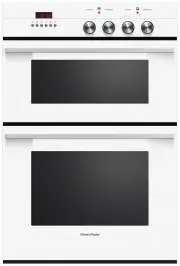
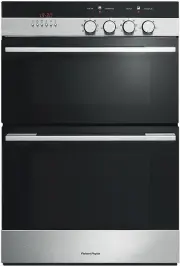
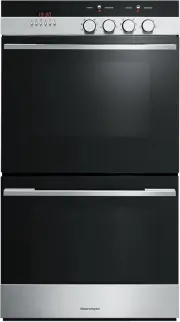
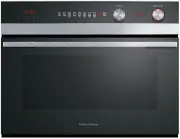
10 Temperature knob Function knob Temperature indicator light Clock display Function indicator light Control buttons Temperature knob Function knob Clock display Temperature indicator light Function indicator light Oven controls and setting the clock Fig. 5 Control panel- Compact models with two coo...
Page 13 - Buttons; AUTO; To set the clock
11 Oven controls and setting the clock MODELS WITH THREE-BUT T ON CL OCK Buttons sets the clock, shows the time of day when oven is cooking with ‘auto-off ’ set decreases time and beep volume increases time Illuminated symbols AUTO flashing: oven is ready to be set for cooking with ‘auto-off ’ AUTO ...
Page 16 - First use; Shelf positions
14 First use Before using your new oven, please: 1 Read this user guide, taking special note of the ‘Safety and warnings’ section. 2 Remove all accessories and packaging. Make sure you peel the protective film off all surfaces. 3 Set the clock. The oven will not work until the clock has been set. Se...
Page 17 - Using your oven
15 To start cooking 1 Select the function. The oven light(s) will come on. In single and compact models, the function indicator light will also come on. 2 Set the temperature. The temperature indicator light will come on. It will go out when the oven has reached the set temperature. The temperature ...
Page 18 - Oven functions; Depending on your model, your may only have some of these functions.
16 Oven functions Depending on your model, your may only have some of these functions. OVEN LAMP Only the oven light comes on. It remains on in all the cooking functions. BAKE This is the traditional method of baking. It is best to bake on only one shelf at a time in this function. Ideal for large c...
Page 20 - Baking charts; BAKE; Food; not recommended
18 Baking charts Please note: The settings in the following charts are guidelines only. Follow the instructions in your recipe or on packaging and be prepared to adjust the oven settings and baking times to achieve the best possible results for you. Shelf positions are counted from the base up (1 is...
Page 21 - FAN BAKE; FAN FORCED
19 Baking charts Baking chart - full ovens FAN BAKE Food Shelf position Temperature ( O C) Time (mins) Small cakes single shelf 2 150-170 13-17 multi shelf not recommended Scones single shelf 2 200-220 8-12 multi shelf not recommended Sponge two small (20 cm),staggered on shelf 2 160-175 20-30 one l...
Page 24 - Cooking with ‘auto-off ’; To set the oven for cooking with ‘auto-off ’
22 Cooking with ‘auto-off ’ Use ‘auto-off ’ to automatically turn the oven off when the set cooking time has elapsed. To set the oven for cooking with ‘auto-off ’ 1 Set the oven: Check the clock shows the correct time (eg 12:07). Select the function and set the temperature. The oven will turn on. 2 ...
Page 25 - The timer does NOT turn the oven off.; To set the timer; Using the timer
23 You can use the timer at any time, even when the oven is not in use. Important! The timer does NOT turn the oven off. To set the timer 1 Press . 0 . 00 will show and the symbol will start flashing. 2 Press and to set the time you want (up to 23 hours and 59 minutes, in 1-minute steps). After a fe...
Page 26 - To set the oven for automatic cooking; Set the cooking time:; Automatic cooking
24 Important! In double models with compact upper ovens, only the lower (main) oven can be set for automatic cooking. In double models with two full ovens, only the upper oven can be set for automatic cooking. To set the oven for automatic cooking 1 Set the oven: Check the clock shows the correct ti...
Page 27 - Care and cleaning; Before cleaning, make sure the oven is a safe temperature to touch.; General advice; Wipe the soiling off with a; Glass surfaces
25 Care and cleaning Important! Always switch the power to the oven off at the wall before any cleaning or maintenance. When you switch the power back on after cleaning, you will have to set the clock. Do not use abrasive cleaners, cloths or pads to clean any part of your oven. Some nylon scourers m...
Page 28 - C on; Knobs; Dry thoroughly with a soft cloth.
26 Care and cleaning What? How? Important! Side catalytic panels(not supplied with all models) Either remove the side racks andreverse the panels or heat the ovenat 250 o C on for 60-90 minutes and they will self-clean. These panels absorb and eliminategreasy splashes at high-temperaturecooking. The...
Page 29 - Removing and refitting the side racks and catalytic panels; the arrows are pointing upwards
27 Care and cleaning Removing and refitting the side racks and catalytic panels Note: only some models have catalytic panels and a lamp in the left oven wall. When refitting the side racks, make sure they are the right way up, as in the illustrations.When refitting the catalytic panels, make sure th...
Page 30 - the side racks first; Unclip
28 Care and cleaning Removing and refitting the sliding shelf supports (some models only) Important! Remove the side racks first to make removing the sliding shelf supports easier.When refitting the sliding shelf supports, make sure that you fit the side racks first the slides to the top wire of a s...
Page 31 - Removing and refitting the glass panes of the oven door; Oven doors vary. Some have three glass panes, others only two.; To remove the glass panes; Close door until the levers hook
29 Removing and refitting the glass panes of the oven door Important! Oven doors vary. Some have three glass panes, others only two. The outer pane is not removable. Take care, the glass panes are heavy. Place the removed glass panes on a safe, soft surface. To remove the glass panes Care and cleani...
Page 33 - To refit the glass panes
31 Care and cleaning 2 Check the rubber pads are in place. 2 Check the rubber pads are in place. 3 Check the pane is the right way up. 3 Check the pane is the right way up. 1 Make sure the open levers firmly hook to the door. 1 Make sure the open levers firmly hook to the door. MODELS WITH INNER PAN...
Page 34 - Lever
32 Care and cleaning MODELS WITH INNER PANE ONLY 4 Insert the pane into the slide guides and slide it to the bottom retainers. F Slide guides MODELS WITH INNER AND MIDDLE PANES 5 Replace the seal (some doors only). 6 Open the door fully and close the levers. Seal Lever cont.... 4 Insert the pane int...
Page 36 - Removing and refitting the oven door; Disengage the hinges and; To refit the door; Repeat these steps in reverse order.
34 Care and cleaning Removing and refitting the oven door Important! Take care, the oven door is heavy! To remove the door 1 Open the door fully. 3 Hold the door. 5 Disengage the hinges and remove the door. 2 Open the levers. 4 Close the door until the levers hook to it. To refit the door Repeat the...
Page 37 - Replacing the oven lamp; Switch the power to the oven off at the wall.
35 Care and cleaning 1 2 Replacing the oven lamp Note: oven bulb replacement is not covered by your warranty. 1 Let the oven cavity and the grill element cool down. 2 Switch the power to the oven off at the wall. LEFT LAMP (some models only) 3a Remove the left side rack (and catalytic panel if suppl...
Page 38 - Warranty and service; your product is correctly installed.
36 Warranty and service Before you call for service or assistance ... Check the things you can do yourself. Refer to the installation instructions and your user guide and check that: 1 your product is correctly installed. 2 you are familiar with its normal operation. If after checking these points y...