Page 2 - WE’RE THINKING OF YOU; knowledge that you’ll get great results every time.; CUSTOMER CARE AND SERVICE; Always use original spare parts.; CONTENTS; SAFETY INFORMATION; Before the installation and use of the appliance, carefully read
WE’RE THINKING OF YOU Thank you for purchasing an Electrolux appliance. You’ve chosen a product that brings with it decades of professional experience and innovation. Ingenious and stylish, it has been designed with you in mind. So whenever you use it, you can be safe in the knowledge that you’ll ge...
Page 3 - Children and vulnerable people safety
for any injuries or damage that are the result of incorrect installation or usage. Always keep the instructions in a safe and accessible location for future reference. 1.1 Children and vulnerable people safety • This appliance can be used by children aged from 8 years and above and persons with redu...
Page 4 - SAFETY INSTRUCTIONS
• WARNING: The appliance must not be supplied through an external switching device, such as a timer, or connected to a circuit that is regularly switched on and off by a utility. • CAUTION: The cooking process has to be supervised. A short term cooking process has to be supervised continuously. • WA...
Page 5 - Electrical Connection
• Do not install or use a damaged appliance. • Follow the installation instructions supplied with the appliance. • Keep the minimum distance from other appliances and units. • Always take care when moving the appliance as it is heavy. Always use safety gloves and enclosed footwear. • Seal the cut su...
Page 6 - Care and cleaning
• Do not put cutlery or saucepan lids on the cooking zones. They can become hot. • Do not operate the appliance with wet hands or when it has contact with water. • Do not use the appliance as a work surface or as a storage surface. • If the surface of the appliance is cracked, disconnect immediately...
Page 7 - Before the installation
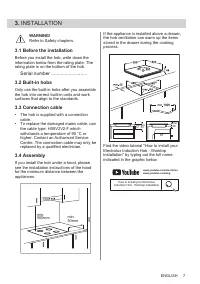
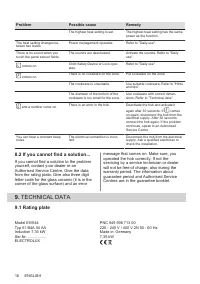
3. INSTALLATION WARNING! Refer to Safety chapters. 3.1 Before the installation Before you install the hob, write down the information below from the rating plate. The rating plate is on the bottom of the hob. Serial number ........................... 3.2 Built-in hobs Only use the built-in hobs afte...
Page 8 - PRODUCT DESCRIPTION; Cooking surface layout; Control panel layout
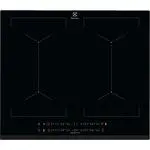
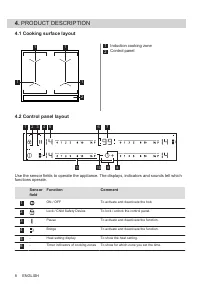
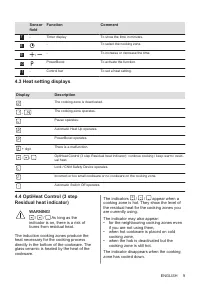
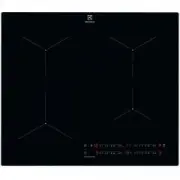
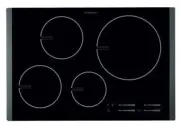
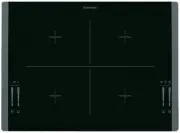
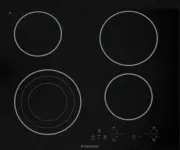
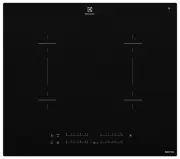
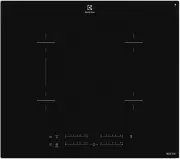
4. PRODUCT DESCRIPTION 4.1 Cooking surface layout 1 1 2 1 1 1 Induction cooking zone 2 Control panel 4.2 Control panel layout 1 2 4 3 6 7 5 9 8 11 10 Use the sensor fields to operate the appliance. The displays, indicators and sounds tell which functions operate. Sensor field Function Comment 1 ON /...
Page 10 - The function deactivates the hob; Using the cooking zones
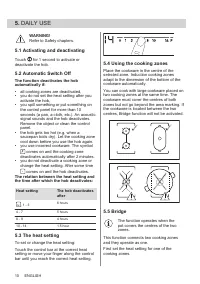
5. DAILY USE WARNING! Refer to Safety chapters. 5.1 Activating and deactivating Touch for 1 second to activate or deactivate the hob. 5.2 Automatic Switch Off The function deactivates the hob automatically if:• all cooking zones are deactivated, • you do not set the heat setting after you activate t...
Page 11 - Automatic Heat Up; To deactivate the function: change the
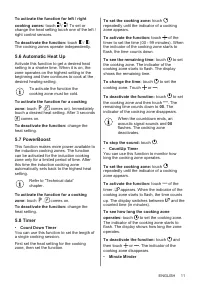
To activate the function for left / rightcooking zones: touch / . To set or change the heat setting touch one of the left / right control sensors. To deactivate the function: touch / . The cooking zones operate independently. 5.6 Automatic Heat Up Activate this function to get a desired heat setting...
Page 12 - Child Safety Device; heat setting in 10 seconds. You can; OffSound Control
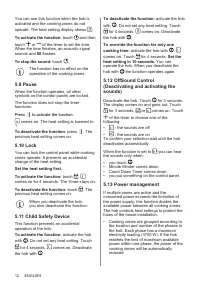
You can use this function when the hob is activated and the cooking zones do notoperate. The heat setting display shows . To activate the function: touch and thentouch or of the timer to set the time. When the time finishes, an acoustic signal sounds and 00 flashes. To stop the sound: touch . The fu...
Page 13 - Cookware is suitable for an induction hob; The noises during operation
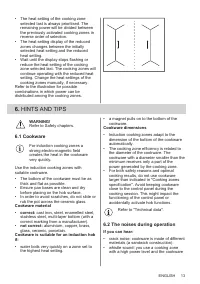
• The heat setting of the cooking zone selected last is always prioritised. The remaining power will be divided between the previously activated cooking zones in reverse order of selection. • The heat setting display of the reduced zones changes between the initially selected heat setting and the re...
Page 14 - The noises are normal and do not indicate; Examples of cooking; General information
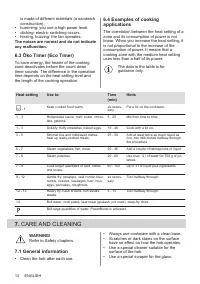
is made of different materials (a sandwich construction). • humming: you use a high power level. • clicking: electric switching occurs. • hissing, buzzing: the fan operates. The noises are normal and do not indicate any malfunction. 6.3 Öko Timer (Eco Timer) To save energy, the heater of the cooking...
Page 17 - Cooking zones specification; ENERGY EFFICIENCY
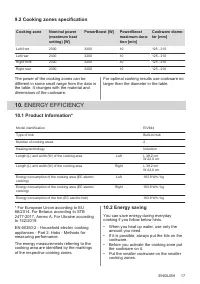
9.2 Cooking zones specification Cooking zone Nominal power (maximum heat setting) [W] PowerBoost [W] PowerBoost maximum dura‐ tion [min] Cookware diame‐ ter [mm] Left front 2300 3200 10 125 - 210 Left rear 2300 3200 10 125 - 210 Right front 2300 3200 10 125 - 210 Right rear 2300 3200 10 125 - 210 Th...
Page 18 - Further after-sales service agencies; ENVIRONMENTAL CONCERNS
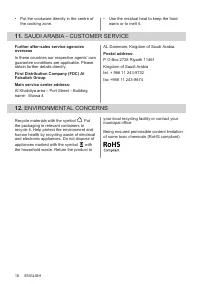
• Put the cookware directly in the centre of the cooking zone. • Use the residual heat to keep the food warm or to melt it. 11. SAUDI ARABIA - CUSTOMER SERVICE Further after-sales service agencies overseasIn these countries our respective agents’ own guarantee conditions are applicable. Please obtai...