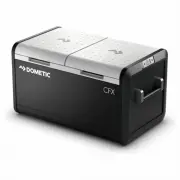
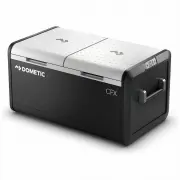
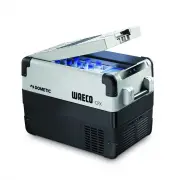
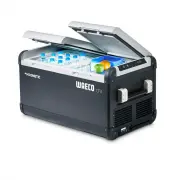
Page 2 - All rights are reserved.
© 2020 Dometic Group. The visual appearance of the contents of this manual is protected by copyright and design law. The underlying technical design and the products contained herein may be protected by design, patent or be patent pending. The trademarks mentioned in this manual belong to Dometic Sw...
Page 16 - Contents; Switching on or off the compartments
EN CFX3 16 Please read this manual carefully before starting the device. Keep it in a safe place for future reference. If the device is passed on to another person, this manual must be handed over to the user along with it. The manufacturer cannot be held liable for damage resulting from improper us...
Page 17 - Explanation of symbols
EN CFX3 Explanation of symbols 17 7.19 Resetting to factory settings . . . . . . . . . . . . . . . . . . . . . . . . . . . . . . . . 31 7.20 USB port for power supply . . . . . . . . . . . . . . . . . . . . . . . . . . . . . . . . . 317.21 Defrosting the cooler . . . . . . . . . . . . . . . . . . . ...
Page 18 - Safety instructions; Electrocution hazard; Do not operate the cooling device if it is visibly damaged.; Fire hazard; Children shall not play with the device.; Explosion hazard
EN Safety instructions CFX3 18 2 Safety instructions ! WARNING! Failure to obey these warnings could result in death or serious injury. Electrocution hazard • Do not operate the cooling device if it is visibly damaged. • If this cooling device's power cable is damaged, it must be replaced by the man...
Page 20 - Scope of delivery; Item in; Designation
EN Scope of delivery CFX3 20 • Do not use electrical devices inside the cooling device unless they are recommended by the manufacturer for the purpose. • Do not place the cooling device near naked flames or other heat sources (heaters, direct sunlight, gas ovens etc.). • Risk of overheating! Ensure ...
Page 21 - Intended use; not
EN CFX3 Intended use 21 Note that the CFX3 app may not be available in your country. 5 Intended use The device is suitable for: • Operation in vehicles • Cooling and freezing food • Camping use The device is not suitable for: • Storage of corrosive, caustic or solvent-containing substances • Quick-f...
Page 22 - Function description; Scope of functions
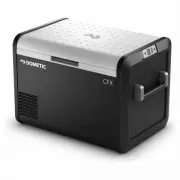
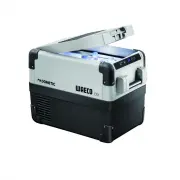
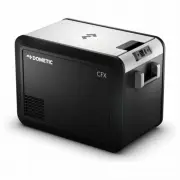
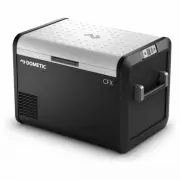
EN Function description CFX3 22 6 Function description The cooler can chill products, keep them cool as well as freeze them. A low maintenance refrigerant circuit with compressor provides the cooling. The generous insulation and powerful compressor ensure efficient and fast cooling. The cooler is po...
Page 23 - Operating and display elements; Item
EN CFX3 Function description 23 6.2 Operating and display elements Latch for lid: fig. 2 1, page 3 Operating panel (fig. 3 , page 4): Connection sockets (fig. 4 , page 4): Item Description Explanation 1 Switches the cooler on when the button is pressed briefly Switches the cooler off when the button...
Page 24 - Operation; Before initial use; NOTE
EN Operation CFX3 24 7 Operation 7.1 Before initial use I 7.2 Energy saving tips • Choose a well ventilated location which is protected from direct sunlight. • Allow warm food to cool down first before placing it in the cooling device to keep cool. • Do not open the cooling device more often than ne...
Page 25 - Connecting to a battery; Using the cooler; DANGER! Electrocution hazard; Item Description
EN CFX3 Operation 25 Connecting to a battery ➤ Proceed as shown (fig. 7 , page 7). Connecting to an AC power supply D ➤ Proceed as shown (fig. 8 , page 7). 7.5 Using the cooler A I • Switching on the cooler: fig. 9 , page 8 • Switching off the cooler: fig. 0 , page 8 7.6 Using the display Display st...
Page 26 - Locking/unlocking the display; NOTICE! Damage hazard from excessively low temperature
EN Operation CFX3 26 Display overview: fig. b , page 9 Navigating through the menus The highlighted menu is selected. ➤ Press to navigate upwards. ➤ Press to navigate downwards. Choosing a menu ➤ Press to select the required menu. Changing settings The highlighted value or setting is selected. ➤ Pre...
Page 27 - Using the battery protection; You can activate each zone individually or both of them.; NOTICE! Damage hazard
EN CFX3 Operation 27 7.10 Using the battery protection The device is equipped with 3-stage battery protection. The battery protection pre-vents excessive discharging when the device is connected to a vehicle starter battery or maximises the use of a supply battery. If the cooler is operated when the...
Page 28 - Filling the ice trays with water; Re-position the ice trays in the ice maker housing and close the lid.; Removing the ice cubes; Remove the ice tray covers and twist trays to release the ice cubes.; The factory setting for the ice maker is OFF.
EN Operation CFX3 28 7.13 Using the ice maker (only CFX 3 55IM) I ➤ Proceed as shown (fig. i , page 12). Filling the ice trays with water ➤ Remove the ice trays (fig. j 1, page 13) from the ice maker housing (fig. j 2, page 13). ➤ Remove the ice tray covers, fill with clean water and re-fit the cove...
Page 29 - Removing the ice maker housing; Lift the housing at one end until the lug unclips, then remove.; Tips for using the ice maker; Downloading the CFX3 app; Download the CFX3 app from App Store or Google Play.
EN CFX3 Operation 29 Removing the ice maker housing The ice maker housing can be removed for cleaning or when not in use to increase usable space inside the cooler: ➤ Lift the housing at one end until the lug unclips, then remove. ➤ Reverse procedure for re-fit, pushing down on lugs to snap into pos...
Page 31 - Resetting to factory settings; To defrost the cooler, proceed as follows:
EN CFX3 Operation 31 7.19 Resetting to factory settings The reset function changes all display menu and app fields to the original factory settings. ➤ Proceed as shown (fig. m , page 14). 7.20 USB port for power supply The USB port allows you to charge small devices like mobile phones and mp3 player...
Page 33 - Cleaning and maintenance; Never clean the cooler under running water or in dish water.
EN CFX3 Cleaning and maintenance 33 8 Cleaning and maintenance A ➤ Occasionally clean the device interior and exterior with a damp cloth. ➤ Make sure that the air inlet and outlet vents on the device are free of any dust and dirt, so that heat can be released and the device is not damaged. 9 Trouble...
Page 34 - Troubleshooting; Alert messages
EN Troubleshooting CFX3 34 Alert messages E.g. see fig. n A, page 14. The app cannot con-trol the device. Bluetooth or WiFi is not connected. Connect Bluetooth, see chapter “Set-ting the Bluetooth signal and connecting to the app” on page 30, or Connect WiFi, see chapter “Setting the WiFi sig-nal an...
Page 35 - Warning codes; Warning code
EN CFX3 Troubleshooting 35 Warning codes E.g. see fig. n B, page 14. Warning code Fault Possible cause Suggested remedy !WARNING 32 Fan over-current Internal fault. Turn off the device for at least 5 mins., then restart. If the problem persists, authorised repair centre inspection required !WARNING ...
Page 36 - Warranty; A copy of the receipt with purchasing date; Australia only; Disposal; WARNING! Risk of child entrapment
EN Warranty CFX3 36 10 Warranty The statutory warranty period applies. If the product is defective, please contact your retailer or the manufacturer's branch in your country (see back page). For repair and warranty processing, please include the following documents when you send in the device: • A c...
Page 37 - Technical data
EN CFX3 Technical data 37 12 Technical data I Test/certificates: NOTE The minimum temperature shown in „Cooling capacity“ cannot be attained if the ambient temperature is above 32 °C (90 °F) for models CFX3 35/45/55/55IM or the ambient temperature is above 30 °C (86 °F) for models CFX3 75DZ/95DZ (se...
Page 39 - Standards
EN CFX3 Technical data 39 The coolant circuit contains R134a. Contains fluorinated greenhouse gases Hermetically sealed equipment Standards Determination of energy consumption: IEC 62552 (2018) Determination of volume: AS/NZS 4474.1:2007 CO 2 equivalent: 0.064 t 0.084 t 0.096 t Global warming potent...