Page 2 - Specific warnings for appliances with; I M P O R T A N T S A F E G U A R D S
2 • Use this appliance only as described in this instruction manual. As with all electrical equipment, whilst the instructions aim to cover as many eventuali- ties as possible, caution and common sense should be applied when operating and instal- ling this appliance. • This appliance is designed for...
Page 3 - ELECTRICAL CONNECTIONS; WHAT IS THE WATER-AIR PINGUINO
3 • Refrigerant gas may be odourless. • The appliance must be installed, used and stored in a room with a surface area greater than 15 m². • This appliance contains about 300 g of R290 refrigerant gas. • R290 refrigerant gas complies with European environmental directives. Do not perforate any of th...
Page 4 - DESCRIPTION
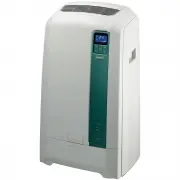
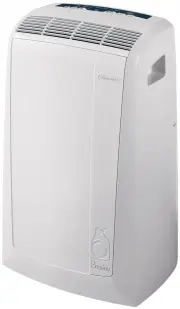
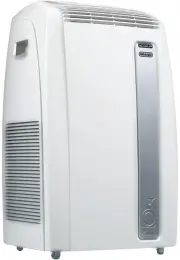
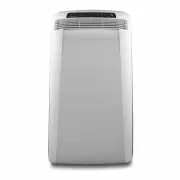
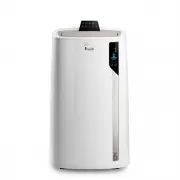
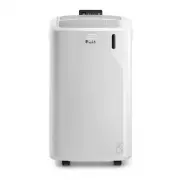
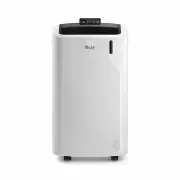
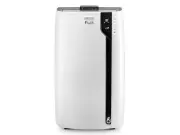
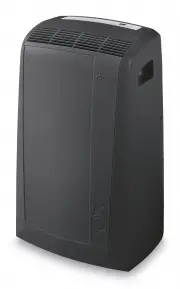
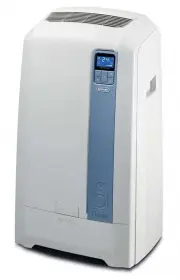
4 DESCRIPTION A Air outlet grilleB Control panel with advanced LCD displayC HandleD Grille E CastorsF Air intake grille with dust filterG Condensate drain connectorH Power cableI Pull out tankJ Tank doorK Air exhaust hose L Remote controlM Air exhaust hose housingN Window outletO Silver ion filterP ...
Page 5 - PREPARING FOR USE; Air-conditioning without installation
5 You can also use the “adjustable bar” accessory (T).• Fit the window outlet in the housing in the bar (fig. 4) • Position the bar on the window sill and adjust until it fits in the guides of the blind (the length can be blocked with the pin pro-vided), then lower the blind (fig. 5). • Fit the air ...
Page 6 - Air-conditioning with installation; Keep the air hose as short and free of cur-
6 Keep the air hose as short and free of cur- ves as possible to avoid bottlenecks. Air-conditioning with installation If required, your appliance can be installed semi-permanently (Fig. 8).Proceed as follows:• Drill a 134 mm dia. hole in an outside wall or through a window pane, respecting the heig...
Page 7 - • The length of time the water in the tank lasts; The appliance is fitted with a resin lime-; CF; ” is displayed when the limescale fil-; Setting water hardness; To set water hardness, proceed as follows:; Filling the tank
7 PREPARING FOR OPERATION IN WATER MODE Once the appliance has been installed, it is ready for use. However, its efficiency can be enhanced by ope-rating it in the exclusive De’Longhi water mode. The water in the tank increases the cooling po-wer of your Pinguino and at the same time redu-ces noise ...
Page 8 - Replacing the limescale filter
8 ling hole. It holds a maximum of 10 litres. Replace the cap correctly and close the tank, pu- shing it in as far as it will go. The tank hole has a mesh filter to prevent the introduction of foreign matter. If necessary, this filter can be unscrewed and removed for cleaning under running water. • ...
Page 9 - button; Turning the appliance on; Resin filter
9 DESCRIPTION OF THE CONTROL PANEL WITH ADvANCED LCD DISPLAY 1 Air conditioning symbol2 Dehumidifying symbol3 Fan symbol4 SMART symbol5 BOOST symbol6 SLEEP symbol7 Alarm symbol8 Temperature indicator9 “No water” symbol10 Timer symbol11 Speed indicator12 AUTOFAN indicator13 FAN button14 Increase (+) ...
Page 12 - USING THE REMOTE CONTROL; Inserting or replacing the batteries
12 USING THE REMOTE CONTROL • Point the remote control at the receiver on the appliance. The remote control must be no more than 7 metres away from the ap-pliance (without obstacles between the re-mote control and the receiver). • The remote control must be handled with extreme care. Do not drop it ...
Page 13 - When the BOOST function is active, the; Selecting the temperature scale
13 BOOST function (fig. 27) Ideal for the summer to cool rooms rapidly. Activate by simply pressing the button. The appliance operates in air conditioning mode at maximum fan speed and maximum power. While this function is selected, it is not possible to set the temperature or change fan speed. When...
Page 14 - PROGRAMMING THE TIMER; Programming start up
14 If you need to disable the timer on or off pro- gramme in advance, press the or but- ton respectively twice. PROGRAMMING THE TIMER The timer can be programmed to start and stop the appliance when required. Programming start up • Press the button. The start-up time and symbol flash on the remote c...
Page 15 - Error messages are displayed on the appliance display.
15 SELF-DIAGNOSIS The appliance has a self diagnosis system to identify a number of malfunctions. Error messages are displayed on the appliance display. IF ... IS DISPLAYED, ...WHAT SHOULD I DO? No water symbol Change filter When this message is displayed, the water filter needs replacing as describ...
Page 17 - CLEANING; Cleaning the cabinet
17 Silver ion filter This filter, located in the back side of the applian- ce, is treated with silver ions which not just retain dust particles, but also have an efficient antibac- terial action. It also greatly reduces concentra- tions of irritants such as pollen and spores. Electrostatic filter Th...
Page 18 - Emptying the tank; TECHNICAL CHARACTERISTICS; Limit conditions; GUARANTEE
18 START OF SEASON OPERATIONS Make sure the power cable and plug are undama- ged and the earth system is efficient. Follow the installation instructions precisely. END OF SEASON OPERATIONS Before putting the appliance away or moving it to another location, empty any water left in the tanks. Emptying...
Page 19 - TROUBLESHOOTING
19 PROBLEM CAUSE SOLUTION The air conditioner does not come on • there is no current • it is not plugged into the mains • the internal safety device has tripped • wait • plug into the mains • call the Service Centre The air conditioner works for a short time only • there are bends or kinks in the ai...