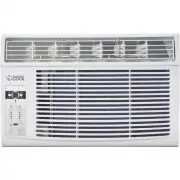
Page 3 - CONTENTS; SAFETY INFORMATION
ENGLISH Page 3 CONTENTS 1. READ these instructions carefully before installing and operating the appliance. Keep them for further reference. 2. Record in the space below the “SERIAL/MODEL NUMBER” found on the back or bottom of your appliance and retain this information for future reference. SERIAL N...
Page 4 - IMPORTANT SAFETY INSTRUCTIONS; CAUTION
ENGLISH Page 4 IMPORTANT SAFETY INSTRUCTIONS 1. Air conditioner must be connected to proper electrical outlet with the correct electrical outlet with the correct electrical supply. 2. Proper grounding must be ensured to reduce the risk of shock and fire. DO NOT CUT OR REMOVE THE GROUNDING PRONG. If ...
Page 5 - HOUSEHOLD USE ONLY; SAVE THESE INSTRUCTIONS; HOUSEHOLD USE ONLY
ENGLISH Page 5 14. Children should be supervised to ensure that they do not play with the appliance. SAVE THESE INSTRUCTIONS HOUSEHOLD USE ONLY BATTERY INFORMATION KEEP OUT OF REACH OF CHILDREN. Swallowing may lead to serious injury or death. Severe burns can occur within 2 hours of ingestion. Immed...
Page 6 - GROUNDING INSTRUCTIONS; ELECTRICAL REQUIREMENTS; POWER SUPPLY CORD
ENGLISH Page 6 SAFETY INFORMATION WARNING Improper use of the grounding plug can result in a risk of electric shock. GROUNDING INSTRUCTIONS ELECTRICAL REQUIREMENTS The electrical requirements are a 115 volt 60 Hz, AC only, 15 amp. It is recommended that a separate circuit serving only the product be...
Page 7 - OPERATING CONDITION
ENGLISH Page 7 SAFETY INFORMATION POWER CORD USE The power supply cord contains a current device that senses damage to the power cord. To test your supply cord follow these steps: 1. Plug in the Air Conditioner. 2. The power supply cord head has two buttons, a TEST button and a RESET button. Press t...
Page 8 - SAFETY GUIDELINES
ENGLISH Page 8 SAFETY GUIDELINES To prevent injury to the user or other people and property damage, the following instructions must be followed. Incorrect operation due to ignoring of instructions may cause harm or damage. ALWAYS DO THIS NEVER DO THIS ENERGY SAVE • Your air conditioner should be use...
Page 9 - WINDOW REQUIREMENTS:
ENGLISH Page 9 SET UP & USE NOTE: All the illustrations in this manual are for explanation purpose only. The air conditioner you have may be slightly different. WINDOW REQUIREMENTS: Your air conditioner is designed to install in standard double hung windows with opening widths of 23 to 36 inches...
Page 10 - PREPARE THE WINDOW; PREPARE AIR CONDITIONER
ENGLISH Page 10 SET UP & USE PREPARE THE WINDOW Lower sash must open sufficiently to allow a clear vertical opening of 13 inches (330mm). Side louvers and the rear of the AC must have clear air space to allow enough airflow through the condenser, for heat removal. The rear of the unit must be ou...
Page 12 - INSTALL SUPPORT BRACKET
ENGLISH Page 12 SECURE THE ACCORDION PANELS A. Keep a firm grip on the air conditioner, carefully place the unit into the window opening so the bottom of the air conditioner frame is against the window sill (Fig. 5A and Fig. 5B). Carefully close the window behind the top rail of the unit. NOTE: Chec...
Page 13 - INSTALL R1 HARDWARE; INSTALL WEATHER STRIPPING
ENGLISH Page 13 SET UP & USE INSTALL R1 HARDWARE In order to minimize air leaks and ensure optimal insulation, it is necessary to install the included R1 hardware to the side curtain. Follow the instructions below.Step 1. After the unit is installed to the window, measure the inner width of the ...
Page 14 - AIR CONDITIONER FEATURES; AIR DIRECTIONAL LOUVERS
ENGLISH Page 14 SET UP & USE AIR CONDITIONER FEATURES WARNING: To reduce the risk of fire, electric shock, or injury to persons, read the IMPORTANT SAFETY INSTRUCTIONS before operating this appliance. CAUTION: Please always wait 3 minutes when turning unit off then on again, and when changing fr...
Page 15 - BATTERY INSTRUCTIONS
ENGLISH Page 15 SET UP & USE TIMER SPEED ONE TOUCH SLEEP ENERGY SAVER MODE TIMER SPEED ONE TOUCH SLEEP ENERGY SAVER MODE Horizontal Louvers Remote Control Control Panel Control Panel BATTERY INSTRUCTIONS Note: Battery Not Included Step 1: Insert a coin vertically in the groove on the battery cov...
Page 16 - REMOTE CONTROL
ENGLISH Page 16 SET UP & USE REMOTE CONTROL TIMER SPEED ONE TOUCH SLEEP ENERGY SAVER MODE Power Button Mode Button Temp Up + Speed Button Sleep Button Temp Down - Timer button Energy SaverOne Touch POWER BUTTON Operation starts when this button is pressed and stops when the button is pressed aga...
Page 17 - OPERATING INSTRUCTIONS; TO ADJUST FAN SPEEDS:; CHECK FILTER FEATURE:
ENGLISH Page 17 SET UP & USE OPERATING INSTRUCTIONS The unit can be controlled by the unit control alone or with the remote. NOTE: The outline of the operation panel is based on typical model, the function is the same with your air conditioner while some difference may exist in appearance. TO TU...
Page 18 - TO OPERATE ON FAN ONLY:
ENGLISH Page 18 SET UP & USE TO OPERATE ON AUTO FEATURE: • When you set the air conditioner in AUTO mode, it will automatically select cooling, heating (cooling only models without), or fan only operation depending on what temperature you have selected and the room temperature. • The air conditi...
Page 19 - AIR FILTER CLEANING; CABINET CLEANING; WINTER STORAGE
ENGLISH Page 19 CLEANING & CARE AIR FILTER CLEANING CAUTION: Clean your air conditioner occasionally to keep it looking new. Be sure to unplug the unit before cleaning to prevent shock or fire hazards. The air filter should be checked at least once a month to see if cleaning is necessary. Trappe...
Page 20 - TROUBLESHOOTING & WARRANTY; competent in the use of the flammable refrigerants.; CUSTOMER SERVICE; IMPORTANT; DO NOT RETURN THIS PRODUCT TO THE STORE; TROUBLESHOOTING
ENGLISH Page 20 TROUBLESHOOTING & WARRANTY BEFORE YOU CALL FOR SERVICE IF THE AIR CONDITIONER FAILS TO OPERATE: A) Check to make sure that the air conditioner is plugged in securely. If it is not, remove the plug from the outlet, wait 10 seconds and plug it in again securely. B) Check for a blow...
Page 22 - LIMITED WARRANTY
ENGLISH Page 22 LIMITED WARRANTY Any repair, replacement, or warranty service, and all questions about this product should be directed to W Appliance Co. at 1 (855) 855-0294 from the USA or Puerto Rico. W Appliance Co. warrants to the original purchaser that the product will be free from defects in ...