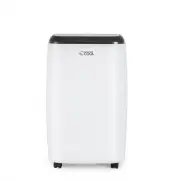
Page 3 - CONTENTS; SAFETY INFORMATION
Page 3 CONTENTS SAFETY INFORMATION Important Safety Instructions ......................................................................................................................................... 4-6 Grounding Instructions .........................................................................
Page 4 - IMPORTANT SAFETY INSTRUCTIONS; CAUTION
Page 4 SAFETY INFORMATION IMPORTANT SAFETY INSTRUCTIONS WARNING WARNING - Hazards or unsafe practices which COULD result in severe personal injury or death DANGER DANGER - Immediate hazards which WILL result in severe personal injury or death CAUTION CAUTION - Hazards or unsafe practices which COULD...
Page 5 - HANDLING ALKALINE BATTERIES
Page 5 HANDLING ALKALINE BATTERIES WARNING When handling alkaline batteries, basic safety precautions should be followed, including the following SAFETY INFORMATION 1. Should fluid from the battery accidentally get into your eyes, there is a threat of loss of eyesight, do not rub them. Immediately r...
Page 6 - SAVE THESE INSTRUCTIONS; HOUSEHOLD USE ONLY
Page 6 HANDLING ALKALINE BATTERIES WARNING When handling alkaline batteries, basic safety precautions should be followed, including the following SAFETY INFORMATION 10. Do not drop, throw or expose the battery to extreme impact. Doing so may cause the battery to leak fluid, overheat or explode. 11. ...
Page 7 - GROUNDING INSTRUCTIONS; ELECTRICAL REQUIREMENTS; Improper connection of the equipment grounding conductor
Page 7 GROUNDING INSTRUCTIONS ELECTRICAL REQUIREMENTS In the event of malfunction or breakdown, grounding provides a path of least resistance for electric current to reduce the risk of electric shock. The appliance must be connected to a cord having an equipment-grounding conductor and a grounding p...
Page 8 - WARNING – RISK OF FIRE
Page 8 SAFETY INFORMATION LCDI POWER CORD AND PLUG This air conditioner is equipped with an LCDI (Leakage Current Detection and Interruption) power cord that is required by UL. This power supply cord contains state-of-the-art electronics that sense leakage current. If the cord is damaged and leakage...
Page 9 - ALWAYS DO THIS
Page 9 SAFETY INFORMATION SAFETY GUIDELINES To prevent injury to the user or other people and property damage, the following instructions must be followed. Incorrect operation due to ignoring of instructions may cause harm or damage. ALWAYS DO THIS NEVER DO THIS ENERGY SAVE • Your air conditioner sh...
Page 10 - OPERATING CONDITION
Page 10 SAFETY INFORMATION MODE ROOM TEMPERATURE COOL 64˚F (18˚C) ~ 95˚F (35˚C) DEHUMIDIFY 64˚F (18˚C) ~ 95˚F (35˚C) HEAT 50˚F (10˚C) ~ 77˚F (25˚C) OPERATING CONDITION The air conditioner must be operated within the temperature range indicated below: NOTE: · Unit performance may be affected when in ...
Page 13 - WINDOW SLIDER KIT INSTALLATION
Page 13 SET UP & USE WINDOW SLIDER KIT INSTALLATION Your window slider kit has been designed to fit most standard “Vertical” and “Horizontal” window applications; however, it may be necessary for you to improvise/modify some aspect of the installation procedures for certain types of window. Mini...
Page 14 - EXHAUST HOSE INSTALLATION
Page 14 SET UP & USE EXHAUST HOSE INSTALLATION The air exhaust hose and hose inlet must be installed or removed from the portable air conditioner in accordance with the way it is being used: COOL, AUTO : Air exhaust hose and hose inlet should be connected to the portable air conditioner. FAN, DE...
Page 15 - CONTROL PANEL; OPERATING FROM THE CONTROL PANEL; TURNING THE APPLIANCE ON
Page 15 SET UP & USE CONTROL PANEL Pictures are for illustration purpose only. Your model may or may not have all the features. OPERATING FROM THE CONTROL PANEL The Control Panel enables you to manage all the main functions of the appliance, but to fully exploit its potential, you must use the r...
Page 18 - OPERATING FROM THE REMOTE CONTROL; BATTERY INSTALLATION (BATTERIES NOT INCLUDED)
Page 18 SET UP & USE OPERATING FROM THE REMOTE CONTROL BATTERY INSTALLATION (BATTERIES NOT INCLUDED) (1) Slide open the battery compartment cover. (2) Insert 2 × “AAA”batteries as shown. (3) Slide back the battery cover. CAUTION: Use only AAA or IEC R03 1.5V alkaline batteries. Remove the batter...
Page 19 - REMOTE CONTROL
Page 19 SET UP & USE REMOTE CONTROL POWER BUTTON: Press to Turn ON or OFF. MODE BUTTON: Each time you press the button COOL, DEHUMIDIFY, FAN, HEAT (HEAT model CPT10HWB only) is selected. INCREASE: Increase the temperature setting to 90°F in COOL mode or 81°F in HEAT mode (HEAT model CPT10HWB onl...
Page 21 - DEHUMIDIFY; FAN
Page 21 DEHUMIDIFY Ideal for reducing humidity. • Keep window and door closed for the best dehumidifying effect . • Exhaust hose attachment is not required in this mode. Draining in Dehumidify mode • It is recommended that the dehumidification drain and drain hose be used for continuous drainage. • ...
Page 27 - WATER DRAINAGE; Draining in Cooling Mode.; Continuous Draining for Cooling Mode.
Page 27 SET UP & USE WATER DRAINAGE Draining in Cooling Mode. This air conditioner is equipped with auto water evaporation so the water compartment would not typically fill in cooling mode unless there is high humidity. Water drainage will generally only be required at the end of the season (see...
Page 28 - Continuous Draining for Dehumidification Mode.; WAIT 3 MINUTES BEFORE RESUMING OPERATION
Page 28 Continuous Draining for Dehumidification Mode. Unplug the unit from the power source. Remove the drain cap located in the back center of the unit. While doing this operation some residual water may spill so have a drip pan (not supplied) to collect the water. Connect the drain hose (supplied...
Page 29 - CLEANING; START - END OF SEASON OPERATIONS
Page 29 CLEANING & CARE CLEANING WARNING: Before cleaning or maintenance, turn the appliance off by pressing the button on the control panel or button on the remote control. Unplug from the electrical outlet. CLEANING THE CABINET You should clean the appliance with a slightly damp cloth then dry...
Page 30 - CUSTOMER SERVICE; IMPORTANT; DO NOT RETURN THIS PRODUCT TO THE STORE
Page 30 TROUBLESHOOTING & WARRANTY BEFORE YOU CALL FOR SERVICE IF THE AIR CONDITIONER FAILS TO OPERATE: A) Check to make sure that the air conditioner is plugged in securely. If it is not, remove the plug from the outlet, wait 10 seconds and plug it in again securely. B) Check for a blown circui...
Page 31 - TROUBLESHOOTING & WARRANTY
Page 31 TROUBLESHOOTING & WARRANTY Troubleshoot your problem by using the chart below. If the air conditioner still does not work properly, contact W Appliance Co. customer service center or the nearest authorized service center. Customers must never troubleshoot internal components. TROUBLE POS...
Page 33 - IC Warning
Page 33 This device complies with part 15 of the FCC rules. Operation is subject to the following two conditions: 1) This device may not cause harmful interference, and 2) This device must accept any interference received, including interference that may cause undesired operation. This equipment has...