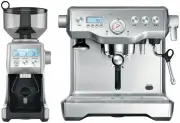
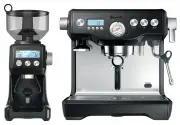
Page 2 - CONGRATULATIONS; on the purchase of your new; CONTENTS
3 CONGRATULATIONS on the purchase of your new Breville product CONTENTS 4 Breville recommends safety first 12 Know your Breville product 16 Setting up your Breville product 19 Operating your Breville product 36 Care & cleaning 41 Troubleshooting 47 Coffees to try
Page 3 - FOR ALL ELECTRICAL; IMPORTANT SAFEGUARDS FOR
4 5 PAGE HEADER..... PAGE HEADER..... BREVILLE RECOMMENDS SAFETY FIRST BREVILLE RECOMMENDS SAFETY FIRST 5 At Breville we are very safety conscious. We design and manufacture consumer products with the safety of you, our valued customer, foremost in mind. In addition we ask that you exercise a degree...
Page 4 - BREVILLE RECOMMENDS SAFETY FIRST; SPECIFIC INSTRUCTIONS
6 7 PAGE HEADER..... BREVILLE RECOMMENDS SAFETY FIRST coffee and how the espresso machine is designed to function. • Ensure the portafilter is firmly inserted and secured into the group head before starting an extraction. Never remove the portafilter during the brewing process. • Do not leave the pr...
Page 5 - IMPORTANT SAFEGUARDS
8 9 • Do not operate the Breville Smart Grinder™ Pro without locking the bean hopper lid in position. Keep fingers, hands, hair, clothing and utensils away from the bean hopper during operation. • The coffee grinder should not be switched on until the bean hopper and hopper lid are locked into posit...
Page 6 - SAVE THESE INSTRUCTIONS
10 11 BREVILLE RECOMMENDS SAFETY FIRST FEATURES OF THE DUAL BOILER™ TRIPLE HEAT SYSTEM Dual Stainless Steel Boilers Dedicated espresso and steam boilers for simultaneous milk texturing and espresso extraction at the optimum temperature. Actively Heated Group Head Commercial 58mm group head with embe...
Page 7 - Display Modes; KNOW YOUR BREVILLE PRODUCT
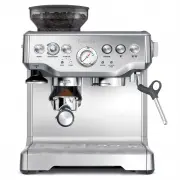
12 13 KNOW YOUR BREVILLE PRODUCT G H EF CD B A I J K L M N O Q P A A. Top fill 2.5 litre removable water tank with integrated water filter and backlit level indicator. B. POWER button C. Backlit LCD interface displays current settings and simplifies programming functions. D. MENU access and DISPLAY ...
Page 8 - Oi
14 15 KNOW YOUR BREVILLE PRODUCT C B D EF G H M L O N A K J I Oi Oii KNOW YOUR BREVILLE PRODUCT A. Bean Hopper Lid Air tight seal to maximise bean freshness. B. Bean Hopper 450g bean hopper with locking system for easy removal and bean transfer. C. Hardened Stainless Steel Conical Burrs Maximises pa...
Page 9 - Machine Preparation; WARNING; Both the STEAM LEVER and HOT; Flushing The Machine; SETTING UP YOUR BREVILLE PRODUCT; NOTE; SELECTING FILTER BASKET; SINGLE WALL Filter Baskets
16 17 SETTING UP YOUR BREVILLE PRODUCT THE DUAL BOILER™BEFORE FIRST USE Machine Preparation Remove and discard all labelling and packaging materials attached to your espresso machine. Ensure you have removed all parts and accessories before discarding the packaging.Clean parts and accessories (water...
Page 10 - ENERGY SAVING FEATURE; ASSEMBLY; PUSH
18 19 SETTING UP YOUR BREVILLE PRODUCT THE SMART GRINDER™ PROGRINDER OVERVIEW Your Smart Grinder™ Pro uses Hardened Stainless Steel Conical Burrs and is able to grind whole bean coffee suitable for a range of Brewing Methods, from the finest setting for Espresso to the coarsest setting for Plunger. ...
Page 11 - OR; OPERATING YOUR BREVILLE PRODUCT
20 21 OPERATING YOUR BREVILLE PRODUCT Rotate the Grind Amount dial to adjust the grinding time to achieve the correct amount of coffee. Increasing time will increase the dose and decreasing the time will decrease the dose. START PAUSE GRIND AMOUNT SHOTS CUPS CANCEL PROGRAM STEP 3: Select your Grind ...
Page 12 - Texturing Milk; GRIND; OVER EXTRACTED; UNDER EXTRACTED; EXTRACTION GUIDE; Display modes; GENERAL OPERATION
22 23 PAGE HEADER..... OPERATING YOUR BREVILLE PRODUCT STEP 10: Texturing Milk • Always start with fresh cold milk. • Fill the jug just below the “V” at the bottom of the spout. • Position the steam tip above the drip tray and lift the steam lever to purge the steam wand of any condensed water. • In...
Page 13 - MANUAL; STEAM; Pressurised steam can still be released,; HOT WATER; select your desired function.; SHOT DURATION; new 1 CUP duration has been set.; CUP Duration Programming; new 2 CUP duration has been set.
24 25 PAGE HEADER..... PAGE HEADER..... OPERATING YOUR BREVILLE PRODUCT The machine will stop after 2 CUP volume has been extracted and will return to STANDBY mode. MANUAL The MANUAL button allows you to control the espresso pour volume to suit your preference.Press MANUAL button once to start the e...
Page 14 - CUP Volume Programming; EXTRACTION TEMPERATURE; The optimum temperature will depend on the; SET CLOCK; Press UP or DOWN arrow to adjust the time.
26 27 PAGE HEADER..... PAGE HEADER..... OPERATING YOUR BREVILLE PRODUCT SHOT VOLUME 1 CUP Volume Programming Press MENU button until SHOT VOL icon flashes and 1 CUP is displayed on the LCD screen.Dose & tamp the portafilter with ground coffee. Press 1 CUP button to start espresso extraction. Pre...
Page 15 - Resetting default settings
28 29 PAGE HEADER..... PAGE HEADER..... OPERATING YOUR BREVILLE PRODUCT Press EXIT button. Machine will beep once to confirm setting. CLEAN CYCLE Press MENU button until CLEAN CYCLE icon flashes and PUSH is displayed on the LCD screen.To start the CLEAN CYCLE press the illuminated MANUAL button. The...
Page 16 - With machine in STANDBY mode, press; ALERTS
30 31 PAGE HEADER..... PAGE HEADER..... OPERATING YOUR BREVILLE PRODUCT Steam Temperature (StEA) Adjust Steam Temperature to control the pressure of the steam being delivered. Lower steam temperature to texture smaller volumes of milk or have more control. Raise steam temperature to texture larger v...
Page 17 - PULL; Pause Function; ADJUSTING YOUR GRIND AMOUNT; Increasing the Grind Amount
32 33 PAGE HEADER..... PAGE HEADER..... OPERATING YOUR BREVILLE PRODUCT For information on how to clean the machine, refer to the CLEAN CYCLE instructions on page 36. THE SMART GRINDER™ PRO FEATURES You can grind directly into Grinds Container or Coffee Filter STEP 1: Remove cradle by sliding out fr...
Page 18 - Decreasing the Grind Amount; To decrease grind amount selected, turn the
34 35 PAGE HEADER..... PAGE HEADER..... Decreasing the Grind Amount To decrease grind amount selected, turn the GRIND AMOUNT dial to the left. Each adjustment will decrease the grind time by 0.2 of a second. START PAUSE GRIND AMOUNT SHOTS CUPS CANCEL PROGRAM NOTE To RESET the grind amount/time to th...
Page 20 - – Empty Boilers; REMOVE; THE SMART GRINDERTM PRO CARE,
38 39 CARE & CLEANING c) Press UP or DOWN arrow to set mode, the ‘dESC’ will appear on the LCD. Press the MENU button to enter Descale mode. 2 – Empty Boilers a) Remove the grey silicone cover on the lower front panel marked DESCALE ACCESS. Place a cloth over the drip tray to stop steam escaping...
Page 24 - TROUBLESHOOTING
46 47 PROBLEM POSSIBLE CAUSE WHAT TO DO Grinder does not start after pressing START| PAUSE|CANCEL button • Grinder not plugged in. • Grinder has overheated. • Bean hopper not attached correctly. ‘PLEASE LOCK HOPPER’ will be displayed on LCD screen. • Plug power cord into power outlet. • Remove power...