Page 3 - Please read this user manual first!; and information in the user manual.; Explanation of symbols; Throughout this user manual the following symbols are used:
Please read this user manual first! Dear Customer, Thank you for prefering a Beko product. We hope that you get the best results from your product which has been manufactured with high quality and state-of-the-art technology. Therefore, please read this entire user manual and all other accompanying ...
Page 4 - TABLE OF CONTENTS; General safety instructions
4 / EN Washing Machine / User’s Manual TABLE OF CONTENTS 1 General safety instructions 5 1.1 Life and property safety ------------------------------------------------------------------------------51.2 Children's safety ---------------------------------------------------------------------------------...
Page 5 - Troubleshooting
5 / EN Washing Machine / User’s Manual 4.6 Operating the product --------------------------------------------------------------------------------22 4.6.1 Control panel --------------------------------------------------------------------------------------------------- 224.6.2 Display symbols --------...
Page 6 - General safety instructions; Life and property safety
6 / EN Washing Machine / User’s Manual 1 General safety instructions This section includes security instructions which may help prevent the injuries and material damage risks. All kinds of warranties shall be invalid if these instructions are not observed. 1.1 Life and property safety u Never place ...
Page 7 - Electrical safety
7 / EN Washing Machine / User’s Manual 1.2 Children's safety u This product can be used by children at and above 8 years old and by persons whose physical, sensory or mental capabilities were not fully developed or who lack experience and knowledge provided that they are supervised or trained on the...
Page 8 - Hot surface safety
8 / EN Washing Machine / User’s Manual u Do not wash the product by spraying or pouring water onto it! Risk of electric shock! u Never touch the power cable plug with wet hands! Never unplug by pulling on the cable. Always press on the plug with one hand and pull out the plug by grabbing with the ot...
Page 9 - Important instructions for environment; Compliance with WEEE Directive; Compliance with RoHS Directive:; Package information; collection points designated by the local authorities.; Intended use; should not be used out of its intended use.
9 / EN Washing Machine / User’s Manual 2 Important instructions for environment 2.1 Compliance with WEEE Directive This product complies with EU WEEE Directive (2012/19/EU). This product bears a classification symbol for waste electrical and electronic equipment (WEEE). This product has been manufac...
Page 10 - Your product
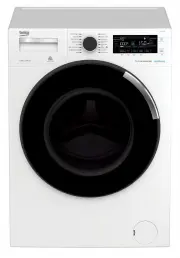
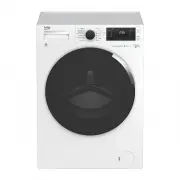
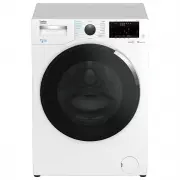
10 / EN Washing Machine / User’s Manual 4 Your product 4.1 Overview 1 2 3 4 5 6 7 8 1- Power cable 2- Top panel 3- Control panel 4- Drain hose 5- Loading door 6- Filter cap 7- Adjustable feet 8- Detergent drawer
Page 11 - 6- Plastic plug group
11 / EN Washing Machine / User’s Manual 4.2 Package Contents 9 10 11 12 13 14 15 16 a b c 9- Power cable 10- Drain hose 11- Transportation safety bolts* 12- Mains water inlet hose (One of the following filter types is used for the mains hose connection.) a- Electronic water shut-off b- Mechanical wa...
Page 12 - Technical specifications
12 / EN Washing Machine / User’s Manual 4.3 Technical specifications Supplier name or trademark Beko Model name WMY 1048 LB1 Rated capacity (kg) 10 Energy efficiency class / Scale from A (Highest Efficiency) to D (Lowest Efficiency) A Maximum spin speed (rpm) 1400 Height (cm) 84 Width (cm) 60 Depth ...
Page 14 - Removing transportation safety bolts; Remove the transport safety bolts by turning them slightly.
14 / EN Washing Machine / User’s Manual 4.4.3 Removing transportation safety bolts 1 Loose all transportation safety bolts with an appropriate wrench until they turn freely (C) . 2 Remove the transport safety bolts by turning them slightly. 3 Insert the plastic covers in the bag containing the user ...
Page 15 - Connecting the drain hose to the drain; into the drain for more than 15 cm. If it is too long, cut it short.
15 / EN Washing Machine / User’s Manual 1 Tighten the nuts of the hose by hand. Never use a tool when tightening the nuts. 2 When hose connection is completed, check whether there is leak problems at the connection points by opening the taps fully. If any leaks occur, turn off the tap and remove the...
Page 17 - * Always obey the instructions given on the garment tags.; LAUNDRY WASH SYMBOLS
17 / EN Washing Machine / User’s Manual 4.5 Preparation 4.5.1 Sorting the laundry * Sort laundry according to type of fabric, color, and degree of soiling and allowable water temperature. * Always obey the instructions given on the garment tags. LAUNDRY WASH SYMBOLS Symbols for washing on machine No...
Page 18 - Things to be done for energy saving
18 / EN Washing Machine / User’s Manual 4.5.2 Preparing laundry for washing • Laundry items with metal attachments such as, underwiring, belt buckles or metal buttons will damage the product. Remove the metal pieces or wash the clothes by putting them in a laundry bag or pillow case. • Take out all ...
Page 19 - Detergent, softener and other cleaning agents
19 / EN Washing Machine / User’s Manual 4.5.4 Loading the laundry 1. Open the laundry cover. 2. Put the laundry items into the product in a loose manner. 3. Push and close the loading cover until you hear the locking sound. Ensure that no items are caught in the door. The loading door is locked whil...
Page 20 - Adjusting detergent amount
20 / EN Washing Machine / User’s Manual • When washing dark coloured clothes and quilts, it is recommended to use liquid detergent. • Wash woolens with special detergent made specifically for woolens. A CAUTION: Use only detergents manufactured specifically for washing machines. CAUTION: Do not use ...
Page 21 - Using starch
21 / EN Washing Machine / User’s Manual Using starch • Put the liquid soda, powder soda or the fabric dye into the softener compartment. Do not use softener and starch together in a washing cycle. • Wipe the inside of the product with a damp and clean cloth after using starch. Using limescale remove...
Page 22 - Light Colours and
22 / EN Washing Machine / User’s Manual 4.5.7 Tips for efficient washing Clothes Light Colours and Whites Colours Black/Dark Colours Delicates/ Woolens/Silks (Recommended temperature range based on soiling level: 40-90 oC) (Recommended temperature range based on soiling level: cold -40 oC) (Recommen...
Page 23 - Operating the product
23 / EN Washing Machine / User’s Manual 4.6 Operating the product 4.6.1 Control panel 17 - Programme selection knob 18 - Spin speed adjustment button 19 - Temperature adjustment button 20 - Display 21 - Program follow-up indicator 22 - On / Off button 23 - Start / Pause button 24 - End time setting ...
Page 25 - Select the desired programme with the; Programme Selection; • Cottons; an additional rinsing step provide a higher level of hygiene.
25 / EN Washing Machine / User’s Manual 4.6.4 Programme selection 1 Determine the programme suitable for the type, quantity and soiling level of the laundry in accordance with the "Programme and consumption table". C Programmes are limited with the highest spin speed appropriate for that par...
Page 26 - • Synthetics; Use to drain the water in the product.; • Rinse
26 / EN Washing Machine / User’s Manual Allergy UK is the operational name of The British Allergy Foundation. The Seal of Approval endorsement, which indicates that the product bearing it specifically restricts / reduces / removes allergens from the environment of the allergy sufferer or has signifi...
Page 27 - • Wool; place it in a way that it will not contact the bellow.; • Hand Wash
27 / EN Washing Machine / User’s Manual • Wool Use this programme to wash your machine-washable woolen laundry. Select the appropriate temperature complying with the tags of your clothes. Use appropriate detergents for woolens. Makes a very sensitive wash using the special washing actions shown in t...
Page 28 - • WaterProof Care; water consumption and programme time.; Press the; Temperature Adjustment; button to change the temperature. Temperature will
28 / EN Washing Machine / User’s Manual • WaterProof Care Use this programme to wash laundry having finishing protection. With its special washing action that rotates with high speed as shown with arrows in the figure, it washes the sportswear or outdoor garments that have a chemical finishing makin...
Page 29 - programme is displayed on the; Spin Speed Adjustment; button to change the spin speed. Spin speed; Rinse Hold; If you want to spin your laundry after the Rinse Hold function:; - Adjust the Spin Speed; button. The programme resumes. It performs spinning by; No
29 / EN Washing Machine / User’s Manual If the programme step allows, you can change temperature after the washing starts. C If you scroll to cold wash option and press Temperature Adjustment button again, the recommended maximum temperature for the selected programme appears on the display. Press t...
Page 30 - the auxiliary function symbol also starts to illuminate.; • Prewash
30 / EN Washing Machine / User’s Manual If the programme step allows, you can change spin speed after the washing starts. 4.6.8 Auxiliary function selection Select the desired auxiliary functions before starting the programme. Whenever a programme is selected, frames of the auxiliary function symbol...
Page 31 - • Rinse Hold
31 / EN Washing Machine / User’s Manual • Rinse Hold If you are not going to unload your clothes immediately after the programme completes, you can use rinse hold function to keep your laundry in the final rinsing water in order to prevent them from getting wrinkled when there is no water in the pro...
Page 32 - 2 Changing the selections after programme has started
32 / EN Washing Machine / User’s Manual 4.6.10 Starting the programme 1 Press Start / Pause button to start the programme. 2 The Start / Pause button which was off before starts to illuminate steadily now, indicating that the programme has started. 1888 88:88 88 C 0 3 Loading door is locked. After i...
Page 33 - Adding laundry after the programme has started:; pause mode will flash.; Changing the programme selection after programme has started:; Changing the auxiliary function, speed and temperature; avoid any changes in a running programme.
33 / EN Washing Machine / User’s Manual Adding laundry after the programme has started: 1. Press the Start / Pause button to switch the machine to pause mode. The programme follow-up light of the relevant step during which the machine was switched into the pause mode will flash. 2. Wait until the Lo...
Page 35 - Maintenance and cleaning
35 / EN Washing Machine / User’s Manual 4.7 Maintenance and cleaning Service life of product extends and frequently experienced problems will be reduced if it is cleaned at regular intervals. 4.7.1 Cleaning the detergent drawer Clean the detergent drawer at regular intervals (every 4-5 washing cycle...
Page 36 - Cleaning the body and control panel; In order to clean the dirty filter and discharge the water:
36 / EN Washing Machine / User’s Manual 4.7.3 Cleaning the body and control panel Wipe the body of the product with soapy water or non-corrosive mild gel detergents as necessary, and dry with a soft cloth. Use only a soft and damp cloth to clean the control panel. 4.7.4 Cleaning the water intake fil...
Page 38 - Troubleshooting; Problem
38 / EN Washing Machine / User’s Manual 5 Troubleshooting Problem Reason Solution Programme cannot be started or selected. Washing machine has switched to self protection mode due to a supply problem (line voltage, water pressure, etc.). To cancel the programme, turn the Programme Selection knob t...