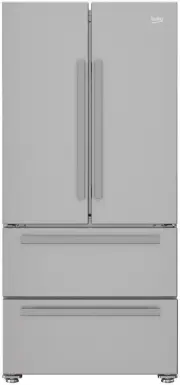
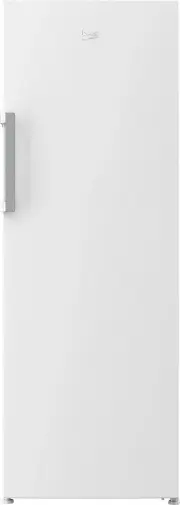
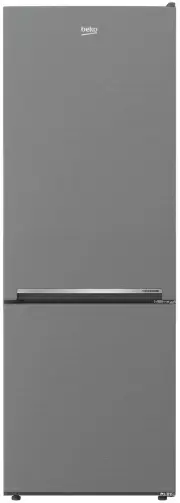
Page 2 - Always observe the applicable safety instructions.
Please read this manual before using the product! Dear Customer,We'd like you to make the best use of our product, which has been manufactured in modern facilities with care and meticulous quality controls.Thus, we advice you to read the entire user manual before you use the product. In case the pro...
Page 3 - Refrigerator / User Manual
2 / 31 EN Refrigerator / User Manual 1 Safety and environment instructions 3 1.1. General safety. . . . . . . . . . . . . . . . . . . . . . . 31.1.1 HC warning . . . . . . . . . . . . . . . . . . . . . . . . 41.1.2 For models with water dispenser . . . . . . . . 51.2. Intended use . . . . . . . . . ...
Page 4 - Safety and environment instructions
3 / 31 EN Refrigerator / User Manual 1 Safety and environment instructions This section provides the safety instructions necessary to prevent the risk of injury and material damage. Failure to observe these instructions will invalidate all types of product warranty. 1.1. General safety • This produc...
Page 6 - and Disposing of the Waste Product; This product complies with EU WEEE
5 / 31 EN Refrigerator / User Manual Safety and environment instructions C The label on the inner left side indicates the type of gas used in the product. 1.1.2 For models with water dispenser • Pressure for cold water inlet shall be maximum 120 psi (8 bar). If your water pressure exceeds 80 psi (5....
Page 8 - Refrigerator; Cooler compartment
7 / 31 EN Refrigerator / User Manual *1 *3 *2 *5 *6 7 *8 9 4 A B 2 Refrigerator C *Optional: Figures in this user guide are schematic and may not exactly match your product. If your product does not comprise the relevant parts, the information pertains to other models. A- Cooler compartment B- Freez...
Page 9 - Installation; WARNING; • Place the product on a flat surface to avoid; To attach the wedges, remove the screws on the
8 / 31 EN Refrigerator / User Manual 3 Installation 3.1. Right place for installation Contact the Authorized Service for the product's installation. To ready the product for installation, see the information in the user guide and make sure the electric and water utilities are as required. If not, ca...
Page 11 - hose to the product; To connect the water hose to the product,
10 / 31 EN Refrigerator / User Manual Installation3.6. Connecting water hose to the product To connect the water hose to the product, follow the instructions below. 1. Remove the connector on the hose nozzle adaptor in the back of the product and run the hose through the connector. 2. Push the water...
Page 13 - on the wall
12 / 31 EN Refrigerator / User Manual Installation3.9.1. Fixing external filter on the wall (Optional) A WARNING: Do not fix the filter on the product. Check to see the following parts are supplied with your product’s model: 1 2 3 4 5 6 1. Connector (1 piece): Used to attach the water hose to the re...
Page 14 - Ice Off ”
13 / 31 EN Refrigerator / User Manual Installation After the connection is established, it should look like the figure below. Water line: Carboy line: 3.9.2. Internal filter The internal filter provided with the product is not installed upon delivery; please follow the instructions below to install ...
Page 15 - “Ice”
14 / 31 EN Refrigerator / User Manual Installation 3. Remove the water filter by-pass cover by pulling. C A few drops of water may flow out after removing the cover; this is normal. 4. Place the water filter cover into the mechanism and push to lock in place. 5. Push the “Ice” button on the screen a...
Page 16 - Preparation; Before using your refrigerator, make sure the
15 / 31 EN Refrigerator / User Manual 4 Preparation 4.1. What to do for energy saving A Connecting the product to electronic energy-saving systems is harmful, as it may damage the product. • Do not keep the refrigerator doors open for long periods. • Do not place hot food or beverages into the refri...
Page 17 - Using the product
16 / 31 EN Refrigerator / User Manual C *Optional: The figures in this user guide are intended as drafts and may not perfectly match your product. If your product does not comprise the relevant parts, the information pertains to other models. 5 Using the product 5.1. Indicator panel Indicator panels...
Page 20 - vacation
19 / 31 EN Refrigerator / User Manual Using the product 1. Economic use This sign will light up when the freezer compart-ment is set to -18°C', the most economical setting. ( ) Economic use indicator will turn off when rapid cooling or rapid freezing function is selected. 2. High temperature / fault...
Page 21 - Freezer compartment temperature setting
20 / 31 EN Refrigerator / User Manual Using the product 9. Freezer compartment temperature setting The temperature in the freezer compartment is ad-justable. Pressing the button number (9) will enable the freezer compartment temperature to be set at -18,-19, -20, -21, -22, -23 and -24. ( ) 10. Rapid...
Page 25 - The ionizer system in the cooler compartment’s
24 / 31 EN Refrigerator / User Manual Using the product5.6. Telescopic drawer Pay attention not to squeeze any parts of your body such as hands, feet and etc. between the movable parts while the drawer is in use in order to avoid any injury.You can remove the partition in the drawer as illustrated w...
Page 26 - Using the ice container
25 / 31 EN Refrigerator / User Manual Using the product5.10. Movable middle section Movable middle section is intended to prevent the cold air inside your refrigerator from escaping outside.Sealing is provided when the gaskets on the door presses on the surface of the movable middle section while th...
Page 28 - storing frozen foods
27 / 31 EN Refrigerator / User Manual Using the product5.13. Freezing fresh food • To preserve food quality, the food items placed in the freezer compartment must be frozen as quickly as possible, use the rapid freezing for this. • Freezing the food items when fresh will extend the storage time in t...
Page 30 - Maintenance and cleaning
29 / 31 EN Refrigerator / User Manual 6 Maintenance and cleaning Cleaning the product regularly will prolong its service life. B WARNING: Disconnect the power before cleaning the refrigerator. • Do not use sharp and abrasive tools, soap, house cleaning materials, detergents, gas, gasoline, varnish a...
Page 31 - Troubleshooting; herein may not apply to your product.
30 / 31 EN Refrigerator / User Manual 7 Troubleshooting Check this list before contacting the service. Doing so will save you time and money. This list includes frequent complaints that are not related to faulty workmanship or materials. Certain features mentioned herein may not apply to your produc...
Page 33 - materials without free of odour.
32 / 31 EN Refrigerator / User Manual Troubleshooting • The ground is not level or durable. >>> If the product is shaking when moved slowly, adjust the stands to balance the product. Also make sure the ground is sufficiently durable to bear the product. • Any items placed on the product may...