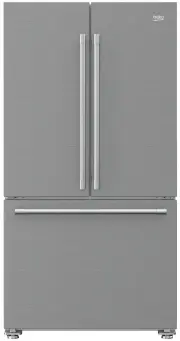
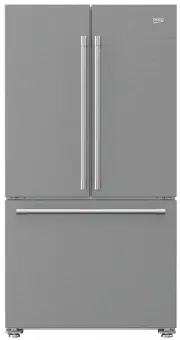
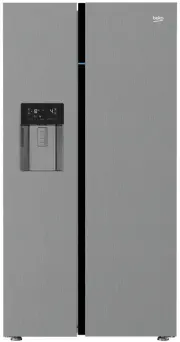
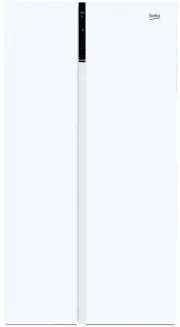
Page 2 - Always observe the applicable safety instructions.; Risk of life and property.
Please read this manual before using the product! Dear Customer,We'd like you to make the best use of our product, which has been manufactured in modern facilities with care and meticulous quality controls.Thus, we advice you to read the entire user manual before you use the product. In case the pro...
Page 3 - Refrigerator / User Guide; Table of Contents
2 / 37 EN Refrigerator / User Guide 1. Safety and environment instructions 3 1.1. General safety. . . . . . . . . . . . . . . . . . . . . . . 31.1.1 HC warning . . . . . . . . . . . . . . . . . . . . . . . . 51.1.2 For models with water dispenser . . . . . . . . 51.2. Intended use . . . . . . . . . ...
Page 4 - Safety and environment instructions; Intended use
3 / 37 EN Refrigerator / User Guide 1. Safety and environment instructions This section provides the safety instructions necessary to prevent the risk of injury and material damage. Failure to observe these instructions will invalidate all types of product warranty. Intended use A WARNING: Keep vent...
Page 8 - Refrigerator
7 / 37 EN Refrigerator / User Guide 2 Refrigerator C *Optional: Figures in this user guide are schematic and may not be exactly match your product. If your product does not comprise the relevant parts, the information pertains to other models. 1- Freezer compartment 2- Cooler compartment 3- Fan 4- B...
Page 10 - Installation; • Place the product on a flat surface to avoid; To attach the wedges, remove the screws on the
9 / 37 EN Refrigerator / User Guide 3 Installation 3.1. Right place for installation Contact the Authorized Service for the product's installation. To ready the product for installation, see the information in the user guide and make sure the electric and water utilities are as required. If not, cal...
Page 11 - •Tighten the fixing nut for the final position
10 / 37 EN Refrigerator / User Guide Installation3.3. Adjusting the stands If the product is not in balanced position, adjust the front adjustable stands by rotating right or left. 3.4. Power connection A WARNING: Do not use extension or multi sockets in power connection. B WARNING: Damaged power ca...
Page 13 - To connect the water hose to the product,
12 / 37 EN Refrigerator / User Guide Installation 1 2 3 3.6. Connecting water hose to the product To connect the water hose to the product, follow the instructions below. 1. Remove the connector on the hose nozzle adaptor in the back of the product and run the hose through the connector. 2. Push the...
Page 17 - “Ice”
16 / 37 EN Refrigerator / User Guide Installation 3. Remove the water filter by-pass cover by pulling. C A few drops of water may flow out after removing the cover; this is normal. 4. Place the water filter cover into the mechanism and push to lock in place. 5. Push the “Ice” button on the screen ag...
Page 18 - Preparation
17 / 37 EN Refrigerator / User Guide 4 Preparation 4.1. What to do for energy saving mehmet A Connecting the product to electronic energy-saving systems is harmful, as it may damage the product. • Do not keep the refrigerator doors open for long periods. • Do not place hot food or beverages into the...
Page 19 - Using the product
18 / 37 EN Refrigerator / User Guide 5 Using the product 5.1. Indicator panel Indicator panels may vary depending on the model of your product.Audial and visual functions of the indicator panel will assist in using the refrigerator. 8 1 2 3 4 5 7 6 9 1. Cooler compartment indicator 2. Error status i...
Page 20 - Indicates the vacation function is active.
19 / 37 EN Refrigerator / User Guide Using the product 1. Cooler compartment indicator The cooler compartment light will turn on when adjusting the cooler compartment temperature. 2. Error status indicator This sensor will activate if the refrigerator is not cooling adequately or in case of sensor f...
Page 22 - warning indicator
21 / 37 EN Refrigerator / User Guide Using the product 1 1 2 2 3 4 5 6 7.1 7.2 8 9 10 11 *3 4 (*) 13 12 5 6 7 8 9 10 11.1 11.2 1. Economic use 2- High temperature / fault alert 3. Energy saving function (display off) 4- Rapid cooling 5- Vacation function 6- Cooler compartment temperature setting 7. ...
Page 23 - Freezer compartment temperature setting
22 / 37 EN Refrigerator / User Guide Using the product seconds. The keypad lock sign will turn off and the keypad lock mode will be disengaged. Press the Display off button to prevent changingthe refrigerator’s tempeture settings. 9. Eco-fuzzy To activate the eco-fuzzy function, press and hold the e...
Page 25 - Freezer compartment temperature setting; ) will light up in case of; Cooler compartment temperature setting; After pressing the button (; When you press the Display off button and when the (
24 / 37 EN Refrigerator / User Guide Using the product 1. Freezer compartment temperature setting Pressing the button ( ) will enable the freezer compartment temperature to be set at -15,-16,-17,-18 ,-19,-20,-21,-15... 2. Economy mode Indicates the refrigerator is running on energy-saving mode. This...
Page 26 - (For products connected to the mains water; Confirming the entered; Alarm off warning
25 / 37 EN Refrigerator / User Guide Using the product 5.2. Activating water filter change warning (For products connected to the mains water line and equipped with filter) Water filter change warning is activated as follows: 1. Within 60 seconds after switching on the refrigerator, press and hold t...
Page 27 - You must wait approximately 12 hours to get cold
26 / 37 EN Refrigerator / User Guide Using the product 5.4. Using the water fountain (for certain models) C The first few glasses of water taken from the fountain will normally be warm. C If the water fountain is not used for a long time, dispose of the first few glasses of water to get clean water....
Page 29 - The product’s water system
28 / 37 EN Refrigerator / User Guide Using the product 5.7. Taking ice / water (Optional) To take water ( ) / ice cube ( ) / fragmented ice ( ), use the display to select the respective option. Take water/ice by pushing the trigger on the water fountain forward. When switching between ice cube ( ) /...
Page 31 - To reinstall the ice reservoir
30 / 37 EN Refrigerator / User Guide Using the product5.15. Icematic and ice storage box (Optional) Fill the icematic with water and put in place. The ice will be ready after approximately two hours. Do not remove the icematic to take the ice.Turn the buttons on the ice chambers right-hand side by 9...
Page 32 - When the ice dispenser does not work
31 / 37 EN Refrigerator / User Guide Using the product Any sound you hear when the ice drops into the reservoir is a part of normal operation. When the ice dispenser does not work properly If you do not remove ice cubes for a long time, they will cause formation of ice chunks. In this case, pl...
Page 33 - storing frozen foods
32 / 37 EN Refrigerator / User Guide Using the product5.17. Freezing fresh food • To preserve food quality, the food items placed in the freezer compartment must be frozen as quickly as possible, use the rapid freezing for this. • Freezing the food items when fresh will extend the storage time in th...
Page 35 - Maintenance and cleaning
34 / 37 EN Refrigerator / User Guide 6 Maintenance and cleaning Cleaning the product regularly will prolong its service life. B WARNING: Disconnect the power before cleaning the refrigerator. • Do not use sharp and abrasive tools, soap, house cleaning materials, detergents, gas, gasoline, varnish an...
Page 36 - Troubleshooting
35 / 37 EN Refrigerator / User Guide 7 Troubleshooting Check this list before contacting the service. Doing so will save you time and money. This list includes frequent complaints that are not related to faulty workmanship or materials. Certain features mentioned herein may not apply to your product...
Page 38 - without free of odour.
37 / 37 EN Refrigerator / User Guide Troubleshooting • The product is not cleaned regularly. >>> Clean the interior regularly using sponge, warm water and carbonated water. • Certain holders and packaging materials may cause odour. >>> Use holders and packaging materials without fr...