Page 2 - TABLE OF CONTENTS
2 Safety precautions 3 Washing machine description 6 Dispenser tray 6 Before using the appliance for the fi rst time 7 Installation and connection 9 Tips before washing 13 Washing process, step by step (1 – 8) 15 System settings 27 Cleaning and maintenance 30 Errors – what to do? 34 Servicing 39 Tec...
Page 3 - GENERAL; Please do not use the washing machine if you have not read and; SAFETY PRECAUTIONS
3 GENERAL Please read the instruction manual and save it for future reference. • Please do not use the washing machine if you have not read and understood these instructions or use fi rst. • Failure to observe the instructions for use or inappropriate use of the washing machine may result in damage ...
Page 4 - CHILD SAFETY; Activate the child lock.
4 • Bleaches that contain chlorine can be replaced with oxygen-based bleaches. Otherwise, a neutralization cycle should be performed by running the Cotton program at the highest temperature. For best results, use hydrogen peroxide or oxygen-based detergents. • Do not use colourants (dyes) or bleachi...
Page 5 - SAVE THESE INSTRUCTIONS FOR FUTURE REFERENCE!
5 regarding safe use of the washing machine, and if they understand the hazards of inappropriate use. Make sure children do not play with the appliance. Make sure the children do not clean the washing machine or perform any maintenance tasks without supervision. DANGER OF HOT SURFACE • At higher was...
Page 7 - BEFORE USING THE APPLIANCE FOR THE FIRST TIME
7 PACKAGING Remove all packaging. Please sor t the materials in compliance with local recommendations (see chapter ”DISPOSAL”). TRANSPORT PROTECTION Before using the appliance, remove the three transpor t bolts and plastic plugs which protect the appliance during transpor t. 1 Release and remove the...
Page 8 - Language selection
8 CLEANING Disconnect the washing machine from the power mains and open the door. Clean the washing machine drum with a damp cloth and a mild detergent. No program can be star ted while the door is open. SETTINGS BEFORE FIRST USE After connecting the washing machine and running it for the fi rst tim...
Page 9 - INSTALLATION AND CONNECTION; POSITIONING THE WASHING MACHINE; Built-in washing machine
9 INSTALLATION AND CONNECTION POSITIONING THE WASHING MACHINE The washing machine can be installed as a built- in (integrated) or a free-standing unit. Place the machine on a level sur face so that the power outlet on the wall is accessible. Before connecting the washing machine to the power mains, ...
Page 10 - ADJUSTING THE FEET
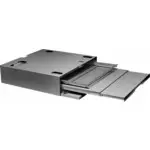
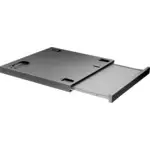
10 Stacking an ASKO dryer on top of an ASKO washing machine To stack an ASKO dr yer on top of a washing machine, use the extra vacuum feet and the tipping guard (A+B), supplied in the cardboard box in the ASKO dr yer drum. If the washing machine and dr yer are not of matching dimensions or if you ha...
Page 11 - fl
11 CONNECTING TO HOT/COLD WATER SUPPLY (Only in some models) If your appliance has connections for both hot and cold water, then connect one hose to the cold water connection and the other hose to the hot water connection, as indicated on the back of the appliance: COLD = cold and HOT = hot. Hot wat...
Page 12 - CONNECTING TO THE POWER MAINS; Connection upon delivery
12 CONNECTING TO THE POWER MAINS After installation, the washing machine should stand still for two hours before it is connected to the power mains. Connect the appliance to an ear thed power outlet. After installation, the wall outlet should be freely accessible. The outlet should be fi tted with a...
Page 13 - TIPS BEFORE WASHING; LAUNDRY SORTING
13 TIPS BEFORE WASHING This chapter includes several tips on how to prepare the laundr y for washing. LAUNDRY SORTING Sor t the laundr y according to: • how soiled it is, • colour, • material. CLOTHING 1. Close the zips and hook-and-loop fasteners so that they do not damage the fabric. 2. New dyed i...
Page 15 - Turning on; OPEN THE WASHING MACHINE DOOR AND INSERT THE LAUNDRY.
15 WASHING PROCESS, STEP BY STEP (1 – 8) STEP 1: SORT THE LAUNDRY See chapter "TIPS BEFORE WASHING" Use a washing net for underwire bras. Empty the pockets. Coins, nails etc. could damage the machine and the fabric. STEP 2: TURN ON THE MAIN SWITCH. Turning on Press the on/off button. Turning...
Page 16 - ADD THE DETERGENT AND THE CONDITIONER.; Powder detergent
16 STEP 4: ADD THE DETERGENT AND THE CONDITIONER. Recommended amount of detergent is usually speci fi ed on the detergent packaging. When washing a smaller amount of laundr y, the amount of detergent used can be decreased. Obser ve manufacturers' recommendations regarding the type of detergent suita...
Page 20 - CHOOSING THE PROGRAM SETTINGS
20 STEP 6: CHOOSING THE PROGRAM SETTINGS Using the program settings, the washing programs can be fur ther adjusted to your wishes. Some program settings may not be available for your selected program. Selected program settings will remain stored after the end of the washing cycle and may be changed ...
Page 21 - extra functions
21 3. Spin speed By consecutively pressing the button 3, you can set the spin speed, choosing from the following available values: N O d (no drain) /... / max. (rpm) (max rpm = depends on the model) Default setting is 1400 rpm; it depends on the selected program (spin rate can be changed – reduced o...
Page 22 - Start; Stop
22 6. Delay start Press the button 6 to choose the delayed star t when you wish the washing program to star t after a cer tain period of time (30´ to 24 hours after you press the Start button). Everyday wash OK Off 40°C 1400 Allergy 2:11 6 5 The estimated time remaining until the end of the washing ...
Page 23 - START THE WASH; Remaining time; Adding or removing laundry after the start of the program; Pause
23 STEP 7: START THE WASH Close the washing machine door and press the Start /Pause/Stop button. Star t (shor t press of the button – star t /resume) Pause (shor t press of the button – pause) Stop (press and hold for 3 seconds – stop or cancel) Starting 2:20 Remaining time Depending on the selected...
Page 24 - Pausing, stopping or changing the program
24 Pausing, stopping or changing the program Paused Stop program Add clothes 1 To pause the program, shor tly press the Pause button. To resume a program, press the Start button again. To change or stop the washing program, press the Stop button and hold it for 3 seconds. Use the button 1 to choose ...
Page 25 - END OF PROGRAM; Favourite programs
25 STEP 8: END OF PROGRAM Cycle completed succsessfully new Start Add fav 5 After the end of the washing program, the display will indicate that the program has been successfully completed ("Cycle completed successfully"). Stop Anti Cycle completed succsessfully Anti creasing creasing 6 If y...
Page 26 - Changing a favourite program
26 Changing a favourite program If you wish to store a program after the end of the washing cycle, but there is no more room for another favourite program (only 4 favourite program slots are available), then one of the existing stored favourite programs can be substituted with a new one. 1. Favourit...
Page 27 - SYSTEM SETTINGS; CHILD LOCK
27 SYSTEM SETTINGS Enter System settings 2 In the main menu, use the Program selector knob to select System Settings. Con fi rm the selection by pressing the button 2. Then, use the Program selector knob to scroll the list of the following settings that you can adjust: • Child Lock, • Language (lang...
Page 28 - LANGUAGE; PROGRAMS
28 LANGUAGE Russian Language OK 6 3 You can choose between 25 languages. Press the button 3 for the arrows to appear. Use the Program selector knob or the button 3 to scroll the list of languages. Use the button 6 to con fi rm the selected language. Russian Language Back 6 3 Use the button 6 to retu...
Page 29 - DISPLAY UNIT; SOUNDS; RESET
29 DISPLAY UNIT Contrast Logotype Back Display 1 3 Set the contrast and logo display. 1 2 3 4 5 Back Contrast 1 Use the buttons 1 to 5 to set the contrast. Back Logotype 1 6 Use the button 1 to toggle logo display on or o ff . If you choose on , the logo will be displayed on the display unit when the...
Page 30 - CLEANING AND MAINTENANCE; CLEANING THE FILTER
30 CLEANING AND MAINTENANCE CLEANING THE FILTER The washing machine has a fi lter that will retain smaller objects such as coins, buttons, hair etc. 1 Before cleaning, drain the water from the washing machine using the Drain program, and disconnect the washing machine from the power mains. Open the ...
Page 31 - CLEANING THE DISPENSER TRAY AND DOOR RUBBER GASKET
31 CLEANING THE DISPENSER TRAY AND DOOR RUBBER GASKET 1 Press the tab to completely remove the dispenser tray from its housing. A B 2 Rinse and thoroughly clean the tray. You may also remove the cap from the plug in the conditioner compar tment (A). Clean any residue from the cap and tube. Clean the...
Page 32 - CLEANING THE APPLIANCE EXTERIOR; Do not clean the washing machine with a jet of water!; CLEANING THE WASHING MACHINE INTERIOR AGAINST ODOURS
32 CLEANING THE APPLIANCE EXTERIOR Wipe the washing machine exterior and the display unit using a soft damp cotton cloth and mild detergent. Do not use any solvents or cleaning agents that could damage the washing machine (please obser ve the recommendations and warnings provided by the manufacturer...
Page 33 - CLEANING THE RINSING HOLES (UNDER THE AGITATOR IN THE DRUM); If you are using hard water
33 CLEANING THE RINSING HOLES (UNDER THE AGITATOR IN THE DRUM) If you believe that objects like nails or paper clips fell into the washing machine drum, check the area underneath the rib. Such objects may rust (corrode) and cause stains on your clothes. Nails and other sharp objects can also cause h...
Page 36 - Manual opening of washing machine door; manually
36 Manual opening of washing machine door Washing machine door may be opened manually if the appliance is not connected to the power mains and if the water has been pumped out of the machine. A Choose the Spinning or Drain program to pump the water from the machine. If this does not work, water has ...
Page 37 - FAILURE DISPLAY; Error
37 FAILURE DISPLAY In case of a failure while a program is in progress, the relevant Error X is indicated on the display unit. Info EXIT Error 3 5 Press the INFO button to display the error description. Switch o ff the appliance and turn it back on. Errors indicated on the display unit may include th...
Page 39 - SERVICING; BEFORE CALLING A SERVICE TECHNICIAN
39 SERVICING 1, 2, 3 BEFORE CALLING A SERVICE TECHNICIAN When you contact a ser vice centre, please state the model (1), type (2), and serial number (3) of your washing machine. Model, type, and serial number are indicated on the rating (type) plate located on the washing machine door casing. In cas...
Page 40 - TECHNICAL INFORMATION; Information for test institute; ENERGY LABELLING
40 TECHNICAL INFORMATION Information for test institute ENERGY LABELLING Australian standard AS/NZS 2040.1:2005 Washing program Normal, 40 °C, 8 kg cotton Connection Cold water 20 °C Test method for noise measurement IEC-60704-2-4 Power requirement when machine turned off < 0,3 W Power requiremen...
Page 41 - Loading procedure for standard test:; Top
41 Loading procedure for standard test: Detergent, PBIS and Anti-Sudsing Agent (16ml) must be added via the detergent compar tment. Loading procedure for standard test: When loading the machine for testing according to AS/NZS 2040:2005 it shall be loaded according to the table below. Garments are pl...
Page 43 - PROGRAM TABLE; Program; Cold
43 PROGRAM TABLE Program Pr e w ash T emp . [°C] Spin speed [rpm] Max load [k g] W ater con. [L] Ener gy con. [kWh] Time [h:min] 1. Normal * X 40 1600 8 60/56** 0,67/059** 3:54 2. Cotton X 60 1600 8 55 1,07 2:16 3. Mix/Synthetics X 40 1000 3,5 50 0,35 1:43 4. Wool/Hand 30 800 2 58 0,28 0:52 5. Dark ...
Page 44 - Adjustment of the displayed washing time; and the time displayed will be adjusted accordingly.
44 Adjustment of the displayed washing time Advanced technology allows the appliance to sense the amount of laundr y and add the required amount of water during the washing process. Depending on the washing load, washing time can be longer or shor ter and the time displayed will be adjusted accordin...
Page 45 - Allergy synthetics
45 Program Washing mode Normal mode Gr een mode Speed Mode Aller gy Mode Intense Mode 1. Normal -90°C 20°C-90°C -90°C 30°C-90°C 40°C-90°C 2. Cotton -90°C 20°C-90°C -90°C 40°C-90°C 3. Mix/Synthetics -60°C 20°C-60°C -60°C 30°C-60°C 40°C-60°C 4. Wool/Hand ,30°C-40°C ,30°C-40°C 5. Dark wash ,30°C-40°C ,...
Page 46 - OPTION TABLE
46 Program Options Spinning speed (rpm) Super Rinse Pr e w ash High w ater le v e l Anti-cr ease Dela y star t 1. Normal * 1600 2. Cotton 1600 3. Mix/Synthetics 1000 4. Wool/Hand 800 5. Dark wash 1000 6. Time program 1000 7. Auto 1200 8. Quick 1200 9. Heavy 1600 10. Rinse 1600 11. Spin 1600 12. Drai...
Page 47 - Disposal / recycling of packaging; and electronic equipment processing.; DISPOSAL
47 Disposal / recycling of packaging Our product packaging is made of environmentally friendly materials that can be recycled, disposed of, or destroyed without any hazard to the environment. To this end, packaging materials are labelled appropriately. The symbol on the product or its packaging indi...
Page 48 - NOTES
Page 51 - QUICK GUIDE; We reserve the right to modi
51 QUICK GUIDE 3. 2. 4. 6. 5. 7. 8. 1. SORT THE LAUNDRY. Close the zip fasteners. Check the laundry care symbols. Sort the laundry based on how heavily soiled it is, by colour, and by material. SWITCH ON THE MAIN ON/OFF SWITCH ( ON/OFF ) OPEN THE WASHING MACHINE DOOR AND INSERT THE LAUNDRY. Before d...