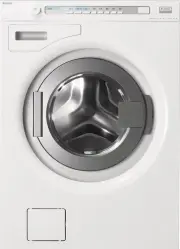
Page 2 - CONTENTS; WARNING: Read the instructions before using the machine.
2 Original instruction CONTENTS SAFETY INSTRUCTIONS 3 Child safety 3 Installation 4 Overflow guard function 4 Transport/winter storage 4 Packing material 4 Recycling 4 ADVICE AND TIPS BEFORE WASHING 5 Laundry label symbols 5 Sorting your laundry 5 Clothing 5Coloured cotton 5 Unbleached linen 5 Wool ...
Page 3 - SAFETY INSTRUCTIONS; GENERAL; CHILD SAFETY; Activate child safety catch (for detergent
3 SAFETY INSTRUCTIONS GENERAL • Read the operating instructions and keep them in a safe place. • Installation should be carried out by qualified ASKO technicians. • The machine should only be used for washing items as described in these instructions. It is not intended for dry cleaning. • Use only d...
Page 5 - ADVICE AND TIPS BEFORE WASHING
5 ADVICE AND TIPS BEFORE WASHING LAUNDRY LABEL SYMBOLS Examples of washing instructions and recommended programmes. Always follow the washing instructions for each garment. Laundry labels Material Program Cotton, linen, white and light-coloured items. Everyday wash 60 °C to 95 °C Cotton, linen, cott...
Page 6 - SAVE TIME AND ENERGY; HIGH WATER LEVEL; DYEING FABRICS
6 ADVICE AND TIPS BEFORE WASHING SAVE TIME AND ENERGY Use the Everyday wash program to save time and energy. This program has a shorter main wash than Standard cotton, but is often sufficient for lightly soiled washing. HIGH WATER LEVEL If you want more water for the main wash and rinses, you can us...
Page 7 - USING YOUR WASHING MACHINE; ADD DETERGENT AND FABRIC; Powder detergent; Fabric softener
7 USING YOUR WASHING MACHINE ADD DETERGENT AND FABRIC SOFTENER 1 4 5 6 2 3 1. Pre-wash2. Main wash with liquid detergent. Use the separator (A). 3. Main wash with powder detergent. Do not use the separator. 4. Fabric softener 5. Release button 6. Child safety catch A B C The quantity of detergent ne...
Page 8 - PROGRAM SELECTION
8 USING YOUR WASHING MACHINE Garments worn next to the skin ought to be washed at 60 °C. Very lightly soiled laundry generally gets clean already at 40 °C. The spin speed can be selected freely. 6. Quick Fast program for laundry that just needs freshening up. The program can be run at any temperatur...
Page 9 - SELECTING OPTIONS; Temperature; Delayed start
9 SELECTING OPTIONS You can select options to adjust the wash programme to suit your own specific requirements. The available options depend on the selected programme. If the option is available for the selected programme, the symbol lights up when you press the button.The machine will remember the ...
Page 10 - DURING THE PROGRAMME; Time remaining
10 High water level Use High water level if a garment’s laundry label shows this symbol. High water level means that additional water is used during the main wash and rinse cycles. • Select High water level by pressing the button under the symbol. • The symbol above the button lights when this optio...
Page 11 - SETTINGS; HOW TO CHOOSE THE SETTINGS; MAKING A SELECTION; Language
11 SETTINGS HOW TO CHOOSE THE SETTINGS 1 Turn off the machine using the main power switch. 2 Press and hold the Stop button and then press the main power switch. Then press the Stop button 5 times within 10 seconds. 3 Select the setting you want to change by turning the program selector. 4 Press the...
Page 12 - CARE AND CLEANING
12 CARE AND CLEANING CLEANING THE TRAP AND THE DRAINAGE PUMP The washing machine has a trap where smaller objects such as coins and hairpins can collect. To clean the trap and the drainage pump, do as follows:1 Make sure the machine is empty of water and switched off at the mains. 2 Open the door. 3...
Page 13 - IF YOU HAVE HARD WATER
13 CARE AND CLEANING Do as follows: 1 Insert a screwdriver or the like into the hole on the agitator as illustrated and carefully pry to the left. 2 Use your other hand to grasp the agitator and pull it towards you. 3 Lift the agitator.4 Remove any objects.5 Place the agitator in the mounting hole w...
Page 14 - TROUBLESHOOTING; WARNING; The door may only be opened
14 TROUBLESHOOTING THE WASHER DOOR WILL NOT OPEN • Check that the main power switch is on. • Has the power supply been cut off? Check the house fuses (circuit breakers). OPENING THE DOOR IN AN EMERGENCY WARNING The door may only be opened manually if the electric power is cut and the machine has bee...
Page 15 - ERROR MESSAGES; Close the Door; Water inlet fault; Wash motor fault
15 TROUBLESHOOTING ERROR MESSAGES If an error occurs during the program a message is shown on the display. To exit the message after taking measures, turn the machine off and then back on. The error messages that may be shown in the display are: Close the Door Close the washer door and press Start t...
Page 16 - INFORMATION FOR TEST INSTITUTE; TECHNICAL INFORMATION
16 INFORMATION FOR TEST INSTITUTE Energy labellingAustralian standard: AS/NZS 2040.1:2005 Washing program: Normal, 40 °C, 10 kg cotton Connection: Cold water 20 °C Test method for noise measurement: IEC-60704-2-4 Power requirement when machine turned off < 0,3 W Power requirement for Delayed Star...
Page 18 - TECHNICAL DATA
18 TECHNICAL INFORMATION TECHNICAL DATA Width: 595 mm Depth: 700 mm Weight: 82 kg Cylinder volume: 80 l Max. washing capacity: 10 kg Spin speed (rpm): 400-1400 Rated power: See type plate. Heater output: See type plate. Water pressure: 0,1-1 MPa 1-10 kp/cm 2 10-100 N/cm 2 Wash drum and liquid compar...
Page 19 - INSTALLATION; POSITIONING THE WASHING MACHINE; CONNECTION TO WATER SUPPLY
19 INSTALLATION POSITIONING THE WASHING MACHINE The washing machine can be installed as a built-in or freestanding unit. Place the machine on a firm surface with easy access to the plug. A. Built-in The washing machine can be installed under a counter top with a working height of 850-900 mm. Leave a...
Page 20 - ELECTRICAL INSTALLATION; Connection on delivery
20 INSTALLATION ELECTRICAL INSTALLATION Connect the machine by plugging it into an earthed wall socket. The electrical wall socket must be placed outside of the installation area to be easily accessible. CAUTION! If this appliance is supplied from a cord extensions set or electrical portable outlet ...
Page 21 - BEFORE CONTACTING THE SERVICE DIVISION; BEFORE CONTACTING THE SERVICE
21 1 Model TYPE 2 3 BEFORE CONTACTING THE SERVICE DIVISION BEFORE CONTACTING THE SERVICE DIVISION Before you contact the service division, make sure that you know its model designation (1), type designation (2) and serial number (3).The model designation can be found on the panel. The type designati...
Page 22 - PROGRAMME CHART
22 PROGRAMME CHART Program Pr e-w ash Temp . °C Number of Rinses Spin Speed rpm Max. load (k g) Consumption values 1) Water consumption (approx. liter) Energy consumption (approx. kWh) Programme time (approx. hrs and min.) 1. Auto 2) 2. Time program 3. Heavy X 95 5 1400 10 117 2,98 2:56 X 60 5 1400 ...
Page 23 - YOUR NOTES
Page 24 - QUICK GUIDE
QUICK GUIDE SORT THE WASHING, OPEN THE WASHING MACHINE DOOR AND LOAD THE WASHING Close zips.Look at the item’s laundry label.Sort the washing according to how soiled it is, colour and material.NB! Place underwire bras in a laundry net. TURN ON THE MAIN POWER SWITCH SELECT A PROGRAMME AND ANY OPTIONS...