Page 2 - Table of contents; Environmental protection and
en 2 Futher information and explanations areavailable online: Table of contents 1 Safety ............................................ 4 1.1 General information .................... 41.2 Intended use............................... 41.3 Restriction on user group........... 41.4 Safe transport ..........
Page 4 - Safety; General information; WARNING ‒ Risk of injury!
en Safety 4 1 Safety Observe the following safety instructions. 1.1 General information ¡ Read this instruction manual carefully. ¡ Keep the instruction manual and the product information safefor future reference or for the next owner. ¡ Do not connect the appliance if it has been damaged in transi...
Page 5 - Safe installation; WARNING ‒ Risk of electric shock!
Safety en 5 1.5 Safe installation WARNING ‒ Risk of electric shock! Incorrect installation is dangerous. ▶ Connect and operate the appliance only in accordance with thespecifications on the rating plate. ▶ Connect the appliance to a power supply with alternating cur-rent only via a properly install...
Page 7 - WARNING ‒ Risk of fire!
Safety en 7 WARNING ‒ Risk of fire! Electrical devices within the appliance may cause a fire, e.g. heat-ers or electric ice makers. ▶ Do not operate electrical devices within the appliance. WARNING ‒ Risk of injury! Containers that contain carbonated drinks may burst. ▶ Do not store containers that...
Page 8 - Damaged appliance
en Safety 8 Metal or metal-style parts in the appliance may contain aluminium.If acidic food comes into contact with aluminium in the appliance,aluminium foil ions may pass into the food. ▶ Do not consume soiled food. 1.7 Damaged appliance WARNING ‒ Risk of electric shock! If the appliance or the p...
Page 9 - Preventing material; Disposing of packaging; Selecting the installation location; electric or gas cookers.; Saving energy during use; The arrangement of the fittings
Preventing material damage en 9 2 Preventing material damage ATTENTION! The high weight of the appliance or,if not rolling freely, the appliance'scastors may damage the floor whenthe appliance is moved. ▶ Transport the appliance using asack truck. ▶ Use floor protection when movingthe appliance, an...
Page 10 - Installation and con-; Scope of delivery; WARNING; Permitted room temperature; Depending on the appliance specifications
en Installation and connection 10 ¡ Thaw frozen food in the refrigeratorcompartment to utilise the low tem-perature of the food. ¡ Always leave some space betweenthe food and to the back panel. ¡ Vacuum the external ventilationgrilles when they are dusty. 4 Installation and con- nection 4.1 Scope o...
Page 11 - Installing the appliance; Remove the informative material.; Connecting the appliance
Installation and connection en 11 If an appliance with climate class SNis operated at colder room temperat-ures, the appliance will not be dam-aged up to a room temperature of5 °C. Over-and-under and side-by-sideinstallation If you want to install 2 refrigeratingappliances one over the other or sid...
Page 12 - Familiarising yourself with your appliance; You can find an overview of the parts of your appliance here.
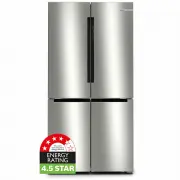
en Familiarising yourself with your appliance 12 5 Familiarising yourself with your appliance 5.1 Appliance You can find an overview of the parts of your appliance here. A B 1 2 34 5 6 7 8 9 10 1 A Refrigerator compartment→ Page 19 B Freezer compartment→ Page 19 1 Lighting 2 Butter and cheese com...
Page 13 - Rating plate →
Familiarising yourself with your appliance en 13 4 Rating plate → Page 29 5 Door pillar with condensationprotection → Page 9 6 Door storage compartmentfor large bottles → Page 15 7 Fruit and vegetable containerwith humidity control→ Page 14 8 Storage container→ Page 14 9 Frozen food container→...
Page 14 - Features; Storage container
en Features 14 1 lights up when the alarm is switched on. 2 Displays the set temperaturefor the refrigerator compart-ment in °C. 3 sets the temperature of the refrigerator compartment. 4 Displays the set temperaturefor the freezer compartmentin °C. 5 sets the temperature of the freezer compartment....
Page 15 - Low humidity; partment; Egg tray; Store eggs safely on the egg tray.; Bottle holder; Making ice cubes
Features en 15 The air humidity in the fruit andvegetable container can be setaccording to the type and amount offood to be stored by moving thehumidity control: ¡ Low humidity required when primarily storing fruit or mixeditems, or if the appliance is veryfull. ¡ High humidity required when primar...
Page 16 - Basic operation; ance; Switching on the button lock
en operation 16 1. Fill the ice cube tray with drinkingwater up to ¾ and place in thefreezer compartment.If the ice cube tray is stuck to thefreezer compartment, loosen it witha blunt implement only (e.g. spoonhandle). 2. To loosen the ice cubes, twist theice cube tray slightly or hold itbriefly un...
Page 17 - Additional functions
Additional functions en 17 Switching off the button lock ▶ Press and hold for three seconds. a goes out. 8 Additional functions 8.1 Super cooling With Super cooling, the refrigeratorcompartment cools as cold as pos-sible.Switch on Super cooling before pla-cing large quantities of food. Note: When ...
Page 18 - Switching on Sabbath mode; Alarm; Switching off the door alarm; Temperature alarm; CAUTION
en Alarm 18 8.4 Sabbath mode To ensure that you can also use theappliance on the Sabbath, the Sab-bath mode switches off all non-es-sential functions.During Sabbath mode, the followingfunctions are switched off: ¡ Super cooling ¡ Super freezing ¡ Alarm ¡ Interior lighting ¡ Audible signals ¡ Messag...
Page 19 - lights up until the set temper-; 0 Refrigerator compart-; Tips for storing food in; Coldest zone; Store highly perishable food; Warmest zone; Store food that does not spoil; 1 Freezer compartment; Freezing capacity
Refrigerator compartment en 19 perature display (freezer compart-ment) then indicates the set tem-perature again. a From this time on, the warmesttemperature is measured againand saved. a lights up until the set temper- ature is reached again. 10 Refrigerator compart- ment You can keep meat, sausag...
Page 20 - Prerequisites for freezing capacity; Freeze food in portions.; Packing frozen food; Place the food in the packaging.
en Freezer compartment 20 Prerequisites for freezing capacity 1. When placing fresh food in the ap-pliance, switch on Super freezing. → "Switching on Super freezing", Page 17 2. Place food in the top frozen foodcontainer first. 11.2 Fully utilising the freezer compartment volume Learn how ...
Page 21 - 3 Cleaning and servi-
Defrosting en 21 11.6 Defrosting methods for frozen food CAUTION Risk of harm to health! During the thawing process, bacteriamay multiply and spoil the frozenfood. ▶ Do not refreeze food after it hasbeen defrosted or started to de-frost. ▶ Refreeze food only after cooking. ▶ These items should no l...
Page 22 - Cleaning the appliance; Removing the fittings; Removing the shelf; Lift the door rack and remove it.; Removing the storage container
en Cleaning and servicing 22 5. Remove the fruit and vegetablecontainer cover. 13.2 Cleaning the appliance WARNING Risk of electric shock! An ingress of moisture can cause anelectric shock. ▶ Do not use steam- or high-pres-sure cleaners to clean the appli-ance. Liquid in the lighting or in the con-...
Page 23 - Removing appliance
Cleaning and servicing en 23 2. Lift the storage container at thefront and remove it . Removing the fruit and vegetablecontainer 1. Pull out the fruit and vegetablecontainer as far as it will go. 2. Lift the fruit and vegetable con-tainer at the front and remove it . Removing the frozen foodconta...
Page 25 - 4 Troubleshooting
Troubleshooting en 25 14 Troubleshooting You can rectify minor faults on your appliance yourself. Read the troubleshoot-ing information before contacting after-sales service. This will avoid unneces-sary costs. WARNING Risk of electric shock! Incorrect repairs are dangerous. ▶ Repairs to the applia...
Page 26 - Fault
en Troubleshooting 26 Fault Cause and troubleshooting A warning signalsounds and flashes.The door alarm isswitched on. The appliance door is open. ▶ Close the appliance door. A warning tonesounds and the tem-perature display(freezer compartment)and flash. The temperaturealarm is switched on. Differ...
Page 28 - Notes; Conducting an appliance; 5 Storage and disposal; Taking the appliance out; Remove all of the food.
en Storage and disposal 28 14.1 Power failure During a power failure, the temperat-ure in the appliance rises; this re-duces the storage time and the qual-ity of the frozen food.On the website for your appliance,the technical data provides you withthe storage times for frozen food inthe event of a ...
Page 29 - 6 Customer Service
Customer Service en 29 ▶ Keep children away from the re-dundant appliance. WARNING Risk of fire! If the tubes are damaged, flammablerefrigerant and harmful gases mayescape and ignite. ▶ Do not damage the tubes of the re-frigerant circuit or the insulation. 1. Unplug the appliance from themains. 2. ...
Page 32 - Register your new device on MyBosch now and profit directly from:
Thank you for buying a Bosch Home Appliance! Register your new device on MyBosch now and profit directly from: • Expert tips & tricks for your appliance• Warranty extension options• Discounts for accessories & spare-parts• Digital manual and all appliance data at hand• Easy access to Bosch H...