Page 2 - Table of contents; Safety; Observe the following safety instructions.
en Safety 2 Table of contents USER MANUAL 1 Safety .................................................................... 2 2 Preventing material damage ............................... 4 3 Environmental protection and saving en-ergy .....................................................................
Page 3 - WARNING ‒ Risk of burns!
Safety en 3 ▶ If smoke is emitted, the appliance must beswitched off or the plug must be pulled outand the door must be held closed in orderto stifle any flames. Loose food remnants, fat and meat juicesmay catch fire. ▶ Before using the appliance, remove theworst of the food residues and remnantsfr...
Page 4 - Preventing material damage
en Preventing material damage 4 electronic implants, e.g. heart pacemakers orinsulin pumps. ▶ Wearers of electronic implants must stay atleast 10 cm away from the control panel. WARNING ‒ Risk of suffocation! Children may put packaging material overtheir heads or wrap themselves up in it andsuffoca...
Page 5 - Environmental protection and saving energy; Disposing of packaging
Environmental protection and saving energy en 5 ▶ Only leave the cooking compartment to dry with thedoor open if a lot of moisture was produced duringoperation. Fruit juice dripping from the baking tray leaves stainsthat cannot be removed. ▶ When baking very juicy fruit flans, do not pack toomuch o...
Page 6 - Familiarising yourself with your appliance
en Familiarising yourself with your appliance 6 4 Familiarising yourself with your appliance 4.1 Control panel You can use the control panel to configure all functionsof your appliance and to obtain information about theoperating status. Note: On certain models, specific details such as col- our ...
Page 7 - Display ring; Cooking compartment; Shelf supports
Familiarising yourself with your appliance en 7 4.4 Touch displays The touch displays act as both displays and controls.The touch displays are divided into several text fields.The text fields show you the current selection optionsand settings that have already been implemented. Toselect a function,...
Page 8 - Lighting; Operating modes; Use
en Operating modes 8 Lighting One or more oven lights illuminate the cooking com-partment.When you open the appliance door, the light in thecooking compartment switches on. If the appliancedoor remains open for longer than 15 minutes, the lightswitches off again.For most operating modes, the lighti...
Page 9 - Types of steam heating
Operating modes en 9 Symbol Type of heating Temperaturerange What it's used for and how it works Possible additional options 4D hot air 30–250 °C Bake and roast on one or more levels.The fan distributes the heat from the ring-shaped heating elementin the back wall evenly around the cooking compartm...
Page 10 - Symbol Type of heating; Accessories
en Accessories 10 Symbol Type of heating Temperature Use Defrosting 30–60 °C Gently defrost vegetables, meat, fish and fruit.Thanks to the moisture, the food does not dry out or use itsshape. Sous-vide 50–95 °C Cook meat, fish, vegetables and desserts under a vacuum, atlow temperatures and with 100...
Page 11 - Information on accessories; Steam container; Combining accessories; Other accessories
Accessories en 11 6.1 Information on accessories Some accessories are only suitable for certain types ofheating. Steam container The steam containers are suitable for all types of steamheating.The steam containers are not suitable for other types ofheating at high temperatures. The containers becom...
Page 12 - Before using for the first time; Setting; Initial configuration
en Before using for the first time 12 7 Before using for the first time Implement the settings for the initial configuration. Calibrate the appliance. Clean the appliance and accessories. 7.1 Before using for the first time Before using the appliance for the first time, ask yourwater supplier abou...
Page 13 - Basic operation; Switching on the appliance
Basic operation en 13 6. Press to start. ‒ Keep the kitchen ventilated while the appliance isheating. a Calibration starts. This creates a lot of steam. a Once the time has elapsed, an audible signalsounds and the display shows the time as zero. 7. Allow the appliance to cool down and then dry thec...
Page 14 - Changing the type of heating; Displaying information; Rapid heating; Setting rapid heating; Cancelling rapid heating; 0 Time-setting options; Overview of the time-setting options; Setting the timer
en Rapid heating 14 3. Press to start. a The appliance starts heating. a The target temperature, the time and how long theappliance has already been in operation are shownin the display. 4. When the food is ready, press to switch the appli-ance off. Tip: The most suitable type of heating for your ...
Page 15 - Changing the timer; Setting the cooking time; Changing the cooking time; Setting the end time; Cancelling the end time
Time-setting options en 15 minutes. The timer has its own audible signal so thatyou can tell whether it is the timer or a cooking timewhich has elapsed. 1. Press . a The symbol lights up red. 2. Use the control ring to set the timer duration. 3. Press to start the timer.The timer starts automatica...
Page 16 - Filling the water tank; Types of steam heating; Steaming
en Steam 16 11 Steam Food can be cooked particularly gently using steam.You can use the special types of steam heating, or usesteam assistance with certain types of heating. WARNING ‒ Risk of scalding! Hot steam may escape when you open the appliancedoor. Steam may not be visible, depending on the...
Page 17 - Setting the type of steam heating; Steam assistance; Suitable types of heating with steam-assisted
Steam en 17 Sous-vide Sous-vide is a type of low-temperature cooking duringwhich vacuum-sealed food is cooked at low temperat-ures between 50–95 °C and 100% steam. Sous-vide issuitable for meat, fish, vegetables and desserts.A chamber vacuum-packing machine is used to heat-seal the food in special ...
Page 18 - After every steam operation; Emptying the water tank
en Steam 18 Note: If the water tank runs dry during operation, a notification appears in the display. The appliancecontinues to operate without added steam. → "Filling the water tank", Page 16 a The appliance begins to heat up. a The time, how long the appliance has already beenin operati...
Page 19 - 2 Meat probe; Inserting the meat thermometer; Setting the meat thermometer
Meat probe en 19 12 Meat probe Cook with precision by inserting the meat probe intothe food and setting a core temperature on the appli-ance. Once the set core temperature has beenreached in the food, the appliance automatically stopsheating. 12.1 Suitable types of heating with the meatprobe Only ...
Page 20 - Changing the temperature; Core temperatures of different foods; Food; Settings for the dishes; Programmes
en Assist 20 6. Press to start. a The appliance starts heating. a The time, how long the appliance has already beenin operation, and the core temperature are shown inthe display. a The current core temperature of the food is shownon the left, while the set core temperature is shownon the right, e.g...
Page 21 - Meat probe; Overview of the dishes; Dishes with baking sensor; Category; Adjusting the dish
Assist en 21 Meat probe You can use the meat probe for several dishes.If the meat probe is plugged in, only the dishes that arepossible with the meat probe are available for selec-tion. For each dish, you receive recommended settingsfor type of heating, temperature and core temperature.You can adju...
Page 22 - Adding extra cooking time; 4 Childproof lock; Starting Sabbath mode
en Childproof lock 22 5. Press the required meal. a The settings for the dish appear in the display. a For dishes with baking sensor operation, no settingsappear; a notification appears on the baking sensor. 6. Adjust the settings, if required. ‒ For some dishes, you can adjust the temperatureand t...
Page 23 - 6 Basic settings; Overview of the basic settings; Basic setting; Changing the basic settings; Discarding changes to the basic settings; Setting the time
Basic settings en 23 5. Press to start the operation. a The appliance starts to heat and the time starts tocount down. 6. Once the cooking time has elapsed, an audible sig-nal sounds. The cooking time is at zero. The appli-ance stops heating up and responds again as usualoutside of Sabbath mode. ‒ ...
Page 24 - 7 Home Connect; Setting up Home Connect; Home Connect Settings
en Home Connect 24 17 Home Connect This appliance is network-capable. Connecting your ap-pliance to a mobile device lets you control its functionsvia the Home Connect app, adjust its basic settingsand monitor its operating status.The Home Connect services are not available in everycountry. The ava...
Page 25 - Remote diagnostics
Home Connect en 25 17.3 Operating the appliance with theHome Connect app When the Remote start function is activated, you canuse the Home Connect app to remotely configure theappliance's settings and start it. Note: Some operating modes can only be started on the oven itself. Requirements ¡ The ap...
Page 26 - 8 Cleaning and servicing; Cleaning products; Suitable cleaning agents; Surface; Area
en Cleaning and servicing 26 18 Cleaning and servicing To keep your appliance working efficiently for a longtime, it is important to clean and maintain it carefully. 18.1 Cleaning products In order to avoid damaging the various oven surfaceson the appliance, do not use unsuitable cleaningproducts....
Page 27 - Cleaning the appliance
Cleaning and servicing en 27 Cooking compartment Area Suitable cleaning agents Information Enamel surfaces ¡ Hot soapy water ¡ Vinegar water ¡ Oven cleaner Soak any heavily soiled areas and use a brush or steel wool.Leave the appliance door open to dry the cooking compartmentafter cleaning it. Note...
Page 28 - 9 Cleaning function EcoClean; Cleaning recommendation
en Cleaning function EcoClean 28 18.3 Cleaning self-cleaning surfaces in thecooking compartment The back panel, ceiling and side walls in the cookingcompartment are self-cleaning and have a coarse sur-face. ATTENTION! If you do not clean the self-cleaning surfaces regularly,they may become damaged....
Page 29 - 0 Cleaning assistance; Setting the cleaning assistance; Wiping down the cooking compartment
Cleaning assistance en 29 Note: Do not open the appliance door while the cleaning function is running. The cleaning resultwould no longer be correct and the operation is in-terrupted. a The cleaning function starts and the duration countsdown. The heating line does not appear. a When the cleaning ...
Page 30 - Preparing descaling; Setting the drying process; Detaching the rails
en Drying 30 21.1 Preparing descaling ATTENTION! The length of time for which the descaler is left to workis based on the recommended, liquid descaler. Otherdescalers may damage the appliance. ▶ Only use the liquid descaler recommended by usfor the descaling programme. If descaling solution comes i...
Page 31 - Attaching the rails; 4 Appliance door; Detaching the appliance door
Appliance door en 31 2. Pull the whole rail to the front and remove it. 3. Clean the rail. → "Cleaning products", Page 26 23.2 Attaching the rails Notes ¡ The rails only fit on the right or left. ¡ For both pull-out rails, ensure that you can pull themforwards and out. 1. First, push the r...
Page 32 - Attaching the appliance door; Removing the door panes
en Appliance door 32 3. Close the appliance door fully . Grab hold of theappliance door with both hands (on the left andright) and pull it upwards and out . 4. Carefully place the appliance door on a level sur-face. 24.2 Attaching the appliance door WARNING ‒ Risk of injury! The hinges on the ap...
Page 33 - Fitting the door panes
Appliance door en 33 6. Lift out the inner pane and set it down carefullyon a flat surface. 7. Lift out the intermediate pane and set it downcarefully on a flat surface. 8. Open the appliance door and remove the door seal. 9. If necessary, you can remove the condensatetrough for cleaning. ‒ Open ...
Page 34 - 5 Troubleshooting
en Troubleshooting 34 5. Open the appliance door and attach the door seal. 6. Slide the inner pane into the left- and right-handretainers . 7. Push the inner pane upwards until it is in the left-and right-hand retainers . 8. Put the door cover in position and push down onit until you hear it c...
Page 37 - Disposing of old appliance; 7 Customer Service; General cooking tips
Disposal en 37 Fault Cause and troubleshooting The cooking result is not satis-factory. Settings were unsuitable.Setting values, e.g. temperature or cooking time, depend on the recipe, quantityand food. ▶ Next time, set lower or higher values. Tip: A lot of information about the food preparation a...
Page 38 - Shelf positions; Baking on one level; Roasting, braising and grilling tips; Roasting on the wire rack
en How it works 38 ¡ If you are cooking bakes directly in the universalpan, place the universal pan into the cooking com-partment at level 2. ¡ The setting values for bread dough apply to bothdough placed on a baking tray and dough placed ina loaf tin. ATTENTION! When the cooking compartment is hot...
Page 39 - Grilling; Cooking instructions for ready meals; Recommended settings for various types of food
How it works en 39 Grilling Grill food if you want it to be crispy.The "Grill" heating function is good for cooking thinnerpieces of poultry, meat and fish such as steaks, drum-sticks and burgers. It is also excellent for toastingbread.Circulated air grilling is very well suited to cookingw...
Page 42 - Slow cooking; Issue
en How it works 42 Food Accessories/cook-ware Shelf pos-ition Heatingfunction→ Page 8 Temperature in°C Steam in-tensity Cooking timein mins 1. Boiled potatoes 2. Frozen salmon fillet 3. Broccoli florets 1. Perforated steaming tray, sizeS, on the wire rack 2. Unperforated steaming tray, sizeS, on t...
Page 45 - Proving dough
How it works en 45 Food Accessory/cookware Heating function→ Page 8 Temperat-ure in °C Cookingtime inmins Tips for sous-vide cooking Duck breast, 350 g each Wire rack+Universal pan 62 70 Cut into the layer of fat,season the meat side witha little salt and pepper, andvacuum-seal it along with asmal...
Page 46 - Defrosting; Reheating; Baking
en How it works 46 Food Accessory/cookware Shelf posi- tion Heatingfunction→ Page 8 Temperature in °C/Dough provingheating function Cooking timein mins White bread Bowl on wire rackUniversal pan 1. 2 2. 2 1. 2. 1. 35–40 2. 35–40 1. 30–40 2. 15–25 White bread Bowl on wire rackUniversal pan 1. 2...
Page 48 - Recommended settings for grilling; 9 Installation instructions; General installation instructions
en Installation instructions 48 Recommended settings for steaming Food Accessory/cookware Shelf posi- tion Heatingfunction→ Page 8 Temperature in °C Cooking timein mins Peas, frozen, two containers 2 pcs Steam containers, XLsize+Universal pan 5+3+1 100 - 1, 2 Broccoli, fresh, 300 g Steam contain...
Page 49 - Dimensions of the figures in mm.; Installation below a worktop
Installation instructions en 49 ¡ For appliances that have a hinged switchpanel, make sure that the switch paneldoes not hit adjacent kitchen units whenyou open it. ¡ Wear protective gloves so that you do notcut yourself. Parts that are accessible dur-ing installation may have sharp edges. ¡ Dimens...
Page 50 - Installation underneath a hob; Hob type; Installation in a tall unit
en Installation instructions 50 29.4 Installation underneath a hob If the appliance is installed under a hob, the followingminimum dimensions must be adhered to (includingsubstructure, if applicable). The minimum worktop thickness a is based on therequired minimum clearance . Hob type a raised in ...
Page 51 - Installing the appliance
Installation instructions en 51 ¡ The appliance must only be connected using thepower cable provided. ¡ The power cable must be plugged in at the rear ofthe appliance until you hear a clicking sound. A 3 mpower cable can be obtained from the after-salesservice. ¡ The power cable must only be replac...
Page 52 - Register your new device on MyBosch now and profit directly from:; • Expert tips & tricks for your appliance; Free and easy registration – also on mobile phones:; Robert Bosch Hausgeräte GmbH; GERMANY
Thank you for buying a Bosch Home Appliance! Register your new device on MyBosch now and profit directly from: • Expert tips & tricks for your appliance • Warranty extension options • Discounts for accessories & spare-parts • Digital manual and all appliance data at hand • Easy access to Bos...
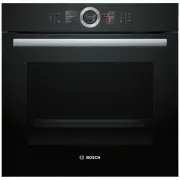


 Bosch HRG6753B1A User Manual
 Bosch HRG6767S2A User Manual
 Bosch HRG6769B2A User Manual
 Bosch HSB738357A User Manual
 Bosch HSB838357A User Manual
 Bosch HSG636XS6 Manual
 Bosch HSG958DB1A User Manual
 Bosch HSLP451UC User Manual
 Bosch HSLP751UC User Manual
 Bosch HXR39KI50A User Manual
 Bosch HXU09AH50A User Manual
 Bosch MBA534BB0A User Manual
 Bosch MBA534BS0A User Manual
 Bosch MBG5787S0A User Manual