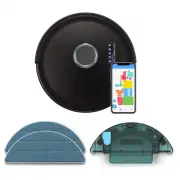
bObsweep SLP231122 Robot Vacuum – User Manual, read for free online in PDF format. We hope this helps you resolve any issues you may have. If you have further questions, please contact us through the contact form.
1
2
3
4
5
6
7
8
9
10
11
12
13
14
15
16
17
18
19
Table of Contents:
Page 2 – Bob PetHair SLAM; O W N E R ’ S M A N U A L
Page 3 – Congratulations; your service. To see Bob at his best, please read the Quick Start
Page 6 – Box Contents; Anatomy
Page 8 – Unique Furniture; Getting Started; How does Bob find his way
Page 9 – Before Starting; Step 1: Install Bob’s Side Brushes; Storing Bob
Page 10 – NoSweep; Charging Indicator
Page 13 – Maintenance
Page 15 – Accessories
Page 16 – Troubleshooting; Home Checkup Test
Page 18 – End User License Agreement
Loading the manual
bOb
sweep
Bob PetHair SLAM
™
App Store
Google Play
"Loading the manual" means you need to wait until the file loads and becomes available for online reading. Some manuals are very large, and the time they take to appear depends on your internet speed.
Summary
Page 2 - Bob PetHair SLAM; O W N E R ’ S M A N U A L
Bob PetHair SLAM O W N E R ’ S M A N U A L Model SLP231122 Manual Version 2023.f ™
Page 3 - Congratulations; your service. To see Bob at his best, please read the Quick Start
Congratulations ! Congratulations on your new intelligent floor cleaner! Bob is now at your service. To see Bob at his best, please read the Quick Start Guide and this manual thoroughly. Welcome to the bObsweep family and Happy Sweeping! If you have any questions or concerns, feel free to contact ou...
Page 6 - Box Contents; Anatomy
Box Contents Top View Bottom View Left Side Brush SLAM LiDAR Right Side Brush Main Brush Left Wheel Front Wheel Right Wheel Charging Plates Edge Sensors Battery Dustbin Speaker ButtonsDisplay Screen Anatomy Bob PetHair SLAM ™ Charging Station Cleaning Tool Side Brushes (4) Filter Charging Adapter We...
Page 8 - Unique Furniture; Getting Started; How does Bob find his way
Getting Started Who is Bob? Bob is an autonomous robotic vacuum cleaner, at your service! Connect Bob to Wi-Fi and use the bObsweep app to schedule a customized cleaning plan for Bob to clean your home, your way. Navigating Difficult Obstacles Unique Furniture Specialty furniture, such as stools wit...
Page 9 - Before Starting; Step 1: Install Bob’s Side Brushes; Storing Bob
Place the left (L) and right (R) side brush over the empty socket on Bob. Press down to lock onto Bob. Bob’s First Clean Bob’s First Clean Before Starting Remove the protective pieces from Bob’s bumper and charging station. Step 1: Install Bob’s Side Brushes Install Bob’s side brushes to help him re...
Page 10 - NoSweep; Charging Indicator
Bob’s First Clean Bob’s First Clean Open the bObsweep App, create your account, and follow instructions to connect your bot. Step 3: Charge Bob Place Bob on his station and allow him to charge completely. Step 4: Download the bObsweep App and connect Bob to Wi-Fi to gain access to Bob’s full suite o...
Page 13 - Maintenance
Sensors 1. Wipe the edge and wall sensors. 2. Wipe the charging plates on Bob and the charging nodes on his station. 3. Wipe the metal connectors on the dustbin and wet mop attachment. 4. Wipe the top and the area around the SLAM LiDAR. Use a soft cotton cloth to wipe the sensors. Maintenance Import...
Page 15 - Accessories
1. Remove the mop attachment. 2. Pull open the tab and empty the reservoir. 4. Wash the mopping cloth. Air-dry all parts when done. 3. Tap any debris that may have collected inside the attachment. Wet Mop Attachment Maintenace Accessories Important Note: The reservoir should be drained after use to ...
Page 16 - Troubleshooting; Home Checkup Test
Troubleshooting Whenever Bob runs into trouble, he will stop and his trouble indicator will blink. Check the bObsweep app for trouble details. Trouble Solution Battery Low or disconnected battery. Check connection. Reset, and charge Bob. Left/Right Wheel Left/Right wheel is jammed. Check for obstruc...
Page 18 - End User License Agreement
End User License Agreement IMPORTANT - READ BEFORE USING. Do not use the robot (“Bobsweep”) accompanying this license agreement (“Agreement”) until you have carefully read and agreed to the following terms and conditions. By using the Bobsweep, you agree to the terms of this End User License Agreeme...