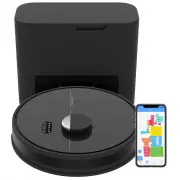
bObsweep PET24-7-213 Robot Vacuum – User Manual, read for free online in PDF format. We hope this helps you resolve any issues you may have. If you have further questions, please contact us through the contact form.
1
2
3
4
5
6
7
8
9
10
11
12
13
14
15
16
17
18
19
20
21
Table of Contents:
Page 2 – O W N E R ’ S M A N U A L
Page 3 – Congratulations; at your service. To see Dustin at his best, please read the Quick
Page 9 – Unique Furniture; Getting Started; How does Dustin find his; Carpet
Page 10 – Before Starting; Install Dustin’s Side Brush; Storing Dustin
Page 11 – Charging Indicator
Page 13 – Maintenance
Page 16 – Battery
Page 18 – Troubleshooting; Home Checkup Test; Putting Dustin in/out of Checkup mode
Page 20 – End User License Agreement
Loading the manual
bObsweep
OWNER’S MANUAL
Dustin
™
Download
& Connect
App Store
Google Play
"Loading the manual" means you need to wait until the file loads and becomes available for online reading. Some manuals are very large, and the time they take to appear depends on your internet speed.
Summary
Page 2 - O W N E R ’ S M A N U A L
O W N E R ’ S M A N U A L Model PET24-7-123 Version 2023.a
Page 3 - Congratulations; at your service. To see Dustin at his best, please read the Quick
Congratulations ! Congratulations on your new intelligent floor cleaner! Dustin is now at your service. To see Dustin at his best, please read the Quick Start Guide and this manual thoroughly. Welcome to the bObsweep family and Happy Sweeping! If you have any questions or concerns, feel free to cont...
Page 9 - Unique Furniture; Getting Started; How does Dustin find his; Carpet
Getting Started Who is Dustin? Dustin is an autonomous robotic vacuum cleaner, at your service! Connect Dustin to Wi-Fi and use the bObsweep app to create a customized cleaning plan. Dustin will clean your home, your way. Navigating Difficult Obstacles Unique Furniture Specialty furniture, such as d...
Page 10 - Before Starting; Install Dustin’s Side Brush; Storing Dustin
Place the side brush over the empty socket on Dustin. Press down to lock. Dustin’s First Clean Dustin’s First Clean Before Starting Remove protective pieces from Dustin’s bumper and charging station. Install Dustin’s Side Brush Install Dustin’s side brush to help him reach the corners and edges of r...
Page 11 - Charging Indicator
Dustin’s First Clean Dustin’s First Clean Set up Dustin’s Charging & Self-empty Station Bright sunlight, shiny surfaces, and reflective objects can interfere with Dustin’s docking signals. Set up Dustin’s station away from uncovered windows, mirrors, and shiny furniture or objects. Charge Dustin...
Page 13 - Maintenance
Quick Tips: Clear debris out of nooks and crannies around the brushes and wheels. Use tweezers to remove congestion from the brush ends and main and side brush compartments on Dustin. Use scissors or the included cleaning tool to cut hair wrapped around the brushes. Maintenance Part Maintenance Freq...
Page 16 - Battery
Battery Power OFF Dustin before replacing the battery. Press and hold the GO button. 1. Use a Phillips head screwdriver to open the battery compartment. 2. Unplug the old battery and plug in your new one. 3. Slide the new battery into Dustin. Maintenance 24 23
Page 18 - Troubleshooting; Home Checkup Test; Putting Dustin in/out of Checkup mode
Troubleshooting Whenever Dustin runs into trouble, he will stop and his trouble indicator will blink. Check the bObsweep app for trouble details. Trouble Solution Battery Low or disconnected battery. Check connection. Reset, and charge Dustin. Left/Right Wheel Left/Right wheel is jammed. Check for o...
Page 20 - End User License Agreement
End User License Agreement IMPORTANT - READ BEFORE USING. Do not use the robot (“Dustin” or “bObsweep”) accompanying this license agreement (“Agreement”) until you have carefully read and agreed to the following terms and conditions. By using the bObsweep, you agree to the terms of this End User Lic...