Page 3 - CONTENTS
CONTENTS General Safety 4 Installation 9 Wall Mounting Instructions 10 Controls and Connections 11 Remote Control 13 Initial Setup 16 Android TV - Home Screen 21 Google Play Store 22 Google Assistant 23 Discover 24 Inputs 25 Settings 26 Network 27 Channel Menu 28 Device Preferences About & Time ...
Page 4 - IMPORTANT INFORMATION; GENERAL SAFETY
4 Read this manual thoroughly before you start using the TV.Store this manual, the completed warranty card, your receipt and the product packaging.The safety precautions instructions reduces the risk of fire, electric shock and injury when correctly complied to. Please follow all instructions and ta...
Page 5 - Installation
5 Installation Please follow instruction when installing this product in accordance with the instruction manual. This product must be positioned in a sufficiently stable location, it can be potentially hazardous due to falling and can cause injury, particularly to children if it positioned incorrect...
Page 6 - It is STRONGLY RECOMMENDED that you ANCHOR this product.
6 If a television is not positioned in a sufficiently stable location, it can be potentially hazardous due to falling. Many injuries, particularly to children, can be avoided by taking simple precautions such as: • Using cabinets or stands recommended by the manufacturer of the television. • Only us...
Page 9 - INSTALLATION
9 Install the stand as described below, or if you want to mount it to a wall, please contact a professional installer. Please ensure the TV is not plugged into the wall socket and furthermore we recommend to get another person to assist in the following task. Attaching the stand Step 1 Place a soft ...
Page 10 - Wall-Mounting Instructions; BACK OF TV
10 Wall-Mounting Instructions Please ensure the TV is not plugged into the wall socket and furthermore we recommend to get another person to assist in the following task. • We recommend you use a professional installer as we assume no liability for any eventual damage to the product or injury to you...
Page 11 - CONTROLS AND CONNECTIONS; POWER
11 CONTROLS AND CONNECTIONS POWER CH+ CH- V+ V- MENU SOURCE
Page 12 - USB connection; BOTTOM PORTS
12 1. RJ45 (ETHERNET) 2. OPTICAL3. HEADPHONE4. HDMI 15. HDMI 26. HDMI 3 (ARC)7. VIDEO8. LEFT AUDIO9. RIGHT AUDIO10. RF (ANTENNA)11. USB 1 & 2 PORTS USB connection Insert a USB storage device into the USB port to record, playback of video/music/photo. CONTROLS AND CONNECTIONS BOTTOM PORTS SIDE PO...
Page 13 - REMOTE CONTROL; Using the Remote Control
13 REMOTE CONTROL Using the Remote Control • Do not mix old and new batteries in the remote• Do not use different types of battery• If you do not intend to use the unit for a long time, please remove batteries from the remote to avoid accident.• Keep batteries away from children and pets.• Never thr...
Page 16 - INITIAL SETUP
16 INITIAL SETUP For the first initial setup, on screen setup wizard will guide you through setting up your TV. Please follow according to onscreen guide to setup your TV correctly. Be sure to follow the below prompts to pair your Bluetooth remote control. After the pairing is successful, you can no...
Page 21 - ANDROID TV - HOME SCREEN
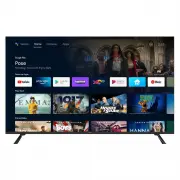
21 ANDROID TV - HOME SCREEN Once you have completed initial setup, you will now enter the ANDROID TV home screen. 1. Open Google Assistant to start a voice search. 2. HOME - Main page to enter Live TV, view your pre-installed and downloaded applications. 3. DISCOVER - Once signed in with a Google Ac...
Page 22 - GOOGLE PLAY STORE
22 GOOGLE PLAY STORE To have access and to download applications from the Google Play Store, you must sign in with a Gmail account. Once you open Google Play Store , you will be prompted to sign in or create a new account. Once you have signed in, you will be brought to the below page, scroll throug...
Page 23 - GOOGLE ASSISTANT; Whats the weather today?
23 You now have access to Google Assistant via the (#1 on page 20) or by pressing (Google Assistant) button on your remote control to commence. GOOGLE ASSISTANT Allow for the voice box to appear at the bottom of your TV screen, stating: “Listening” then speak clearly towards the top of your remote c...
Page 24 - DISCOVER
24 If you havent already signed into Google Play Store using your Google account. When selecting DISCOVER tab on the top of home page, you will be prompted to sign in. Note: if already signed in, your Google account will already appear. 1. Once signed into Google, you can select the apps you want re...
Page 25 - INPUT MENU
25 INPUT MENU To access INPUT menu, press the SOURCE button on your remote control to have quick access to INPUT menu. The options that are AVAILABLE will be highlighted, PORTS that are not in use, you will not be able to access.
Page 28 - CHANNEL MENU
28 CHANNEL MENU To access CHANNEL menu, select SETTING icon (#5 on page 21) via the HOME screen. Then go down and select “CHANNEL” . Channels Display the scan sub-menu based on different channel installatino modes. Antenna - Set the signal type to antenna, when set to antenna the TV can now receive ...
Page 29 - DEVICE PREFERENCES - ABOUT; TIME
29 DEVICE PREFERENCES - ABOUT TIME To access ABOUT menu, select SETTING icon (#5 on page 21) via the HOME screen. Then go down and select “ABOUT” . To access DATE & TIME menu, select SETTING icon (#5 on page 21) via the HOME screen. Then go down and select “DATE & TIME” .
Page 30 - INPUT SETTINGS MENU
30 INPUT SETTINGS MENU To access INPUT SETTINGS menu, 1. Select SETTING icon (#5 on page 21) via the HOME screen. 2. Select “Device Preferences” 3. Then go down and select “INPUTS” .
Page 31 - POWER SETTINGS MENU
31 POWER SETTINGS MENU To access POWER SETTINGS menu, 1. Select SETTING icon (5) via the HOME screen. 2. Select “Device Preferences” 3. Then go down and select “POWER” . Sleep Timer - Options of Off, 10 mins, 20 mins, 30 mins, 40 mins, 50 mins, 60 mins, 90 mins and 120 mins to auto turn off your TV....
Page 32 - PICTURE SETTINGS MENU
32 PICTURE SETTINGS MENU To access PICTURE SETTINGS menu, 1. Select SETTING icon (5) via the HOME screen. 2. Select “Device Preferences” 3. Then go down and select “PICTURE” . Picture Mode - Options to choose from - Standard, Vivid, Sport, Movie, Game, Energy Saving, User. HDR - The default setting ...
Page 33 - SOUND SETTINGS MENU
33 SOUND SETTINGS MENU To access SOUND SETTINGS menu, 1. Select SETTING icon (5) via the HOME screen. 2. Select “Device Preferences” 3. Then go down and select “SOUND” . Sound Style - Options to choose from - Standard, Vivid, Sports, Movie, Music, News, User. Speakers - TV Speakers or External Speak...
Page 38 - GENERAL PROBLEMS WITH TV SET; FAQS
Page 40 - SPECIFICATIONS
Operating System Android TV 9.0 Resolution 3840 x 2160 Display Colours 1.07 Billion Contrast ratio: 1100:1 Refresh Rate 60Hz ETHERNET / WiFi Yes/ 802.11 b/g/n/ac Multimedia PlaybackFormat underUSB Mode Movie: MPEG, TS, TRP, TP, MP4, MOV, 3GPP, 3GP, AVI, MKV, ASF, DIVX, FLV, SWF, RM, WEBM Music: MPEG...