AVerMedia GC570D - User Manual
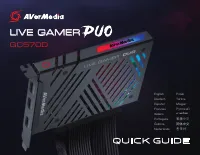
This Quick Guide covers the AVerMedia LIVE GAMER DUO GC570D gaming capture card, focusing on its installation, setup, and basic operation. The document highlights essential topics like hardware connections–such as HDMI ports for input/output–and software integration with RECentral for streaming and recording. It also includes safety warnings, technical specifications (including PCIe x4 Gen 2 interface and H.264/H.265 codec support), and LED indicator guides to monitor device status during use.
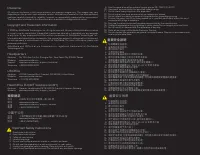
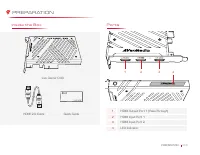
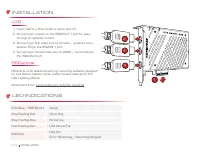
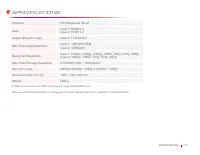
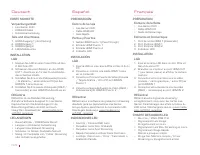
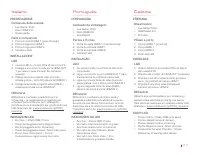
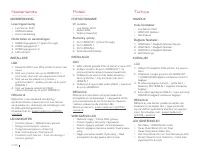
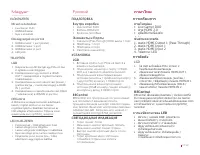
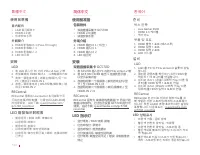

Table of Contents:
- Page 1 – Product Identification and Guide
- Page 2 – Safety Instructions and Warnings
- Page 3 – Device Ports and Contents
- Page 4 – Capture Card Installation and Software Setup
- Page 5 – Technical Specifications
- Page 6 – Setup Instructions and Indicator Guide
- Page 7 – Device Operation and Software Access
- Page 8 – Installation Procedures in Multiple Languages
- Page 9 – System Requirements and Operational States
- Page 10 – Capture Card Setup in Multiple Languages
- Page 11 – Regulatory Compliance and Product Details
QUICK GUIDE
GC570D
LIVE GAMER
English
Polski
Deutsch
Türkçe
Español
Magyar
Français
Pусский
Italiano
ภาษาไทย
Português
繁體中文
Čeština
简体中文
Nederlands
한국어
"Loading the manual" means you need to wait until the file loads and becomes available for online reading. Some manuals are very large, and the time they take to appear depends on your internet speed.
Was this manual helpful?
About this manual
- Brand
- AVerMedia
- Model
- GC570D
- Document type
- User Manual
- Category
- Video Card
- Language(s)
- German, English, Spanish, French, Italian, Dutch, Polish, Russian, Swedish
- Pages
- 12
- File size
- 2.7 MB
- Format
Summary
Display of the product image, model reference, and available language versions for the Quick Guide.
Safety precautions, usage guidelines, environmental conditions, power handling, disposal procedures, copyright notices, and contact information.
Details of the box contents, included HDMI cable, and illustration of device ports including HDMI output/input and LED indicator.