Page 3 - Avalon Water Coolers; Follow our social media accounts and stay up to
www.avalonh2o.com We’re Here to Help Let’s Connect Call Us: 1.800.256.0695 Email Us: [email protected] [email protected] Live Chat: Monday-Thursday: 9 a.m.-5:30 p.m. Friday: 9 a.m.-4:30 p.m. @avalon_h2o Avalon Water Coolers Avalonh2o Follow our social media accounts and stay up to date on the latest...
Page 4 - Use and Care Guide
Use and Care Guide MODEL: A3F Registration Please visit the website below to register your new water cooler within the first 30 days of purchase. Registration within the first 30 days will activate your one year warranty. www.avalonh2o.com/register-my-avalon-cooler Please keep your model number, ord...
Page 5 - Contents
Contents About Your Water Cooler Meet Your Avalon Product Part Names Indicator Lights Tech Specs BioGuard Getting Started Unpacking Install Filters Install Water Bottle Install/Remove Drip Tray Powering the Dispenser Activate Heating and Cooling User Guide and Maintenance Flushing the Filters Dispen...
Page 7 - Meet Your Avalon Product
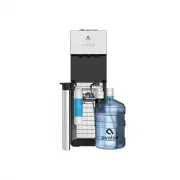
1 Sediment Filter About Your Water Cooler Meet Your Avalon Product Inside the box, you’ll find: Carbon Block Filter Water Bottle Filter Funnel 5 Gallon Water Bottle
Page 9 - Part Names
3 Part Names 8. Cold Water Push Button 14. Drip Tray 9. Filter Indicator Lights 7. Cool Water Push Button 5. Hot Water Push Button 6. Child Safety Lock 11. Cool Water Spout 10. Hot Water Spout 13. Nightlight 12. Cold Water Spout 1. Power Indicator Light 3. Cooling Indicator Light 4. Empty Bottle Ind...
Page 11 - Indicator Lights
5 Indicator Lights Power Indicator Light This light will remain on as long as the water cooler is plugged in to indicate that the cooler is on. Heating Indicator Light This light will indicate when the water is heating. The light will remain on while the water is heating and will turn off when it ha...
Page 12 - Tech Specs
6 Tech Specs Model A3F Hot/Cold/Cool Output Hot Water Capacity Hot Tank Volume Cold Water Capacity Cold Tank Volume Stage 1 Filtration Stage 2 Filtration Product Size Packing Size Net Weight/Gross Weight Voltage/Frequency Cooling Method Heating Method Heating Watts / Cooling Watts Power Consumption ...
Page 14 - G e t t i n g Sta r te d
Page 15 - Unpacking Your Avalon Water Cooler
9 Unpacking Your Avalon Water Cooler The unit has been cleaned prior to departing from the factory. To remove any dust and debris that may collect during shipping we recommend cleaning the unit prior to installation. For cleaning instructions, see pages 24-30. Do NOT plug in the power cord yet.Place...
Page 16 - Installing the Filters
10 Installing the Filters 1. Open the cabinet door. 2. Remove the included 5 gallon water bottle from the cabinet. 3. Remove the probe assembly from inside the 5 gallon water bottle and hang it on the probe hanger. 4. Twist the filters into the filter heads in the cabinet by rotating them clockwise....
Page 17 - Installing the Water Bottle
11 Installing the Water Bottle 2. Fill the included 5 gallon water bottle with tap water. 1. It is recommended to insert the provided water bottle filter funnel into the neck of the 5 gallon water bottle while filling to ensure that no large particles enter the 5 gallon water bottle that can clog th...
Page 19 - Installing and Removing the Drip Tray
13 Installing and Removing the Drip Tray 1. To install the drip tray, simply slide it into the area at the top of the door until it snaps into place. 2. To remove the drip tray, place your fingers in the grid of the drip tray with one hand and hold the door of the cooler shut with the other. 3. Gent...
Page 20 - Powering the Dispenser
14 Powering the Dispenser Plug cord into a properly grounded wall outlet. At this time the pump will begin to move water from the bottle to the hot and cold tanks. It will take up to 12 minutes to fill the tanks for the first time. Please note: During this period the pump will run continuously. You ...
Page 21 - Activate Heating and Cooling
15 Activate Heating and Cooling To activate the cold water, push the cooling switch (#17) into the on (I) position by pushing the top of the switch in. If you do not wish to have cold water you can leave the switch in the off (O) position.To activate the hot water, push the heating switch (#18) into...
Page 22 - Us e r G u i d e a n d Ma i n te n a n c e
Page 24 - Dispensing Water
18 Dispensing Water Cold Water Hot Water Cool Water Once you have turned the cooling switch (#17) into the on (I) position it will take initially 1 hour for the water to cool. During this time the cooling indicator light (#3) above the cold water icon will be steady. During this time the compressor ...
Page 25 - Refilling the Bottle
19 Refilling the Bottle Notice: Do not dispense hot, cool or cold water if the light is flashing as you could empty the tanks and cause the dispenser to overheat. When the empty bottle indicator light (#4) is blinking red this is an alert that your bottle is empty and will need to be refilled as soo...
Page 27 - Replacing the Filters
21 User Guide and Maintenance Replacing the Filters Replacing the Filters Replacing the Filters 2. Open the cabinet door. 3. Remove the included 5 gallon water bottle from the cabinet. 1. When the lifetime of the filters are near their end, either by means of water flow or by means of 6 months time,...
Page 29 - C l e a n i n g
Page 37 - Tro u b l e s h o ot i n g
Page 40 - S a fe t y
Page 41 - Safety
35 Safety Safety To reduce risk of injury and property damage, user must read this entire guide before assembling, installing and operating the dispenser. Failure to execute the instructions in this manual can cause personal injury or property damage. This product dispenses water at very high temper...