Yamaha WX-030 - User Manual
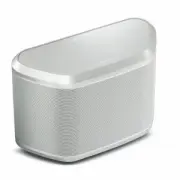
Yamaha WX-030 – User Manual, read for free online in PDF format. We hope this helps you resolve any issues you may have. If you have further questions, please contact us through the contact form.


Table of Contents:
- Page 2 – CAUTION: READ THIS BEFORE OPERATING YOUR UNIT.
- Page 3 – About this manual; IMPORTANT
- Page 4 – Supports streaming services; FEATURES
- Page 5 – LISTENING TO THE MUSIC; CONTENTS
- Page 6 – Top panel; indicator; Power indicator; Rear panel; Wall mount hanger hole; PART NAME
- Page 7 – INSTALLATION; device users; For; device users; Mounting the unit on a wall
- Page 8 – To mount the unit to a wall mount hanger; TURNING ON THE POWER; Auto Standby; Rear pannel
- Page 9 – Connect the unit to the network as shown below.; CONNECTING TO THE NETWORK
- Page 10 – MusicCast CONTROLLER; HOME AUDIO NETWORK WITH MusicCast; Connecting to the network using MusicCast CONTROLLER; Touch and hold the
- Page 11 – Setting of the devices and playback; Standard Mode
- Page 12 – For Windows Media Player 12; LISTENING TO THE INTERNET RADIO; Setting the media sharing of music files; Start Windows Media Player 12 on your PC.; Click “Turn on media streaming.”
- Page 13 – PLAYING BACK MUSIC WITH AirPlay; Playback of iTunes/iPod music contents; Select a song and start playback.; Clearing AirPlay
- Page 14 – Connecting from the connecting device; In the; DEVICE; Pairing this unit with your Bluetooth device; Perform; pairing on the connecting; connection list of the; Connecting an already-paired device via Bluetooth
- Page 15 – Tap; Indicator display during the Stereo Pair; STEREO PAIR; Setting/Playing back music; Left
- Page 16 – Use the dedicated app “MusicCast CONTROLLER” to play back.; Tap and hold; Canceling Stereo Pair; Indicator display
- Page 17 – Eco Standby; UPDATING THE FIRMWARE
- Page 18 – ADDITIONAL INFORMATION
- Page 19 – TROUBLESHOOTING; General; MusicCast
- Page 20 – Problem
- Page 22 – Handling; communications; SUPPORTED DEVICES/MEDIA AND FILE FORMATS
- Page 23 – PLAYER; Network; AUDIO; SPECIFICATIONS
ABL
OWNER'S MANUAL
"Loading the manual" means you need to wait until the file loads and becomes available for online reading. Some manuals are very large, and the time they take to appear depends on your internet speed.
Was this manual helpful?
About this manual
- Brand
- Yamaha
- Model
- WX-030
- Document type
- User Manual
- Language(s)
- English
- Pages
- 27
- File size
- 3.6 MB
- Format
Other Manuals for Yamaha WX-030
Summary
i En 1 To assure the finest performance, please read this manual carefully. Keep it in a safe place for future reference. 2 Install this unit in a well ventilated, cool, dry, clean place – away from direct sunlight, heat sources, vibration, dust, moisture and cold. For proper ventilation, allow the ...
ii En ◆ Special Instructions for U.K. Model About this manual • “iPod” described in this manual may also refer to “iPhone” or “iPad.” • Illustrations may differ from actual item depicted.• Symbols: Indicates precautions for use of the unit and its feature limitations. Indicates supplementary expla...
1 En Smooth operation and wireless music playback using iPhone/Android TM devices • By installing the free dedicated app “MusicCast CONTROLLER” on your iPhone/iPad/iPod touch or Android device, you will be able to set up a network, make various settings, and select songs to play back. You can also u...
Ask a question
Related manuals
Popular Yamaha Other


More Yamaha Other models
 Yamaha WaveRunner GP800R User Manual
 Yamaha WaveRunner GP1300R User Manual
 Yamaha WR250FM Manual
 Yamaha wr450f User Manual
 Yamaha WT11 User Manual
 Yamaha WX-010 User Manual
 Yamaha WX5 User Manual
 Yamaha WX11 User Manual
 Yamaha WXA-50 User Manual
 Yamaha WXAD-10 User Manual
 Yamaha WXC-50 User Manual
 Yamaha X3500 User Manual