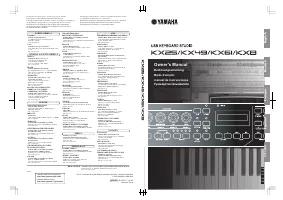
Yamaha KX8 - Installation Manual

Yamaha KX8 Synthesizer – Installation Manual, read for free online in PDF format. We hope this helps you resolve any issues you may have. If you have further questions, please contact us through the contact form.


Table of Contents:
- Page 2 – Special Notices
- Page 3 – Windows; Minimum System Requirements; Software Installation
- Page 4 – Installing the KX Editor
- Page 5 – When using Windows XP; When using Windows Vista; Windows Software Uninstall
KX Editor
Installation Guide
1
ATTENTION
PLEASE READ THIS SOFTWARE LICENSE AGREEMENT (“AGREEMENT”) CAREFULLY BEFORE USING THIS SOFTWARE.
YOU ARE ONLY PERMITTED TO USE THIS SOFTWARE PURSUANT TO THE TERMS AND CONDITIONS OF THIS AGREE-
MENT. THIS AGREEMENT IS BETWEEN YOU (AS AN INDIVIDUAL OR LEGAL ENTITY) AND YAMAHA CORPORATION
(“YAMAHA”).
BY
DOWNLOADING, INSTALLING, COPYING, OR OTHERWISE USING THIS SOFTWARE YOU ARE AGREEING TO BE
BOUND BY THE TERMS OF THIS LICENSE. IF YOU DO NOT AGREE WITH THE TERMS, DO NOT DOWNLOAD, INSTALL,
COPY, OR OTHERWISE USE THIS SOFTWARE. IF YOU HAVE DOWNLOADED OR INSTALLED THE SOFTWARE AND DO
NOT AGREE TO THE TERMS, PROMPTLY DELETE THE SOFTWARE.
1. GRANT OF LICENSE AND COPYRIGHT
Yamaha hereby grants you the right to use one copy of the software program(s) and data (“SOFTWARE”) accompanying this Agreement.
The term SOFTWARE shall encompass any updates to the accompanying software and data. The SOFTWARE is owned by Yamaha and/
or Yamaha’s licensor(s), and is protected by relevant copyright laws and all applicable treaty provisions. While you are entitled to claim
ownership of the data created with the use of SOFTWARE, the SOFTWARE will continue to be protected under relevant copyrights.
•
You may
use the SOFTWARE on a
single computer
.
•
You may
make one copy of the SOFTWARE in machine-readable form for backup purposes only, if the SOFTWARE is on media
where such backup copy is permitted. On the backup copy, you must reproduce Yamaha’s copyright notice and any other proprietary
legends that were on the original copy of the SOFTWARE.
•
You may
permanently transfer to a third party all your rights in the SOFTWARE, provided that you do not retain any copies and the
recipient reads and agrees to the terms of this Agreement.
2. RESTRICTIONS
•
You may not
engage in reverse engineering, disassembly, decompilation or otherwise deriving a source code form of the SOFTWARE
by any method whatsoever.
•
You may not
reproduce, modify, change, rent, lease, or distribute the SOFTWARE in whole or in part, or create derivative works of the
SOFTWARE.
•
You may not
electronically transmit the SOFTWARE from one computer to another or share the SOFTWARE in a network with other
computers.
•
You may not
use the SOFTWARE to distribute illegal data or data that violates public policy.
•
You may not
initiate services based on the use of the SOFTWARE without permission by Yamaha Corporation.
Copyrighted data, including but not limited to MIDI data for songs, obtained by means of the SOFTWARE, are subject to the following
restrictions which you must observe.
• Data received by means of the SOFTWARE may not be used for any commercial purposes without permission of the copyright owner.
• Data received by means of the SOFTWARE may not be duplicated, transferred, or distributed, or played back or performed for listeners
in public without permission of the copyright owner.
• The encryption of data received by means of the SOFTWARE may not be removed nor may the electronic watermark be modified with-
out permission of the copyright owner.
3. TERMINATION
This Agreement becomes effective on the day that you receive the SOFTWARE and remains effective until terminated. If any copyright
law or provisions of this Agreement is violated, the Agreement shall terminate automatically and immediately without notice from
Yamaha. Upon such termination, you must immediately destroy the licensed SOFTWARE, any accompanying written documents and all
copies thereof.
4. DISCLAIMER OF WARRANTY ON SOFTWARE
You expressly acknowledge and agree that use of the SOFTWARE is at your sole risk. The SOFTWARE and related documentation are
provided “AS IS” and without warranty of any kind. NOTWITHSTANDING ANY OTHER PROVISION OF THIS AGREEMENT,
YAMAHA EXPRESSLY DISCLAIMS ALL WARRANTIES AS TO THE SOFTWARE, EXPRESS, AND IMPLIED, INCLUDING
BUT NOT LIMITED TO THE IMPLIED WARRANTIES OF MERCHANTABILITY, FITNESS FOR A PARTICULAR PURPOSE
SOFTWARE LICENSE AGREEMENT
KX Editor
Installation Guide
KX Editor
Installation Guide
"Loading the manual" means you need to wait until the file loads and becomes available for online reading. Some manuals are very large, and the time they take to appear depends on your internet speed.
Was this manual helpful?
About this manual
- Brand
- Yamaha
- Model
- KX8
- Document type
- Installation Manual
- Category
- Synthesizer
- Language(s)
- English
- Pages
- 5
- File size
- 66.4 KB
- Format
Other Manuals for Yamaha KX8
Summary
KX Editor Installation Guide 2 AND NON-INFRINGEMENT OF THIRD PARTY RIGHTS. SPECIFICALLY, BUT WITHOUT LIMITING THE FOREGOING, YAMAHA DOES NOT WARRANT THAT THE SOFTWARE WILL MEET YOUR REQUIREMENTS, THAT THE OPERATION OF THE SOFTWARE WILL BE UNINTERRUPTED OR ERROR-FREE, OR THAT DEFECTS IN THE SOFTWARE ...
KX Editor Installation Guide 3 Windows Macintosh • The Minimum System Requirements described above are applied to the KX Editor version 1.0.0. Keep in mind that the software is often updated and the system requirements are subject to change. You can check the latest version information of each progr...
KX Editor Installation Guide 4 Follow the instructions below to install the KX Editor programs. Windows 1 After the downloaded compressed file is properly extracted, double-click the “setup.exe” file. The KX Editor setup dialog appears. When using Windows Vista, if the “User Account Control” window ...